
1. Introduction
This manual provides comprehensive instructions for the Black Shark Wireless Gaming Earbuds, Model BS-T2. It covers product features, setup, operation, maintenance, and troubleshooting to ensure optimal performance and user experience. Please read this manual thoroughly before using the product.
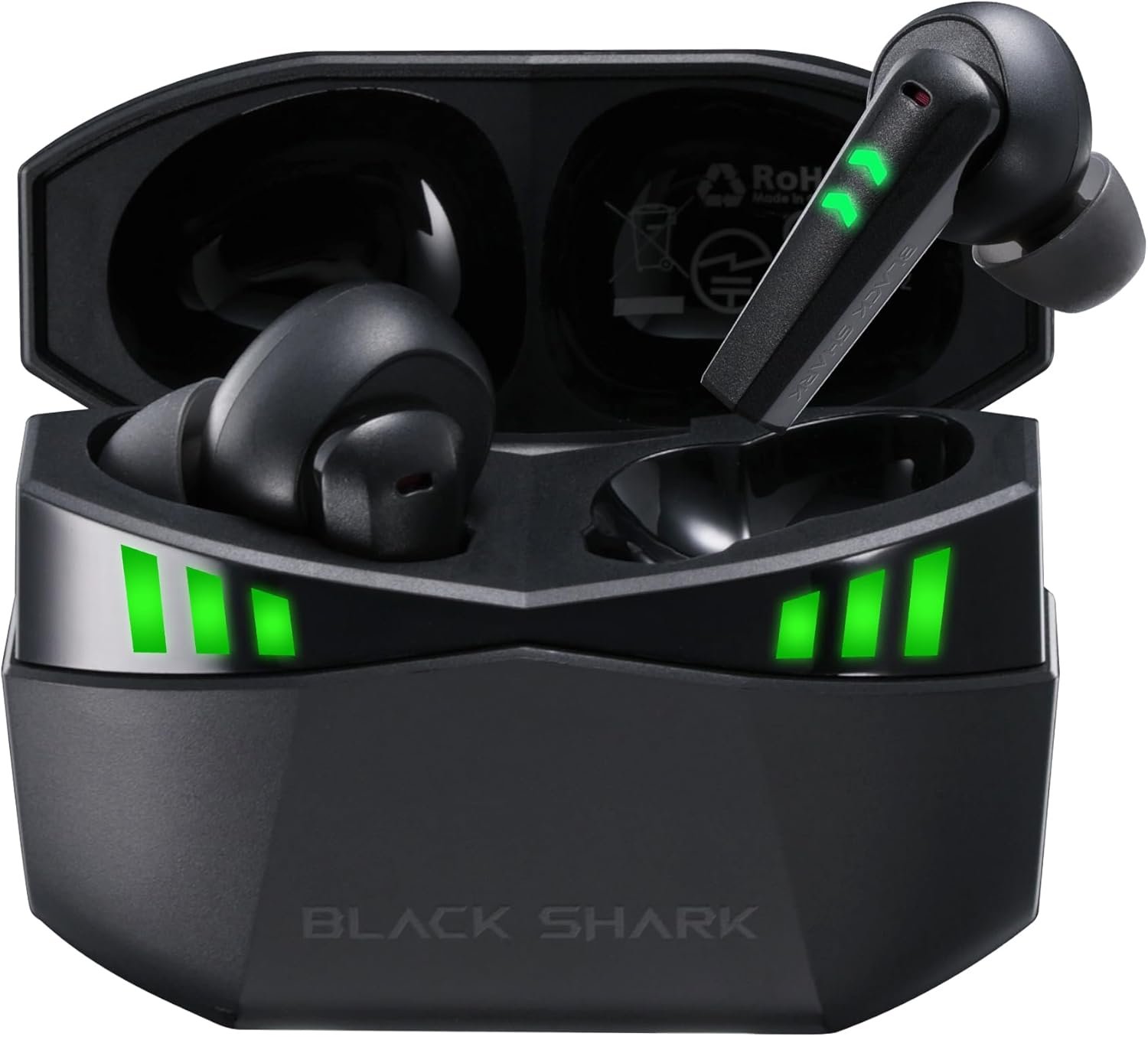
Figure 1: Black Shark Wireless Gaming Earbuds (Model BS-T2) in charging case.
2. What's in the Box
Verify that all items are present in the package:
- Black Shark Wireless Gaming Earbuds (Left and Right)
- Charging Case
- USB-C Charging Cable
- Multiple Sizes of Eartips (Small, Medium, Large)
- User Manual

Figure 2: Package contents including earbuds, charging case, cable, and eartips.
3. Setup
3.1 Initial Charging
Before first use, fully charge the earbuds and charging case.
- Place both earbuds into the charging case.
- Connect the USB-C charging cable to the charging port on the case and to a power source.
- The LED indicators on the case and earbuds will illuminate to show charging status. A full charge is indicated when all LEDs are solid.

Figure 3: Charging the earbuds and case using the provided USB-C cable.
3.2 Power On/Off
- Power On: Open the charging case. The earbuds will automatically power on.
- Power Off: Place the earbuds back into the charging case and close the lid. They will automatically power off and begin charging.
3.3 Bluetooth Pairing
The earbuds feature one-step auto-pairing for convenience.
- Ensure the earbuds are charged and inside the charging case.
- Open the charging case. The earbuds will enter pairing mode, indicated by flashing LED lights.
- On your device (smartphone, tablet, computer), enable Bluetooth and search for available devices.
- Select "Black Shark Lucifer T2" from the list of devices.
- Once connected, the earbuds' LED indicators will stop flashing.
The earbuds support Bluetooth 5.2 for a stable and fast connection within a 10-meter range. They also support multipoint pairing.

Figure 4: Bluetooth 5.2 pairing process with a mobile device.
4. Operating Instructions
4.1 Touch Controls
The earbuds feature intuitive touch controls for various functions:
- Play/Pause: Double tap either the Left or Right earbud.
- Answer/End Call: Double tap either the Left or Right earbud.
- Reject Call: Hold either earbud for 2 seconds.
- Next Track: Hold the Right earbud for 2 seconds.
- Previous Track: Hold the Left earbud for 2 seconds.
- Activate Voice Assistant: Triple tap the Left earbud.
- Switch Gaming/Music Mode: Triple tap the Right earbud.

Figure 5: Overview of touch control functions on the earbuds.
4.2 Gaming Mode (Ultra-low Latency)
Activate Gaming Mode for a 35ms ultra-low latency experience, ensuring audio and video synchronization during gameplay.
- To activate Gaming Mode, triple tap the Right earbud.
- To switch back to Music Mode, triple tap the Right earbud again.
Video 1: Demonstration of Black Shark Wireless Gaming Earbuds features, including gaming mode.
4.3 Audio Quality and Microphones
The earbuds are equipped with 10MM high-sensitivity dynamic drivers for clear, detailed sound. Each earbud features two built-in microphones, totaling four, which utilize environmental noise-canceling technology for clear voice capture during calls and team communication.

Figure 6: Hi-Fi Stereo Sound with 10MM dynamic drivers.

Figure 7: Earbuds featuring 4 ultra-clear microphones for enhanced call clarity.
5. Battery Life and Indicators
The earbuds provide up to 5 hours of playback on a single charge. The charging case extends the total playtime to approximately 20 hours.
- Earbud Battery: Up to 5 hours of continuous use.
- Total Playtime (with case): Up to 20 hours.
The charging case and earbuds feature 3-level LED grid indicators to display the current battery level.

Figure 8: Battery life details for earbuds and charging case.
6. Maintenance
To ensure the longevity and performance of your Black Shark Wireless Gaming Earbuds, follow these maintenance guidelines:
- Cleaning: Regularly clean the earbuds and charging case with a soft, dry cloth. Avoid using abrasive materials or harsh chemicals.
- Eartips: Remove and clean the eartips periodically. Replace them if they become worn or damaged.
- Water Resistance: The earbuds are IPX5 waterproof, meaning they are resistant to splashes and sweat. Do not submerge them in water or expose them to heavy rain. Dry them thoroughly if they get wet.
- Storage: Store the earbuds in their charging case when not in use to protect them and keep them charged.
- Temperature: Avoid exposing the earbuds to extreme temperatures (hot or cold) or direct sunlight for extended periods.
7. Troubleshooting
If you encounter issues with your earbuds, refer to the following common solutions:
- No Sound/Low Volume:
- Ensure earbuds are properly paired and connected to your device.
- Check the volume level on both your device and the earbuds.
- Ensure earbuds are clean and free of debris.
- Earbuds Not Pairing:
- Make sure Bluetooth is enabled on your device.
- Place earbuds back in the case, close the lid, wait a few seconds, then open to re-enter pairing mode.
- Forget the device from your device's Bluetooth settings and attempt to pair again.
- Ensure earbuds and case have sufficient charge.
- Charging Issues:
- Verify the USB-C cable is securely connected to both the case and the power source.
- Try a different charging cable or power adapter.
- Ensure the charging contacts on the earbuds and inside the case are clean.
- Unstable Connection:
- Ensure your device is within the 10-meter Bluetooth range.
- Avoid obstacles between the earbuds and your device that may interfere with the signal.
- Minimize interference from other wireless devices.
8. Specifications
| Feature | Specification |
|---|---|
| Model Name | Black Shark (BS-T2) |
| Connectivity Technology | Wireless (Bluetooth) |
| Bluetooth Version | 5.2 |
| Bluetooth Range | 10 Meters |
| Audio Driver Size | 10 Millimeters |
| Microphones | 4 Ultra-Clear Microphones (2 per earbud) |
| Latency | 35ms (Gaming Mode) |
| Earbud Playtime | Up to 5 Hours |
| Total Playtime (with Charging Case) | Up to 20 Hours |
| Water Resistance Level | IPX5 |
| Control Type | Touch Control |
| Special Features | Fast Charging, Lightweight, Multipoint Pairing |
| Item Weight | 4.2 ounces |
9. Warranty and Support
Black Shark products are covered by a limited warranty. For detailed warranty information, product support, or to contact customer service, please refer to the warranty card included in your package or visit the official Black Shark website. Keep your proof of purchase for warranty claims.