
1. Introduction
This manual provides instructions for the assembly, operation, and maintenance of your HARDURA Stainless Steel Commercial Prep Table (Model: WTG2448RC). This heavy-duty table is designed for commercial kitchens, restaurants, laboratories, workshops, garages, and home use, offering a durable and versatile workspace.
1.1 Safety Information
Please read all safety instructions before assembly and use.
- Always assemble and secure the table properly to prevent tipping.
- Do not exceed the weight capacity of 515 lb (233 kg) for the top shelf and 430 lb (195 kg) for the undershelf.
- Be cautious of the 2-inch backsplash to avoid pinch points and ensure items do not roll off.
- Always engage the brakes on the casters when stability is required to prevent unintended movement.
- Ensure all components are securely tightened before placing items on the table.
2. Components
Verify that all parts are present before beginning assembly. If any parts are missing or damaged, contact HARDURA customer support.
- Stainless Steel Tabletop with 2" Backsplash
- Adjustable Undershelf
- Four (4) Galvanized Legs
- Four (4) Swivel Casters (2 with brakes)
- Assembly Hardware (screws, hex key)
- Optional: Four (4) Bullet Feet (for stationary use)

Figure 2.1: Overview of the HARDURA Stainless Steel Commercial Prep Table.
3. Setup and Assembly
Follow these steps to assemble your stainless steel prep table.
3.1 Unpacking and Inspection
- Carefully remove all components from the packaging.
- Inspect all parts for any damage. Report any issues to customer support immediately.
- Remove the protective plastic film from all stainless steel surfaces. This film is designed to be removed in one piece; lift gently and evenly from the edges.
3.2 Attaching the Legs and Undershelf
- Place the tabletop upside down on a soft, clean surface to prevent scratches.
- Insert the four galvanized legs into the corner sockets of the tabletop.
- Slide the adjustable undershelf onto the legs. Position it at your desired height.
- Secure the undershelf to the legs using the provided set screws and hex key. Ensure all screws are tightened firmly.

Figure 3.1: Securing the undershelf to the legs with a hex key.
3.3 Installing the Casters (or Bullet Feet)
- If using casters: Unscrew the rubber insert on each caster fully before inserting it into the bottom of each leg. The caster should slide in easily.
- Tighten the collar of the wheel base to expand the rubber insert inside the leg tube, creating a secure fit.
- If using bullet feet: Screw the bullet feet into the bottom of each leg until secure.
- Carefully flip the table upright.

Figure 3.2: Casters provide mobility; bullet feet offer stationary stability.
4. Operation
Your HARDURA prep table is designed for versatile use in various environments.
4.1 General Use
- Use the spacious top surface for food preparation, assembly, or as a general workspace.
- The 2-inch backsplash helps contain spills and prevents items from falling behind the table.
- Utilize the adjustable undershelf for storing equipment, ingredients, or supplies, keeping your main workspace clear.

Figure 4.1: The table provides ample space for kitchen tasks.
4.2 Mobility and Stability
- The 360° rotating swivel casters allow for easy movement of the table.
- Two of the casters are equipped with brakes. To secure the table in place, press down on the brake levers. To release, lift the levers.

Figure 4.2: Engage caster brakes for stability during use.
5. Maintenance
Proper care will ensure the longevity and hygiene of your stainless steel table.
5.1 Cleaning
- Wipe down all stainless steel surfaces regularly with a soft cloth and mild detergent or a stainless steel cleaner.
- Avoid abrasive cleaners, scouring pads, or steel wool, as these can scratch the surface.
- Rinse thoroughly with clean water and dry immediately to prevent water spots and maintain shine.

Figure 5.1: Regular cleaning maintains the table's appearance and hygiene.
5.2 Regular Checks
- Periodically check all screws and connections to ensure they remain tight. Retighten as necessary.
- Inspect casters for smooth operation and ensure brakes are functioning correctly.
6. Troubleshooting
Refer to this section for solutions to common issues.
| Problem | Possible Cause | Solution |
|---|---|---|
| Table is wobbly or unstable. | Loose leg connections or improperly installed casters/feet. | Ensure all set screws for the undershelf and legs are tightened. If using casters, verify they are securely expanded within the leg tubes. If using bullet feet, ensure they are fully screwed in. |
| Casters do not roll smoothly or brakes are ineffective. | Debris in wheels, damaged casters, or improper brake engagement. | Clean any debris from the caster wheels. Check for damage to the casters. Ensure brakes are fully engaged or disengaged as needed. If casters are damaged, contact support for replacements. |
| Difficulty removing protective film. | Film tearing during removal. | Lift the film slowly, gently, and evenly from all edges. Aim to remove it in one continuous piece. |
| Minor dents or scratches on arrival. | Shipping damage. | While minor cosmetic imperfections may occur during transit, they typically do not affect the table's functionality. For significant damage, contact customer support. |
7. Specifications
| Feature | Detail |
|---|---|
| Model Number | WTG2448RC |
| Material | 18-Gauge 430 Stainless Steel (Tabletop), Galvanized Steel (Legs) |
| Product Dimensions | 24"D x 48"W x 34"H (61 cm D x 122 cm W x 86 cm H) |
| Top Shelf Load Capacity | 515 lb (233 kg) |
| Undershelf Load Capacity | 430 lb (195 kg) |
| Backsplash Height | 2 inches (5 cm) |
| Casters | 4 Swivel Casters (2 with brakes) |
| Assembly Required | Yes |
| Certifications | NSF Certified |

Figure 7.1: Key dimensions of the HARDURA Stainless Steel Prep Table.
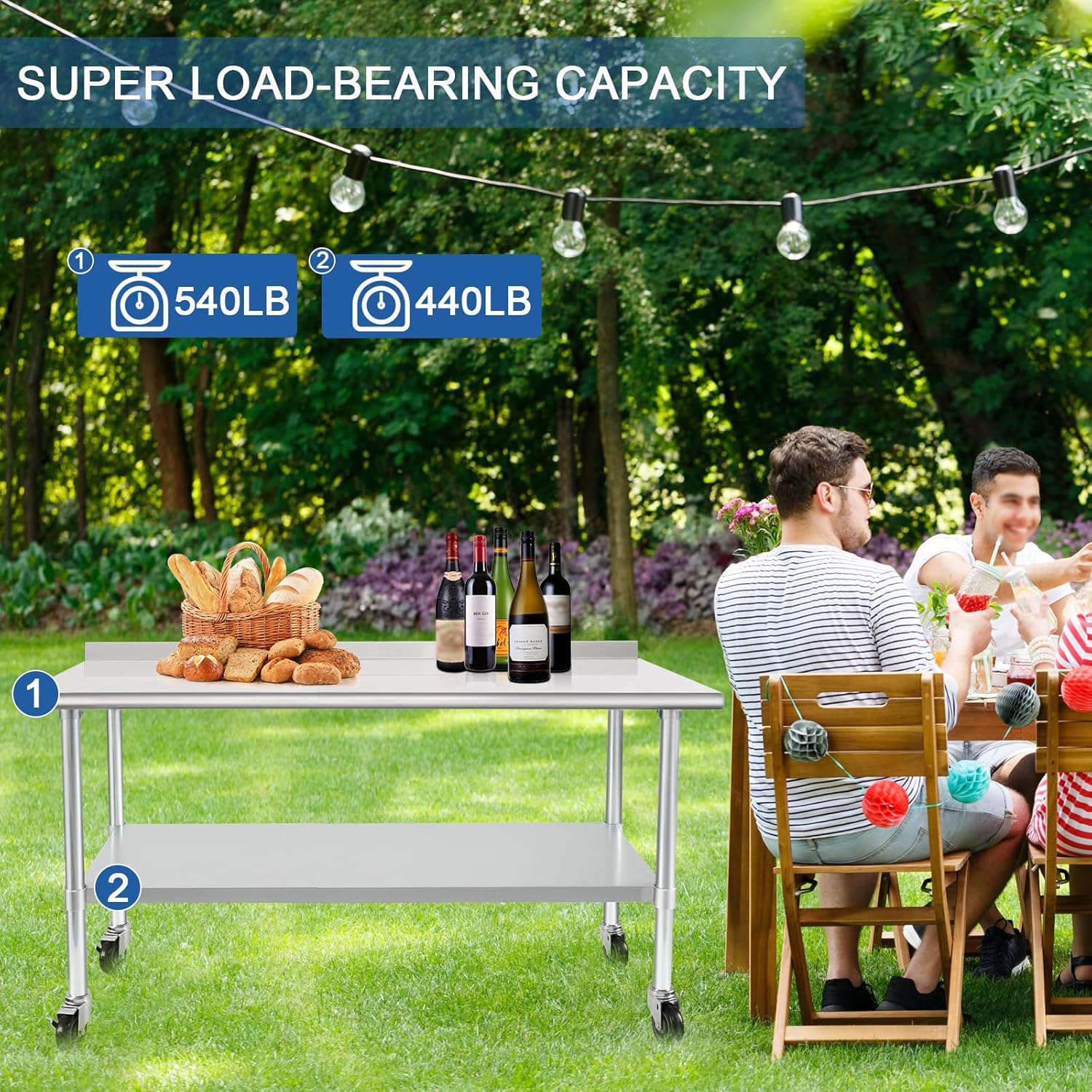
Figure 7.2: Load capacity details for the top and undershelves.
8. Warranty & Support
8.1 Warranty Information
HARDURA Restaurant Equipment products are manufactured to high-quality standards. For specific warranty details, please refer to the warranty card included with your product or contact HARDURA customer service directly. Keep your purchase receipt for warranty claims.
8.2 Customer Support
For assistance with assembly, missing parts, troubleshooting, or warranty inquiries, please contact HARDURA Restaurant Equipment customer service. You can typically find contact information on the seller's page where you purchased the product or on the official HARDURA website.
Seller: Hardura


