
Introduction
The TESSAN TS-1026-C Surge Protector Power Strip is designed to provide expanded power access and protection for your electronic devices. It features 8 standard AC outlets, 2 USB-A ports, and 1 USB-C port, along with a 15-foot flat plug extension cord. This manual provides essential information for the safe and efficient use of your power strip.
Product Features
- 8 Widely Spaced AC Outlets: Accommodates larger power adapters without blocking adjacent outlets.
- 3 USB Charging Ports: Includes 2 USB-A (5V/2.4A MAX per port) and 1 USB-C (5V/3A MAX) for convenient charging of mobile devices. Total USB output: 5V/3A MAX, 15W.
- 15-Foot Ultra-Thin Flat Plug Extension Cord: Provides extended reach and allows furniture to sit closer to the wall.
- 900 Joule Surge Protection: Safeguards connected devices from power surges and spikes.
- Overload Protection Switch: Integrated circuit breaker automatically trips to prevent damage from power overload.
- Mounting Holes: Allows for secure wall or desk mounting.
Setup
- Unpack the Device: Carefully remove the TESSAN Surge Protector from its packaging.
- Positioning: Place the power strip in a desired location, ensuring the 15-foot cord can reach a wall outlet without tension. The flat plug design allows for placement behind furniture.
- Plug In: Insert the flat plug into a standard 3-prong wall outlet. Ensure the connection is secure.


Operating Instructions
- Power On/Off: Locate the ON/OFF switch on the side of the power strip. Flip the switch to the 'ON' position to supply power to the outlets and USB ports. The 'Protected' indicator light will illuminate red when the unit is powered on and surge protection is active.
- Connecting AC Devices: Plug your electronic devices into any of the 8 widely spaced AC outlets. The wide spacing is designed to accommodate bulky power adapters.
- Connecting USB Devices: Use the 2 USB-A ports or the 1 USB-C port to charge compatible smartphones, tablets, and other USB-powered devices.


Official Product Video: TESSAN Power Strip TS-1026-C Review
Safety Features
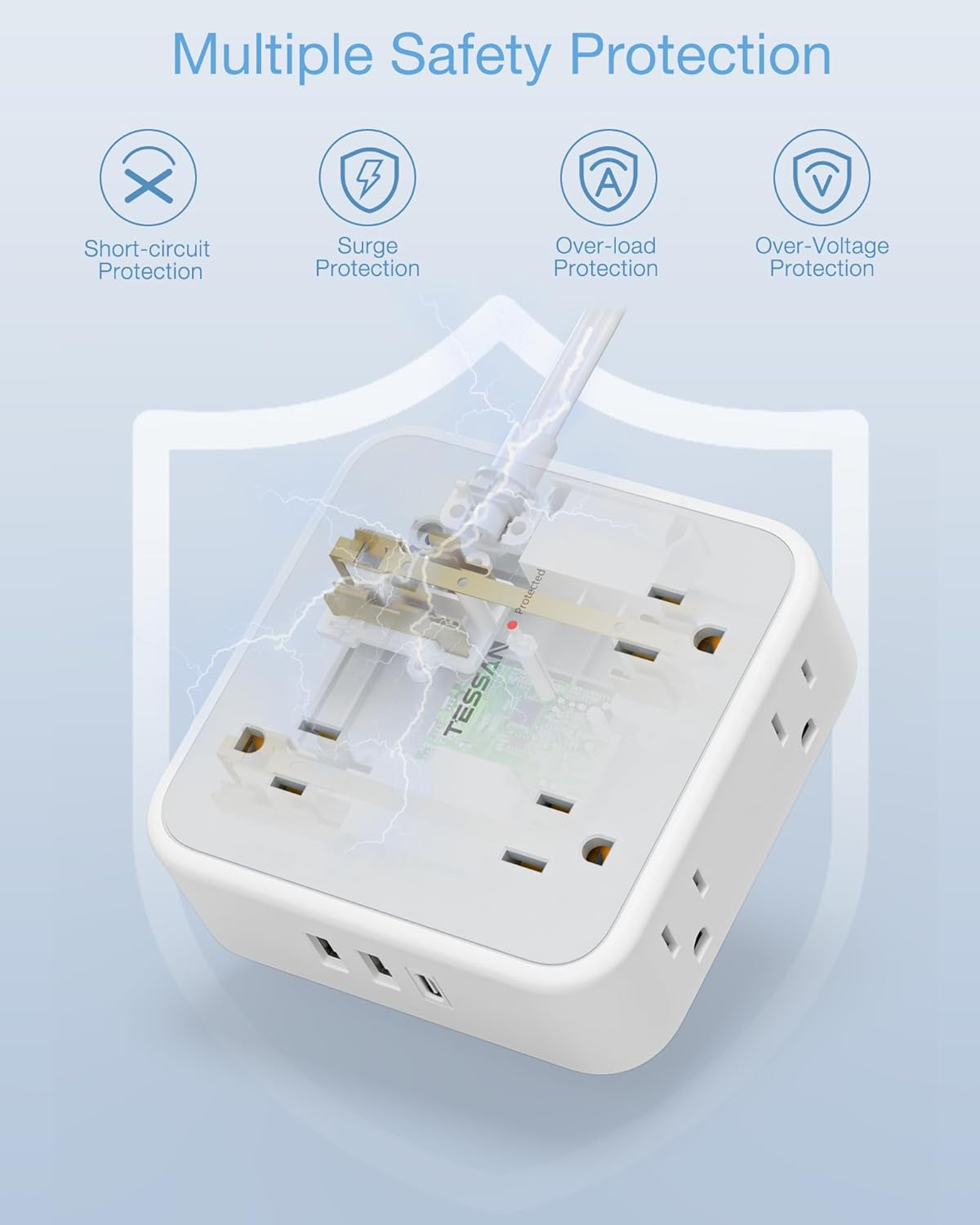
The TESSAN Surge Protector Power Strip is equipped with multiple safety mechanisms to protect your devices and ensure safe operation:
- Surge Protection (900 Joules): Absorbs excess voltage to prevent damage to connected electronics during power surges or lightning strikes. The 'Protected' indicator light confirms active surge protection.
- Overload Protection: A built-in circuit breaker automatically shuts off power if the total current draw exceeds the maximum rating (10A/1250W), preventing overheating and potential fire hazards.
- Short-Circuit Protection: Automatically cuts power in the event of a short circuit.
- Over-Voltage Protection: Guards against excessive voltage input.

Mounting Instructions
The power strip can be securely mounted to a wall or under a desk using the integrated hanging holes on the back.
- Mark Mounting Points: Measure the distance between the two hanging holes on the back of the power strip. Mark these points on your desired mounting surface.
- Install Screws: Insert two screws (not included) into the marked points, leaving a small portion of the screw head exposed.
- Mount Power Strip: Align the hanging holes on the back of the power strip with the exposed screw heads and slide the power strip down to secure it in place.
Maintenance
To ensure optimal performance and longevity of your TESSAN Surge Protector, follow these maintenance guidelines:
- Cleaning: Disconnect the power strip from the wall outlet before cleaning. Use a dry, soft cloth to wipe the exterior. Avoid using liquid cleaners or abrasive materials.
- Inspection: Periodically inspect the power cord and the unit for any signs of damage, such as frayed wires, cracks, or loose connections. If damage is found, discontinue use immediately and contact customer support.
- Storage: When not in use for extended periods, store the power strip in a cool, dry place away from direct sunlight and extreme temperatures.
Troubleshooting
- No Power to Devices:
- Ensure the power strip's ON/OFF switch is in the 'ON' position.
- Check if the power strip is securely plugged into a functioning wall outlet.
- Verify that the wall outlet itself has power by plugging in another device.
- If the 'Protected' light is off, the surge protection may have been compromised. Try resetting the power strip by turning it off and then on again. If the light remains off, the surge protection is no longer active, and the unit should be replaced for continued protection.
- Overload Protection Tripped:
- If the power strip suddenly loses power, the built-in circuit breaker may have tripped due to an overload.
- Unplug some devices from the power strip to reduce the load.
- Flip the ON/OFF switch to 'OFF' and then back to 'ON' to reset the circuit breaker.
- USB Ports Not Charging:
- Ensure the power strip is powered on.
- Check the USB cable for damage and ensure it is properly connected to both the device and the power strip.
- Confirm your device is compatible with the USB charging specifications (5V/2.4A for USB-A, 5V/3A for USB-C).
Specifications
| Feature | Detail |
|---|---|
| Model Number | TS-1026-C |
| AC Outlets | 8 (Widely Spaced) |
| USB-A Output | 5V ⎯ 2.4A MAX Per Port |
| USB-C Output | 5V ⎯ 3A MAX |
| USB Total Output | 5V ⎯ 3A MAX, 15W |
| AC Input/Output | 125V~10A MAX, 1250W MAX |
| Surge Protection | 900 Joules |
| Cord Length | 15 Feet |
| Plug Type | Ultra-Thin Flat Plug |
| Product Dimensions | 4.13 x 3.94 x 1.57 inches |
| Item Weight | 1.19 pounds |
| Use Environment | Indoor Use Only |
Warranty and Support
TESSAN products are designed for reliability and performance. For warranty information, technical support, or any questions regarding your TESSAN Surge Protector, please refer to the contact information provided on the product packaging or visit the official TESSAN website. Please retain your proof of purchase for warranty claims.