
Arctic Air AAFRU-MC12/4
Arctic Air Freedom Ultra Neck Fan User Manual
Model: AAFRU-MC12/4 | Brand: Arctic Air
Introduction
The Arctic Air Freedom Ultra Neck Fan provides portable, hands-free cooling with Comfort Chill technology. Designed for on-the-go use, it features three quiet fan speeds and a thermo-electric cooling plate to deliver a refreshing breeze. Its lightweight and compact design, along with a flexible neckband, ensures comfortable wear for various activities, both indoors and outdoors.
Safety Instructions
- Read all instructions before use.
- Keep away from water and moisture.
- Do not disassemble or attempt to repair the device.
- Use only the provided USB charging cable.
- Keep out of reach of children.
- Avoid blocking air vents during operation.
Package Contents
Your Arctic Air Freedom Ultra Neck Fan package should include:
- 1 x Arctic Air Freedom Ultra Neck Fan
- 1 x USB Charging Cord
Setup
Charging the Device
The Arctic Air Freedom Ultra is USB rechargeable. Before first use, fully charge the device.
- Locate the USB charging port on the device.
- Connect the provided USB charging cord to the fan and a compatible USB power source (e.g., computer, wall adapter).
- The charging indicator light will show the charging status.
- A full charge provides up to 6 hours of battery life, depending on the speed setting.
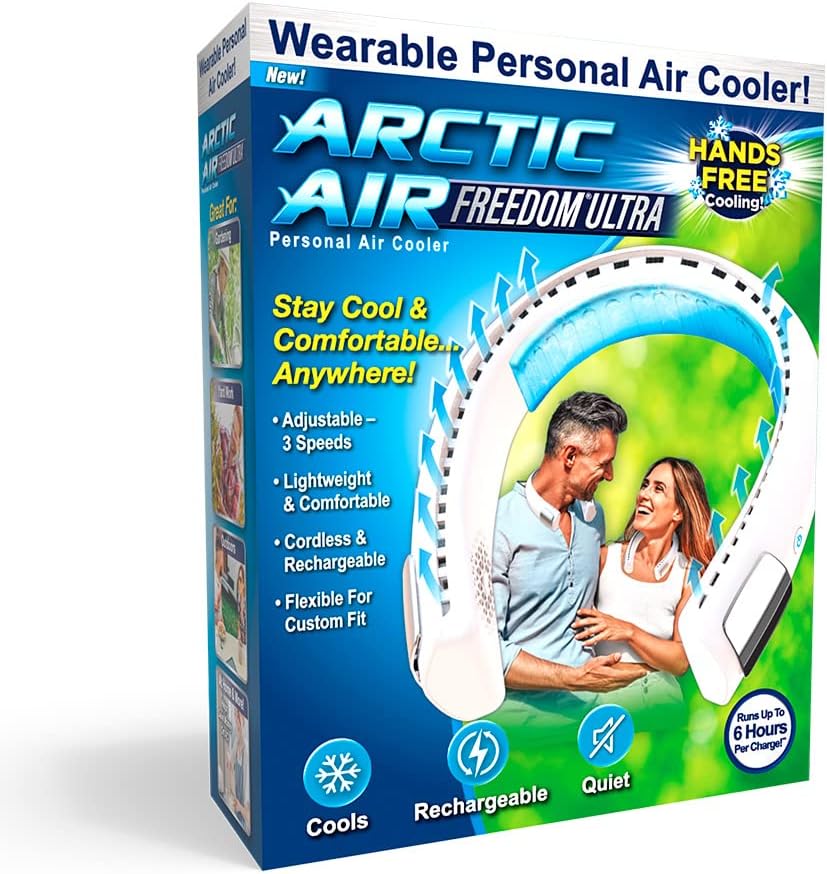
Image: The Arctic Air Freedom Ultra Neck Fan shown with its USB charging cable, highlighting the charging port.
Operating Instructions
Wearing the Neck Fan
The flexible neckband allows for a custom and comfortable fit around your neck.

Image: A person wearing the Arctic Air Freedom Ultra Neck Fan, demonstrating its hands-free design and the direction of airflow.

Image: A person wearing the Arctic Air Freedom Ultra Neck Fan while gardening, illustrating its use during outdoor activities.
Powering On/Off and Adjusting Speed
The fan features a single control button for power and speed adjustments.
- To turn on, press the power button once. The fan will start on the lowest speed setting.
- To increase fan speed, press the power button again for medium, and a third time for high.
- To turn off, press the power button a fourth time.

Image: A detailed view of the Arctic Air Freedom Ultra Neck Fan, highlighting the power button and the cooling vents along the neckband.

Image: An internal diagram of the neck fan illustrating the path of air intake and the refreshing breeze generated by the fan mechanism.
Maintenance
Cleaning
To ensure optimal performance and longevity of your neck fan:
- Wipe the exterior of the fan with a soft, damp cloth.
- Do not use abrasive cleaners or solvents.
- Ensure the device is completely dry before storing or recharging.
Storage
Store the fan in a cool, dry place when not in use.
Troubleshooting
| Problem | Possible Cause | Solution |
|---|---|---|
| Fan does not turn on | Battery is depleted | Charge the fan fully using the provided USB cable. |
| Weak airflow | Low battery or blocked vents | Recharge the fan. Ensure air intake and exhaust vents are clear of obstructions. |
| Fan makes unusual noise | Obstruction in fan blades | Turn off the fan and carefully check for any foreign objects in the vents. |
Specifications
- Brand: Arctic Air
- Model Name: Arctic Air Freedom Ultra
- Model Number: AAFRU-MC12/4
- Power Source: Battery Powered
- Battery Life: Up to 6 hours (on a single charge)
- Number of Power Levels: 3
- Control Method: Touch
- Item Weight: 13.1 ounces
- Voltage: 5 Volts
- Wattage: 5 watts
- Color: Blue
- Material: Plastic
- Dimensions: 24"D x 24"W x 76"H
Warranty and Support
For warranty information or product support, please refer to the official Arctic Air website or contact their customer service.
An installation manual in PDF format is also available for download: Installation Manual (PDF)
Visit the official Arctic Air Store for more products and information: Arctic Air Store
Related documentsAAFRU-MC12/4

Ask a question about this manual
Ask about setup, troubleshooting, compatibility, parts, safety, or missing instructions. Manuals+ will review the question and use this page’s manual context to help answer it.