
Western Rivers WRC-MP100
Mantis Pro 100 Electronic Game Call
User Instruction Manual
Brand: Western Rivers | Model: WRC-MP100
Introduction
The Western Rivers Mantis Pro 100 is a compact, easy-to-use electronic game call designed for hunters. It features a wide array of pre-loaded sounds and a remote control for convenient operation in the field. This manual provides detailed instructions for setting up, operating, and maintaining your Mantis Pro 100 to ensure optimal performance.
Key Features
- 100 Pre-loaded Sounds: Extensive library for various game animals.
- Compact and Lightweight Design: Easy to transport and deploy.
- Removable Remote Control: Backlit screen with 4-6 lines of text/icons, offering up to 300 yards range.
- High Sound Output: 4-inch loudspeaker capable of up to 110 dB.
- Durable Construction: Weatherproof ABS housing (not waterproof).
- Pivoting Legs: For stable positioning on uneven terrain.
- Sound Activation Trigger Button: For immediate call deployment.
- Random Repeat Option: For hands-free calling sessions.
- External Power Jack: For optional decoy attachment.
Package Contents
- Mantis Pro 100 Electronic Game Call Unit
- Remote Control
- User Manual (this document)
Note: 8 AA batteries (4 for the main unit, 4 for the remote) are required and not included.
Setup Guide
1. Battery Installation
- Locate the battery compartments on both the main unit and the remote control.
- Open the battery covers.
- Insert 4 AA batteries into the main unit, observing the correct polarity (+/-).
- Insert 4 AA batteries into the remote control, observing the correct polarity (+/-).
- Securely close both battery covers.
2. Unit Placement
For optimal sound dispersion and concealment, place the Mantis Pro 100 unit in an open area, ideally downwind from your position. Utilize the pivoting legs to stabilize the unit on uneven ground.

Image: The Mantis Pro 100 unit with its pivoting legs extended for stable placement on the ground.
3. Remote Control Pairing (Automatic)
The remote control is pre-paired with the main unit. Simply power on both devices, and they should connect automatically. Ensure the remote is within the 300-yard operational range for reliable communication.
Operating Instructions
1. Powering On/Off
- To power on the main unit, locate the power switch and slide it to the "ON" position.
- To power on the remote control, press and hold the power button until the LCD screen illuminates.
- To power off, reverse these steps.
2. Call Selection
Use the 4-way rubberized keypad on the remote control to navigate through the pre-loaded sounds. The backlit LCD screen will display the call names, allowing for easy selection even in low-light conditions.
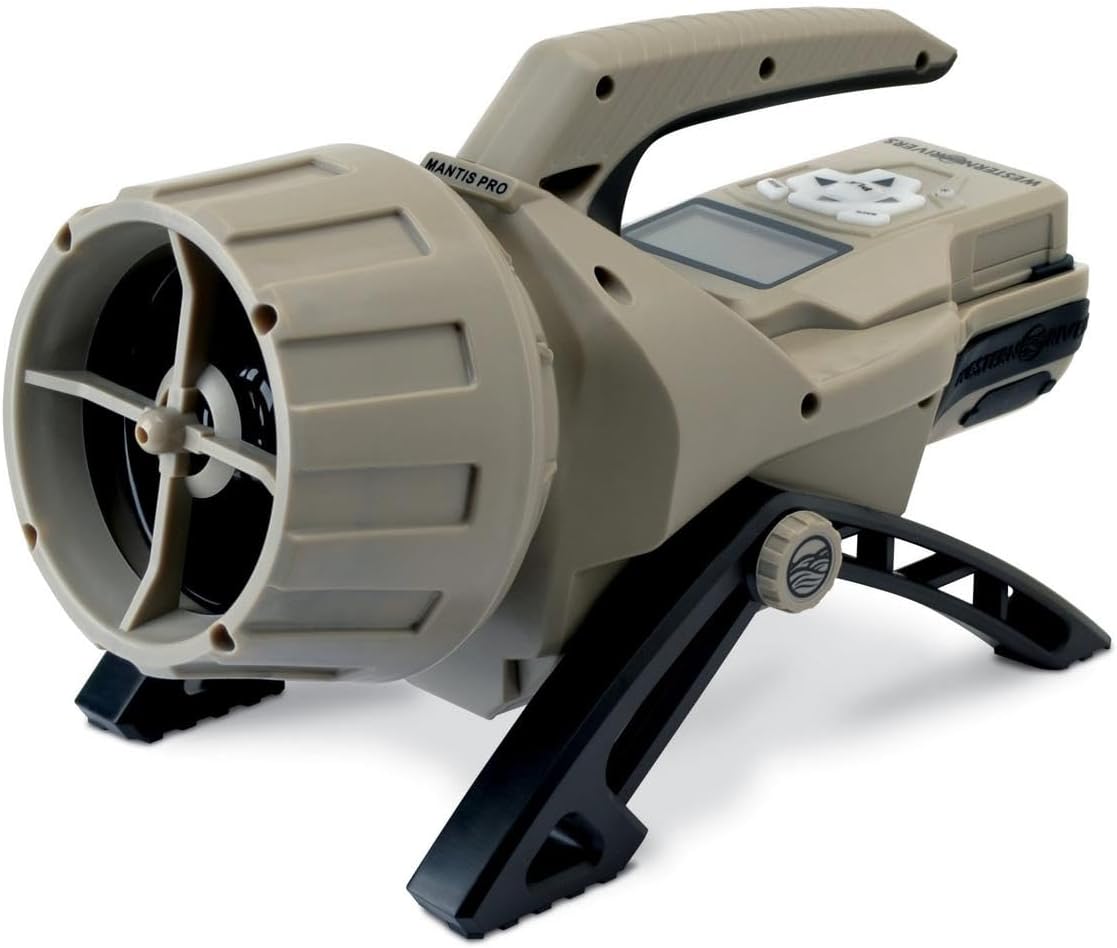
Image: The remote control for the Mantis Pro 100, showing its backlit LCD screen and navigation keypad.
3. Volume Control
Adjust the volume using the dedicated volume buttons on the remote control. The 110 dB loudspeaker ensures calls are heard over long distances.
4. Sound Activation and Repeat Options
- Press the Sound Activation Trigger Button on the remote to initiate the selected call.
- Utilize the Random Repeat Option for hands-free operation during extended calling sessions. This feature will automatically play the selected call at random intervals.
5. Decoy Attachment (Optional)
The Mantis Pro 100 unit includes an external power jack and mounting bracket for attaching compatible electronic decoys (sold separately). Refer to your decoy's manual for specific connection instructions.
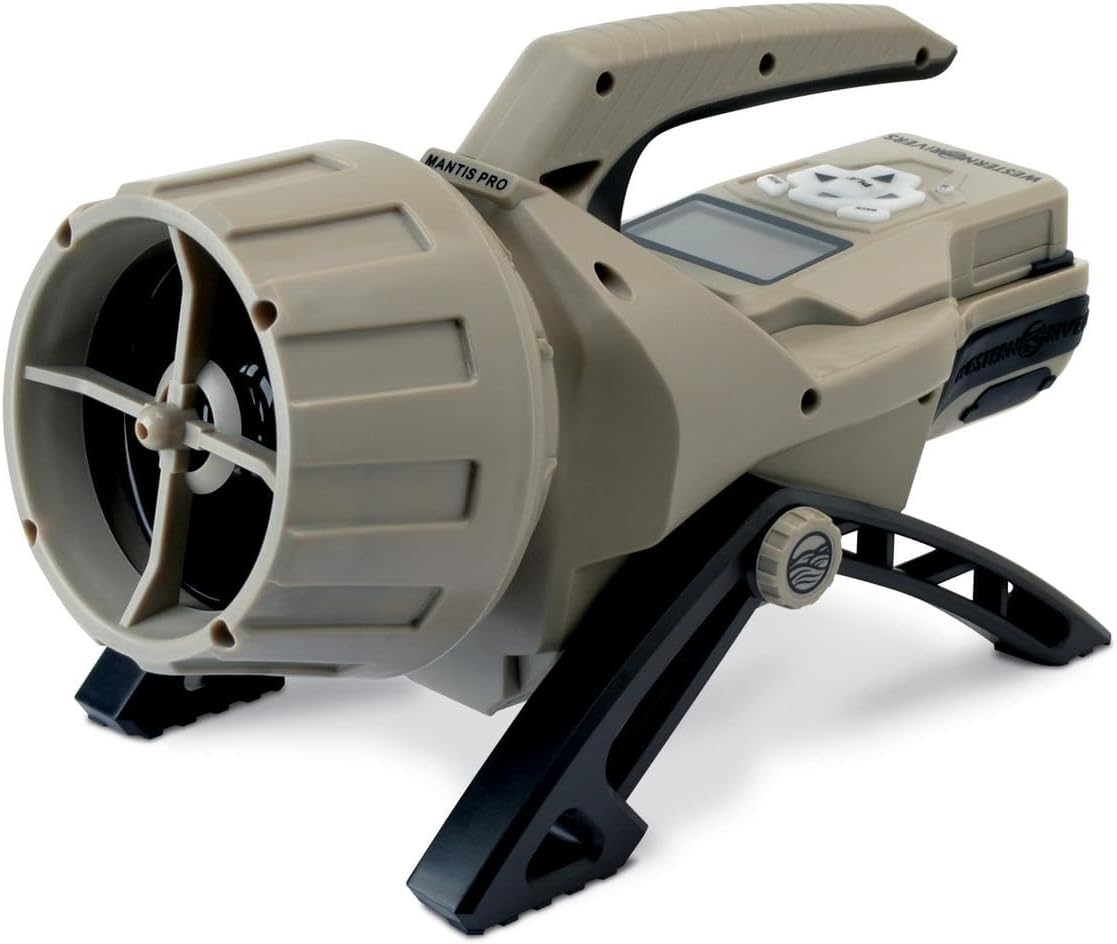
Image: The main unit of the Mantis Pro 100 Electronic Game Call, showcasing its overall design and speaker.
6. Instructional Video
For a visual guide on setting up and using your Mantis Pro 100, please watch the official product video below:
Video: An official demonstration of the Mantis Pro 100 Compact Electronic Game Call in use during a hunting scenario, showing setup and operation.
Maintenance
- Cleaning: Wipe the unit and remote with a soft, damp cloth. Do not use harsh chemicals or abrasive cleaners.
- Storage: Store the unit and remote in a cool, dry place when not in use. Remove batteries if storing for extended periods to prevent leakage.
- Battery Replacement: Replace all batteries when the unit or remote's performance degrades or the low battery indicator appears.
Troubleshooting
| Problem | Possible Cause | Solution |
|---|---|---|
| Unit does not power on. | Dead or incorrectly installed batteries. | Check battery polarity and replace all batteries with fresh ones. |
| No sound from unit. | Volume too low; unit not powered on; remote out of range. | Increase volume. Ensure unit is on. Move remote closer to the unit. |
| Remote not responding. | Remote batteries low; out of range; interference. | Replace remote batteries. Move closer to unit. Avoid areas with strong electronic interference. |
| Short remote range. | Obstructions (dense foliage, terrain); battery strength. | Ensure clear line of sight. Replace batteries. |
Specifications
| Feature | Detail |
|---|---|
| Model Name | Mantis Pro 100 Compact Easy-to-Use Electronic Game Call |
| Model Number | WRC-MP100 |
| Brand | Western Rivers |
| Sound Library | 100 pre-loaded sounds |
| Sound Output | Up to 110 dB |
| Remote Range | Up to 300 yards |
| Power Source (Unit) | 4 x AA batteries (not included) |
| Power Source (Remote) | 4 x AA batteries (not included) |
| Construction Material | Durable ABS |
| Dimensions (Unit) | Approximately 6.8"W x 8.9"H |
| Item Weight | Approximately 3.5 Pounds |
Warranty Information
Western Rivers products are manufactured to high-quality standards. For specific warranty details, please refer to the warranty card included with your product or visit the official Western Rivers website. Keep your purchase receipt as proof of purchase for any warranty claims.
Support
If you encounter any issues or have questions regarding your Mantis Pro 100 Electronic Game Call, please contact Western Rivers customer support. Visit the official Western Rivers website for contact information and additional resources.
Official Website: Western Rivers Store on Amazon
Ask a question about this manual
Ask about setup, troubleshooting, compatibility, parts, safety, or missing instructions. Manuals+ will review the question and use this page’s manual context to help answer it.