
Deaf Bonce DB-AP-M81AC
Deaf Bonce Apocalypse 8" Midrange Speakers AP-M81AC User Manual
Brand: Deaf Bonce | Model: DB-AP-M81AC
1. Introduction
Thank you for choosing Deaf Bonce Apocalypse 8" Midrange Speakers AP-M81AC. These high-performance midrange speakers are designed to deliver powerful and clear audio, enhancing your car audio system. This manual provides essential information for proper installation, operation, and maintenance to ensure optimal performance and longevity of your speakers. Please read this manual thoroughly before installation and use.
2. What's in the Box
Your package should contain the following items:
- 2 Deaf Bonce 8" Midrange Speakers AP-M81AC
- 2 Bass Blockers
- 1 Set of Hardware (screws, clips, etc.)
- 2 Surface Angle Mounts
- 1 Massive Window Decal
- 1 Owner's Manual (this document)
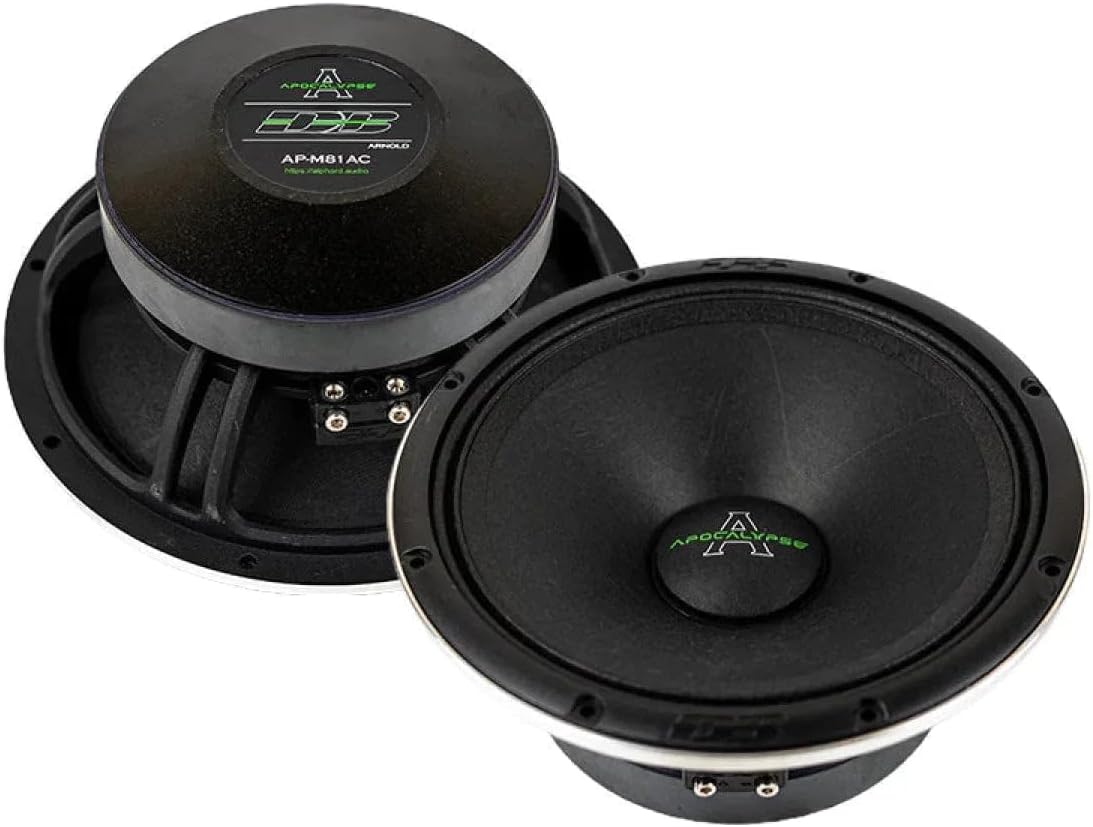
Image: The pair of Deaf Bonce Apocalypse 8" Midrange Speakers AP-M81AC as they appear in the box.
3. Technical Specifications
| Feature | Specification |
|---|---|
| Nominal Diameter | 8 inches |
| Nominal Impedance | 4 Ohm |
| MAX Power Handling | 600 Watts |
| RMS Power Handling | 300 Watts |
| Sensitivity (1w/1m) | 97.50dB |
| Frequency Response | 110Hz ~ 10KHz |
| Voice Coil Diameter | 2 inches |
| Winding Material | CCAW |
| Cone Material | Paper |
| Surround Material | Cloth |
| Basket Material | Steel |
| Magnet Material | Ferrite |
| Equivalent Volume (Vas) | 19.80L |
| Free Air Resonance (Fs) | 88Hz |
| Total Factor (Qts) | 0.39 |
| Force Factor (BL) | 9.10 |
| Overall Diameter | 8.2 inches |
| Front Mount Baffle Cutout | 7.56 inches |
| Overall Depth | 3.3 inches |

Image: Front view of the AP-M81AC speaker, highlighting the cone and surround.

Image: Rear view of the AP-M81AC speaker, showing the robust magnet and connection terminals.
4. Setup and Installation
Proper installation is crucial for the performance and longevity of your speakers. If you are unsure about any steps, it is recommended to seek professional installation.
4.1 Safety Precautions
- Disconnect the vehicle's battery before starting any electrical work.
- Wear appropriate safety gear, including eye protection.
- Ensure all wiring is properly insulated to prevent short circuits.
- Do not exceed the speaker's maximum power handling.
4.2 Mounting Location
These 8-inch midrange speakers are designed for flush mounting. Choose a location in your vehicle that provides adequate depth and allows for the required 7.56-inch baffle cutout. Common locations include door panels, kick panels, or custom enclosures. Ensure the mounting surface is rigid and free from obstructions.
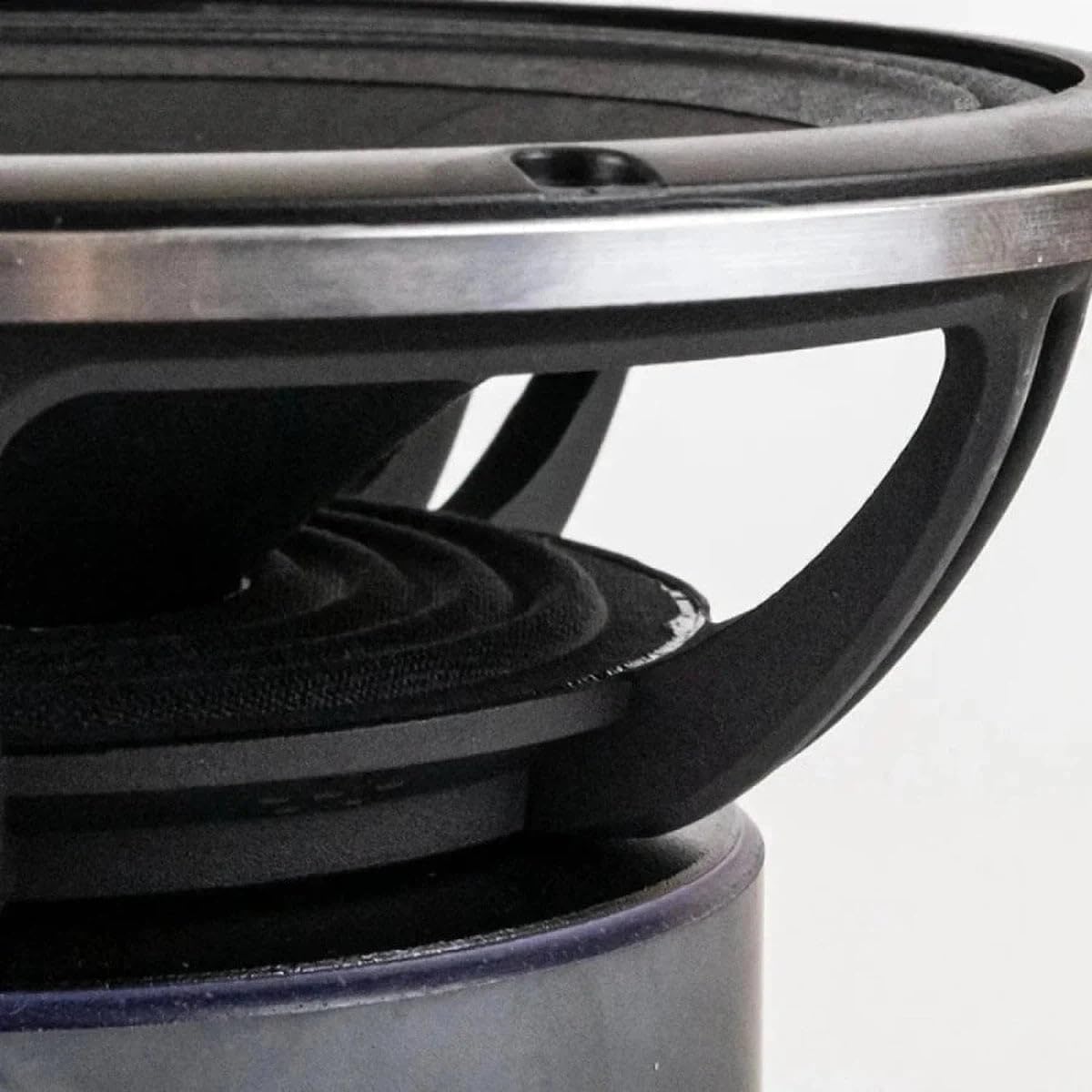
Image: Detailed view of the speaker's cone and surround material.
4.3 Wiring Connections
The AP-M81AC speakers have a nominal impedance of 4 Ohms. Connect the speakers to a suitable amplifier that can provide the recommended RMS power of 300 Watts per speaker.
- Identify the positive (+) and negative (-) terminals on the speaker and your amplifier.
- Use appropriate gauge speaker wire for your installation.
- Connect the positive terminal of the speaker to the positive output of the amplifier.
- Connect the negative terminal of the speaker to the negative output of the amplifier.
- Ensure all connections are secure and free from corrosion.
- Utilize the included bass blockers if your amplifier or head unit does not have a built-in high-pass filter, or if you wish to further protect the speakers from low frequencies.

Image: A pair of AP-M81AC speakers, illustrating their front and rear profiles.
5. Operation
Once installed, proper operation ensures the best sound quality and extends the life of your Deaf Bonce speakers.
5.1 Initial Power-Up
- Before turning on your audio system, double-check all wiring connections.
- Start with the amplifier gain and head unit volume at their lowest settings.
- Gradually increase the volume and adjust amplifier gain to achieve desired sound levels without distortion.
5.2 Crossover Settings
Midrange speakers are designed to reproduce frequencies within a specific range (110Hz ~ 10KHz for AP-M81AC). It is highly recommended to use a high-pass filter (HPF) on your amplifier or head unit to prevent low frequencies from reaching the speakers.
- Set the HPF to at least 110Hz, or slightly higher (e.g., 120-150Hz) depending on your system and listening preferences.
- This protects the speakers from damaging low-frequency excursions and improves overall sound clarity.
5.3 Volume Levels
While these speakers are capable of high output, avoid prolonged listening at distorted volume levels. Distortion indicates that the amplifier is clipping, which can damage the speakers.
6. Maintenance
Regular, simple maintenance will help keep your Deaf Bonce speakers performing optimally for years.
- Cleaning: Gently wipe the speaker cones and surrounds with a soft, dry, lint-free cloth. Avoid using harsh chemicals or excessive moisture.
- Inspection: Periodically check speaker connections for tightness and signs of corrosion. Ensure mounting screws are secure.
- Environmental Factors: Protect speakers from extreme temperatures, direct sunlight, and excessive moisture.
- Avoid Punctures: Be careful not to puncture or dent the speaker cone, as this can severely affect sound quality.

Image: Side profile of the AP-M81AC speaker, illustrating its compact design.
7. Troubleshooting
If you experience issues with your speakers, refer to the following common problems and solutions before contacting support.
7.1 No Sound from Speakers
- Check Connections: Ensure all speaker wires are securely connected to both the speakers and the amplifier. Verify positive and negative terminals are correctly matched.
- Amplifier Status: Check if the amplifier is powered on and not in protection mode.
- Head Unit Output: Confirm the head unit is sending an audio signal and its volume is turned up.
- Fuses: Check fuses on the amplifier and vehicle's fuse box.
7.2 Distorted Sound
- Gain Settings: Reduce the gain setting on your amplifier. Too much gain can cause clipping and distortion.
- Volume Level: Lower the volume on your head unit. If distortion occurs at high volumes, the system may be overdriven.
- Crossover Settings: Ensure the high-pass filter (HPF) is set correctly (above 110Hz) to prevent low frequencies from distorting the midrange speakers.
- Wiring Issues: Check for frayed wires or short circuits.
- Speaker Damage: Inspect the speaker cone and surround for any physical damage.
7.3 Weak or Muffled Sound
- Phase: Ensure speakers are wired in phase (positive to positive, negative to negative). Out-of-phase speakers can cause cancellation and weak sound.
- Crossover Settings: Verify that the HPF is not set too high, cutting off too much of the midrange frequencies.
- Amplifier Power: Ensure the amplifier is providing sufficient power to the speakers.
8. Warranty and Support
Deaf Bonce Apocalypse 8" Midrange Speakers AP-M81AC come with a Limited Warranty. Please refer to the warranty card included with your product for specific terms and conditions, including coverage duration and what is covered.
Spare parts for this product are available for a duration of 5 years within the EU.
For technical support, warranty claims, or further assistance, please contact Deaf Bonce customer service through their official website or the retailer from whom you purchased the product.
Ask a question about this manual
Ask about setup, troubleshooting, compatibility, parts, safety, or missing instructions. Manuals+ will review the question and use this page’s manual context to help answer it.