
Introduction
This manual provides comprehensive instructions for the safe and effective use of your SEQURE S60 Electric Mini Soldering Iron. Designed for precise repair of mobile phones, cameras, laptops, and other electronics, the S60 offers rapid heating, intelligent temperature control, and multiple power input options. Please read this manual thoroughly before operation to ensure optimal performance and safety.
Package Contents
Upon opening your SEQURE S60 kit, please verify that all the following components are included:
- 1 x SEQURE S60 Soldering Iron Host
- 1 x Soldering Iron Tip (K-type)
- 1 x QC Charging Plug
- 1 x USB Cable
- 1 x Mini Soldering Iron Stand
- 1 x Storage Bag
- 1 x Instruction Manual

Image: Complete SEQURE S60 Soldering Iron Kit, including the iron, tip, charger, cable, stand, and storage bag.
Product Features
- Fast Heating: The S60 soldering iron reaches its melting point in approximately 3 seconds when powered at 12V/60W. It features an adjustable temperature range from 50℃ to 500℃ (122℉ to 932℉) with an intelligent algorithm for temperature compensation and self-calibration, ensuring precise temperature control.
- Safe & Smart Operation: Equipped with high/low voltage alarms, a high-temperature alarm, and a tip sensor alarm to protect the device from damage. The iron supports three operational modes: work, sleep, and standby. It automatically enters sleep and standby modes when not in use and can be reactivated by shaking, with programmable auto-sleep times to suit user preferences.
- Multiple Power Supply Options: The S60 is compatible with PD2.0/3.0, QC2.0/3.0, and DC Max 12V power supplies. Its Type-C interface supports a power range of DC5V-12V (up to 60W), allowing it to be powered by standard charging plugs, power banks, and mobile power supplies. This interface also facilitates firmware upgrades.
- User-friendly Design: Constructed with special industrial materials that are resistant to high temperatures and static electricity. Its mini and lightweight pen-style design makes it ideal for field repairs. The 0.91-inch OLED screen provides a convenient display for adjusting and monitoring the soldering iron's temperature.

Image: Visual representation of SEQURE S60 key features including power input, temperature control, OLED display, dynamic detection, portability, auto-sleep, and programmability.
Product Overview and Components
Familiarize yourself with the main components of the SEQURE S60 Soldering Iron:

Image: Diagram illustrating the main structural components of the SEQURE S60 Soldering Iron, including buttons, display, and ports.
- GND: Ground connection point.
- B Key: Used for setting and adjusting temperature.
- OLED Display: Shows current temperature, voltage, and other operational information.
- Type-C Interface (PD/QC Power Input): Main power input and firmware upgrade port.
- A Key: Used for setting and adjusting temperature.
- PPS Material Shell: Durable and heat-resistant outer casing.
- Soldering Iron Tip Installation Port: Where the soldering tip is inserted.
- Soldering Iron Tip: The interchangeable heating element.
- Tip Heating Area (Centralized Heating): The active heating zone of the tip.
Setup
Follow these steps to set up your SEQURE S60 Soldering Iron for first use:
- Install the Soldering Tip: Carefully insert the desired soldering tip into the soldering iron tip installation port until it is firmly seated. Ensure a secure connection for proper heating and temperature sensing.
- Connect Power: Connect the provided USB cable to the Type-C interface on the soldering iron. Then, connect the other end of the USB cable to the QC Charging Plug or a compatible PD/QC power source (e.g., power bank, laptop USB-C port). The OLED display will illuminate upon successful power connection.
- Initial Power On: The device typically powers on automatically when connected to a power source. The display will show the firmware version before transitioning to the operational screen.
Video: Demonstration of installing soldering iron tips for the S60. This video shows the process of inserting and securing different types of tips into the soldering iron body.
Video: An overview of the SEQURE S60 Soldering Iron, including unboxing, component identification, and initial power-on sequence.
Operating Instructions
The SEQURE S60 is designed for intuitive operation. Here's how to use it:
- Temperature Adjustment: Use the 'A' and 'B' keys (located near the OLED display) to increase or decrease the target temperature. The OLED screen will display the current and target temperatures.
- Rapid Heating: Once the target temperature is set, the iron will rapidly heat up. The display will show the temperature rising.
- Working Modes:
- Work Mode: The iron maintains the set temperature.
- Sleep Mode: If inactive for a set period, the iron enters sleep mode, reducing temperature to save energy and prolong tip life.
- Standby Mode: After a longer period of inactivity in sleep mode, the iron may enter standby, further reducing power consumption.
- Tinning the Tip: Before first use and periodically during operation, apply a small amount of solder to the heated tip. This 'tins' the tip, improving heat transfer and preventing oxidation.
- Soldering: Apply the heated, tinned tip to the joint to be soldered, then feed solder onto the joint, not directly onto the tip. Allow the solder to flow smoothly to create a strong connection.

Image: Illustration demonstrating the rapid heating capability of the SEQURE S60, reaching operational temperature quickly.
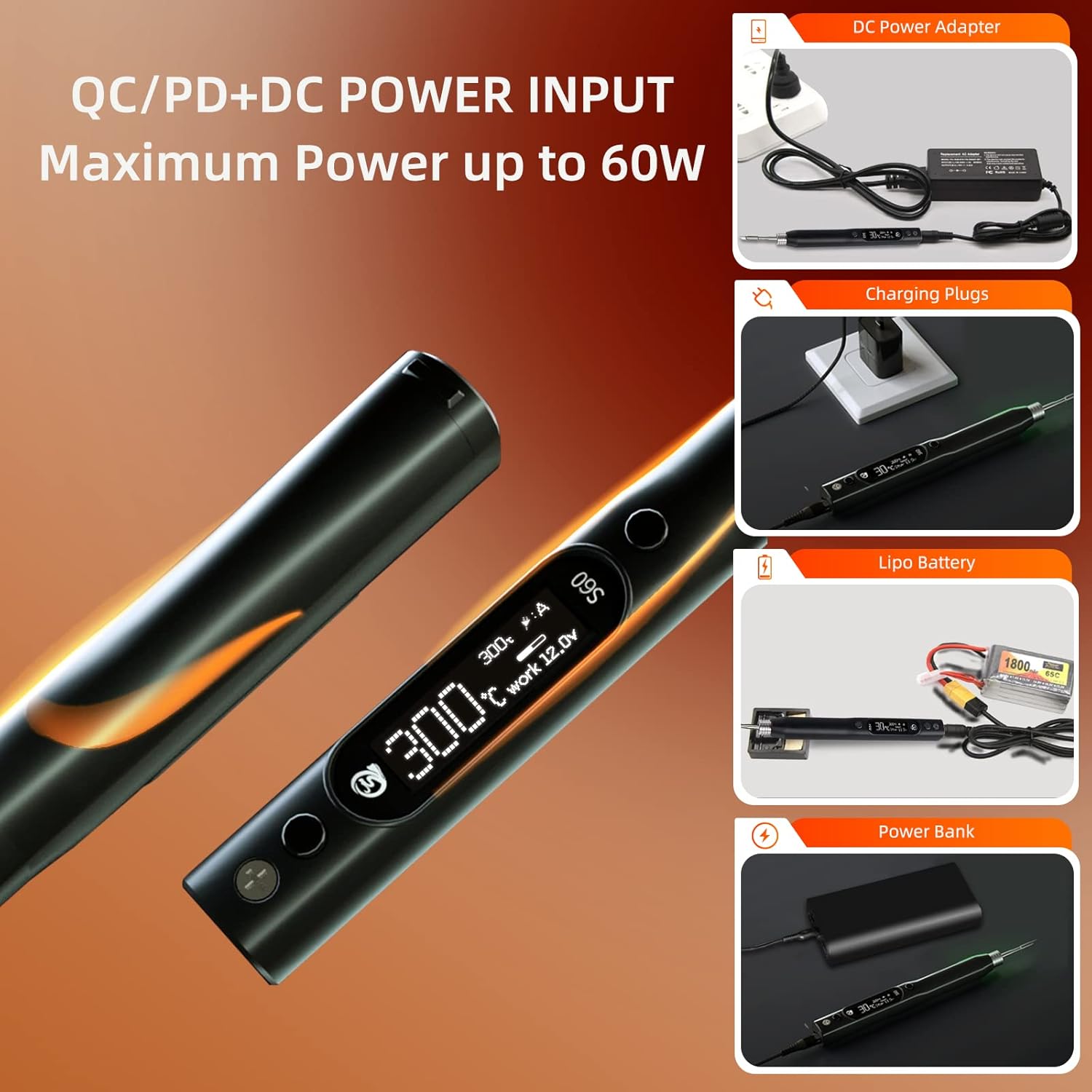
Image: Visual guide to the various power input options for the SEQURE S60, including DC power adapter, charging plugs, Lipo battery, and power bank.
Maintenance
Proper maintenance ensures the longevity and performance of your soldering iron:
- Tip Cleaning and Tinning: Regularly clean the soldering tip using the included sponge or brass wool to remove excess solder and oxidation. Always re-tin the tip after cleaning and before storing to prevent oxidation.
- Storage: When not in use, store the soldering iron in its provided storage bag to protect it from dust and physical damage. Ensure the tip is cool before storing.
- Firmware Updates: Periodically check the official SEQURE website for available firmware updates. Firmware updates can improve performance, add features, or fix bugs. Use the Type-C interface for firmware upgrades as per instructions on the SEQURE website.
Troubleshooting
If you encounter issues with your SEQURE S60, refer to the following common problems and solutions:
| Problem | Possible Cause | Solution |
|---|---|---|
| Iron not heating or heating slowly | Insufficient power supply; Loose tip connection; Faulty cable/charger | Ensure power source meets specifications (e.g., 12V/60W for fast heating); Re-insert tip firmly; Try a different USB cable or charger. |
| Tip not holding solder (oxidized) | Tip is oxidized or dirty | Clean the tip thoroughly with a damp sponge or brass wool, then immediately re-tin it with fresh solder. |
| High/Low Voltage Alarm | Input voltage is outside the acceptable range | Check your power supply to ensure it provides stable voltage within the 5V-12V range. Use a compatible PD/QC charger. |
| High Temperature Alarm | Iron temperature exceeds safe limits | Allow the iron to cool down. Check ambient temperature. Ensure proper ventilation. |
| Tip Sensor Alarm | Tip not detected or improperly installed | Remove and re-insert the soldering tip, ensuring it is fully seated. |
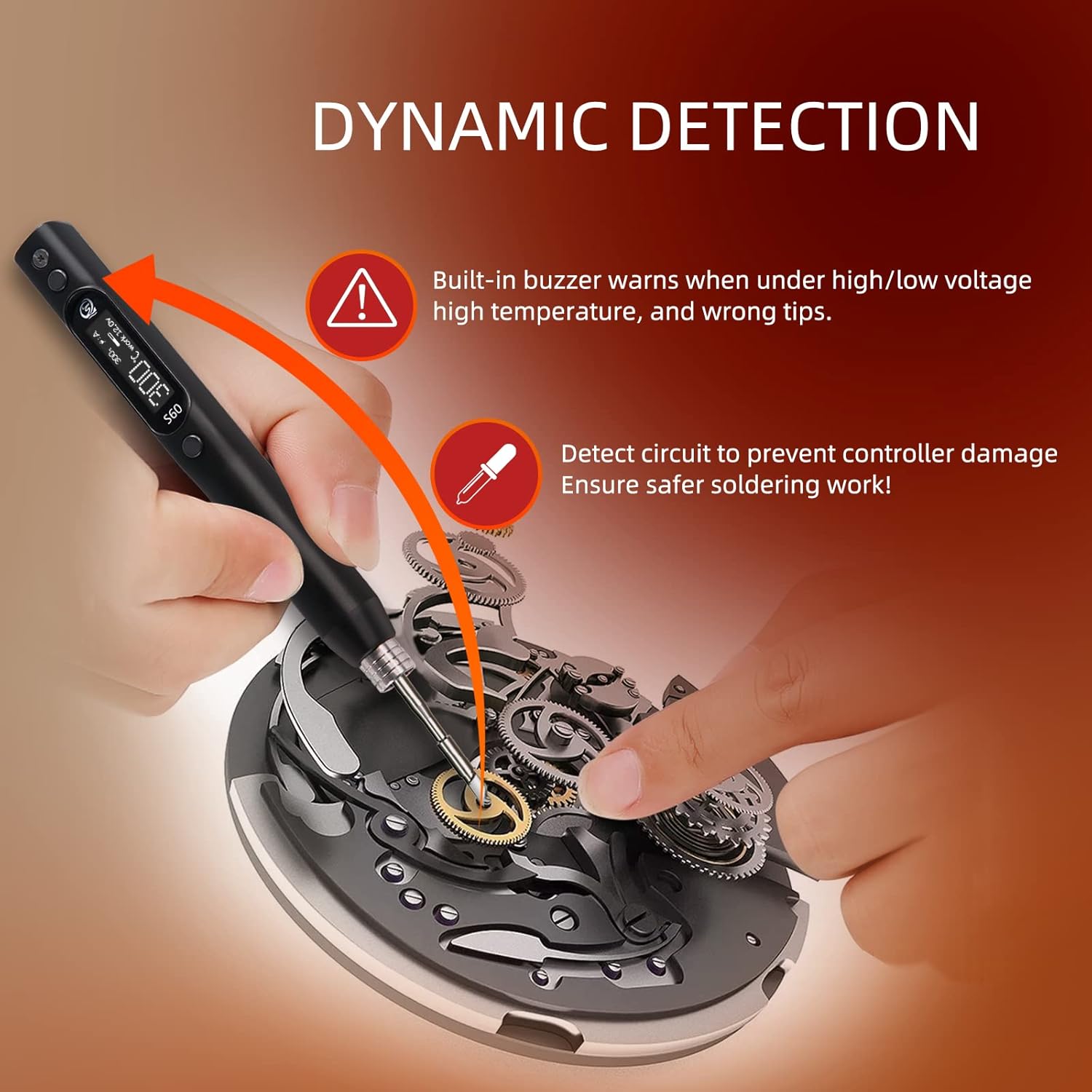
Image: Visual explanation of the SEQURE S60's dynamic detection system, including warnings for high/low voltage, high temperature, and incorrect tips.
Specifications
| Specification | Detail |
|---|---|
| Brand | SEQURE |
| Model | S60-K |
| Specific Uses | Precision soldering for indoor & outdoor |
| Power Source | Corded Electric (USB Type-C) |
| Wattage | 60 watts (Max) |
| Voltage | 12 Volts (DC) |
| Temperature Range | 50℃ - 500℃ (122℉ - 932℉) |
| Special Features | Heat Resistance Handles, Portable, OLED Display, Auto-Sleep & Standby, Programmable |
| Item Length | 5.7 Inches (approx. 14.5 cm) |
| Item Weight | 0.847 ounces (approx. 24 grams) |
| Material | PPS/Stainless Steel |
| Country of Origin | China |
Usage Scenarios
The SEQURE S60 is a versatile tool suitable for a variety of precision soldering tasks:

Image: Collage showing various applications of the SEQURE S60, including mobile phone repair, computer motherboard repair, headphone repair, precision object repair, and racing drone repair.
- Mobile Phone Repair
- Computer Motherboard Repair
- Headphone Repair
- Precision Object Repair
- Racing Drone Repair
- General electronics hobbyist projects
Warranty and Support
SEQURE offers a 90-day warranty for the S60 Electric Mini Soldering Iron. If you have any questions or encounter problems with your item, please do not hesitate to contact SEQURE customer support for assistance. Refer to the contact information provided in your product packaging or on the official SEQURE website.
