
1. Introduction
The BMAX I9Plus is a 10.1-inch tablet designed for versatile use, from entertainment to productivity. It runs on the Android 12 operating system, offering a user-friendly interface and enhanced performance. This manual provides essential information on setting up, operating, maintaining, and troubleshooting your device.

Figure 1: Front and back view of the BMAX I9Plus Tablet, highlighting its sleek design and display.
2. Setup
2.1 Package Contents
Before you begin, ensure all items are present in the package:
- BMAX MaxPad I9Plus Tablet
- AC Adapter
- Type-C Cable
- SIM Pin (for MicroSD card slot)
- User Manual (Japanese)

Figure 2: Illustration of the BMAX I9Plus Tablet and its included accessories.
2.2 Charging the Tablet
Connect the provided Type-C cable to the tablet's charging port and the AC adapter. Plug the AC adapter into a power outlet. The battery indicator on the screen will show charging status. For optimal battery life, use the included charger.
2.3 Powering On/Off
To power on, press and hold the Power button until the BMAX logo appears. To power off, press and hold the Power button until the power options appear, then select 'Power off'.
2.4 Initial Setup
Upon first power-on, follow the on-screen prompts to:
- Select your language.
- Connect to a Wi-Fi network.
- Sign in with your Google account or create a new one.
- Set up screen lock and other security features.
3. Operating the Tablet
3.1 Android 12 Operating System
The MaxPad I9 Plus runs on the latest Android 12 system, providing a convenient and comfortable user experience. It features faster app launch and switching, optimizing overall operation. Being GMS certified, it allows full access to the Google Play Store for downloading your favorite applications.
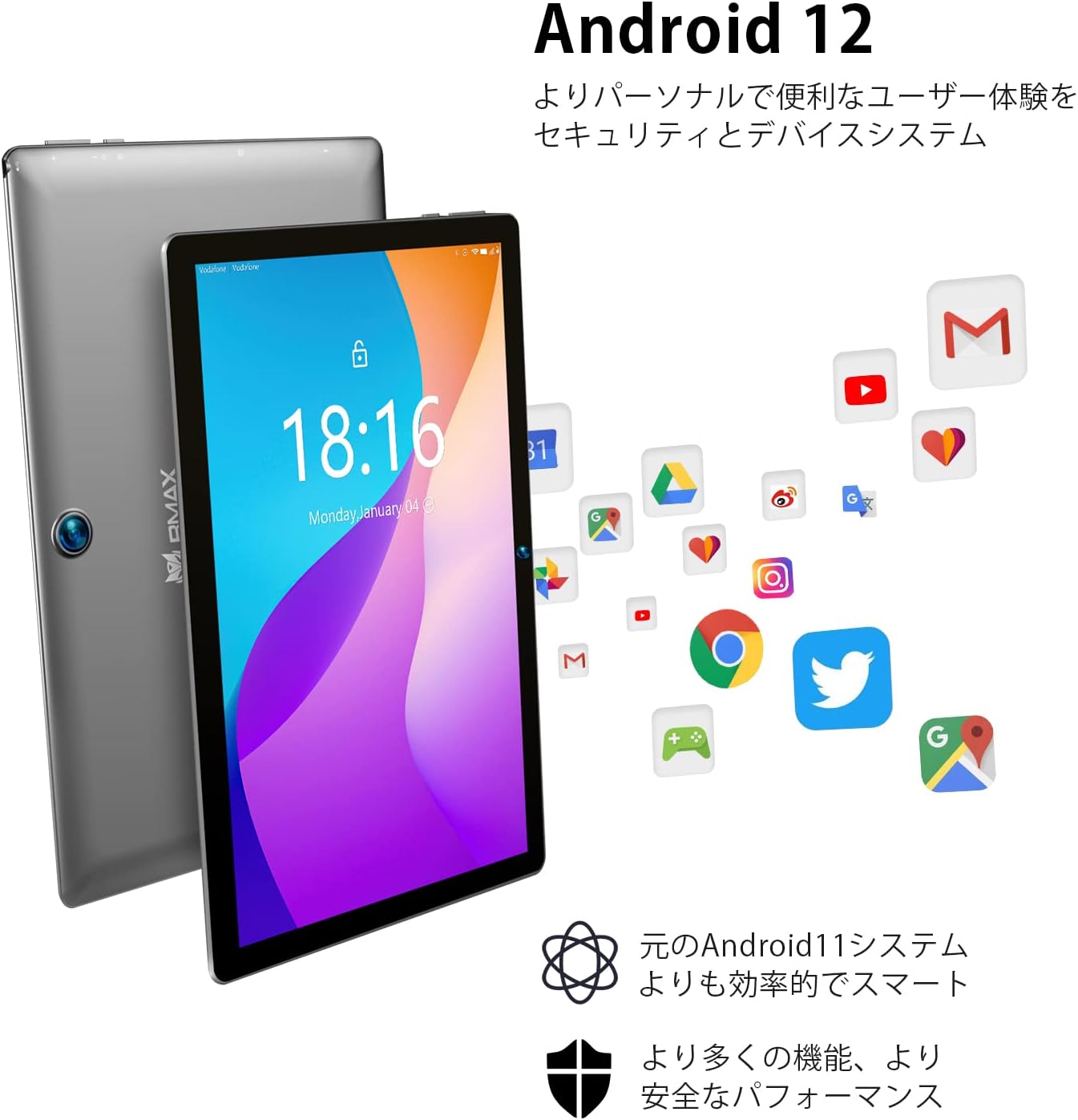
Figure 3: The Android 12 interface, showcasing its intuitive design and app ecosystem.
3.2 Performance and Storage
The tablet is powered by a Rockchip RK3566 quad-core CPU with high-performance 4*A55 cores, ensuring stable and smooth processing. It comes with 8GB (4GB + 4GB extended) RAM and 64GB of internal storage, providing ample space for photos, videos, and music. Storage can be further expanded by up to 1TB using a MicroSD card (not included).

Figure 4: Details on the tablet's memory, storage, and expansion capabilities.
3.3 Display and Audio
The MaxPad I9 Plus features a 10.1-inch IPS LCD with a 1280x800 resolution. This in-cell display offers wide viewing angles and excellent color reproduction, ensuring beautiful visuals even from off-angles. It is equipped with dual speakers for an immersive audio experience and includes a 3.5mm headphone port for private listening.

Figure 5: Visual representation of the tablet's display quality and audio features.
3.4 Connectivity
The tablet supports 2.4GHz/5GHz dual-band Wi-Fi, including Wi-Fi 6 mode, for high-speed and stable wireless connections. It also features Bluetooth 5.0 for connecting to wireless headphones and other peripherals.

Figure 6: Diagram illustrating the tablet's advanced Wi-Fi 6 and Bluetooth 5.1 capabilities.
3.5 Cameras
The I9Plus is equipped with a 2MP front camera and a 5MP rear camera, suitable for video calls and capturing everyday moments.

Figure 7: The tablet's dual camera system, showing both front and rear lenses.
3.6 Split Screen Function
The I9Plus tablet features a split-screen function, allowing you to use two different applications simultaneously. This enhances multitasking and provides a more convenient operating experience.

Figure 8: The tablet displaying two applications side-by-side using the split-screen feature.
3.7 Battery Life
Equipped with a large 5000mAh battery, the tablet can play up to 5 hours of 1080p video. Its long standby time makes it suitable for extended use during commutes, business trips, or travel.

Figure 9: Visual representation of the tablet's 5000mAh battery and Type-C charging port.
4. Maintenance
To ensure the longevity and optimal performance of your BMAX I9Plus Tablet, follow these maintenance guidelines:
- Cleaning: Use a soft, lint-free cloth to clean the screen and body. Avoid abrasive materials or harsh chemicals.
- Software Updates: Regularly check for and install system updates to ensure your tablet has the latest features and security patches. Go to Settings > System > System update.
- Storage Management: Periodically clear unnecessary files, cache data, and uninstall unused apps to free up storage space and maintain performance.
- Battery Care: Avoid extreme temperatures. Do not let the battery completely drain frequently. For long-term storage, charge the battery to about 50%.
- Protection: Consider using a protective case and screen protector to guard against drops and scratches.
5. Troubleshooting
This section addresses common issues you might encounter with your tablet.
| Problem | Possible Cause / Solution |
|---|---|
| Tablet does not power on | Ensure the battery is charged. Connect the charger and wait a few minutes before attempting to power on again. If unresponsive, press and hold the power button for 10-15 seconds. |
| Screen is unresponsive or frozen | Perform a force restart by pressing and holding the Power button for about 10 seconds until the device restarts. |
| Wi-Fi connection issues | Ensure Wi-Fi is enabled. Restart the tablet and the Wi-Fi router. Forget the network and reconnect. Check if the issue is specific to 2.4GHz or 5GHz band. |
| Battery drains quickly | Reduce screen brightness. Close background apps. Disable Wi-Fi/Bluetooth when not in use. Check for power-intensive apps in battery settings. |
| Apps not installing from Google Play | Check internet connection. Clear cache and data for Google Play Store and Google Play Services (Settings > Apps). Ensure sufficient storage space. |
| Screen auto-rotation not working | Check if auto-rotate is enabled in quick settings or display settings. Restart the tablet. |
6. Specifications
Detailed technical specifications for the BMAX I9Plus Tablet:
| Feature | Specification |
|---|---|
| Brand | Bmax |
| Model Name | I9Plus |
| OS | Android 12 |
| Screen Size | 10.1 inches |
| Display Resolution | 1280x800 pixels (IPS) |
| CPU Brand | Rockchip RK3566 (Quad-Core) |
| CPU Speed | 1.8 GHz |
| RAM Capacity | 8 GB (4GB + 4GB Extended) |
| Memory Storage Capacity | 64 GB |
| Expandable Storage | Up to 1TB via MicroSD card |
| Front Camera Resolution | 2 MP |
| Rear Camera Resolution | 5 MP |
| Connectivity Type | 2.4G/5.0G Wi-Fi, Bluetooth 5.0 |
| Battery Capacity | 5000 mAh |
| Item Weight | 830 g |
| Color | Gray |
| Certifications | CE, FCC, PSE, GMS |
7. Warranty and Support
Products purchased from our store come with a 30-day money-back guarantee and a 12-month warranty. The included AC adapter has obtained the PSE mark under the Electrical Appliance and Material Safety Act, ensuring safe use.
7.1 How to Contact BMAX Support
In case of a tablet malfunction or any inquiries, please feel free to contact us. We will provide a solution as quickly as possible.
To contact BMAX support:
- Click on the seller name listed in your order details.
- The seller's homepage will appear.
- Click the "Ask a question" button and send your message.