
1. Introduction
The GERUI LK89 Finger-Clip Pulse Oximeter is a compact, non-invasive device designed for spot-checking blood oxygen saturation (SpO2), pulse rate (PRbpm), and perfusion index (PI) in adults and pediatric patients at home, in medical facilities, or during sports activities. It provides quick and accurate readings to help monitor your health status.
2. Important Safety Information
- Do not use the pulse oximeter in an MRI or CT environment.
- Do not use the pulse oximeter in situations requiring alarm systems. The device has no alarms.
- Do not use the pulse oximeter in explosive atmospheres.
- The device is intended only as an adjunct in patient assessment. It must be used in conjunction with other methods of assessing clinical signs and symptoms.
- Do not immerse the device in water or other liquids.
- Keep out of reach of children.
- Remove batteries if the device is not used for extended periods.
3. Product Overview
3.1 Components
- Main Unit (Pulse Oximeter)
- OLED Display Screen
- Power Button
- Finger Chamber
- Battery Compartment
3.2 Key Features
- Measures Blood Oxygen Saturation (SpO2), Heart Rate (Pulse Rate), and Perfusion Index (PI).
- Compact and portable design for easy carrying.
- Fast measurement results, typically within a few seconds.
- Infrared measurement technology for accuracy.
- Four-color display screen for clear readability.
- One-touch operation for simplicity.
- Silicone finger chamber for comfortable use.
- Automatic power-off feature to conserve battery life.
- 4-way display rotation for convenient viewing from different angles.
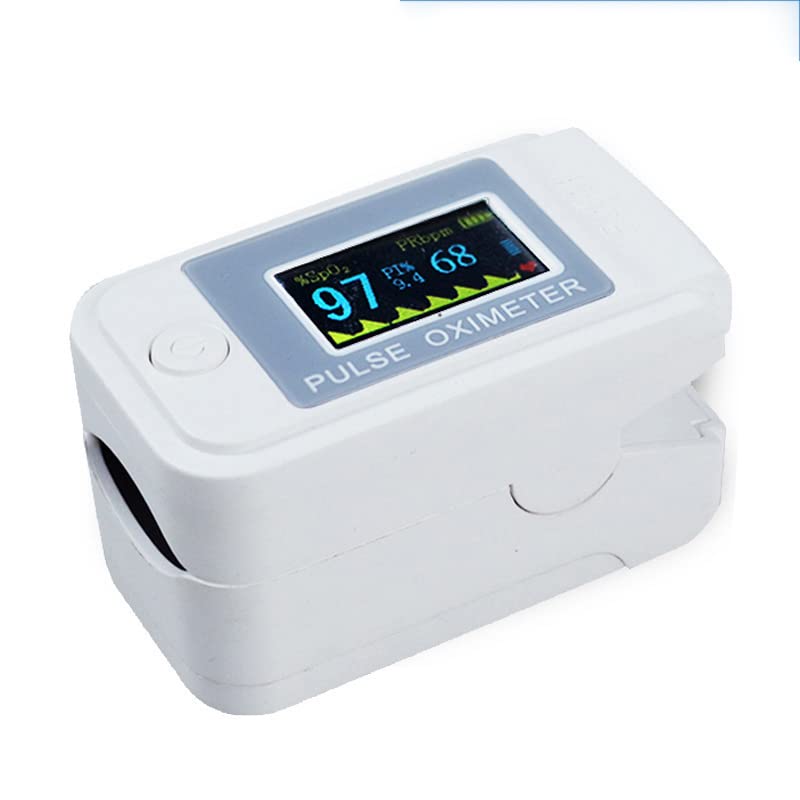
Figure 1: Front view of the GERUI LK89 Pulse Oximeter, showing the display and finger chamber.

Figure 2: The pulse oximeter with approximate dimensions: 5.7 cm (2.2 inches) in length and 3.3 cm (1.2 inches) in width.
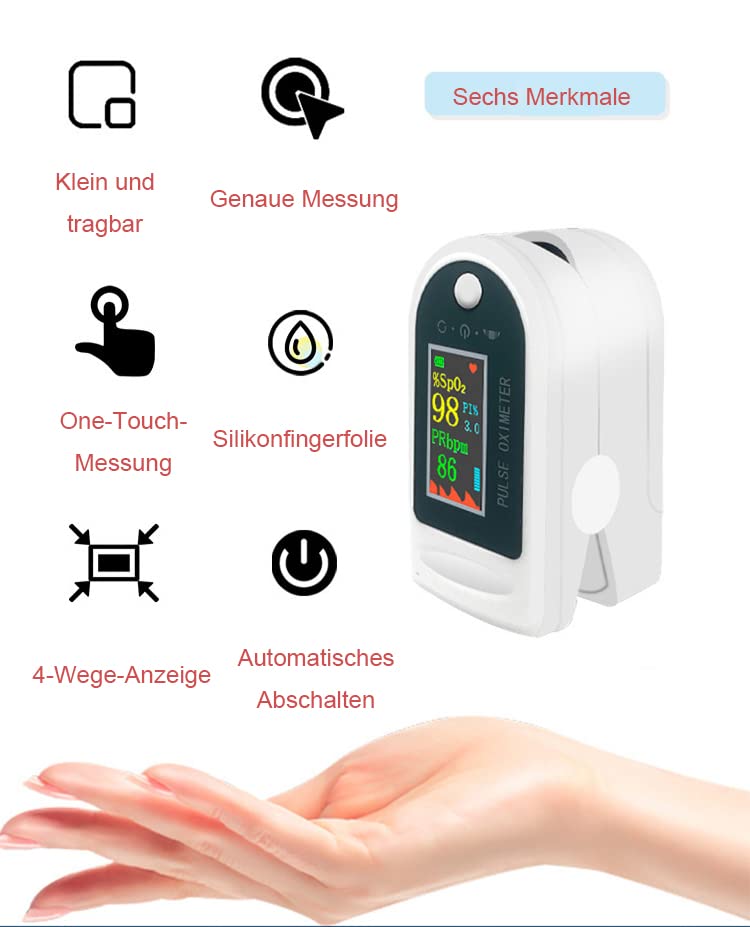
Figure 3: Visual representation of the six key features: small and portable, accurate measurement, one-touch measurement, silicone finger sleeve, 4-way display, and automatic shutdown.
4. Setup Guide
4.1 Battery Installation
The GERUI LK89 Pulse Oximeter requires two (2) AAA batteries (not included) for operation.
- Step 1: Slide open the battery cover located at the back of the device.
- Step 2: Install two AAA batteries into the battery compartment, ensuring correct polarity (+ and -).
- Step 3: Close the battery cover by sliding it back into place until it clicks.

Figure 4: Illustrated steps for battery installation. (1) Slide battery cover, (2) Insert batteries, (3) Close cover.
5. Operating Instructions
5.1 Taking a Measurement
- Step 1: Ensure batteries are correctly installed.
- Step 2: Press the power button to turn on the pulse oximeter.
- Step 3: Insert one of your fingers (preferably the index or middle finger) into the finger chamber of the oximeter, ensuring it is placed firmly and stably.
- Step 4: Keep your hand still and relaxed during the measurement. Do not shake your finger.
- Step 5: Wait a few seconds for the device to display the SpO2, Pulse Rate, and PI readings on the screen.
- Step 6: The device will automatically power off after approximately 8 seconds of inactivity.
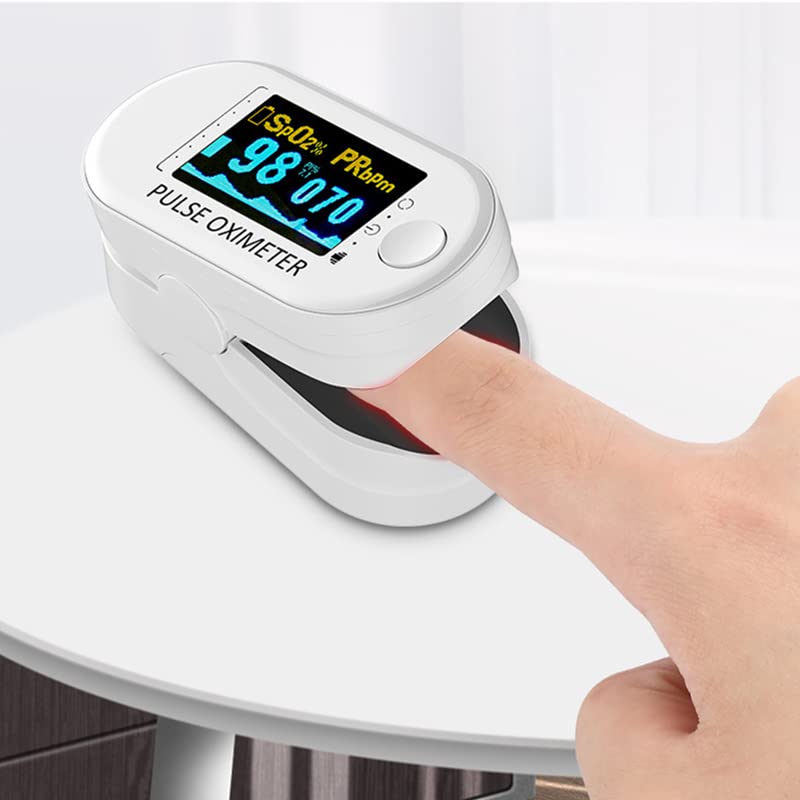
Figure 5: The pulse oximeter in use, clipped onto a finger for measurement.
6. Maintenance and Care
- Cleaning: Use a soft cloth dampened with medical alcohol (70% ethanol or isopropanol) to clean the surface of the device and the finger chamber before and after each use. Do not use abrasive cleaners or immerse the device in liquid.
- Storage: Store the device in a cool, dry place, away from direct sunlight, high temperatures, and moisture. If not in use for a long period, remove the batteries.
- Battery Replacement: Replace batteries when the low battery indicator appears on the display.
7. Troubleshooting
| Problem | Possible Cause | Solution |
|---|---|---|
| No display after power on. | Batteries are dead or incorrectly installed. | Replace batteries or re-install them correctly, observing polarity. |
| Display shows "Finger Out" or "Error". | Finger not inserted properly or too much movement. | Re-insert finger firmly into the chamber and keep still. Ensure finger is clean. |
| Readings are unstable. | Patient movement, cold fingers, or nail polish. | Minimize movement, warm hands if cold, remove nail polish. Try a different finger. |
| Low battery indicator. | Batteries are running low. | Replace with new AAA batteries. |
8. Technical Specifications
| Parameter | Specification |
|---|---|
| Model | LK89 |
| Brand | GERUI |
| Measurement Range (SpO2) | 70% - 100% |
| Power Supply | 2 x AAA 1.5V Batteries (not included) |
| Item Weight | Approx. 30 g |
| Product Dimensions | Approx. 8.3 x 5.4 x 3.9 cm (Packaging) |
| Color | White |
| Included Components | 1 x Pulse Oximeter (Detector) |
9. Warranty and Support
For warranty information or technical support, please refer to the product packaging or contact your retailer. Keep your purchase receipt as proof of purchase.