
Veise KS01C
Veise KS01C Keyless Entry Door Lock with Knobs Instruction Manual
Model: KS01C
1. Introduction
This manual provides detailed instructions for the installation, programming, operation, and maintenance of your Veise KS01C Keyless Entry Door Lock. Please read this manual thoroughly before installation and use to ensure proper function and security.
2. What's Included
The Veise KS01C Keyless Entry Door Lock package includes the following components:
- Keypad Door Lock (with 2 knobs)
- Latch
- Strike Plate
- Installation Instruction Manual
- Programming Quick Setup Guide
- Mounting Plate
- Screws
- 2 Keys
3. Product Overview and Features
The Veise KS01C Keyless Entry Door Lock offers enhanced security and convenience for your home. Key features include:
- Keyless Entry: Supports up to 20 user passcodes, 2 spare physical keys, and one-time codes for temporary access. One-time codes automatically delete after use.
- Multiple Unlock Methods: Unlock using codes, one-time codes, or physical keys.
- Enhanced Security Features: Includes anti-peeping code input, a backlit keypad for visibility in low light, low battery alerts, mute mode for silent operation, and a vacation mode for extended absences.
- Durable Construction: ANSI Grade 3 certified, made with a sturdy lock cylinder and aluminum alloy. Powered by 4 AA batteries (not included) with a battery life exceeding 1 year.
- Smart Convenience: Features an auto-lock function adjustable from 10-99 seconds, or manual one-touch locking by pressing any key for 2 seconds.
- Easy Installation: Designed for straightforward installation and programming with basic tools, compatible with all American standard left and right-handed doors.

Figure 1: Veise KS01C Keyless Entry Door Lock with Knobs, Satin Nickel finish, installed on a door.
4. Installation
The Veise KS01C lock is designed for easy installation. A Phillips head screwdriver is typically the only tool required. For detailed visual guidance, refer to the official programming video below or scan the QR code in your instruction manual.
4.1. Door Preparation and Dimensions Check
Before beginning installation, ensure your door meets the following specifications:
- Hole in the door: 2-1/8" (54mm) diameter.
- Hole in the door edge: 1" (25mm) diameter.
- Door thickness: 1-3/8" to 2" (35mm to 50mm).
- Backset: Either 2-3/8" (60mm) or 2-3/4" (70mm).
Ensure the door frame is aligned with the door and there are no obstructions stuck in the door frame.

Figure 2: Door dimensions and compatibility check.
4.2. Installing the Latch and Strike Plate
- Confirm the backset and adjust the latch if necessary.
- Install the latch into the door edge. Ensure the slotted hole is centered in the door hole.
- Test if the latch bolt extends and retracts properly using a screwdriver.
- Install the strike plate on the door frame. Make sure the hole in the door frame is drilled a minimum of 1" (25mm) deep.
4.3. Installing the Exterior and Interior Assemblies
- Route the cable below the latch and insert the torque blade through the slot in the latch. Do not put the mechanical key in the cylinder during installation.
- Install the mounting plate with the mounting plate screws. Do not overtighten screws. Keep it parallel to the door edge.
- Disassemble the battery cover from the interior assembly.
- Insert the cable connector to the socket. Push the connector in firmly until it is completely attached.
- Install the interior assembly.
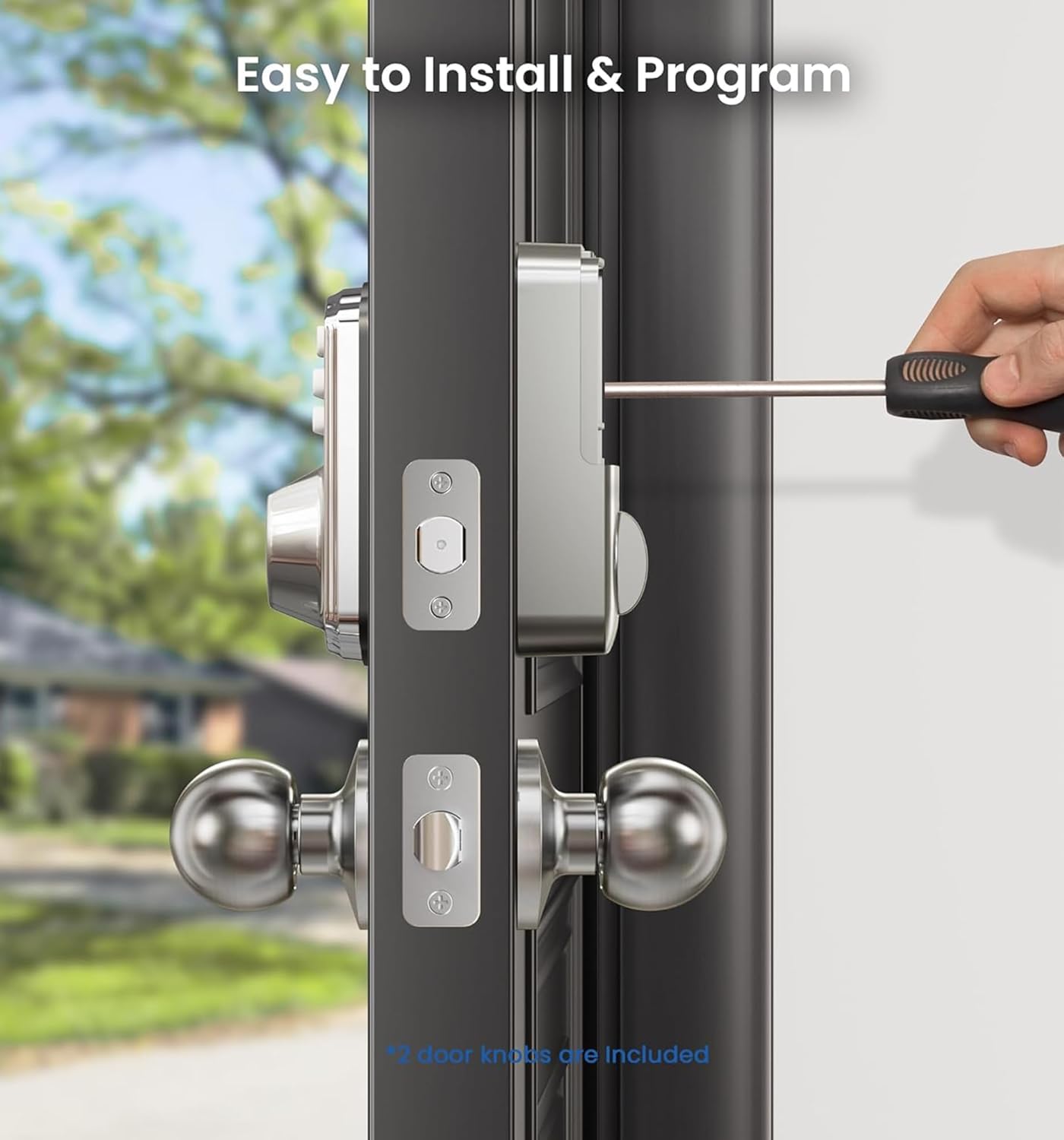
Figure 3: Easy installation process with a screwdriver.
5. Programming and Setup
Before programming, ensure 4 AA batteries (not included) are installed in the interior assembly. The default master code is 12345678. It is required to change this code before programming any other settings.
5.1. Change Master Code
- Press the ≡ button twice.
- Enter the default master code (12345678).
- Press the ≡ button once.
- Press 1.
- Enter your new master code (4-10 digits).
- Press the ≡ button.
- Re-enter your new master code.
- Press the ≡ button.
A green light flash indicates success. If setting is unsuccessful, the indicator light will flash red.
5.2. Add User Code
- Press the ≡ button twice.
- Enter your master code.
- Press the ≡ button.
- Press 2.
- Enter the new user code (4-10 digits).
- Press the ≡ button.
- Re-enter the new user code.
- Press the ≡ button.
You can store up to 20 user codes.
5.3. Add One-Time Code
One-time codes are valid for a single use and are automatically deleted after entry. This is useful for temporary access for visitors or service personnel.
- Press the ≡ button twice.
- Enter your master code.
- Press the ≡ button.
- Press 7.
- Enter the one-time code (4-10 digits).
- Press the ≡ button.
- Re-enter the one-time code.
- Press the ≡ button.
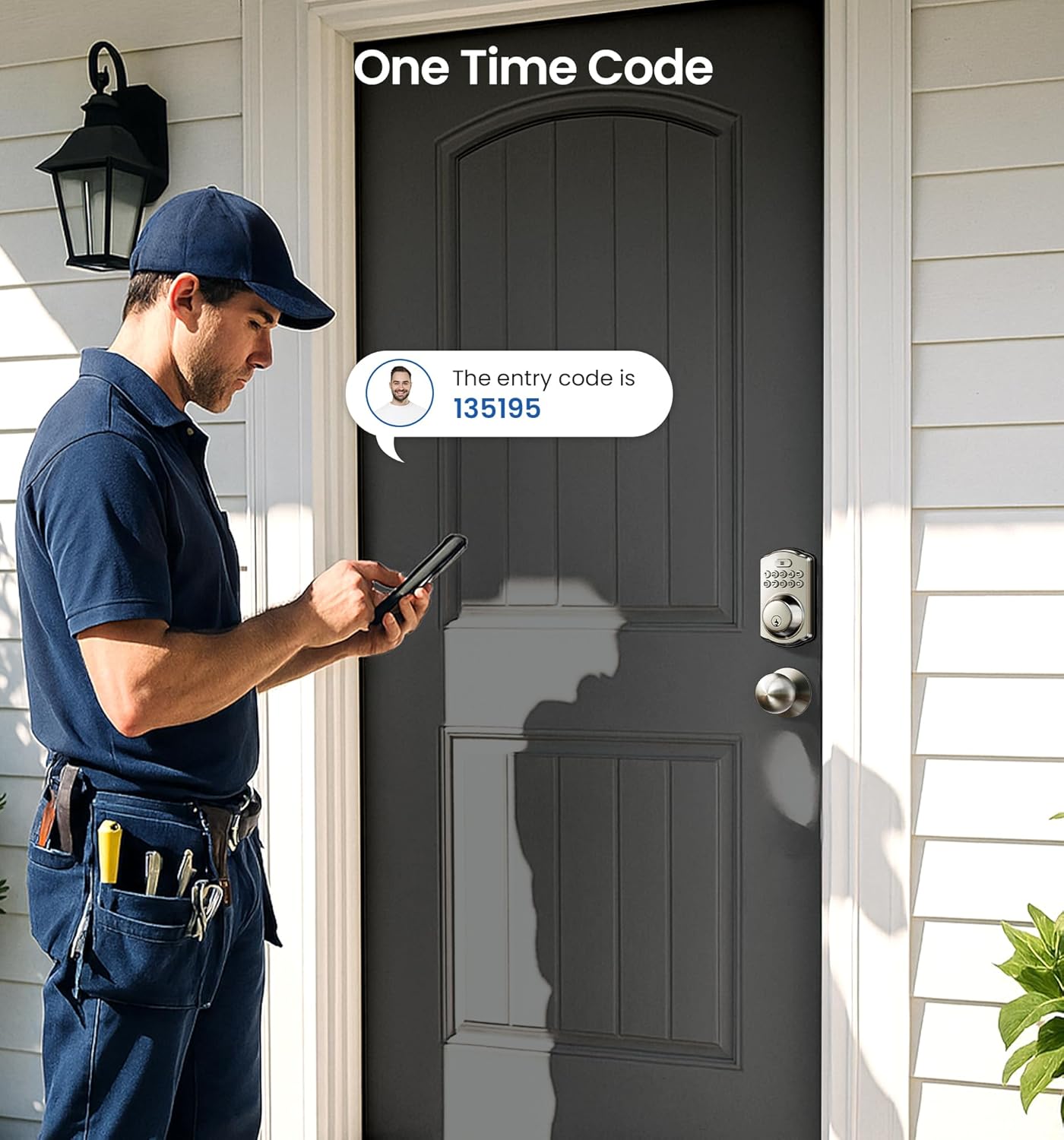
Figure 4: Generating and using a one-time code for temporary access.
5.4. Enable/Disable Auto Lock
The auto-lock feature automatically locks the door after a set duration once it's closed.
- Press the ≡ button twice.
- Enter your master code.
- Press the ≡ button.
- Press 5.
- To enable, press 1 then ≡. To disable, press 2 then ≡.
5.5. Set Auto Lock Time
You can adjust the auto-lock delay between 10 and 99 seconds.
- Press the ≡ button twice.
- Enter your master code.
- Press the ≡ button.
- Press 8.
- Enter the new duration time (10-99 seconds).
- Press the ≡ button.

Figure 5: Auto-lock feature for convenient security.
5.6. Silent Mode
Silent mode disables keypad beeps for quiet operation.
- Press the ≡ button twice.
- Enter your master code.
- Press the ≡ button.
- Press 4.
- To disable, press 1 then ≡. To enable, press 2 then ≡.

Figure 6: Silent mode ensures quiet operation.
5.7. Vacation Mode
Vacation mode disables all user codes, allowing entry only with the master code or physical key. This is ideal for extended periods away from home.
- Press the ≡ button twice.
- Enter your master code.
- Press the ≡ button.
- Press 6.
- To enable, press 1 then ≡. To disable, press 2 then ≡.
5.8. Anti-Peeping Passcode
To prevent others from learning your code, you can enter random digits before or after your actual passcode. The lock will still open as long as the correct passcode sequence is embedded within the entered digits. The anti-peeping passcode can be up to 16 digits long.
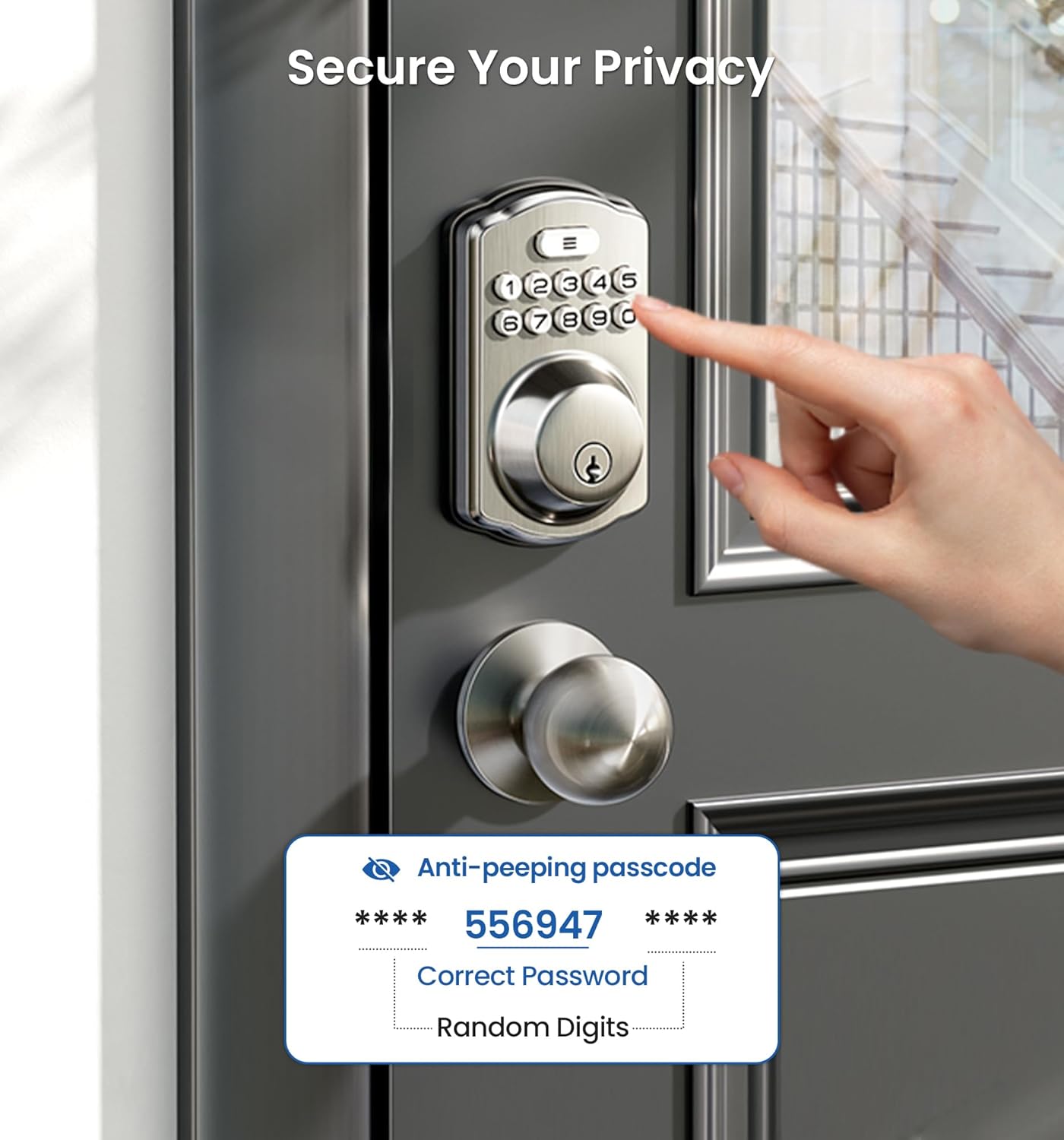
Figure 7: Anti-peeping passcode for enhanced privacy.
5.9. Programming Video
Video 1: Official Veise KS01C Keyless Door Lock Set Programming Guide. This video demonstrates how to change the master code, add/delete user codes, enable silent mode, set auto-lock, add one-time codes, and enable/disable vacation mode.
6. Operating Instructions
6.1. Unlocking the Door
- From outside: Enter your master code or a valid user code, then press the ≡ button. Alternatively, use a physical key.
- From inside: Rotate the thumb turn on the interior assembly.
6.2. Locking the Door
- From outside: Press and hold any digit on the keypad for 2 seconds (one-touch lock), or if auto-lock is enabled, the door will lock automatically after the set time. Alternatively, use a physical key.
- From inside: Rotate the thumb turn on the interior assembly.

Figure 8: Choose your preferred locking style: Auto Lock, One-touch Lock, or Keys Lock.
7. Maintenance
7.1. Battery Replacement
The lock is powered by 4 AA batteries (not included). When the battery level is low, the lock will provide an audible beep and a red light flash to indicate it's time for replacement. To replace batteries:
- Remove the battery cover from the interior assembly.
- Replace the old batteries with 4 new AA batteries, ensuring correct polarity.
- Reattach the battery cover.

Figure 9: Low battery alert on the keypad.
7.2. Cleaning
Clean the keypad and lock body with a soft, dry cloth. Avoid using abrasive cleaners or solvents that could damage the finish or electronic components.
8. Troubleshooting
- Lock not responding: Check battery levels and replace if necessary. Ensure the cable connection inside the interior assembly is secure.
- Codes not working: Verify that the master code has been changed from the default. Re-enter user codes to ensure they were programmed correctly. Check if vacation mode is enabled.
- Door not locking/unlocking smoothly: Ensure the latch and strike plate are properly aligned and installed. Check for any obstructions in the door frame.
- Forgot Master Code: The lock can be reset from the inside. Refer to the instruction manual for the reset procedure, which will revert the master code to the default (12345678).
9. Specifications
| Feature | Detail |
|---|---|
| Brand | Veise |
| Model Name | KS01C |
| Lock Type | Keypad Deadbolt with Knobs |
| Material | Aluminum |
| Finish Type | Brushed |
| Color | Satin Nickel |
| Item Dimensions (L x W x H) | 7.24 x 9.61 x 3.54 inches |
| Item Weight | 3.1 pounds |
| Power Source | 4 AA Batteries (not included) |
| Battery Life | 365+ Days |
| ANSI Grade | 3 |
| Special Features | Auto-lock & One-touch Locking, Easy Installation, Electronic Keypad Deadbolt with Door Knobs, Codes & Keys Unlock, 20 individual User Codes & One-time Codes |
10. Warranty and Support
Veise offers a minimum 1-year warranty for this product. For any questions or support, please contact Veise customer service:
- Online Phone Support: Monday to Friday, 9 AM to 5 PM PDT.
- After-Sales Email Service: 24/7 availability.
Refer to your product packaging or the included contact card for specific phone numbers and email addresses.
Related documentsKS01C


Ask a question about this manual
Ask about setup, troubleshooting, compatibility, parts, safety, or missing instructions. Manuals+ will review the question and use this page’s manual context to help answer it.