
1. Introduction
This manual provides essential instructions for the installation, operation, and maintenance of your ANNKE PoE Security Camera System. Please read this manual thoroughly before using the product to ensure proper setup and functionality. This system is designed for reliable surveillance with advanced features such as human and vehicle detection, and remote access.
2. Package Contents
Verify that all items listed below are present in your package. If any items are missing or damaged, please contact customer support.
- 1 x 8-Channel PoE NVR (Network Video Recorder) with 1TB HDD
- 1 x 6MP Dual-Lens PoE Camera
- 2 x 5MP IP PoE Cameras
- 3 x 20m/66ft Network Cables
- 1 x Power Adapter for NVR (DC48V)
- 1 x 1.8m/5.9ft HDMI Cable
- 1 x 1m/3.2ft Ethernet Cable
- 1 x USB Mouse
- 1 x Quick Instruction Guide

Image 2.1: Overview of the ANNKE PoE Security Camera System components, including the NVR, one 6MP dual-lens camera, two 5MP IP cameras, and a 1TB hard drive.
3. Setup
Follow these steps to set up your ANNKE PoE Security Camera System.
3.1 NVR Connection
- Connect the NVR to a monitor using the provided HDMI cable.
- Connect the USB mouse to the NVR's USB port.
- Connect the NVR to your router using the Ethernet cable for network access.
- Connect the NVR power adapter to the NVR and then to a power outlet. The NVR will power on automatically.
3.2 Camera Installation and Connection
The ANNKE PoE system utilizes Power over Ethernet (PoE) technology, simplifying installation as cameras receive both power and data through a single network cable.
- Mount the cameras in desired locations, ensuring optimal viewing angles and coverage. Consider the 180° field of view for the dual-lens camera.
- Connect one end of the network cable to the camera's Ethernet port.
- Connect the other end of the network cable to an available PoE port on the NVR.
- Repeat for all cameras. The NVR will automatically detect and configure the cameras.

Image 3.1: An ANNKE camera mounted on an exterior wall, demonstrating its IP66 weatherproof rating, suitable for outdoor installation.
4. Operating the System
Once the system is set up, you can begin monitoring and configuring its advanced features.
4.1 Initial Configuration
Upon first boot, the NVR will guide you through a setup wizard to configure basic settings such as language, date/time, network, and password. It is crucial to set a strong password for security.
4.2 Live View and Playback
- Live View: Access the live feed from all connected cameras directly on the monitor connected to the NVR. Use the USB mouse to navigate the interface.
- Playback: Recorded footage can be accessed and played back from the NVR's menu. The 1TB HDD provides ample storage for continuous 24/7 recording.

Image 4.1: A smartphone screen showing detailed 3K resolution footage from the security camera, highlighting the clarity for identifying objects like packages.
4.3 Advanced Features
- AI Human & Vehicle Detection: This feature minimizes false alarms by accurately identifying human and vehicle movement. Configure detection zones and sensitivity through the NVR interface or the ANNKE Vision App. When an event occurs, you will receive real-time alerts via phone push notifications and email with snapshots.
- 180° Dual-Lens Camera: The 6MP dual-lens camera stitches two images into a single 180-degree panoramic view, providing wider coverage than traditional cameras.
- Night Vision: The cameras feature superb night vision with EXIR Array LEDs, providing clear surveillance up to 100ft/30m, including full-color night vision capabilities in low-light conditions.

Image 4.2: A scene demonstrating the AI Human and Vehicle Detection feature, with bounding boxes identifying a person walking a dog and a parked car.

Image 4.3: A visual comparison showing the 180-degree stitched view from the dual-lens camera, offering a much wider perspective than a standard camera's view.

Image 4.4: An ANNKE camera providing full-color night vision, with spotlights illuminating a backyard scene, demonstrating its effectiveness in low-light conditions.
4.4 Remote Access (ANNKE Vision App)
The ANNKE Vision App allows you to monitor your property remotely from your mobile device.
- Download the ANNKE Vision App from the Apple App Store or Google Play Store.
- Register an account and log in.
- Add your NVR to the app by scanning the QR code on the NVR or manually entering its details.
- Once added, you can view live feeds, play back recordings, and receive alerts from anywhere with an internet connection.
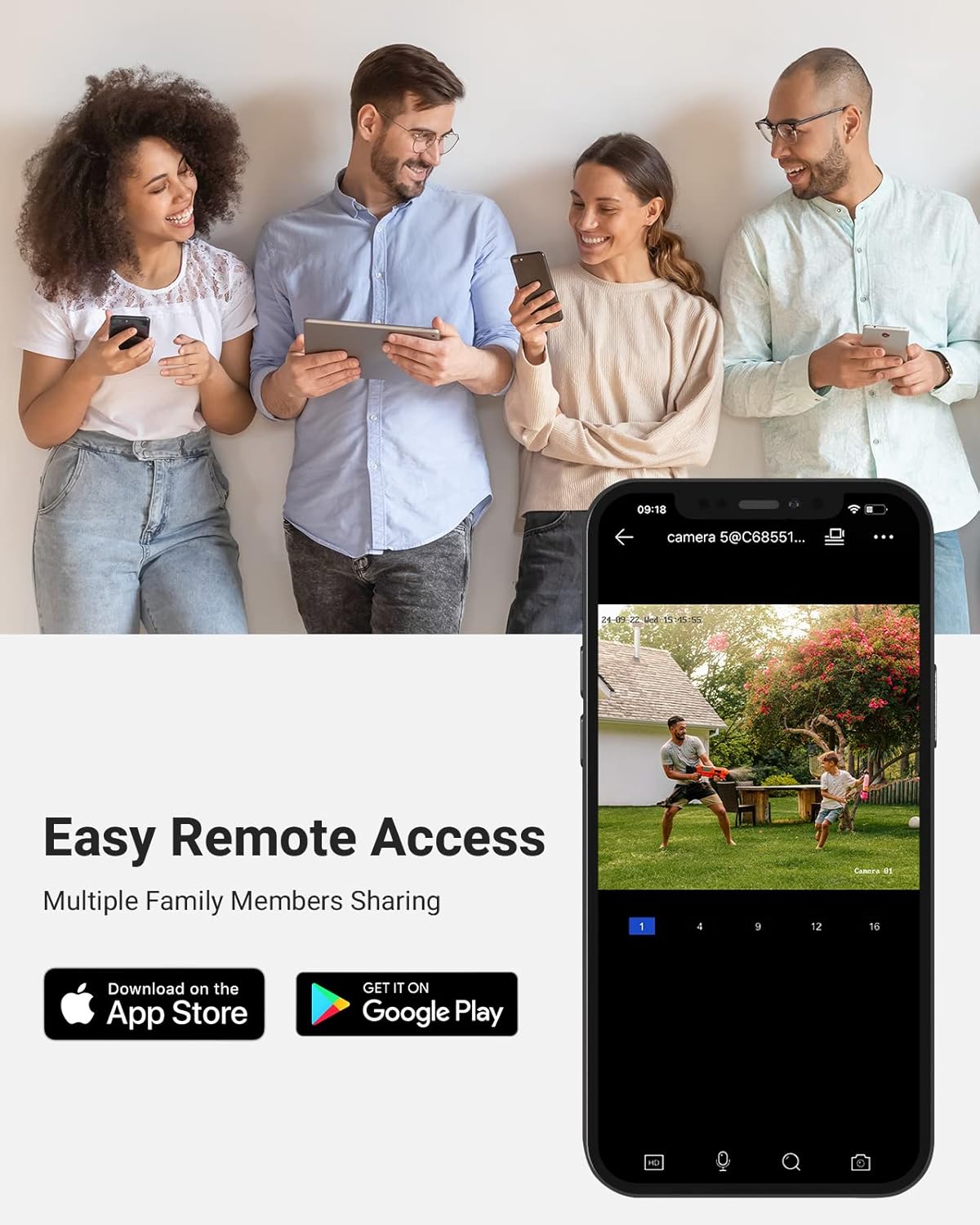
Image 4.5: Individuals interacting with their mobile devices, one of which displays the ANNKE Vision App showing a live security camera feed, illustrating easy remote access.
5. Maintenance
Regular maintenance ensures the longevity and optimal performance of your security system.
- Cleaning: Periodically clean the camera lenses with a soft, dry cloth to remove dust and smudges that may affect image quality. Ensure the NVR's ventilation openings are clear of obstructions.
- Firmware Updates: Check the ANNKE official website or the NVR's system settings for available firmware updates. Keeping your firmware updated can improve performance and security.
- Environmental Conditions: Ensure the NVR is placed in a well-ventilated area, away from direct sunlight, heat sources, and moisture. Cameras are IP67 weatherproof, but extreme conditions may still impact performance.
- Password Security: Regularly change your NVR and app passwords to strong, unique combinations to prevent unauthorized access.
6. Troubleshooting
This section addresses common issues you might encounter.
- No Video Display:
Check: Ensure the NVR is powered on and connected to the monitor via HDMI. Verify that cameras are properly connected to the NVR's PoE ports and receiving power. Restart the NVR. - No Remote Access:
Check: Confirm the NVR is connected to the internet via the Ethernet cable. Verify your mobile device has an active internet connection. Ensure the ANNKE Vision App is updated and the NVR is correctly added to your account. - Motion Detection Not Working:
Check: Review the detection zone settings and sensitivity levels in the NVR or app. Ensure the camera lens is clean and free from obstructions. Verify that the AI Human & Vehicle Detection feature is enabled. - Poor Night Vision:
Check: Ensure the camera lens is clean. Verify there are no obstructions blocking the infrared LEDs. Ensure the camera's night vision mode is set correctly (e.g., auto-switch). - NVR Not Recording:
Check: Verify the 1TB HDD is properly installed and recognized by the NVR. Check recording schedules and settings in the NVR menu. Ensure the HDD is not full; configure overwriting old footage if necessary.
7. Specifications
Detailed technical specifications for the ANNKE PoE Security Camera System.
| Feature | Specification |
|---|---|
| Brand | ANNKE |
| Model Number | N48PAW1-51DW-52DS |
| Connectivity Technology | Wired (PoE) |
| Video Capture Resolution | 1080p, 1536p, 1944p (up to 6MP/8MP recording) |
| Special Features | Image Sensor, Night Vision, Vehicle Detection, Human Detection, Dual-Lens 180° View |
| Memory Storage Capacity | 1 TB (HDD) |
| Power Source | Corded Electric (NVR), PoE (Cameras) |
| NVR Recording Capacity | 8-Channel@1080P/3MP/4MP/5MP/6MP/8MP |
| Max Playback Capacity | 5CH@1080P, 1CH@8MP |
| IP Camera Image Sensor | 1/2.7" Progressive Scan CMOS |
| IP Camera Video Resolution | 5MP (2560*1920) for standard cameras, 6MP for dual-lens camera |
| Video Compression | H.265+/H.265/H.264+/H.264 |
| Night Vision Distance | Up to 100ft/30m |
| Weatherproof Rating | IP67 |
| Operating Conditions | -30 °C – 60 °C (-22°F – 140 °F) |
| Product Dimensions | 20.87 x 19.29 x 11.81 inches |
8. Warranty and Support
ANNKE provides lifetime technical support for this product. For assistance with installation, operation, or troubleshooting, please contact ANNKE customer support through their official website or the contact information provided in your quick instruction guide. Please retain your proof of purchase for warranty claims.