
1. Introduction
Thank you for purchasing the ZKYMZL LED Moving Head DJ Lights. This manual provides essential information for the safe and effective operation of your lighting fixtures. Please read it thoroughly before use and retain it for future reference.
Safety Information
- Ensure the power supply voltage matches the product's requirements.
- Do not operate the device if the power cord is damaged.
- Avoid direct eye exposure to the light source.
- Keep the device away from water, moisture, and extreme temperatures.
- Only qualified personnel should perform repairs.
- Ensure proper ventilation around the fixture during operation.
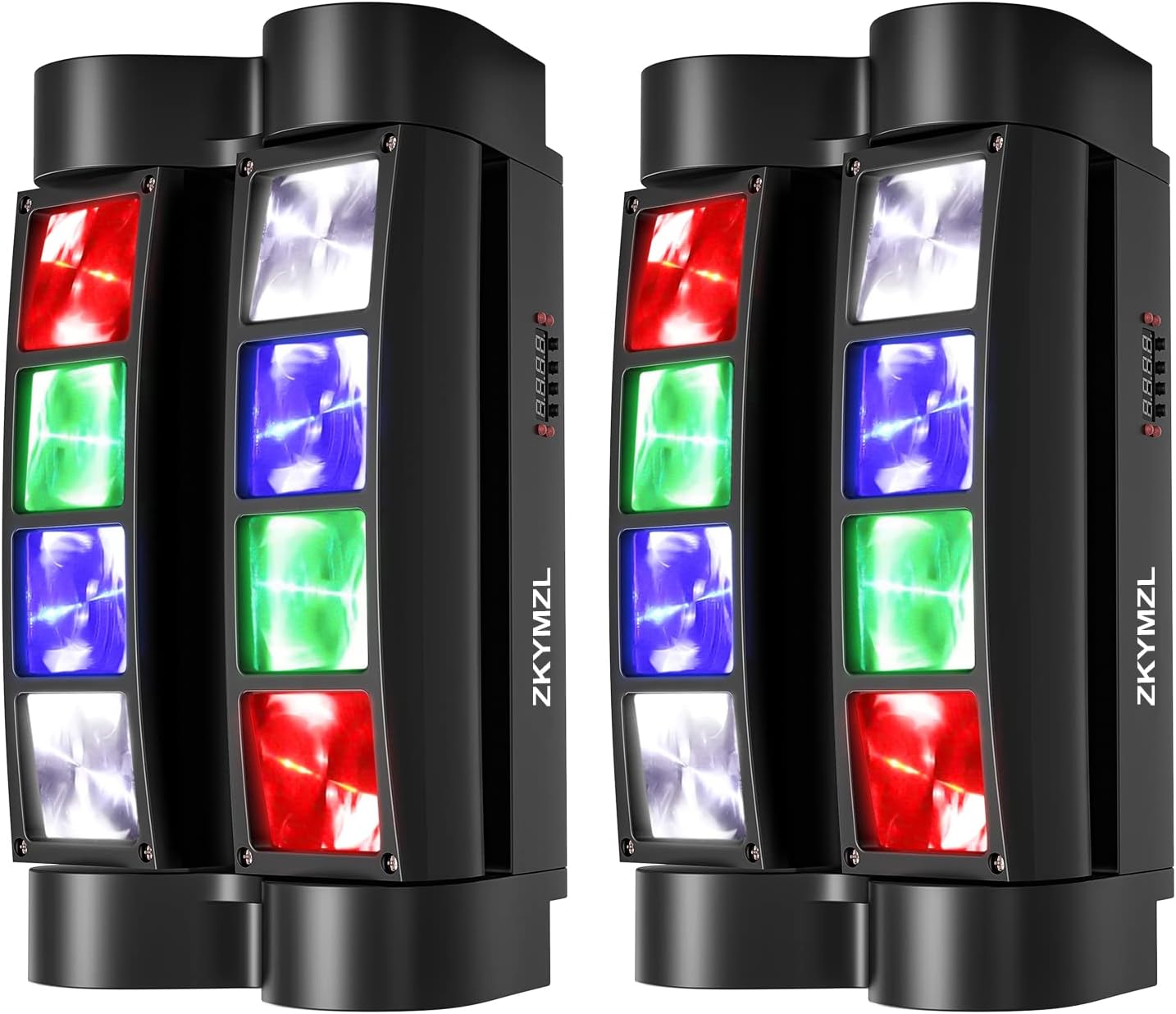
Image 1: ZKYMZL LED Moving Head DJ Lights (Pair)
2. Package Contents
Verify that all items are present in your package:
- 2 x ZKYMZL LED Moving Head DJ Lights
- 2 x Power Cables
- 2 x Mounting Brackets
- 4 x Screws (pre-installed on the bottom of the light)
- 2 x User Manuals
3. Product Overview
Familiarize yourself with the components and controls of your ZKYMZL LED Moving Head DJ Light.

Image 2: Rear and Control Panel Layout
Control Panel Functions:
- MENU: Accesses the main menu and cycles through options.
- UP: Navigates up through menu options or increases parameter values.
- DOWN: Navigates down through menu options or decreases parameter values.
- ENTER: Confirms selection or saves changes.
Rear Panel Connections:
- DMX IN: Connects to a DMX controller or the DMX OUT of another fixture.
- DMX OUT: Connects to the DMX IN of the next fixture in a daisy chain.
- POWER: Connects to the main power supply using the provided cable.
4. Setup and Installation
Mounting the Fixture:
The ZKYMZL LED Moving Head DJ Light can be mounted in various positions (floor, truss, wall, ceiling) using the included bracket. Ensure the mounting surface or truss is capable of supporting the weight of the fixture(s).
- Attach the mounting bracket to the fixture using the pre-installed screws.
- Securely fasten the bracket to your desired mounting location (e.g., truss clamp, wall mount).
- Always use a safety cable (not included) when mounting overhead to prevent accidental falls.
Power Connection:
Connect the provided power cable to the POWER input on the rear of the fixture and then to a suitable power outlet (AC90-240V, 50-60Hz).
5. Operating Modes
The ZKYMZL LED Moving Head DJ Light offers four primary operating modes:

Image 3: Operating Mode Icons
5.1. Automatic Mode (AUTO)
In Automatic Mode, the fixture runs through pre-programmed light sequences and movements without external input. This is ideal for quick setup and continuous light shows.
- Press the MENU button until "AUTO" or a similar indicator appears on the display.
- Use the UP and DOWN buttons to select different automatic programs (if available).
- Press ENTER to confirm your selection.
5.2. Sound Activated Mode
The Sound Activated Mode allows the light effects to synchronize with ambient music or sound. The built-in microphone detects sound, and the light patterns change accordingly.
- Press the MENU button until "SOUND" or "SND" appears on the display.
- Press ENTER to activate.
- To adjust sensitivity, use the UP and DOWN buttons while in Sound Mode.
5.3. Master-Slave Mode
This mode allows multiple fixtures to operate synchronously. One fixture acts as the "Master" and controls all other "Slave" fixtures connected via DMX cables.
- Connect the DMX OUT of the Master fixture to the DMX IN of the first Slave fixture. Continue daisy-chaining DMX OUT to DMX IN for all subsequent Slave fixtures.
- Set the Master fixture to either Automatic Mode or Sound Activated Mode.
- Set all Slave fixtures to "SLAVE" mode via their control panels.
- The Slave fixtures will now mirror the Master's operations.
5.4. DMX512 Control Mode
For advanced control, the fixture can be operated using a DMX512 controller. This allows for precise manipulation of colors, movements, and effects.
Refer to the DMX Control section for detailed instructions.
Video 1: Demonstration of RGBW beam effects and movement of the ZKYMZL Spider Light.
6. DMX Control
DMX512 (Digital Multiplex) is a standard for digital communication networks that are commonly used to control stage lighting and effects. Your ZKYMZL LED Moving Head DJ Light uses DMX512 for advanced control.
6.1. DMX Connection:
- Connect the DMX OUT of your DMX controller to the DMX IN of the first fixture.
- Connect the DMX OUT of the first fixture to the DMX IN of the second fixture, and so on, in a daisy chain.
- For optimal signal integrity, especially with long cable runs or many fixtures, it is recommended to use a DMX terminator at the DMX OUT of the last fixture in the chain.
6.2. DMX Addressing:
Each fixture in a DMX chain must have a unique DMX start address. This address tells the controller which channels each fixture will respond to.
- Press the MENU button until the DMX address setting appears (e.g., "A001").
- Use the UP and DOWN buttons to set the desired DMX start address.
- Press ENTER to save the address.
- Consult your DMX controller's manual and the fixture's specifications for the number of DMX channels required per fixture to calculate subsequent addresses.
6.3. DMX Channel Chart:
(Note: A detailed DMX channel chart is typically provided in the physical user manual. Below is a generic example. Please refer to your product's specific DMX chart for exact channel assignments.)
| Channel | Function | Value Range | Description |
|---|---|---|---|
| 1 | Pan Movement | 0-255 | Horizontal movement (0-540 degrees) |
| 2 | Tilt Movement | 0-255 | Vertical movement (0-120 degrees for Y1, 0-120 degrees for Y2) |
| 3 | Dimmer | 0-255 | Overall brightness (0% to 100%) |
| 4 | Strobe | 0-255 | Strobe effect speed (slow to fast) |
| 5 | Red LED Intensity | 0-255 | Adjust red color intensity |
| 6 | Green LED Intensity | 0-255 | Adjust green color intensity |
| 7 | Blue LED Intensity | 0-255 | Adjust blue color intensity |
| 8 | White LED Intensity | 0-255 | Adjust white color intensity |
Table 1: Example DMX Channel Assignments (Refer to your product's manual for exact details)
7. Maintenance
Cleaning:
- Regularly clean the exterior casing and optical lenses to ensure optimal light output.
- Use a soft, lint-free cloth and a mild glass cleaner. Avoid abrasive materials.
- Ensure the fixture is disconnected from power before cleaning.
Storage:
When not in use, store the fixture in a dry, dust-free environment, preferably in its original packaging or a protective case.
8. Troubleshooting
| Problem | Possible Cause | Solution |
|---|---|---|
| No power | Power cable disconnected; no power from outlet. | Check power cable connection; test outlet with another device. |
| No light output | Dimmer channel set to 0; fixture in blackout mode; internal fault. | Check DMX dimmer channel; verify operating mode; contact support if fault persists. |
| No DMX control | Incorrect DMX address; faulty DMX cable; DMX controller issue; fixture not in DMX mode. | Verify DMX address and mode; check DMX cable integrity; test with another controller. |
| Sound mode not responsive | Microphone sensitivity too low; low ambient sound. | Increase microphone sensitivity via control panel; ensure sufficient sound level. |
| Movement issues | Obstruction; motor fault; DMX control issue. | Check for obstructions; verify DMX pan/tilt channels; contact support. |
9. Specifications
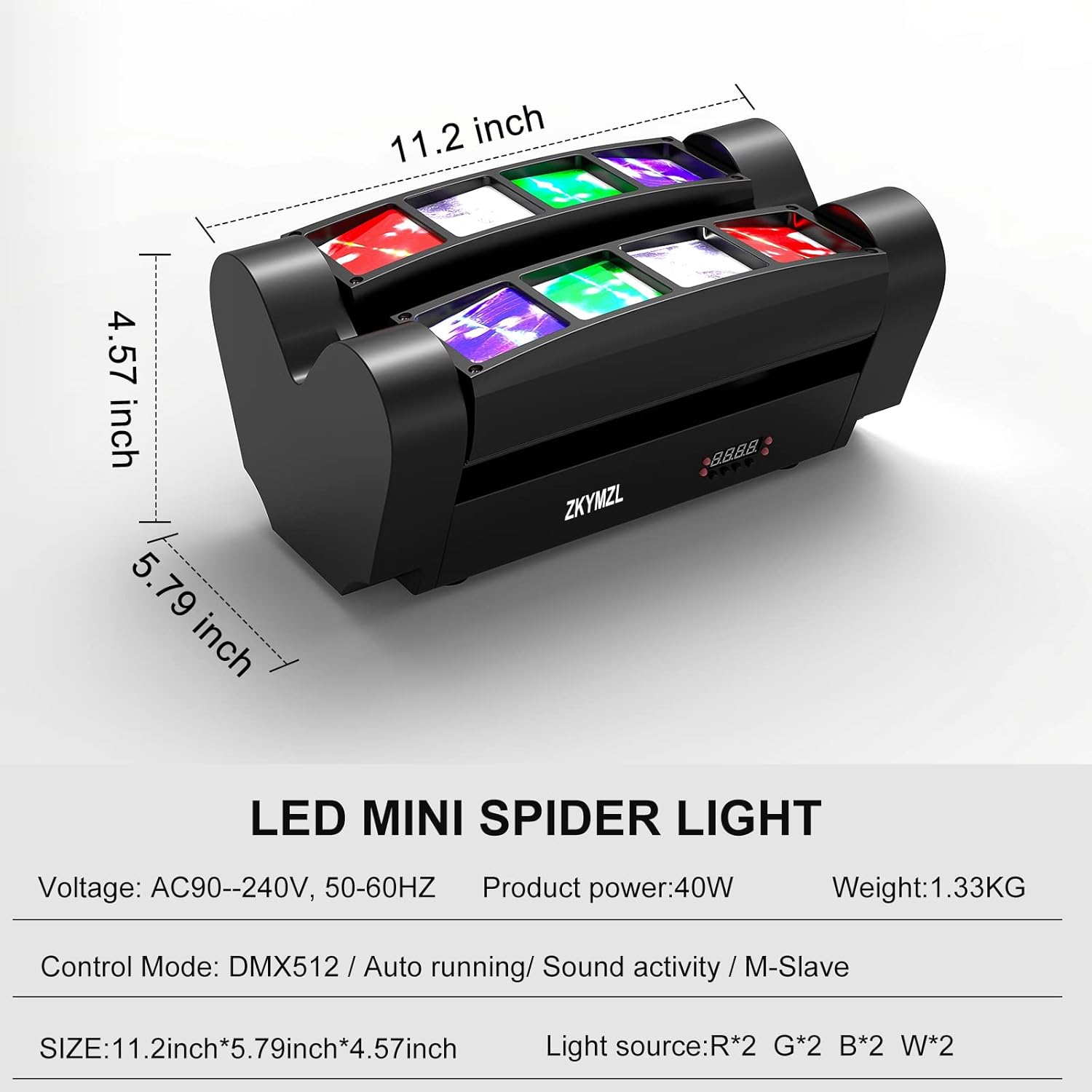
Image 4: Product Dimensions and Key Specifications
| Feature | Detail |
|---|---|
| Model Number | RYHJ-01 |
| Light Source | 8 x 3W RGBW 4-in-1 LEDs (Red, Green, Blue, White) |
| Power Consumption | 40W |
| Voltage | AC90-240V, 50-60Hz |
| Control Modes | Auto, Sound Activated, Master-Slave, DMX512 |
| DMX Channels | (Refer to specific DMX chart in physical manual) |
| Pan Angle | 540 degrees |
| Tilt Angle | Y1: 120 degrees, Y2: 120 degrees |
| Material | Iron, Plastic |
| Dimensions (L x W x H) | 11.2" x 6" x 5.2" (28.4cm x 15.2cm x 13.2cm) |
| Weight | 7.24 pounds (3.28 kg) |
| Color | Black |
| UPC | 742440886621 |
10. Warranty and Support
Warranty Information:
ZKYMZL products are manufactured to high-quality standards. This product is covered by a limited warranty against manufacturing defects. Please retain your proof of purchase for warranty claims. Specific warranty terms and duration may vary by region and retailer. For detailed warranty information, please refer to the warranty card included with your product or contact ZKYMZL customer service.
Customer Support:
If you encounter any issues or have questions regarding your ZKYMZL LED Moving Head DJ Lights, please contact our customer support team. We are committed to providing technical assistance and quality service.
For support, please visit the official ZKYMZL store on Amazon: ZKYMZL Amazon Store


