
Product Overview
The LEVOIT LTF-F422 Tower Fan is designed to provide efficient and quiet air circulation for various indoor spaces. Featuring a brushless DC motor, 12 wind speeds, 90° oscillation, and 60° up/down adjustment, it offers customizable cooling. This manual provides essential information for safe operation, maintenance, and troubleshooting.

Image: The LEVOIT LTF-F422 Tower Fan in white and black, with its remote control. The fan features a sleek, tall design with a digital display showing '12', indicating a speed setting. Blue arrows illustrate the adjustable airflow direction.
Safety Instructions
Please read and understand all safety instructions before using this appliance to prevent injury or damage.
- Read all instructions before use.
- Do not operate the fan with a damaged cord or plug.
- Keep the fan away from water and moisture.
- Do not insert fingers or foreign objects into the grille.
- Unplug the fan before cleaning or maintenance.
- This appliance is not intended for use by persons (including children) with reduced physical, sensory or mental capabilities, or lack of experience and knowledge, unless they have been given supervision or instruction concerning use of the appliance by a person responsible for their safety.
Package Contents
Verify that all components are present in the package upon unboxing.

Image: The product packaging box, showing a label with "Package Contents" including 1x Tower Fan, 2x Base, 1x Plastic Nut, 1x Remote Control, 1x Power Adapter, 1x Quick Start Guide, and 1x User Manual.
- 1x Tower Fan
- 2x Base
- 1x Plastic Nut
- 1x Remote Control
- 1x Power Adapter
- 1x Quick Start Guide
- 1x User Manual
Setup
Follow these steps to assemble your LEVOIT Tower Fan:
- Carefully remove all packaging materials from the fan and its components.
- Assemble the two base pieces by interlocking them.
- Align the fan body with the assembled base and secure it using the plastic nut provided. Ensure the fan is stable on its base.
- Connect the power adapter to the fan's power input and then plug it into a suitable electrical outlet.
Operating Instructions
Control Panel and Remote Control
The fan can be operated using the top-mounted control panel or the included remote control.

Image: A detailed view of the top of the LEVOIT Tower Fan, highlighting the control panel, the remote control storage slot, and the detachable rear cover. This illustrates the user-friendly design features.
Power On/Off
Press the power button on the control panel or remote to turn the fan on or off.
Adjusting Wind Speed
The fan offers 12 speed options. Use the '+' and '-' buttons to increase or decrease the wind speed.
Tip: Speeds 1-3 for gentle breezes, 4-6 for mild cooling, 7-9 for strong winds, and 10-12 for powerful airflow.
Oscillation
Press the oscillation button to activate or deactivate the 90° horizontal oscillation feature, distributing air across a wider area.

Image: The LEVOIT Tower Fan demonstrating its adjustable up and down airflow. Blue arrows indicate the vertical movement of air, allowing users to direct the airflow upwards or downwards by up to 30 degrees.
Up and Down Adjustment
Manually adjust the fan head up or down by 60° to direct airflow precisely where needed.
Operating Modes
The fan features several intelligent modes:
- Auto Mode: Automatically adjusts fan speed based on ambient room temperature.
- Turbo Mode: Provides maximum airflow for rapid cooling.
- Sleep Mode: Operates at a low, quiet speed with dimmed display for undisturbed sleep. The fan may oscillate automatically after one hour in this mode.
- Normal Mode: Standard operation with manual speed control.

Image: The LEVOIT Tower Fan illustrating its temperature-reactive feature. The image shows the fan in two different room settings, one at 30°C and another at 21°C, indicating its ability to detect ambient temperature and adjust fan speed accordingly.
Timer Function
Set the fan to automatically turn off after a specified period, up to 12 hours.
Maintenance
Regular cleaning ensures optimal performance and longevity of your fan.
Cleaning the Exterior
Wipe the exterior of the fan with a soft, damp cloth. Do not use abrasive cleaners or solvents.
Cleaning the Impeller
The rear cover of the fan is detachable and washable for easy cleaning of the internal impeller.
- Unplug the fan from the power outlet.
- Carefully remove the detachable rear cover.
- Wipe the impeller blades with a soft, dry cloth to remove dust and debris.
- Ensure the screws are aligned with the flat surface of the motor shaft when reassembling the impeller to avoid reduced airflow.
- Reattach the rear cover securely.
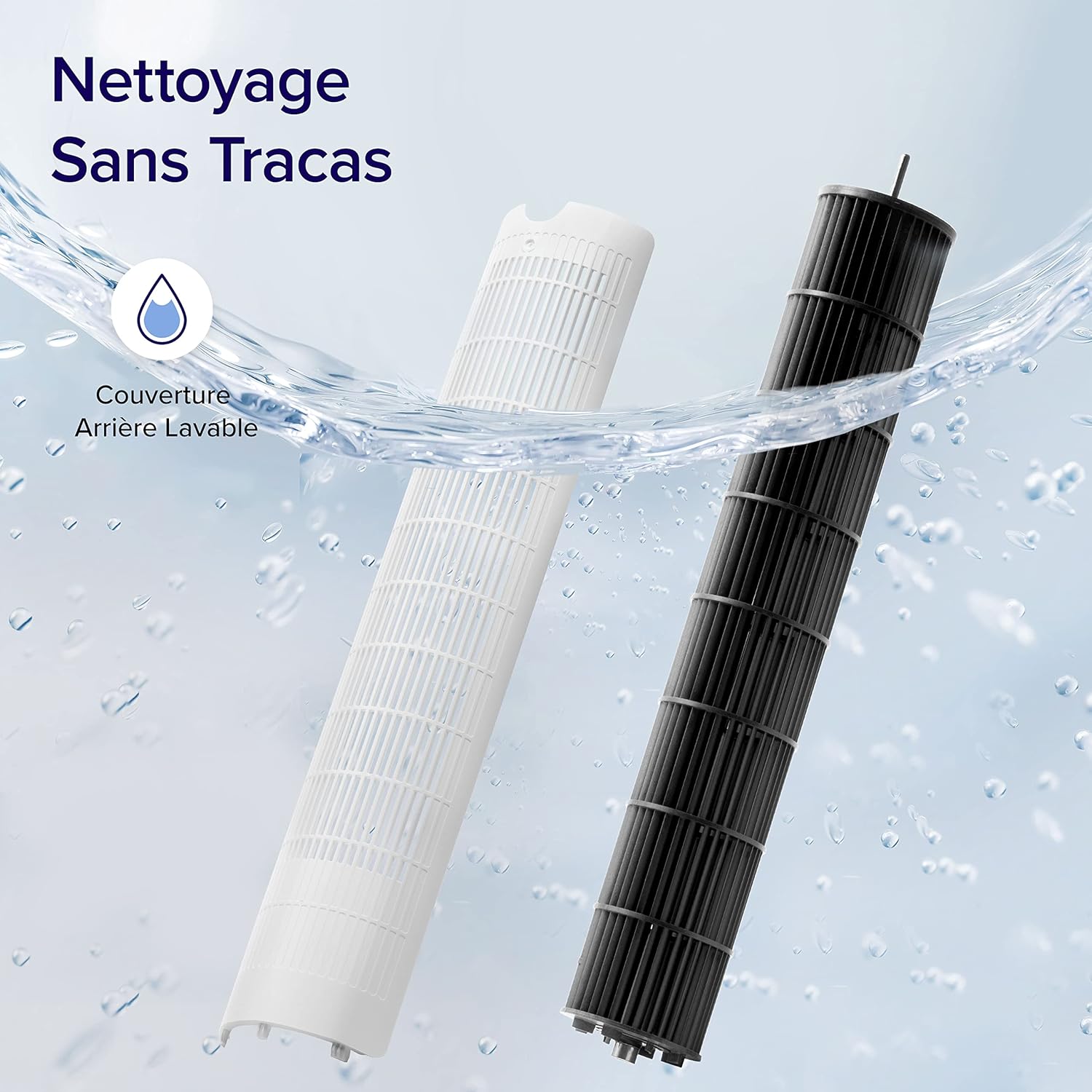
Image: The detachable and washable rear cover of the LEVOIT Tower Fan, shown being cleaned under running water. This highlights the ease of maintenance for the fan's internal components.
Troubleshooting
This section addresses common issues you might encounter with your LEVOIT Tower Fan.
| Problem | Possible Cause | Solution |
|---|---|---|
| Fan suddenly oscillates | Advanced Sleep Mode default behavior. | This is normal in Advanced Sleep Mode; oscillation begins automatically after one hour. If not in this mode, contact customer service. |
| Reduced airflow after cleaning impeller | Screws not aligned with flat surface of motor shaft during reinstallation. | Ensure screws are aligned with the flat surface of the motor shaft, not the arc surface, during reassembly. Contact Levoit support if issues persist. |
| Fan stops abruptly | Timer function was accidentally set. | Check the timer settings and reset if necessary. |
| Top control panel unresponsive | Fan is in Advanced Sleep Mode or screen is manually turned off. | Press the panel twice: first to wake it, second to adjust settings. |
Specifications
| Feature | Detail |
|---|---|
| Brand | LEVOIT |
| Model Number | LTF-F422-WEU |
| Color | White |
| Dimensions (L x W x H) | 33 x 33 x 107.6 cm |
| Weight | 4.99 Kilograms |
| Power | 23 Watts |
| Voltage | 24.0 V |
| Noise Level | 25 dB (lowest) |
| Special Features | Remote Control, Timer, Oscillating, Up/Down Adjustment |
| Wind Speed | Up to 7.9 m/s |
| Oscillation Angle | 90° |
| Up/Down Adjustment Angle | 60° |
| Timer | 12 hours |
Warranty and Support
LEVOIT is committed to providing high-quality products and satisfactory after-sales services. If you have any questions or concerns regarding your product, please do not hesitate to contact the LEVOIT customer support team.
For assistance, visit the official LEVOIT website or refer to the contact information provided in the Quick Start Guide.
No official product videos were found for this model from the seller.


