
1. Introduction
This manual provides instructions for the installation, operation, maintenance, and troubleshooting of your Briidea Winch Controller. This wired controller is designed as a replacement or backup for 12V electric winches with capacities ranging from 1500 lbs to 5000 lbs. It offers reliable forward and reverse motion control for various winch applications.
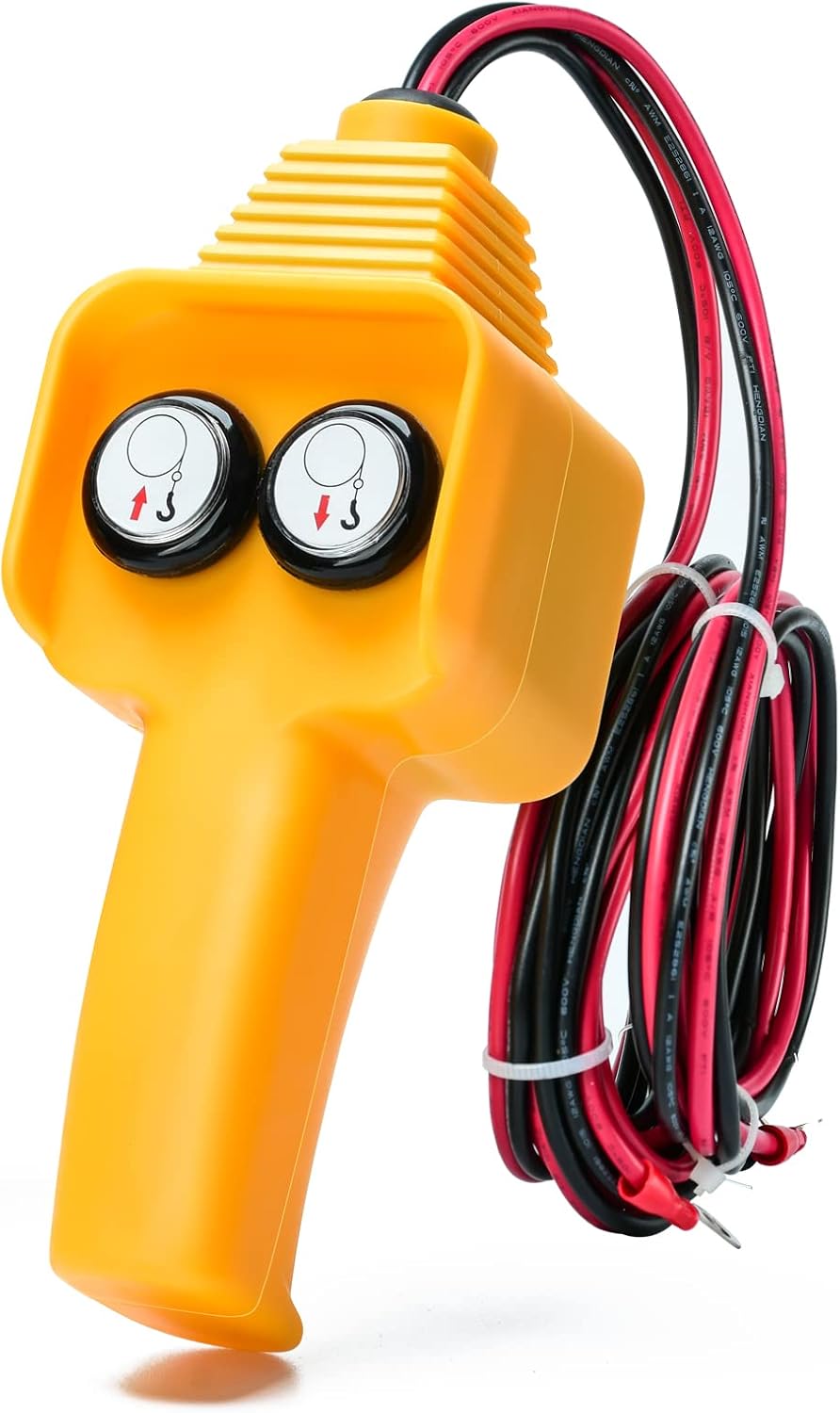
Figure 1: Briidea Winch Controller. This image shows the yellow handheld controller with two black buttons and attached red and black power cables.
2. Compatibility
The Briidea Winch Controller is compatible with a wide range of 12V electric winches from 1500 lbs to 5000 lbs capacity. This includes popular brands such as Champion, Warn, X-Bull, ZEAK, ZESUPER, Tungsten, TYT, Hiltex, and Engo. The circular crimp terminal size is RV5.5-6.

Figure 2: Winch Controller Compatibility. This image illustrates the controller's compatibility with several different models of 1500lb to 5000lb 12V electric winches.
3. Setup and Installation
Follow these steps for proper installation of the winch controller:
- Safety First: Ensure the winch and vehicle battery are disconnected before beginning installation to prevent electrical hazards.
- Identify Wires: The controller has four color-coded wires:
- Red (long): Positive connection to the winch.
- Black (long): Negative connection to the winch.
- Red (short): Positive connection to the battery.
- Black (short): Negative connection to the battery.
- Connect to Winch: Connect the long red wire from the controller to the positive terminal of your winch. Connect the long black wire from the controller to the negative terminal of your winch.
- Connect to Battery: Connect the short red wire from the controller to the positive terminal of your 12V battery. Connect the short black wire from the controller to the negative terminal of your 12V battery.
- Secure Connections: Ensure all connections are secure and properly insulated to prevent short circuits. The circular crimp terminals are sized RV5.5-6.

Figure 3: Wiring Diagram. This diagram illustrates how to connect the controller's positive (red) and negative (black) wires to both the vehicle battery and the electric winch.
4. Operating Instructions
The Briidea Winch Controller features two buttons for controlling winch movement:
- Forward Button (Up Arrow): Press and hold this button to extend the winch cable.
- Reverse Button (Down Arrow): Press and hold this button to retract the winch cable.
Important Operating Tips:
- Always maintain a safe distance from the winch and the load during operation. The controller's 8.2-foot cable provides adequate operating distance.
- Ensure the winch cable is properly spooled and free of kinks or damage before and during use.
- Avoid continuous operation for extended periods to prevent overheating of the winch motor. Refer to your winch's specific operating guidelines.
- Do not exceed the rated capacity of your winch.

Figure 4: Safe Operation. This image shows a user operating the winch from a safe distance outside the vehicle and also from within the driver's seat, highlighting the controller's cable length for flexible use.
5. Maintenance and Care
To ensure the longevity and reliable performance of your Briidea Winch Controller, follow these maintenance guidelines:
- Cleaning: Wipe the controller with a damp cloth to remove dirt and debris. Avoid using harsh chemicals or abrasive cleaners.
- Storage: Store the controller in a dry, clean environment when not in use. Avoid exposing it to extreme temperatures or direct sunlight for prolonged periods.
- Cable Inspection: Regularly inspect the power cables for any signs of wear, cuts, or damage. Ensure the crimp terminals remain secure.
- Button Protection: The buttons are designed to be waterproof and dustproof, but avoid submerging the controller in water.

Figure 5: Robust Quality Features. This image details the controller's premium ABS material, waterproof and dustproof buttons, and UL listed thick wire, all contributing to its durability.
6. Troubleshooting
If you encounter issues with your Briidea Winch Controller, refer to the following common problems and solutions:
| Problem | Possible Cause | Solution |
|---|---|---|
| Winch does not respond to controller. |
|
|
| Intermittent operation. |
|
|
| Only one direction works. |
|
|
7. Specifications
- Product Name: Briidea Winch Controller
- Model: Winch Controller (1500-5000 lbs)
- Compatibility: 12V Electric Winches (1500 lbs - 5000 lbs)
- Input Voltage: 12V DC
- Control Type: Wired, 2-button (Forward/Reverse)
- Cable Length (to Winch): 8.2 feet (approx. 2.5 meters)
- Cable Length (to Battery): 4 feet (approx. 1.2 meters)
- Crimp Terminal Size: RV5.5-6
- Material: High-quality ABS (handle), UL listed wire
- Dimensions (Controller Handle): Approximately 7.3 x 2.9 x 2.5 inches (L x W x H)
- Item Weight: 1.43 pounds (approx. 0.65 kg)
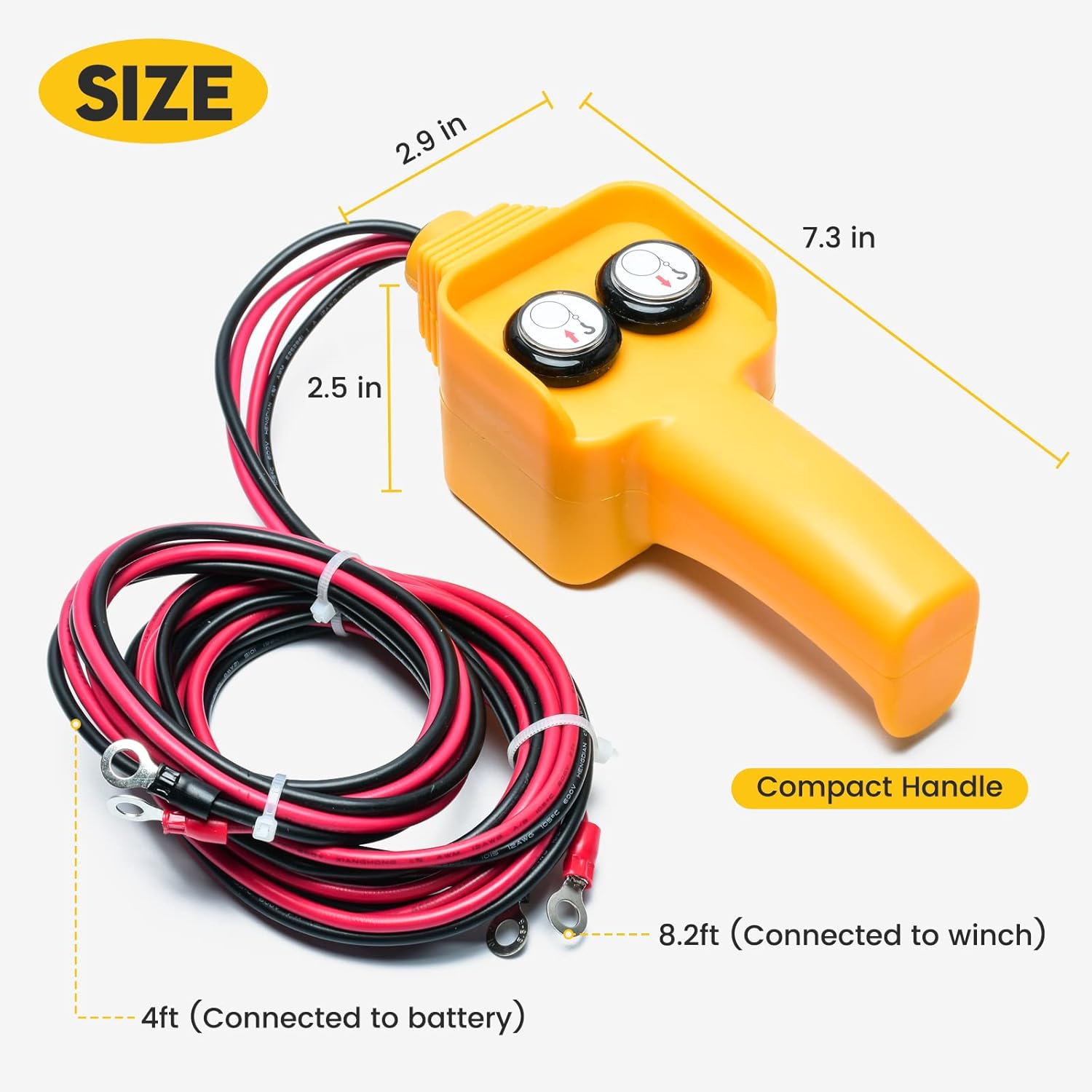
Figure 6: Product Dimensions. This image provides a visual representation of the controller's physical dimensions and the lengths of its connecting cables.
8. Warranty Information
Briidea products are manufactured to high-quality standards. For specific warranty details regarding your Winch Controller, please refer to the product packaging or contact Briidea customer support directly. Keep your purchase receipt as proof of purchase for any warranty claims.
9. Customer Support
If you have any questions, require technical assistance, or need to report an issue with your Briidea Winch Controller, please contact Briidea customer support. Contact information can typically be found on the product packaging or the official Briidea website.