Introduction
Thank you for purchasing the EENOUR SB6620 LED Camping Lantern. This manual provides important information regarding the safe operation, maintenance, and specifications of your new lantern. Please read this manual thoroughly before use and retain it for future reference.
Package Contents
Verify that all items are present in the package:
- EENOUR SB6620 LED Lantern
- USB-C Charging Cable
- User Manual (this document)
- Batteries (pre-installed)

Image: Contents of the EENOUR SB6620 LED Lantern package, showing the lantern, USB-C cable, and user manual.
Product Features
- Rechargeable Design: Equipped with a universal Type-C charging port for convenient recharging.
- Versatile Lighting: Features 3 color switching options and 4 lighting modes.
- Stepless Dimming: Adjust brightness from 10% to 100% with a dial switch.
- High Brightness & 360° Illumination: Up to 280 lumens for effective, all-around illumination.
- Extended Battery Life: Provides up to 48 hours of continuous lighting.
- Durable & Waterproof: IPX6 rated for water and splash resistance, made from reinforced ABS material.
- Portable: Compact size and lightweight design (280g).
- Multi-purpose: Suitable for camping, hiking, emergencies, night fishing, and more.

Image: The EENOUR SB6620 LED Lantern illuminating a camping table, demonstrating its 360-degree high brightness.

Image: Collage showing the EENOUR SB6620 LED Lantern in diverse applications, including tent lighting, emergency use, as a night light, and for mountain climbing.
Setup
Initial Charging
Before first use, fully charge the lantern. Connect the provided USB-C cable to the lantern's charging port and plug the other end into a compatible USB power source (e.g., wall adapter, power bank, computer USB port). The charging indicator will show the charging status. A full charge typically takes 3-4 hours.
Placement and Hanging
The lantern can be placed on any flat surface or hung using its integrated handle. The handle allows for easy attachment to tent hooks, stands, or car interiors.
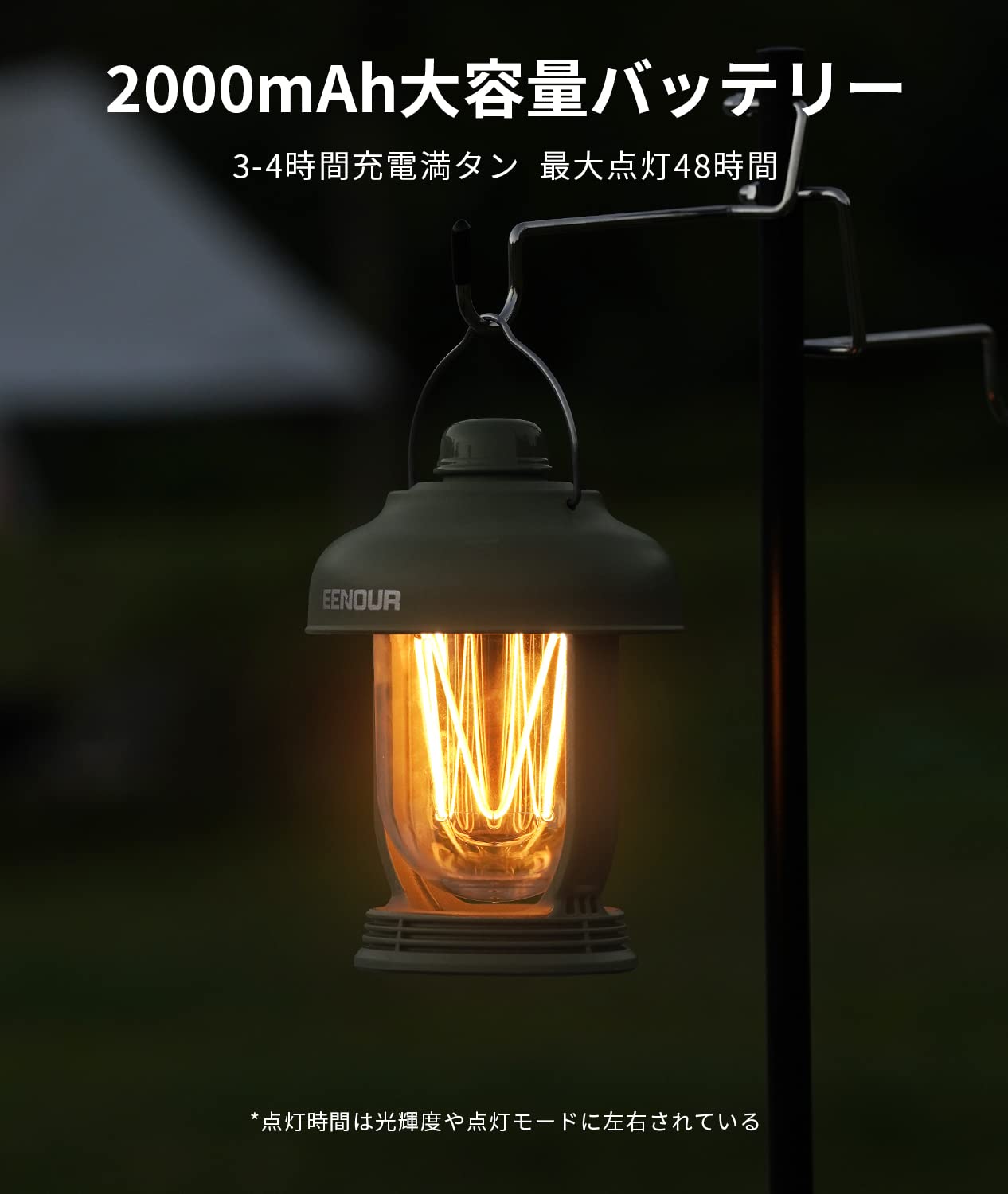
Image: The EENOUR SB6620 LED Lantern hanging from a hook, demonstrating its versatility for placement.
Operating Instructions
Power On/Off and Mode Switching
The lantern features a single dial switch for all operations:
- Power On/Off: Press the dial switch once to turn the lantern on. Press it again to turn it off.
- Mode Switching: While the lantern is on, press the dial switch repeatedly to cycle through the 4 lighting modes:
- Light Strip (Amber)
- Candle Light Mode (Flickering Amber)
- LED Light (Daylight White)
- Mixed Mode (Light Strip + LED Light)
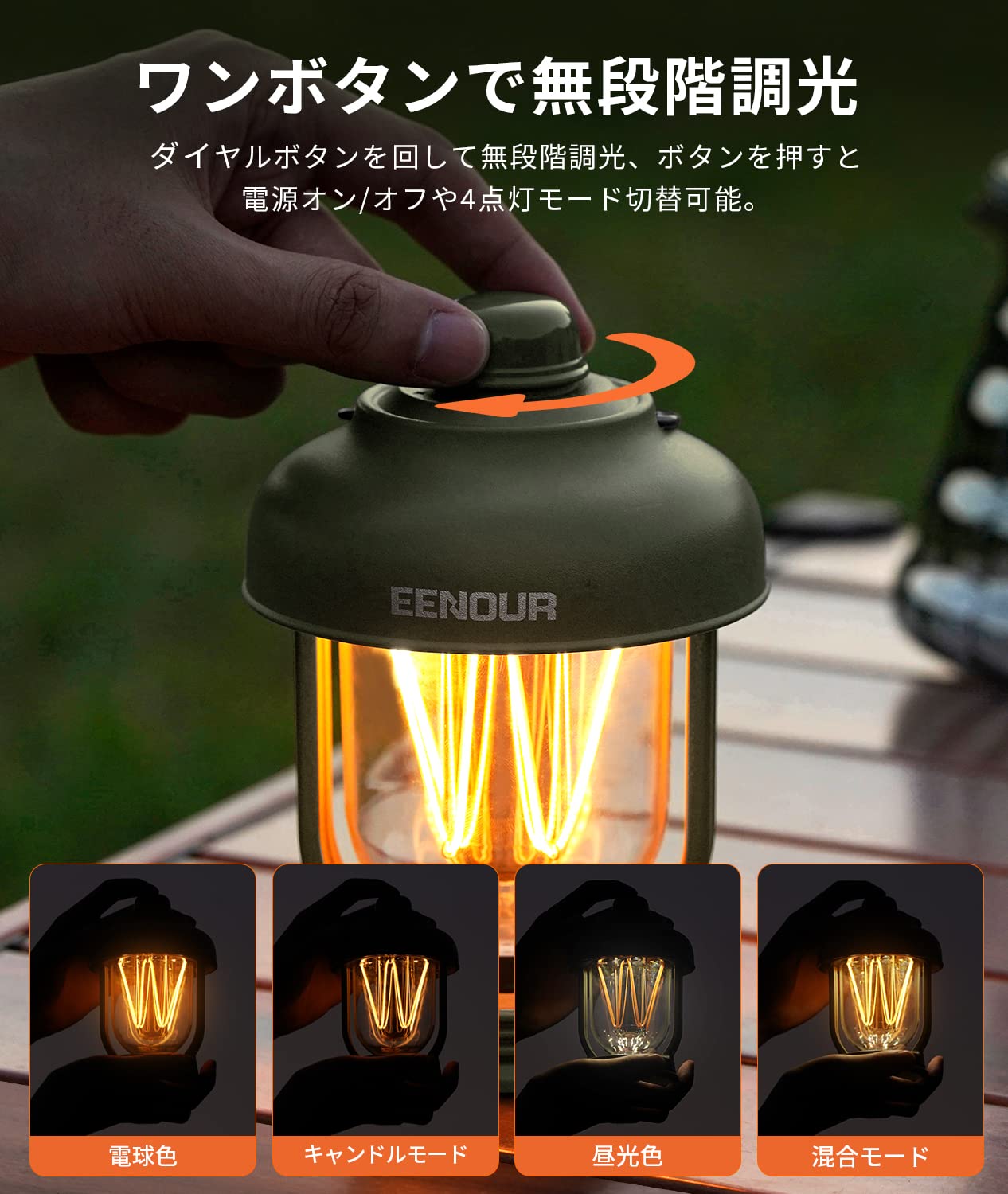
Image: Illustration of the dial switch operation and the four distinct lighting modes available on the EENOUR SB6620 LED Lantern.
Stepless Dimming
To adjust the brightness:
- While the lantern is on, rotate the dial switch clockwise to increase brightness (10% to 100%).
- Rotate the dial switch counter-clockwise to decrease brightness (100% to 10%).
Color Switching
The lantern offers 3 color options by combining the amber light strip with the daylight white LED. These are integrated into the 4 lighting modes as described above.
Charging the Lantern
When the battery is low, connect the USB-C cable to the charging port. The charging indicator will illuminate. Once fully charged, the indicator will change or turn off, depending on the model. Avoid overcharging to prolong battery life.
Maintenance
- Cleaning: Wipe the lantern with a soft, damp cloth. Do not use abrasive cleaners or solvents.
- Storage: Store the lantern in a cool, dry place when not in use. For long-term storage, charge the battery to about 50% every 3-6 months to maintain battery health.
- Water Resistance: The lantern is IPX6 waterproof, meaning it can withstand powerful water jets. However, it is not designed for prolonged submersion. Ensure the charging port cover is securely closed to maintain water resistance.

Image: The EENOUR SB6620 LED Lantern under a water spray, illustrating its IPX6 water resistance.
Troubleshooting
| Problem | Possible Cause | Solution |
|---|---|---|
| Lantern does not turn on. | Battery is depleted. | Charge the lantern fully using the USB-C cable. |
| Brightness cannot be adjusted. | Dial switch not rotated correctly. | Ensure the lantern is on and rotate the dial switch slowly to adjust brightness. |
| Lantern not charging. | Faulty cable or power source. | Try a different USB-C cable or power adapter. Ensure connections are secure. |
| Water ingress after exposure. | Charging port cover not sealed. | Always ensure the charging port cover is tightly sealed before exposing the lantern to water. |
Specifications
| Feature | Detail |
|---|---|
| Model | SB6620 |
| Battery Capacity | 2000mAh |
| Light Output (Max) | 280 Lumens |
| Battery Life (Max) | 48 Hours (at lowest brightness) |
| Charging Time | 3-4 Hours |
| Water Resistance | IPX6 |
| Material | Acrylonitrile Butadiene Styrene (ABS) |
| Dimensions (Diameter x Height) | 9.5 cm x 13 cm |
| Weight | 280 g |
| Power Source | LED |
Image: Detailed product specifications and dimensions for the EENOUR SB6620 LED Lantern.
Safety Information
- Do not look directly into the LED light to avoid eye strain.
- Keep out of reach of children.
- Do not disassemble or modify the lantern. This may cause damage and void the warranty.
- Use only the provided USB-C cable or a certified equivalent for charging.
- Avoid exposing the lantern to extreme temperatures or direct sunlight for prolonged periods.
- Dispose of the product responsibly according to local regulations.
Warranty and Support
For warranty information or technical support, please refer to the contact details provided with your purchase documentation or visit the official EENOUR website. Please have your model number (SB6620) and purchase date ready when contacting support.


