
CAZON BSX516
CAZON Blood Pressure Monitor User Manual
Model: BSX516
1. Introduction
This user manual provides essential information for the safe and effective operation of your CAZON Blood Pressure Monitor. Please read this manual thoroughly before first use and keep it for future reference. This device is designed for home use to measure systolic and diastolic blood pressure and pulse rate in adults.
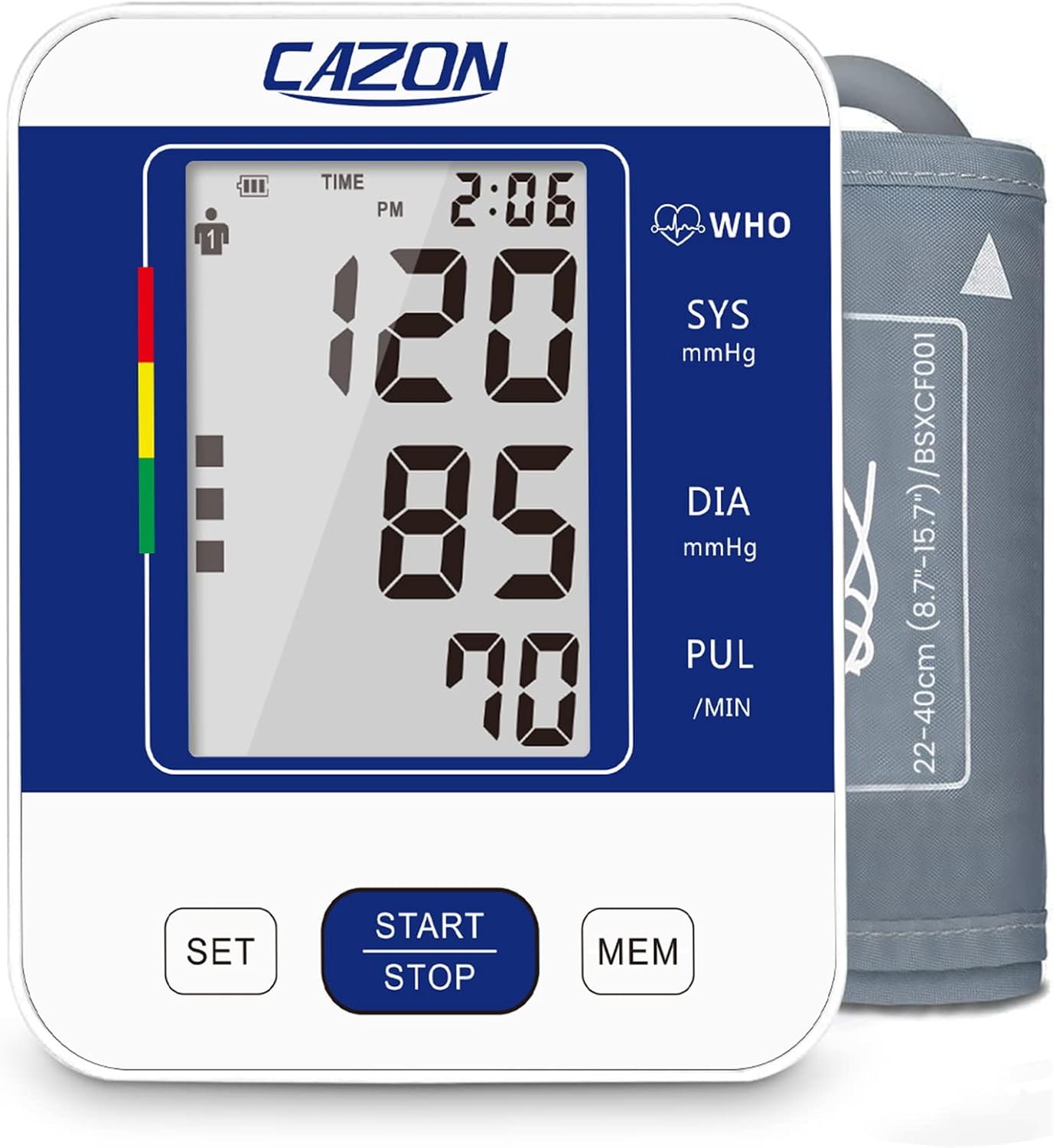
Image 1: CAZON Blood Pressure Monitor and Cuff. This image shows the main unit with its large LCD display and the adjustable arm cuff.
2. Important Safety Information
Always follow basic safety precautions when using electrical products, especially when children are present. This device is not intended to be a substitute for professional medical advice, diagnosis, or treatment. Consult your physician for any health concerns.
- Do not use this device on infants, children, or individuals who cannot express their consent.
- Do not use the device for purposes other than measuring blood pressure.
- Avoid using the device in environments with strong electromagnetic fields.
- Keep the device and cuff away from water and extreme temperatures.
- Do not attempt to repair or modify the device yourself. Contact customer support for assistance.
3. Package Contents
Upon opening the package, please verify that all components are present and undamaged:
- 1 x CAZON Blood Pressure Monitor (Main Unit)
- 1 x Adjustable Arm Cuff (22-40cm)
- 1 x Instruction Manual
- 1 x USB Cable (for power, adapter not included)
- 1 x Storage Bag

Image 2: Package Contents. This image displays all items included in the CAZON Blood Pressure Monitor package: the monitor, arm cuff, owner's manual, storage bag, USB cable, and packaging box.
4. Product Features
The CAZON Blood Pressure Monitor is equipped with several features designed for ease of use and accurate measurement:
- Large LCD Screen: Provides clear, easy-to-read display of measurements.
- Two User Mode: Supports two individual users with separate memory storage.
- 2x99 Memory Storage: Stores up to 99 readings per user with date and time stamps.
- Irregular Heartbeat Indicator: Alerts the user to detected irregular heartbeats.
- Fully Automatic Operation: One-button operation for convenient measurement.
- Adjustable Cuff: Fits arm circumferences from 22cm to 40cm.
- Dual Power Supply: Can be powered by 4x AA batteries (not included) or USB cable.

Image 3: Key Features Diagram. This diagram highlights the main features of the monitor, including Irregular Heartbeat Indicator, Easy To Use, Large LCD Display, Fully Automatic, Accurate Measurement, and 2 User Mode.
5. Setup
5.1 Power Supply
The CAZON Blood Pressure Monitor can be powered by batteries or a USB cable.
- Battery Installation: Open the battery compartment on the back of the device. Insert 4 AA batteries (not included), ensuring correct polarity (+/-). Close the compartment.
- USB Power: Connect the provided USB cable to the monitor's USB port and the other end to a USB power adapter (not included) or a computer USB port.
Note: Do not use both power methods simultaneously. Remove batteries if using USB power for extended periods.

Image 4: Power Supply Methods. This image illustrates the two ways to power the monitor: using 4 AA batteries (not included) or via a USB Type Cable (included, adapter not included).
5.2 Setting Date and Time
Before first use, it is recommended to set the date and time for accurate record-keeping.
- With the device off, press the SET button. The year will begin to flash.
- Press the MEM button to adjust the year.
- Press SET again to confirm and move to the month, day, hour, and minute settings. Repeat the adjustment process using the MEM button.
- Press SET one last time to save the settings and exit.
6. Operating Instructions
6.1 Preparing for Measurement
- Sit in a comfortable position with your back supported and feet flat on the floor.
- Rest your arm on a table so that the cuff is at heart level.
- Avoid talking or moving during the measurement.
- Ensure you have rested for at least 5 minutes before taking a measurement.
- Do not measure immediately after eating, bathing, or exercising.

Image 5: Tips for Accurate Measurement. This image provides visual guidance on how to prepare for a blood pressure reading, including sitting still, resting, and positioning the arm and cuff correctly at heart level.
6.2 Applying the Arm Cuff
- Ensure the cuff is placed directly on your bare skin or over thin clothing (less than 5mm thick).
- Slide the cuff onto your left upper arm, with the air tube pointing towards your forearm.
- Position the cuff so its lower edge is about 1-2 cm above your elbow joint.
- Wrap the cuff snugly around your arm, ensuring two fingers can fit comfortably between the cuff and your arm. The center of the cuff should be at the same height as your heart.
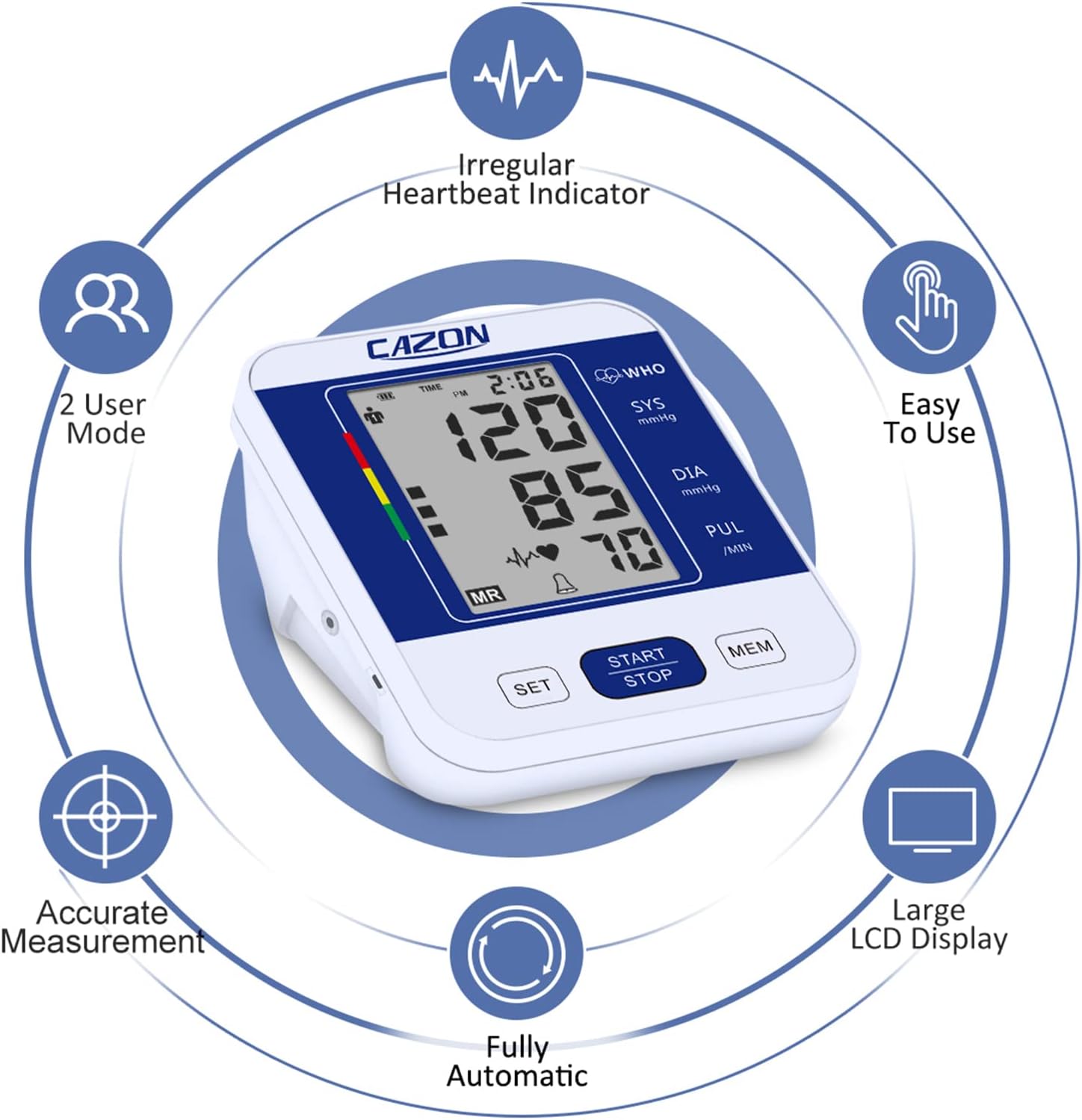
Image 6: Adjustable Cuff and Button to Operate. This image demonstrates how to properly apply the adjustable arm cuff, showing the size range from 22cm to 40cm.

Image 7: Method of Use. This image provides a four-step visual guide on how to wear the cuff, position it, check for proper fit, and start the measurement.
6.3 Taking a Measurement
- Once the cuff is correctly applied and you are in a relaxed position, press the START/STOP button.
- The cuff will automatically inflate. Remain still and silent during inflation and deflation.
- After approximately 30-60 seconds, your systolic pressure, diastolic pressure, and pulse rate will be displayed on the LCD screen.
- The measurement will automatically be saved to the selected user's memory.
- To turn off the device, press the START/STOP button again, or it will automatically shut off after 60 seconds of inactivity.
6.4 Viewing Stored Measurements
The device stores up to 99 readings for each of the two users.
- With the device off, press the MEM button. The most recent measurement will be displayed.
- Press the MEM button repeatedly to cycle through previous readings.
- To switch between User 1 and User 2 memory, press the SET button while viewing memory.
- To exit memory mode, press the START/STOP button or wait for automatic shut-off.

Image 8: Two Users & 2*99 Memories. This image shows the monitor's display with two different readings, illustrating its capacity to store up to 99 memory sets for each of two users, complete with date and time stamps.
7. Maintenance and Storage
- Clean the monitor and cuff with a soft, dry cloth. Do not use abrasive cleaners or immerse in water.
- Store the device in the provided storage bag in a cool, dry place, away from direct sunlight and extreme temperatures.
- Remove batteries if the device will not be used for an extended period to prevent leakage.
- Do not fold the cuff too tightly or twist the air tube, as this may damage it.
8. Troubleshooting
| Problem | Possible Cause | Solution |
|---|---|---|
| Device does not turn on. | Batteries are dead or incorrectly inserted; USB cable not connected. | Replace batteries, check polarity, or ensure USB cable is securely connected. |
| Error message (e.g., "Err"). | Cuff not applied correctly; excessive movement during measurement; irregular heartbeat detected. | Reapply cuff, remain still and silent, or consult a physician if irregular heartbeats persist. |
| Inaccurate readings. | Improper cuff placement; not resting before measurement; talking during measurement. | Review "Preparing for Measurement" and "Applying the Arm Cuff" sections. Ensure proper technique. |
| Low battery indicator. | Batteries are low. | Replace all 4 AA batteries. |
9. Specifications
- Model: BSX516
- Measurement Method: Oscillometric
- Measurement Range:
- Pressure: 0-299 mmHg
- Pulse: 40-199 beats/minute
- Accuracy:
- Pressure: ±3 mmHg
- Pulse: ±5% of reading
- Cuff Size: 22-40 cm (8.7-15.7 inches)
- Memory: 2 users, 99 sets of data per user
- Power Source: 4 x AA batteries (not included) or DC 5V USB
- Display: Large LCD Digital Display
- Automatic Shut-off: Approximately 60 seconds of inactivity
- Dimensions: Approximately 16.6 x 12.3 x 8.7 cm
- Weight: Approximately 410 g (without batteries)
10. Warranty and Support
For warranty information or technical support, please contact CAZON customer service through the retailer where the product was purchased. Keep your purchase receipt as proof of purchase.
Manufacturer: SHENZHENSHIAILINGKEJIYOUXIANGONGSI
ASIN: B0BYZ4K92N
UPC: 717886601947