
1. Introduction
The miisso 6000mAh Ultra Slim Portable Power Bank is designed for convenient on-the-go charging. Its compact, card-sized form factor and integrated USB-C and Lightning cables eliminate the need for carrying extra charging accessories. With a 6000mAh capacity, it provides reliable power for various devices.

Image: The miisso power bank is designed to be card-sized, measuring 4.13 x 2.6 x 0.51 inches, making it highly portable.

Video: An overview of the miisso 6000mAh Ultra Slim Power Bank, highlighting its built-in cables and compact design.
2. Setup
2.1 Charging the Power Bank
Before initial use, fully charge your miisso power bank. Use a USB-C cable to connect the power bank's USB-C port (which supports both input and output) to a compatible wall adapter or computer USB port. The indicator light will show charging status.

Image: The power bank features a versatile USB-C port that functions for both charging the power bank itself (input) and charging other devices (output).
2.2 Power Indicator
The circular indicator light on the power bank displays the remaining battery level and charging status. Refer to the product packaging or manufacturer's website for specific light patterns and their meanings.
3. Operating Instructions
3.1 Charging Devices
To charge your device, simply pull out the appropriate built-in cable (USB-C or Lightning) and connect it to your smartphone, tablet, or other compatible electronic device. The power bank will automatically begin charging. For devices requiring a standard USB-A connection, use the integrated USB-A output port with your own cable.

Image: The power bank can charge various iPhone models using its integrated Lightning cable.
3.2 Simultaneous Charging
The miisso power bank supports charging up to four devices simultaneously using its two built-in cables, one USB-C input/output port, and one USB-A output port.

Image: Illustration of the power bank charging up to four devices concurrently.
3.3 Device Compatibility
This power bank is compatible with a wide range of devices, including iPhone series, Android series, iPads, AirPods, Nintendo Switch, and other USB-powered gadgets.

Image: The power bank supports a broad range of devices, from smartphones to portable gaming systems.

Video: Demonstrates charging small devices like a mini fan and earbuds using the power bank's built-in cables.
4. Maintenance
4.1 General Care
- Keep the power bank away from extreme temperatures, direct sunlight, and liquids.
- Avoid dropping or subjecting the device to strong impacts.
- Clean the exterior with a soft, dry cloth. Do not use harsh chemicals.
4.2 Durability
The built-in cables are designed for durability, tested to withstand over 10,000 bending cycles and 10,000 plug/unplug tests. The power bank is constructed from eco-conscious ABS material, designed for long-term use.

Image: The cables are engineered for high tensile strength and longevity, enduring extensive bending and plugging tests.

Image: The power bank is made from durable, eco-conscious ABS material, designed to withstand daily use.
5. Troubleshooting
5.1 Common Issues
- Device not charging: Ensure the power bank is charged. Check cable connections. Try a different cable or port.
- Power bank not charging: Ensure the charging cable and wall adapter are functioning correctly. Check the USB-C input port.
- Slow charging: Verify that your device and cables support fast charging if applicable. Ensure the power bank has sufficient charge.
5.2 Safety Features (15-Layer SmartProtect System)
The power bank is equipped with a comprehensive 15-layer SmartProtect System to ensure safe operation:
- Charge low and high temperature protection
- Discharge low and high temperature protection
- Battery temperature protection
- Output overvoltage protection
- Charging undervoltage protection
- Overcurrent recovery protection
- Battery overdischarge protection
- Output overcurrent protection
- Charging overvoltage protection
- USB-C overcharge protection
- Charging overcurrent protection
- Discharge overcurrent protection
- Short-circuit recovery protection
- Type-C overheat protection
- Input overvoltage protection
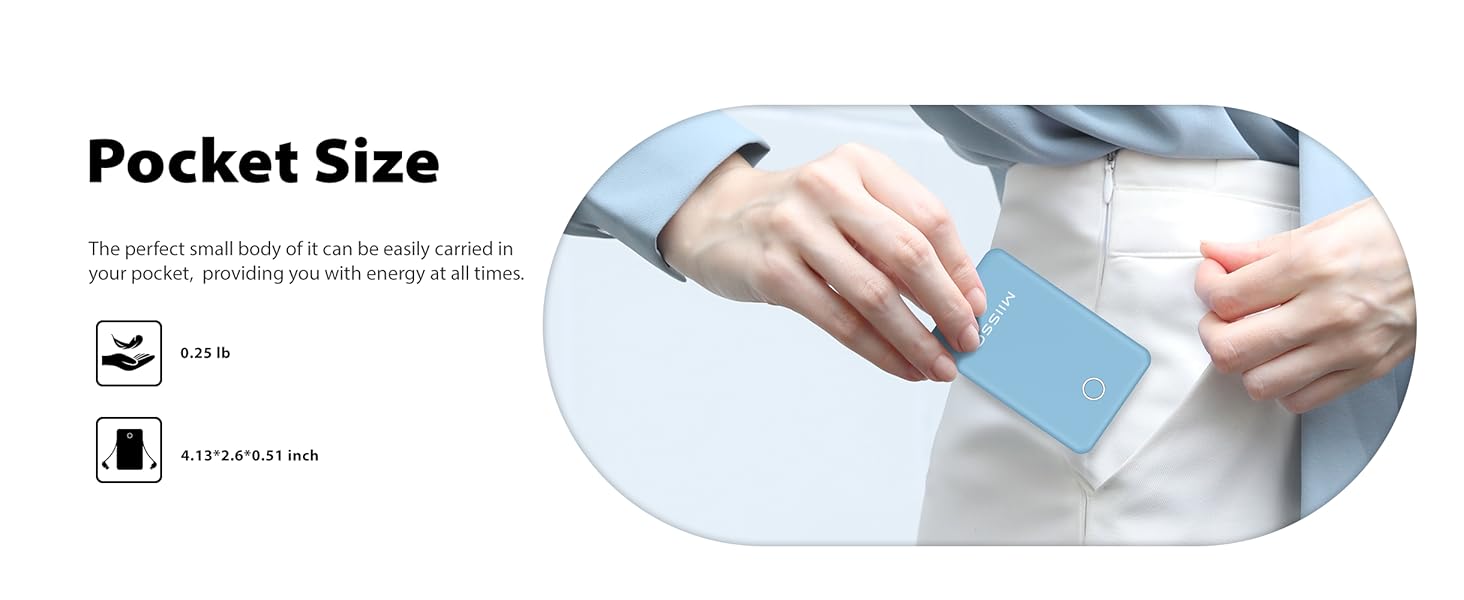
Image: The power bank incorporates a comprehensive 15-layer SmartProtect System for enhanced safety during charging and discharging.
6. Specifications
| Feature | Detail |
|---|---|
| Brand | miisso |
| Model Number | 5K95 |
| Capacity | 6000mAh |
| Battery Cell Composition | Lithium Polymer |
| Connector Type | USB Type C (Input/Output), Built-in USB-C, Built-in Lightning, USB-A (Output) |
| Special Features | Lightweight, Pocket Size, Portable, Slim, Built-in Cables |
| Item Dimensions | 4.13 x 2.6 x 0.51 inches |
| Battery Weight | 0.5 g |
| Reusability | Rechargeable |
| UPC | 768399168137 |
7. Warranty and Support
7.1 Warranty Information
Please refer to the product packaging or the official miisso website for detailed warranty information. Keep your purchase receipt for warranty claims.
7.2 Customer Support
For any questions, technical assistance, or support, please contact miisso customer service through the contact information provided on the product packaging or their official website. You can also visit the miisso Store on Amazon for more information.