Introduction
This document provides comprehensive instructions for the GENGQIANSI replacement remote control, model LAJ36. This remote is designed for use with specific Lasko Hybrid Tower Fan models, including 2033682, 2033684, T38400, and T38415. No programming is required for operation; simply insert the batteries and begin use.
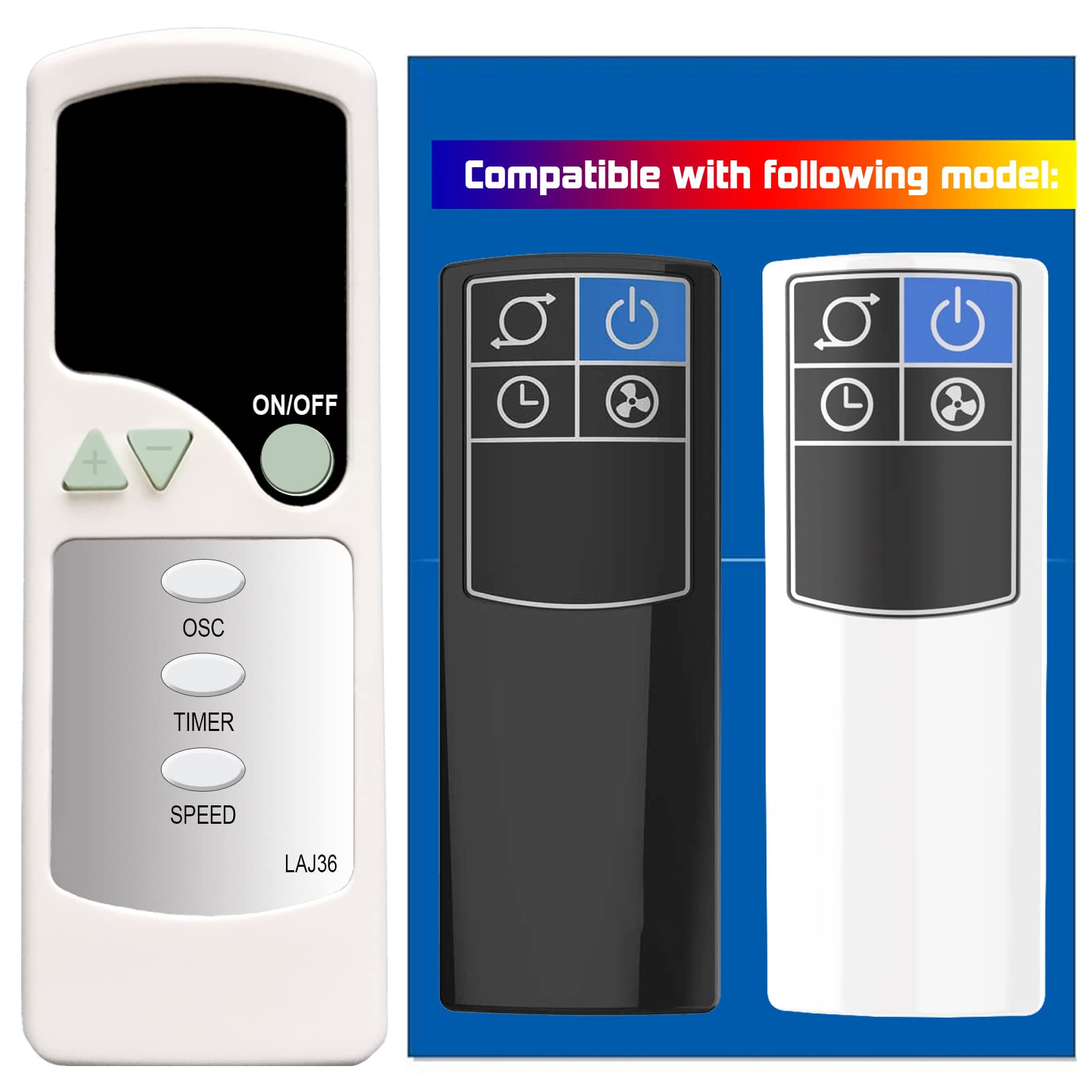
Image: Front view of the GENGQIANSI replacement remote control, model LAJ36. The remote features an ON/OFF button, oscillation (OSC), timer (TIMER), and speed (SPEED) controls.
Setup
Before using the remote control, batteries must be installed.
- Locate the battery compartment on the back of the remote control.
- Press down on the tab and slide the battery cover off.
- Insert two (2) AAA 1.5V batteries, ensuring the positive (+) and negative (-) terminals align correctly with the markings inside the compartment.
- Slide the battery cover back into place until it clicks securely.

Image: Rear view of the remote control with the battery cover removed, showing the compartment for two AAA 1.5V batteries.

Image: Illustration showing the recommended 1.5V AAA battery type for the remote control, contrasting it with older coin cell battery designs.
Operating Instructions
Point the remote control directly at the Lasko tower fan to ensure proper signal transmission. The remote features the following buttons:
- ON/OFF Button: Press to turn the fan on or off.
- OSC (Oscillation) Button: Press to start or stop the fan's oscillation feature, allowing it to rotate from side to side.
- TIMER Button: Press to set the fan's operating timer. Multiple presses may cycle through available timer settings (e.g., 1 hour, 2 hours, etc.). Refer to your fan's manual for specific timer intervals.
- SPEED Button: Press to adjust the fan speed. Multiple presses will cycle through low, medium, and high-speed settings.
- Plus (+) and Minus (-) Buttons: These buttons are present on the remote but are not functional for the compatible Lasko tower fan models.

Image: Detailed view of the remote control highlighting the Power, Oscillation, Timer, and Fan Speed buttons. The plus and minus buttons are indicated as unavailable.
Maintenance
Proper maintenance ensures the longevity and reliable performance of your remote control.
- Battery Replacement: Replace batteries when the remote's range decreases or it stops responding. Always use fresh AAA 1.5V batteries. Do not mix old and new batteries, or different types of batteries.
- Cleaning: Wipe the remote control with a soft, dry cloth. Do not use liquid cleaners or abrasive materials, as these can damage the surface or internal components.
- Storage: If the remote will not be used for an extended period, remove the batteries to prevent leakage and potential damage. Store in a cool, dry place.
Troubleshooting
If you experience issues with your remote control, try the following steps:
- Remote Not Responding:
- Check if the batteries are inserted correctly with the correct polarity.
- Replace the batteries with new AAA 1.5V batteries.
- Ensure there are no obstructions between the remote control and the fan's receiver.
- Make sure you are within the effective operating range of the fan.
- Fan Not Responding to Specific Buttons:
- Verify that the remote control is compatible with your specific Lasko fan model (2033682, 2033684, T38400, T38415).
- Note that the Plus (+) and Minus (-) buttons are not functional for these fan models.
Specifications
| Feature | Detail |
|---|---|
| Model Number | A520230316B13 (LAJ36) |
| Item Weight | 1.06 ounces |
| Package Dimensions | 0.39 x 0.2 x 0.08 inches |
| Battery Type | 2 x AAA 1.5V (not included) |
| Compatible Devices | Lasko 2033682, 2033684, T38400, T38415 Hybrid Tower Fans |
Warranty and Support
For any questions regarding the operation, compatibility, or warranty of your GENGQIANSI replacement remote control, please contact the seller directly through your purchase platform. Please refer to your original purchase details for specific warranty terms.