
BENFEI Memory Card Reader User Manual
Model: 000271grey-N
1. Introduction
This manual provides detailed instructions for the BENFEI USB Type-C/Type-A Memory Card Reader. This device is designed to facilitate high-speed data transfer between various memory cards and your compatible devices, offering both USB-A and USB-C connectivity options.

Image 1.1: The BENFEI Memory Card Reader, showcasing its dual USB-A and USB-C connectors, alongside an SD card and a Micro SD card.
Key Features:
- Integrated Design: Features both USB-C (Thunderbolt 3 Compatible) and USB 3.0/2.0 Type-A connectors for broad device compatibility.
- Dual Card Slots: Supports simultaneous reading and writing for SD (Secure Digital) and Micro SD (TF) card types.
- High-Speed Performance: Achieves transfer rates up to 104MB/sec in UHS-I mode via USB Type-C or USB 3.0 ports.
- Superior Stability: Equipped with an advanced IC chip for reliable high-speed data transfer.
- Broad Compatibility: Compatible with various operating systems including Windows, macOS, ChromeOS, iPadOS, and Android.
2. Setup
The BENFEI Memory Card Reader is designed for plug-and-play functionality, requiring no additional drivers for most modern operating systems.
Connecting the Card Reader:
- Identify the correct connector: The card reader features an integrated USB-A connector with a retractable USB-C adapter.
- For USB-A ports: Ensure the USB-C adapter is retracted, then plug the USB-A connector into an available USB 3.0 or USB 2.0 port on your computer or laptop.
- For USB-C ports: Extend the USB-C adapter from the USB-A connector, then plug the USB-C connector into an available USB Type-C (Thunderbolt 3 compatible) port on your device.

Image 2.1: Illustration of the 2-in-1 design, demonstrating how to switch between USB-A and USB-C connections.
Once connected, your operating system should automatically detect the device. A new drive letter or icon representing the card reader will appear in your file explorer or desktop.
3. Operating Instructions
Inserting Memory Cards:
- Identify card slots: The reader has two distinct slots: one for standard SD cards and one for Micro SD (TF) cards.
- Insert SD card: Gently slide your SD card into the larger slot with the metal contacts facing down and towards the reader until it clicks into place.
- Insert Micro SD (TF) card: Gently slide your Micro SD card into the smaller slot with the metal contacts facing down and towards the reader until it clicks into place.
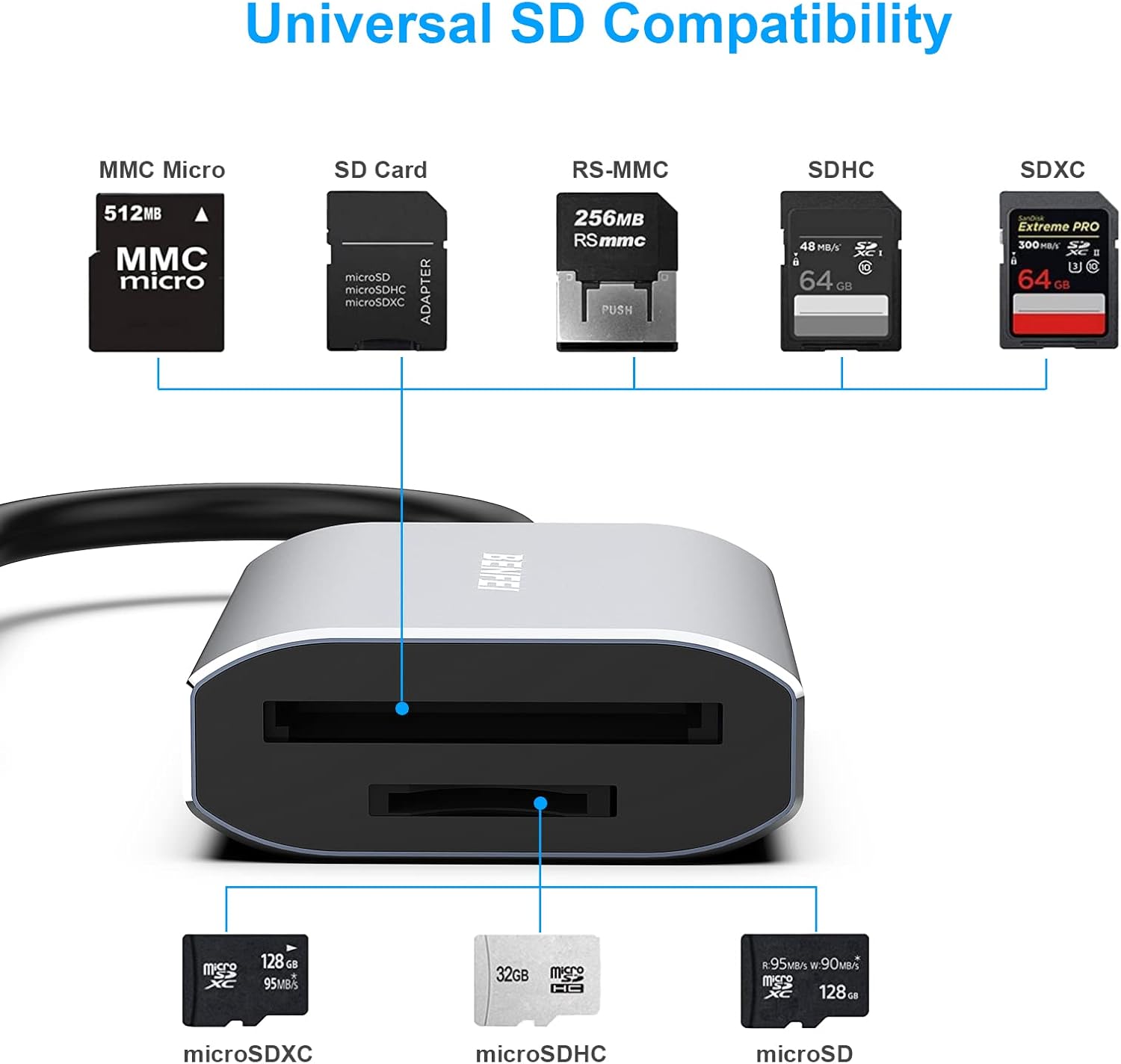
Image 3.1: Diagram illustrating the various compatible SD and Micro SD card types and their respective insertion slots on the reader.
Transferring Data:
- Once a card is inserted, it will appear as a removable drive on your connected device.
- Open the drive to access the files on the memory card.
- Drag and drop files between your device and the memory card, or use copy/paste functions.
- The reader supports simultaneous reading and writing to both SD and Micro SD cards.

Image 3.2: Visual representation of high-speed file transfer (up to 104 MB/s) from an SD card to a tablet using the BENFEI reader.
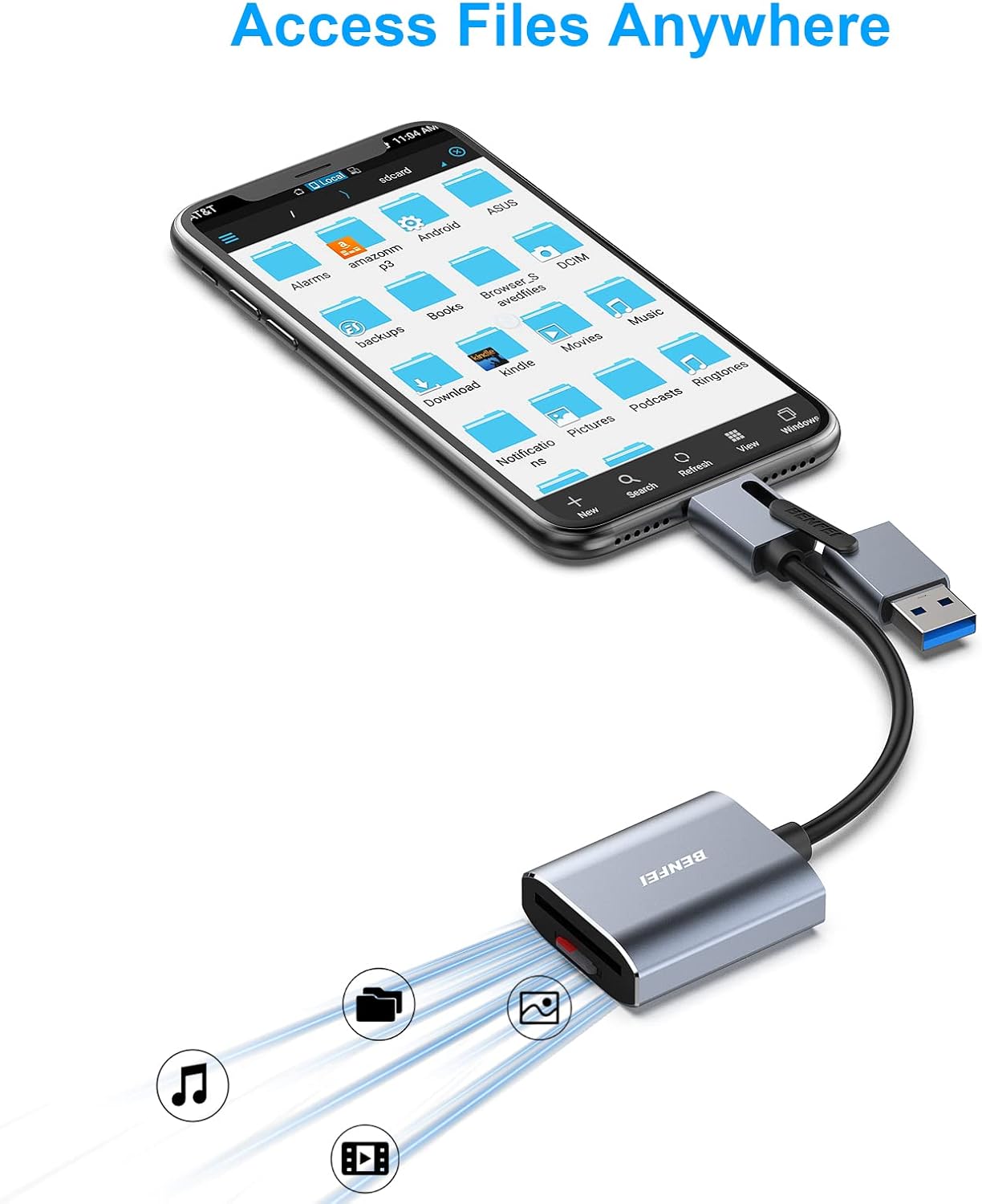
Image 3.3: The card reader connected to a smartphone, demonstrating the ability to access and manage files on the go.
Removing Memory Cards:
Always safely eject the memory card from your operating system before physically removing it from the reader to prevent data corruption.
- Windows: Right-click on the drive icon in 'This PC' or 'My Computer' and select 'Eject'.
- macOS: Drag the drive icon to the Trash or click the Eject button next to the drive in Finder.
- Once safely ejected, gently press the memory card further into its slot until it springs out, then pull it out.
4. Maintenance
- Keep the card reader clean and free from dust and debris. Use a soft, dry cloth for cleaning.
- Avoid exposing the device to extreme temperatures, humidity, or direct sunlight.
- Do not attempt to disassemble or repair the device yourself, as this will void the warranty.
- Store the card reader in a safe place when not in use to prevent physical damage to the connectors or card slots.
5. Troubleshooting
Common Issues and Solutions:
- Device not recognized:
- Ensure the card reader is fully plugged into a functional USB port.
- Try a different USB port or a different computer/device.
- Verify that the correct USB connector (USB-A or USB-C) is being used for your device's port.
- Restart your computer/device.
- Memory card not detected:
- Ensure the memory card is inserted correctly and fully into the appropriate slot.
- Try a different memory card to rule out a card issue.
- Check if the memory card is locked (physical switch on some SD cards).
- Ensure the card's file format (e.g., exFAT for SDXC) is supported by your operating system. Windows XP, Windows Vista before SP1, and Mac OS X before 10.6.6 do not support exFAT.
- Slow transfer speeds:
- Ensure you are connected to a USB 3.0 or USB Type-C port for optimal speeds. USB 2.0 ports will result in slower transfers.
- The actual transfer speed is also dependent on the memory card's speed rating.
- Avoid running multiple demanding applications during large file transfers.
6. Specifications

Image 6.1: Detailed view of the BENFEI Memory Card Reader, highlighting its compact dimensions and the internal smart chip for efficient data transmission.
| Feature | Detail |
|---|---|
| Brand | BENFEI |
| Model Number | 000271grey-N |
| Connectivity Technology | USB Type C, USB 3.0/2.0 Type A |
| Media Type Supported | SD Card (SD, SDHC, SDXC, RS-MMC, MMC Micro), Micro SD Card (TF, Micro SDHC, Micro SDXC) |
| Data Transfer Speed | Up to 104MB/s (UHS-I mode) |
| Operating System Compatibility | Windows, macOS, ChromeOS, iPadOS, Android |
| Item Weight | 1.41 ounces |
| Package Dimensions | 4.49 x 3.54 x 0.67 inches |
| Special Feature | Compact, Integrated USB-A/USB-C design, Simultaneous Read/Write |
7. Warranty and Support
Warranty Information:
The BENFEI Memory Card Reader comes with an exclusive 18-month warranty. This warranty covers manufacturing defects and ensures long-term satisfaction with your purchase. Please retain your proof of purchase for warranty claims.
Customer Support:
For any questions, technical assistance, or warranty claims, please contact BENFEI customer service. Our friendly and easy-to-reach customer service team is available to help resolve any issues you may encounter.
You can typically find contact information on the official BENFEI website or through the retailer where the product was purchased.