
Medical Guardian MGHome Cellular
Medical Guardian MGHome Cellular User Manual
Brand: Medical Guardian
Model: MGHome Cellular
1. Product Overview
The Medical Guardian MGHome Cellular system is designed to provide reliable in-home medical alert protection for seniors. This system operates on 4G cellular coverage, eliminating the need for a traditional landline. It ensures 24/7 access to emergency operators, offering peace of mind and immediate assistance when needed.
The system includes a base station, an interchangeable call button, a black lanyard, and a black wristband, providing flexible wearing options for the user.

Figure 1.1: Medical Guardian MGHome Cellular system, including the base station and wearable accessories.

Figure 1.2: What's included in the MGHome Cellular package.
2. Setup and Activation
2.1 Initial Setup
- Unpack: Carefully remove all components from the packaging: the base station, interchangeable call button, black lanyard, and black wristband.
- Power Connection: Plug the base station into a standard electrical outlet using the provided power cord. Ensure it is placed in a central location within your home for optimal coverage.
- Battery Installation: The base station contains a backup battery. Ensure it is properly connected and charging. The wearable call button comes with a pre-installed battery.
2.2 Device Activation
To ensure full functionality and connect to the 24/7 monitoring service, your MGHome Cellular system requires activation. This process can be completed via a phone call to Medical Guardian customer service or through their online portal.
During activation, you will be guided through the following steps:
- Connecting your device to your specific location.
- Selecting your preferred monitoring service plan.
- Setting up your emergency contact list (Care Circle).
- Signing the service agreement.
A free month of service is typically included upon initial activation. Following this period, a monthly subscription fee will apply. You may cancel your subscription at any time.

Figure 2.1: The activation process involves connecting your device, selecting a plan, and setting up contacts.
3. Operating Your System
3.1 Emergency Assistance
In case of an emergency, simply press the call button on your wearable device or the base station. This action will instantly connect you to a 24/7 U.S.-based emergency operator. The operator will assess your situation and dispatch appropriate help, which may include EMTs, police, or contacting your designated Care Circle contacts.
The system features two-way voice communication, allowing you to speak directly with the operator through the base station or the wearable button (depending on the model and proximity).

Figure 3.1: 24/7 Assistance is available with a single button press.
3.2 Smart/Voice Assist
The MGHome Cellular base station is equipped with Smart/Voice Assist technology. A simple press of a button on the base station can activate self-testing procedures and provide spoken reports about your device's status, ensuring it is always functioning correctly.
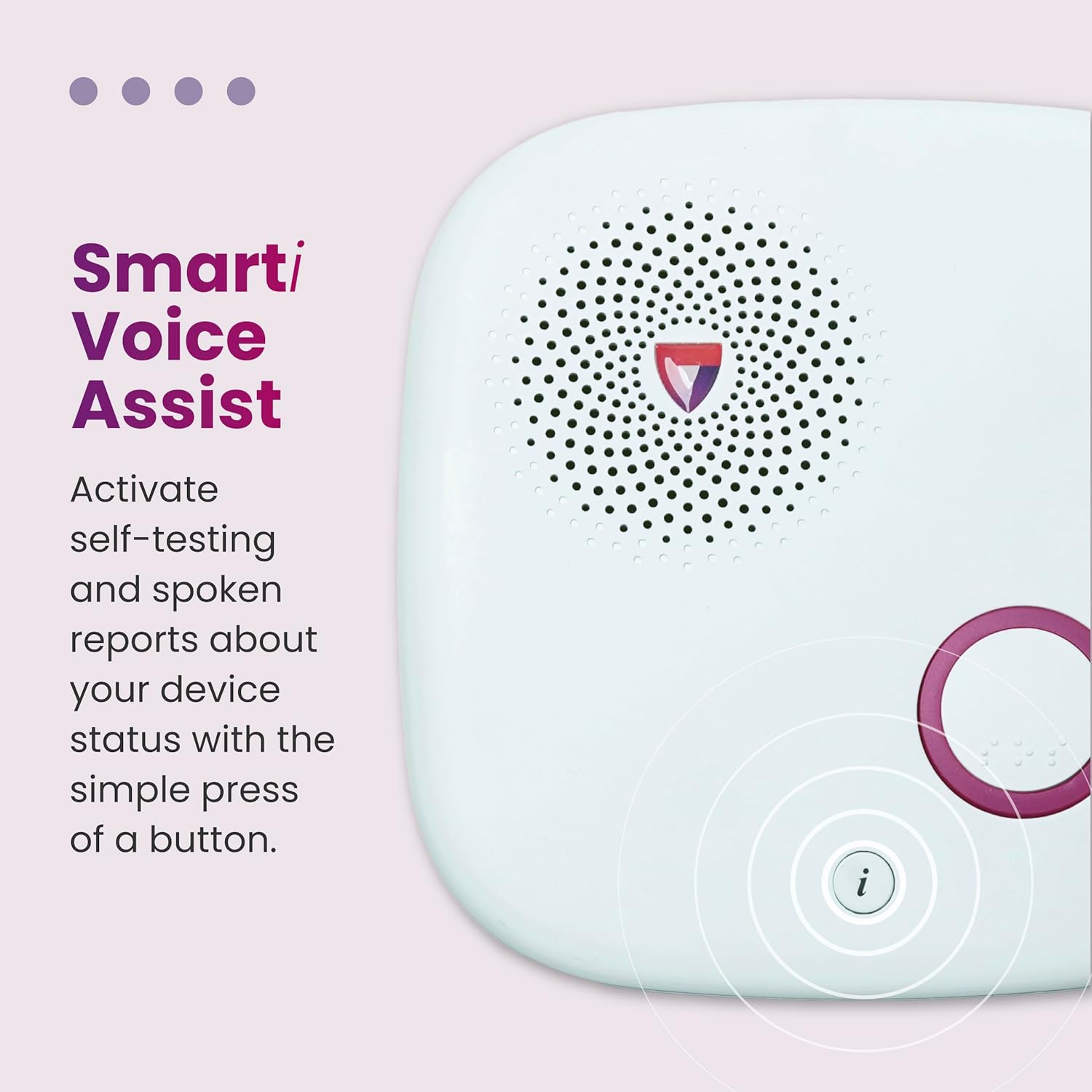
Figure 3.2: Smart/Voice Assist provides device status updates.
3.3 Optional Fall Detection
For enhanced protection, optional fall detection is available as an add-on service. If a fall is detected and you are unable to press the button, the system will automatically send an alert to the monitoring center, ensuring help is dispatched promptly.
3.4 Product Overview Video
Video 3.1: An official overview of the Medical Guardian MGHome Cellular system, demonstrating its key features and benefits for in-home protection.
4. Key Features
- Extensive In-Home Coverage: The system provides up to 1,400 feet of coverage from the base station, allowing protection throughout most homes and surrounding properties.
- Reliable Connectivity: Utilizes 4G LTE and WiFi connectivity for consistent and dependable communication with the monitoring center.
- Long-Lasting Backup Battery: The base station includes a 32-hour backup battery, ensuring continuous protection even during power outages.
- Water-Resistant Wearable Button: The interchangeable call button is water-resistant, allowing it to be worn in the shower, a common place for falls.
- Flexible Wearing Options: The call button can be easily interchanged between a black lanyard for neck wear and a black wristband for wrist wear.
- Care Circle Management: Keep your household connected through the Medical Guardian portal and app, accessible by multiple caregivers to manage contacts and receive alerts.
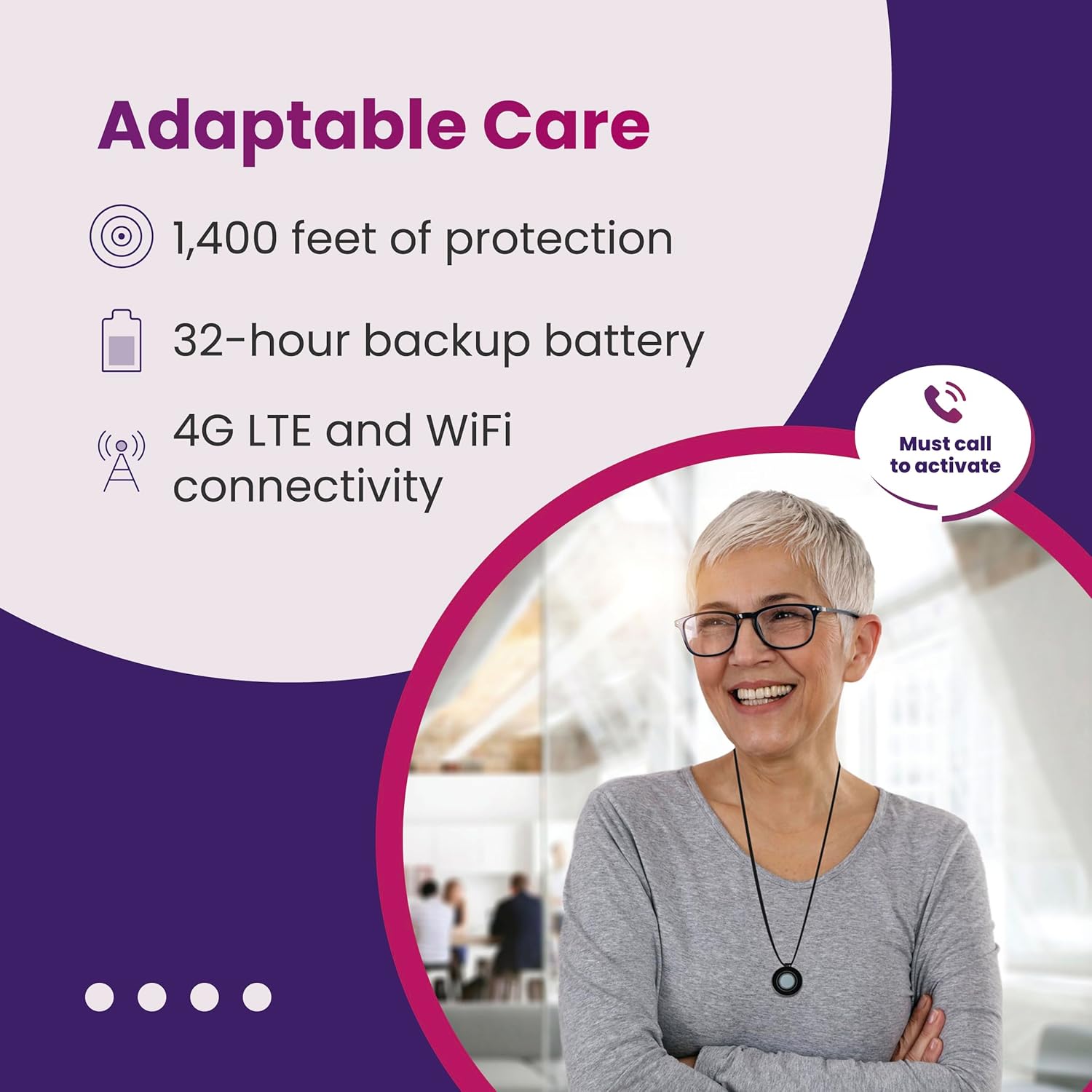
Figure 4.1: Adaptable care features of the MGHome Cellular system.


Figure 4.2: The interchangeable call button can be worn as a wristband or necklace.
5. Care and Maintenance
5.1 Battery Care
- Base Station: Keep the base station plugged into a power outlet at all times to ensure the main power and backup battery remain charged. The backup battery provides power during outages.
- Wearable Button: The wearable call button has a long-lasting battery. If the battery needs replacement, the system will typically alert you, or you can check its status via the Smart/Voice Assist feature. Contact Medical Guardian support for battery replacement details.
5.2 Cleaning
To clean your MGHome Cellular system components, use a soft, damp cloth. Do not use abrasive cleaners or immerse the base station in water. The wearable button is water-resistant but should not be submerged for extended periods.
5.3 Regular Testing
It is recommended to regularly test your system to ensure it is functioning correctly. Use the Smart/Voice Assist feature on the base station to perform self-tests. Follow the spoken instructions to confirm the system's operational status. Consult your activation guide or Medical Guardian support for recommended testing frequency.
6. Troubleshooting
If you experience issues with your Medical Guardian MGHome Cellular system, please refer to the common troubleshooting tips below. For problems not listed or if issues persist, contact Medical Guardian customer support.
| Problem | Possible Cause | Solution |
|---|---|---|
| No dial tone or cellular connection. | Base station unplugged or in an area with poor cellular signal. | Ensure the base station is plugged in. Try relocating the base station to an area with better cellular reception (e.g., near a window). |
| Wearable button not activating system. | Out of range from base station, low wearable battery, or not properly paired. | Move closer to the base station. Check wearable battery status (if applicable). Refer to activation instructions for re-pairing the button if necessary. |
| Base station not responding to voice commands. | Microphone obstruction or system error. | Ensure nothing is blocking the microphone on the base station. Try unplugging the base station for 30 seconds and plugging it back in to reset. |
| False alarms. | Accidental button press or sensitive fall detection (if enabled). | If you accidentally press the button, simply tell the operator it was an accident. If fall detection is too sensitive, contact Medical Guardian support to adjust settings. |
7. Technical Specifications
| Feature | Detail |
|---|---|
| Model Name | MGHome Cellular |
| Connectivity | 4G LTE Cellular, WiFi |
| In-Home Coverage | Up to 1,400 feet from base station |
| Base Station Backup Battery | 32 hours (Lithium Ion) |
| Wearable Button | Interchangeable (lanyard/wristband), Water-resistant |
| Power Source | Battery Powered (1 Lithium Ion battery required, included) |
| Voltage | 3.7 Volts (DC) |
| Control Method | Touch |
| Product Dimensions | 2.6 x 1.5 x 0.62 inches (wearable button) |
| Item Weight | 1.7 ounces (wearable button) |
| Manufacturer | Medical Guardian |
| UPC | 810999030359 |
8. Warranty and Support
8.1 Service Agreement and Subscription
The Medical Guardian MGHome Cellular system operates with a monthly subscription service. Your specific terms, including any warranty details, are outlined in the service agreement signed during activation. Please refer to this document for comprehensive information regarding your coverage, cancellation policy, and any applicable guarantees.
8.2 Customer Support
For any questions, technical assistance, or support regarding your MGHome Cellular system, please contact Medical Guardian customer service directly. Their U.S.-based operators are available 24/7 to provide assistance.
You can find contact information on the Medical Guardian website or in your activation materials.
Related documentsMGHome Cellular


Ask a question about this manual
Ask about setup, troubleshooting, compatibility, parts, safety, or missing instructions. Manuals+ will review the question and use this page’s manual context to help answer it.