
Important Safety Information
Please read this manual carefully before operating the VONYX VSA500 Portable PA System. Keep these instructions for future reference.
- Do not expose this appliance to rain or moisture.
- Do not use this product near water.
- Clean only with a dry cloth.
- Do not block any ventilation openings. Install in accordance with the manufacturer's instructions.
- Do not install near any heat sources such as radiators, heat registers, stoves, or other apparatus (including amplifiers) that produce heat.
- Protect the power cord from being walked on or pinched, particularly at plugs, convenience receptacles, and the point where they exit from the apparatus.
- Only use attachments/accessories specified by the manufacturer.
- Unplug this apparatus during lightning storms or when unused for long periods of time.
- Refer all servicing to qualified service personnel. Servicing is required when the apparatus has been damaged in any way.
Product Overview
The VONYX VSA500 is a versatile 12-inch portable PA active speaker system designed for various audio applications. It features an integrated amplifier, wireless microphones, Bluetooth connectivity, and an MP3 player with USB/SD card slots. Its robust construction and rechargeable battery make it suitable for both indoor and outdoor use.
Key Features:
- 12-inch active speaker with 800W maximum power output.
- Built-in Bluetooth 5.0 for wireless audio streaming.
- Integrated MP3 player with USB port and SD card slot.
- Includes two handheld UHF wireless microphones.
- Wired microphone input with adjustable echo effect.
- RCA and 3.5mm auxiliary inputs.
- Rechargeable battery for portable operation.
- Retractable handle and wheels for easy transport.
- Durable ABS enclosure.
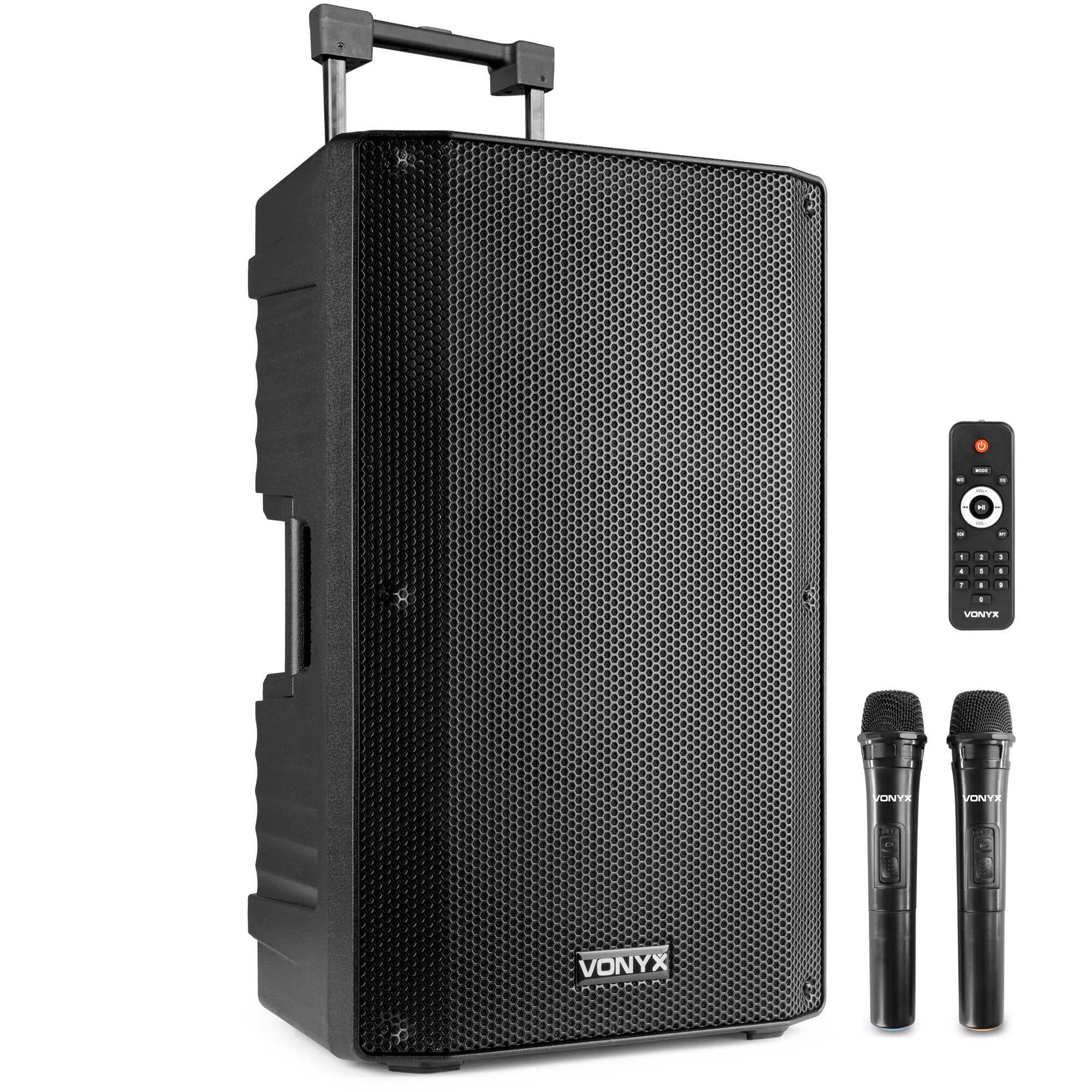
Figure 1: Front view of the VONYX VSA500 Portable PA System, showcasing the speaker grille and robust design.
Setup Instructions
Unpacking and Initial Inspection:
- Carefully remove the PA system from its packaging.
- Inspect the unit for any signs of damage during transit. If damage is found, do not operate the unit and contact your dealer.
- Ensure all accessories are present: PA speaker unit, 2 wireless microphones, remote control, power cable.
Powering the Unit:
- The VSA500 can operate on AC power or its internal rechargeable battery.
- To charge the battery or operate via AC, connect the supplied power cable to the AC IN socket on the rear panel and then to a suitable mains outlet.
- The battery indicator lights will show the charging status. Charge fully before first use.

Figure 2: Rear panel of the VSA500, illustrating the various input/output connections, media player controls, and power switch.
Connecting Wireless Microphones:
- Insert batteries into the wireless microphones (batteries not included).
- Turn on the microphones using their respective power switches.
- Ensure the UHF Wireless Microphone section on the rear panel is active. The microphones should automatically pair with the speaker.
- Adjust the MIC LEVEL knob on the rear panel to control the microphone volume.

Figure 3: The two handheld UHF wireless microphones included with the VSA500 system.
Connecting External Audio Sources:
- Bluetooth: Activate Bluetooth on your smartphone or MP3 player. Select "VONYX" from the list of available devices to pair.
- USB/SD Card: Insert a USB flash drive or SD card into the respective slot on the media player panel. The system will automatically detect and play compatible audio files.
- Auxiliary Input: Connect devices like laptops, tablets, or other audio players using a 3.5mm jack cable to the AUX INPUT, or RCA cables to the LINE IN (RCA) ports.
- Wired Microphone: Connect a wired microphone to the MIC INPUT (XLR/6.3mm Jack combo).
Operating Instructions
General Operation:
- Turn on the main POWER switch located on the rear panel.
- Adjust the MASTER VOLUME knob to a low level before playing any audio.
- Select the desired input source using the MODE button on the media player or remote control (Bluetooth, USB, SD, AUX, FM).
- Gradually increase the MASTER VOLUME to the desired listening level.

Figure 4: Detailed view of the media player interface, including USB/SD slots, display, and control knobs for volume, bass, treble, and echo.
Media Player Controls:
- MODE: Switches between Bluetooth, USB, SD, AUX, and FM radio modes.
- Play/Pause (►▮▮): Starts or pauses playback.
- Previous/Next (◀◀ / ►►): Skips to the previous or next track/station.
- Repeat (RPT): Repeats the current track or all tracks.
- Folder: Navigates through folders on USB/SD.
Audio Adjustments:
- BASS: Adjusts the low-frequency output.
- TREBLE: Adjusts the high-frequency output.
- MIC ECHO: Adds an echo effect to microphone inputs.
- MIC LEVEL: Controls the volume of connected microphones.
- AUX LEVEL: Controls the volume of the auxiliary input.
- SIGNAL INPUT: Controls the overall input signal level.

Figure 5: The remote control for the VSA500, providing convenient access to media player functions and volume adjustments.
Portability:
The VSA500 features a retractable handle and wheels for easy transportation. Extend the handle and tilt the unit to roll it to your desired location.

Figure 6: Demonstrating the portability of the VSA500 with its retractable handle and integrated wheels.
Maintenance
- Cleaning: Use a soft, dry cloth to clean the exterior of the speaker. Do not use abrasive cleaners or solvents.
- Battery Care: For optimal battery life, fully charge the unit before long periods of storage. Recharge the battery every 3 months if not in regular use.
- Storage: Store the unit in a cool, dry place away from direct sunlight and extreme temperatures.
- Ventilation: Ensure ventilation openings are clear of dust and debris to prevent overheating.
Troubleshooting
| Problem | Possible Cause | Solution |
|---|---|---|
| No sound from speaker. |
|
|
| Wireless microphone not working. |
|
|
| Bluetooth connection issues. |
|
|
| USB/SD card not playing. |
|
|
Specifications
| Feature | Detail |
|---|---|
| Brand | VONYX |
| Model Number (Mfr Part No.) | 174.06 (VSA700 1000 Watt 2 Microphones is also listed in some specifications, but the product title is VSA500) |
| Output Wattage | 800W (Max) / 1000W (Peak, as per some specifications) |
| Speaker Size | 12 inches |
| Connectivity Technology | Bluetooth 5.0, USB, SD, Aux |
| Audio Input | Bluetooth, RCA, 3.5mm, Wired Microphone (XLR/6.3mm Jack) |
| Microphones Included | 2 UHF Wireless Microphones |
| Power Source | Battery Powered (Rechargeable), AC Power |
| Enclosure Material | Acrylonitrile Butadiene Styrene (ABS) |
| Item Dimensions (L x W x H) | 29.92 x 17.52 x 19.69 inches |
| Item Weight | 19.35 kg |
| Color | Black |
| GTIN | 08715693335644 |
Warranty Information
The VONYX VSA500 Portable PA System comes with a 2-year warranty from the date of purchase. This warranty covers manufacturing defects and workmanship under normal use. It does not cover damage caused by misuse, accidents, unauthorized modifications, or normal wear and tear.
Please retain your proof of purchase for warranty claims.
Support
For technical assistance, troubleshooting beyond this manual, or warranty inquiries, please contact your retailer or visit the official VONYX website for support resources and contact information.
Always provide your product model (VSA500) and serial number (if applicable) when contacting support.