Introduction
The TicWatch Pro 5 is an advanced Android smartwatch designed to provide comprehensive health and fitness tracking, smart notifications, and seamless integration with the Wear OS by Google ecosystem. Featuring the Snapdragon W5+ Gen 1 Wearable Platform, a unique dual-layer display, and robust durability, it offers extended battery life and a smooth user experience. This manual provides essential information for setting up, operating, and maintaining your TicWatch Pro 5.
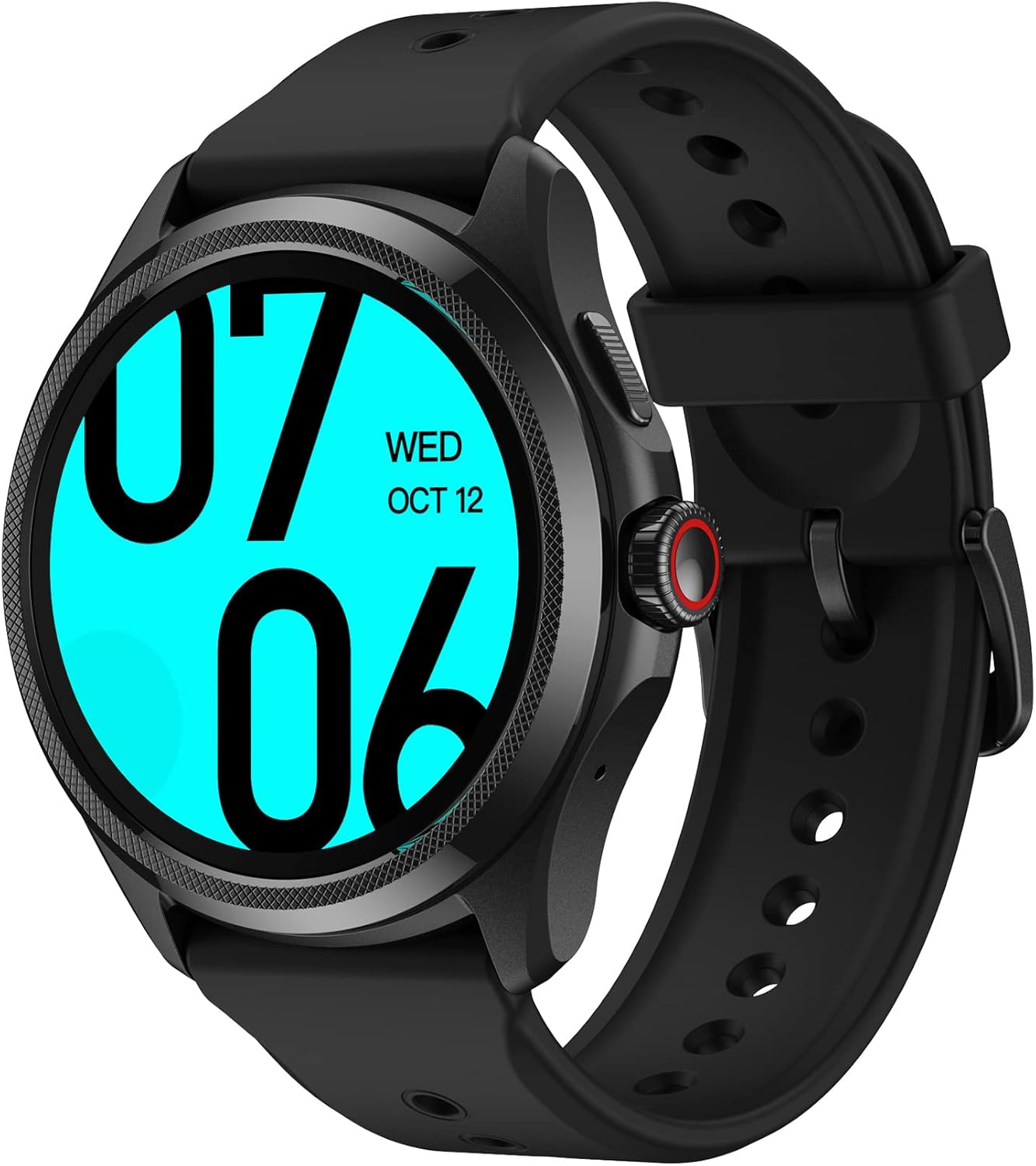
Image: The TicWatch Pro 5 in Obsidian, showcasing its round display and sleek design.
What's in the Box
Upon unboxing your TicWatch Pro 5, please ensure all the following items are present:
- 1 x TicWatch Pro 5 Smartwatch
- 1 x USB Charging Cable
- 1 x Quick Guide
- 1 x Product Safety Information

Image: A visual representation of the TicWatch Pro 5 and its included accessories: the smartwatch itself, the USB charging cable, the quick guide, and product safety information.
Setup
1. Initial Charging
Before first use, fully charge your TicWatch Pro 5. Connect the provided USB charging cable to the charging port on the back of the watch and plug the USB end into a compatible power adapter (not included) or a computer's USB port. The watch features fast charging technology, allowing it to reach 65% battery in just 30 minutes.
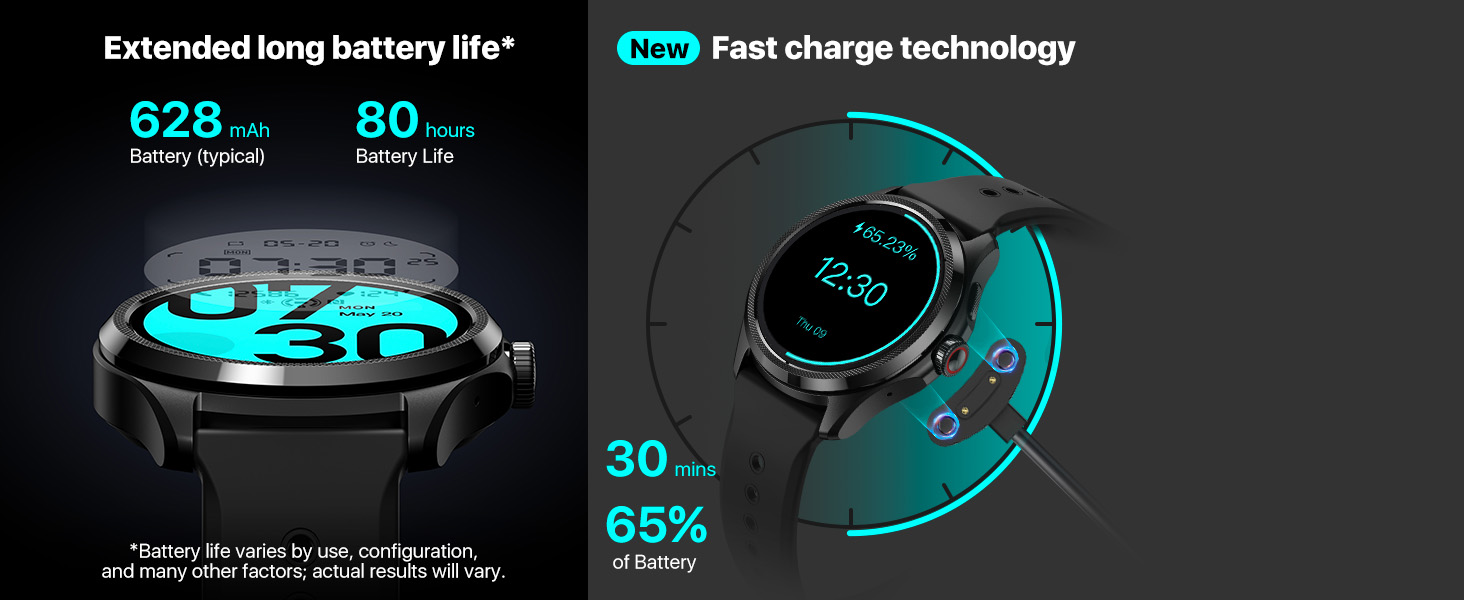
Image: The TicWatch Pro 5 connected to its magnetic charging cable, demonstrating the fast charge feature which can charge the watch to 65% in 30 minutes.
2. Pairing with Smartphone (Android Only)
The TicWatch Pro 5 is compatible with smartphones running Android 8.0 or later. It is not compatible with iOS devices.
- Ensure your smartphone's Bluetooth is enabled.
- Download and install the "Mobvoi Health" app from the Google Play Store on your smartphone.
- Open the Mobvoi Health app and follow the on-screen instructions to pair your TicWatch Pro 5. This typically involves scanning a QR code displayed on the watch or selecting your watch from a list of nearby devices.
- Once paired, the app will guide you through the initial setup of Wear OS by Google, including signing into your Google account and syncing data.
Operating Your TicWatch Pro 5
Display Technology: Dual-Layer Screen
The TicWatch Pro 5 features an innovative dual-layer display. This includes a vibrant 1.43-inch OLED display for rich visuals and a highly efficient Ultra-low-power (ULP) display for extended battery life. The ULP display allows you to view essential information like time, heart rate, blood oxygen, calories, and compass readings without activating the power-intensive OLED screen, significantly conserving battery.

Image: A visual representation of the TicWatch Pro 5's Ultra-low-power display, highlighting its ability to show critical information such as compass, heart rate, blood oxygen, and calories with minimal power consumption.
Rotating Crown
The rotating crown on the side of the TicWatch Pro 5 provides intuitive navigation with satisfying haptic feedback. You can use the crown to:
- Scroll through menus and lists.
- Adjust music volume.
- Zoom in and out on maps.

Image: A detailed view of the TicWatch Pro 5's rotating crown, emphasizing its tactile design for convenient operation and navigation through the watch's interface.
Smart Notifications
Stay connected by receiving calls, texts, and other app notifications directly on your wrist. Swipe through multiple notifications and respond quickly with a tap. The watch supports smart replies when paired with an Android phone and set to English.

Image: The TicWatch Pro 5 screen showing incoming notifications for emails and messages, illustrating its "Stay Connected" feature.
Health and Fitness Monitoring
The TicWatch Pro 5 offers comprehensive health and fitness tracking capabilities:
- 24H Heart Rate Monitoring: Continuously monitors your heart rate, alerting you to high/low resting and exercise heart rates. It also features Irregular Heart Beat (IHB) detection for various cardiac arrhythmias. Note: This feature is not intended to diagnose or treat any medical condition.
- 24H Blood Oxygen Saturation Detection: Automatically monitors and records your blood oxygen level at regular intervals.
- Sleep Tracking: Monitors Awake, Light, Deep, and REM sleep stages, along with heart rate, blood oxygen, respiratory rate, and skin temperature during sleep.
- Stress Management: Utilizes TicZen and TicBreathe to help manage stress levels.
- One-Tap Measurement: Get 5 vital health metrics (heart rate, blood oxygen, respiratory rate, stress level, and heart health) in just 90 seconds with a single tap. Note: Access to heart health data may be restricted in certain geographic locations.
- Smart Training: Recovery Time and VO2 MAX: Advanced algorithms provide personalized insights on when your body is ready for the next workout and estimate your VO2 MAX for cardiovascular fitness. Accessible in the TicExercise watch app for outdoor walking, cycling, and running.
- Heart Rate Zone Backlights: The Ultra-low-power display can show 18 bright colors. When exercising, the backlight changes color to indicate your heart rate zone (warm-up, cardio, dangerous, etc.).

Image: The TicWatch Pro 5 screen showing the results of a one-tap health measurement, including heart rate, blood oxygen, respiratory rate, stress, and heart health status.

Image: A person sleeping while wearing the TicWatch Pro 5, with an overlay showing detailed sleep tracking data including sleep stages and quality.
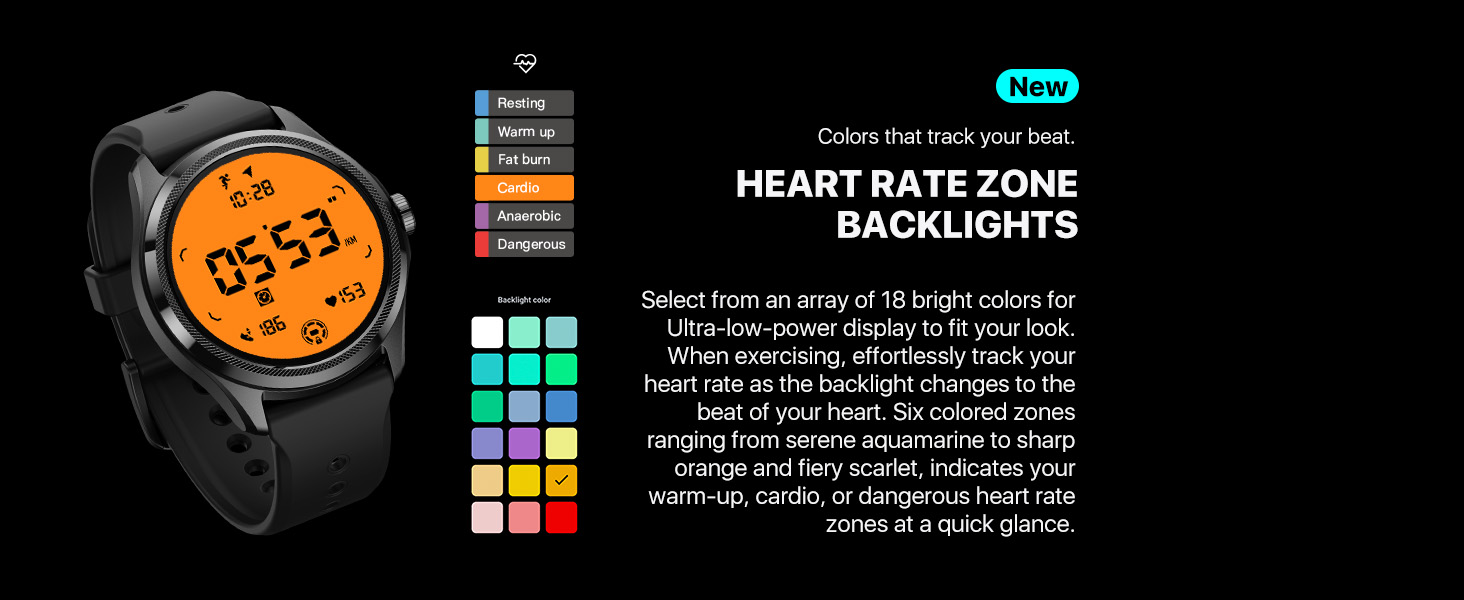
Image: The TicWatch Pro 5's Ultra-low-power display showing heart rate zones with color-coded backlights, indicating different exercise intensities like warm-up, cardio, and dangerous zones.
Sports Modes and Navigation
The watch supports over 100 professional sports modes, including outdoor running, swimming, cycling, and more. It features built-in GPS, Compass, Barometer, and Altimeter for accurate outdoor activity tracking and navigation.
- Multi-GNSS: Supports GPS, GLONASS, Galileo, QZSS, and Beidou for precise location data.
- Compass: Provides real-time heading information to help you stay oriented.
- Barometer: Tracks barometric pressure and altitude fluctuations.

Image: A collection of icons illustrating the wide variety of over 100 professional workout modes available on the TicWatch Pro 5, including running, cycling, swimming, and more.

Image: The TicWatch Pro 5 screen showing a compass display with the current heading, demonstrating its built-in navigation capabilities.
NFC Payments
The TicWatch Pro 5 supports NFC payments via Google Pay and Google Wallet, allowing for convenient contactless transactions.
Customization: Watch Faces
Personalize your watch with over 10,000 watch faces available through the built-in Timeshow app. You can customize the information displayed on the watch faces, such as weather, heart rate, and steps.

Image: A collage showcasing a wide variety of over 10,000 custom watch faces available for the TicWatch Pro 5, demonstrating personalization options.
Maintenance
Battery Life and Charging
The TicWatch Pro 5 boasts an astonishing 80-hour battery life with its dual-layer display technology. In Essential Mode, the watch dynamically adapts to your lifestyle to extend battery duration. For charging, use the provided USB charging cable. A full charge provides up to 80 hours of typical use, and a quick 15-minute charge can provide enough power for a full day.
Image: The TicWatch Pro 5 connected to its magnetic charging cable, demonstrating the fast charge feature which can charge the watch to 65% in 30 minutes.
Water Resistance
The TicWatch Pro 5 has a 5ATM water resistance rating and supports Open Water Swim. This means it can be worn during swimming in shallow fresh water, while washing your hands, sweating, or in the rain.
Important Note:
- Do not place the watch under hot water, soap, or detergent.
- It is not suitable for bathing, showers, scuba diving, water skiing, various wading activities, or deep water activities with high-speed water.

Image: A man in a swimming pool wearing the TicWatch Pro 5, demonstrating its 5ATM water resistance rating and suitability for open water swimming.
Durability and Cleaning
The TicWatch Pro 5 is US Military Standard 810H certified, ensuring ruggedness against environmental stresses like rain, sand, ice, shock, and vibration. To clean your watch, gently wipe the screen and strap with a soft, damp cloth. Avoid using harsh chemicals or abrasive materials.

Image: A person standing on a mountain peak wearing the TicWatch Pro 5, with an overlay highlighting its MIL-STD 810H certification for ruggedness and durability.
Troubleshooting
If you encounter issues with your TicWatch Pro 5, consider the following common solutions:
- Watch not turning on: Ensure the watch is fully charged. Connect it to the charging cable and allow it to charge for at least 30 minutes before attempting to power it on.
- Pairing issues: Ensure Bluetooth is enabled on your phone and the watch is in pairing mode. Try restarting both your phone and the watch. Verify that the Mobvoi Health app is up to date.
- Inaccurate data: Ensure the watch is worn snugly on your wrist. For GPS, ensure you are in an open area with clear sky view.
- App synchronization problems: Check your phone's internet connection. Ensure the Mobvoi Health app has all necessary permissions enabled in your phone's settings.
- Short battery life: Review your usage patterns. Frequent use of GPS, continuous heart rate monitoring, and bright screen settings can reduce battery life. Consider enabling Essential Mode or adjusting settings to conserve power.
For more detailed troubleshooting or persistent issues, please refer to the official TicWatch support resources or the full user manual available online.
Specifications
Below are the key technical specifications for the TicWatch Pro 5:
| Feature | Detail |
|---|---|
| Product Dimensions | 11.42 x 2.76 x 1.57 inches |
| Item Weight | 10.8 ounces (305 Grams) |
| Model Number | Obsidienne |
| Operating System | Snapdragon W5+ Gen 1 Wearable Platform, Wear OS by Google |
| Memory | 2GB RAM, 32GB ROM |
| Display | 1.43 Inches OLED (466x466 resolution) with Ultra-low-power Display |
| Cover Glass | Corning Gorilla Anti-fingerprint Cover Glass |
| Battery Capacity | 628 mAh |
| Battery Life (Typical) | Up to 80 hours |
| Fast Charging | 0-65% in 30 minutes |
| Water Resistance | 5ATM, Open Water Swim |
| Durability | US Military Standard 810H certified |
| Connectivity | Bluetooth, Cellular, NFC (Google Pay) |
| GPS | GPS+Beidou+Glonass+Galileo+QZSS |
| Sensors | Accelerometer, Gyro Sensor, HD PPG Heart Rate Sensor, SpO2 Sensor, Skin Temperature Sensor, Low Latency Off-Body Sensor, Barometer, Compass |
| Human Interface Input | Touchscreen, Rotating Crown |
| Compatibility | Smartphones with Android 8.0 or later |

Image: A detailed table outlining the technical specifications of the TicWatch Pro 5, such as dimensions, weight, operating system, memory, display type, battery capacity, and various sensors.
Warranty and Support
For detailed warranty information, please refer to the Product Safety Information document included in your package. For further assistance, technical support, or to download the full user manual, please visit the official Mobvoi support website or refer to the PDF user manual provided by Amazon:


