
1. Product Overview
The Easy@Home Basal Thermometer EBT-013 is a dual-mode digital thermometer designed for both precise basal body temperature (BBT) tracking for ovulation and rapid temperature measurement for general fever detection. It features a large backlit LCD display, memory recall for up to 30 readings, and compatibility with the Premom app for data logging.

Image: The Easy@Home EBT-013 thermometer, illustrating its dual functionality for both fertility tracking and general temperature measurement for the family.

Image: An overview of the thermometer's key features, including its two modes, backlit LCD, protective case, and large power button.
2. Package Contents
- Easy@Home Basal Thermometer EBT-013
- Protective Storage Case
- Instruction Manual
- 1 Lithium Metal Battery (pre-installed)
3. Setup
3.1 Initial Use and Cleaning
Before first use, and after each subsequent use, clean the thermometer tip with alcohol or a mild antiseptic solution. The thermometer is not waterproof; only wipe the tip. Ensure the battery is correctly installed. The thermometer comes with one Lithium Metal battery pre-installed.

Image: The Easy@Home Basal Thermometer stored in its protective case, ready for use or travel.
4. Operating Instructions
4.1 Power On/Off
Press the power button to turn the thermometer on. It will display the last reading briefly before entering measurement mode. The thermometer will automatically shut off after a period of inactivity to conserve battery life.
4.2 Switching Temperature Units (Fahrenheit/Celsius)
- Ensure the device is turned off.
- Press and hold the power button for approximately 9 seconds until the screen displays only °F or °C.
- Continue holding the button; the unit will switch between Fahrenheit and Celsius approximately every 2 seconds.
- Release the button when your desired unit is displayed.

Image: Step-by-step visual guide on changing the temperature unit between Fahrenheit and Celsius.
4.3 BBT (Basal Body Temperature) Mode
This mode is designed for precise fertility tracking, measuring subtle temperature changes with ±0.10°F accuracy. Readings typically take 60-120 seconds.
- Take your temperature immediately upon waking, before any activity, for consistent readings.
- Place the thermometer tip under your tongue and close your mouth. It typically takes about 60-120 seconds to complete the measurement and beep.
- Read your temperature immediately or use the device's memory function to review it later.

Image: A three-step guide on how to correctly use the thermometer in BBT mode for accurate basal body temperature readings.
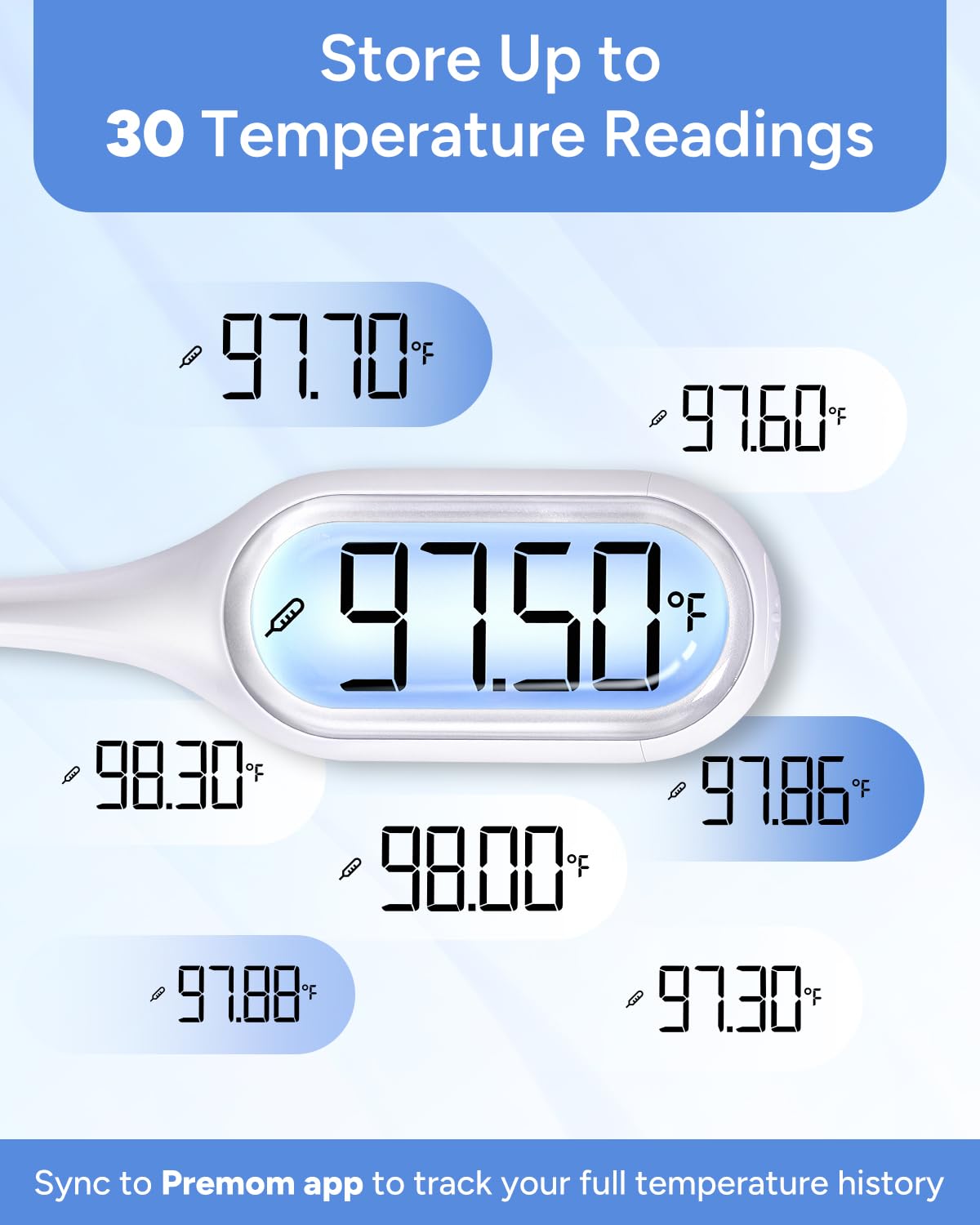
Image: A woman taking her basal body temperature orally with the Easy@Home thermometer, demonstrating proper placement.
4.4 Rapid Read Mode (Fever Detection)
This mode provides quick oral temperature readings for general fever detection, typically within 8-12 seconds.

Image: A child having their temperature taken orally with the thermometer, illustrating the Rapid Read Mode for quick results.
4.5 Switching Between BBT and Rapid Read Modes
The default setting is BBT Mode (indicated by a small thermometer icon). Follow these steps to switch modes:
- Turn off the thermometer.
- Press and hold the power button for 6 seconds until the thermometer icon disappears.
- Release the button, then press it once. The thermometer will now be in Rapid Read Mode.
- To switch back to BBT Mode, repeat the steps until the thermometer icon reappears.

Image: A visual guide demonstrating the process of switching the thermometer between BBT and Rapid Read modes.
4.6 Memory Recall Function
The thermometer stores up to 30 previous temperature readings, allowing you to log data at your convenience.
- Turn off the thermometer.
- Press and hold the power button for 3 seconds until the memory icon (M) appears, then release.
- Press the button again to view the latest reading. Continue pressing to scroll through previous readings.

Image: A visual guide detailing the steps to access and review stored temperature readings using the memory recall function.

Image: The thermometer's display showing several past temperature readings, demonstrating the memory recall feature.
5. Premom App Integration
The Easy@Home Basal Thermometer EBT-013 integrates with the Premom app, allowing you to easily log and track your BBT data for ovulation prediction. The app features an OCR (Optical Character Recognition) scan function, eliminating the need for manual data entry.
5.1 Using the Premom App
- Download the Premom app from the App Store (iOS) or Google Play Store (Android).
- After taking your BBT reading, open the Premom app.
- Use the app's OCR scan feature to capture the temperature displayed on the thermometer. The app will automatically record the reading.
- The app will then help you track your temperature patterns and predict your fertile window.

Image: The Premom app displaying a BBT chart and the smart scan feature for logging thermometer readings.

Image: The Easy@Home thermometer positioned next to a smartphone running the Premom app, demonstrating the OCR scan functionality.
Video: An official Easy@Home video demonstrating how to use the dual digital basal thermometer EBT-013, including its various modes and features.
6. Maintenance and Care
6.1 Cleaning
The thermometer is designed for hand washing only. Wipe the tip with a soft cloth moistened with alcohol or a mild antiseptic solution. Do not immerse the entire thermometer in water or other liquids.
6.2 Battery Replacement
The thermometer uses one CR1632 Lithium Metal battery. When the low battery indicator appears on the display, replace the battery. Use a small Phillips head screwdriver to open the battery compartment, replace the old battery with a new one, ensuring correct polarity, and securely close the compartment.
6.3 Storage
Store the thermometer in its protective case in a cool, dry place, away from direct sunlight and extreme temperatures. Keep out of reach of children.
7. Troubleshooting
- No Display/Power On: Check if the battery is correctly installed or needs replacement.
- Inaccurate Readings: Ensure the thermometer tip is placed correctly under the tongue and the mouth is closed during measurement. Avoid talking or moving during the reading. Allow sufficient time for the reading to complete (60-120 seconds for BBT, 8-12 seconds for Rapid Read).
- Error Messages: Refer to the specific error code in the full user manual for detailed instructions. Generally, turning the device off and on again can resolve minor issues.
- Difficulty Switching Modes/Units: Ensure the button is pressed and held for the specified duration as per the operating instructions.
8. Specifications
| Model Name | EBT-013 |
| Brand | Easy@Home |
| Special Feature | Backlit LCD Display |
| Display Type | LCD |
| Accuracy (BBT Mode) | ± 0.10°F |
| Measurement Time (BBT Mode) | 60-120 seconds |
| Measurement Time (Rapid Mode) | 8-12 seconds |
| Memory Recall | 30 readings |
| Power Source | 1 Lithium Metal battery (CR1632) |
| Product Care | Hand Wash Only (wipe tip) |
| Certifications | CE, FCC, FDA, ISO 13485 |
9. Safety Information
- Do not bite the thermometer.
- Keep batteries out of reach of children. Swallowing batteries can be fatal.
- Do not use the thermometer for purposes other than measuring body temperature.
- Consult a healthcare professional for interpretation of temperature readings, especially for fertility tracking or fever management.
- Dispose of the device and batteries according to local regulations.
10. Customer Support
For any questions, concerns, or technical assistance regarding your Easy@Home Basal Thermometer EBT-013, please contact Easy@Home customer support. Refer to the packaging or the official Easy@Home website for contact details.

Image: A customer support representative, symbolizing available assistance for product inquiries.


