
WLIVE ADSG032DHS
WLIVE TV Stand (Model ADSG032DHS) User Manual
Comprehensive guide for assembly, usage, and maintenance of your WLIVE Rustic Brown TV Stand.
1. Introduction
Thank you for choosing the WLIVE TV Stand. This manual provides detailed instructions for the assembly, operation, and maintenance of your new entertainment center. Designed for TVs up to 55 inches, this rustic brown stand features a farmhouse industrial style, offering both aesthetic appeal and practical storage solutions for your living room or bedroom.

Image: The WLIVE TV Stand in Rustic Brown, suitable for TVs up to 55 inches, featuring a blend of rustic wood and industrial metal elements.
2. Safety Information
Warning:
This product requires assembly. Always use appropriate safety gear and techniques when handling heavy objects. Follow the assembly instructions carefully to prevent injury or damage. Ensure all connections are secure before placing any items on the stand, especially a television.
- Do not exceed the maximum weight capacity of 150 lbs (68 kg) for the tabletop.
- Distribute weight evenly across shelves and the tabletop.
- Keep small parts away from children during assembly.
- Always assemble on a clean, flat, and soft surface to prevent scratches.
- Periodically check all fasteners to ensure they remain tight.
3. Product Features
- Product Dimensions: Measures 50.4" W x 14" D x 32.5" H, ideal for 43/50/55 inch TVs.
- Spacious Storage: Features three 5-level adjustable shelves and dual metal cabinet doors for versatile storage. Shelves can be adjusted or removed to accommodate various media equipment.
- Sturdy and Stable Construction: Crafted from durable steel and MDF board, ensuring long-lasting stability. The tabletop supports up to 150 lbs. Adjustable feet are included to adapt to uneven floor surfaces.
- Cable Management: Equipped with cable holes on the middle back panel to organize and conceal wires, maintaining a tidy appearance.
- Easy Assembly: Comes with clear operating instructions, necessary tools, and labeled components for straightforward assembly.

Image: Detailed diagram showing the dimensions of the WLIVE TV Stand, including width, depth, height, and internal shelf measurements.
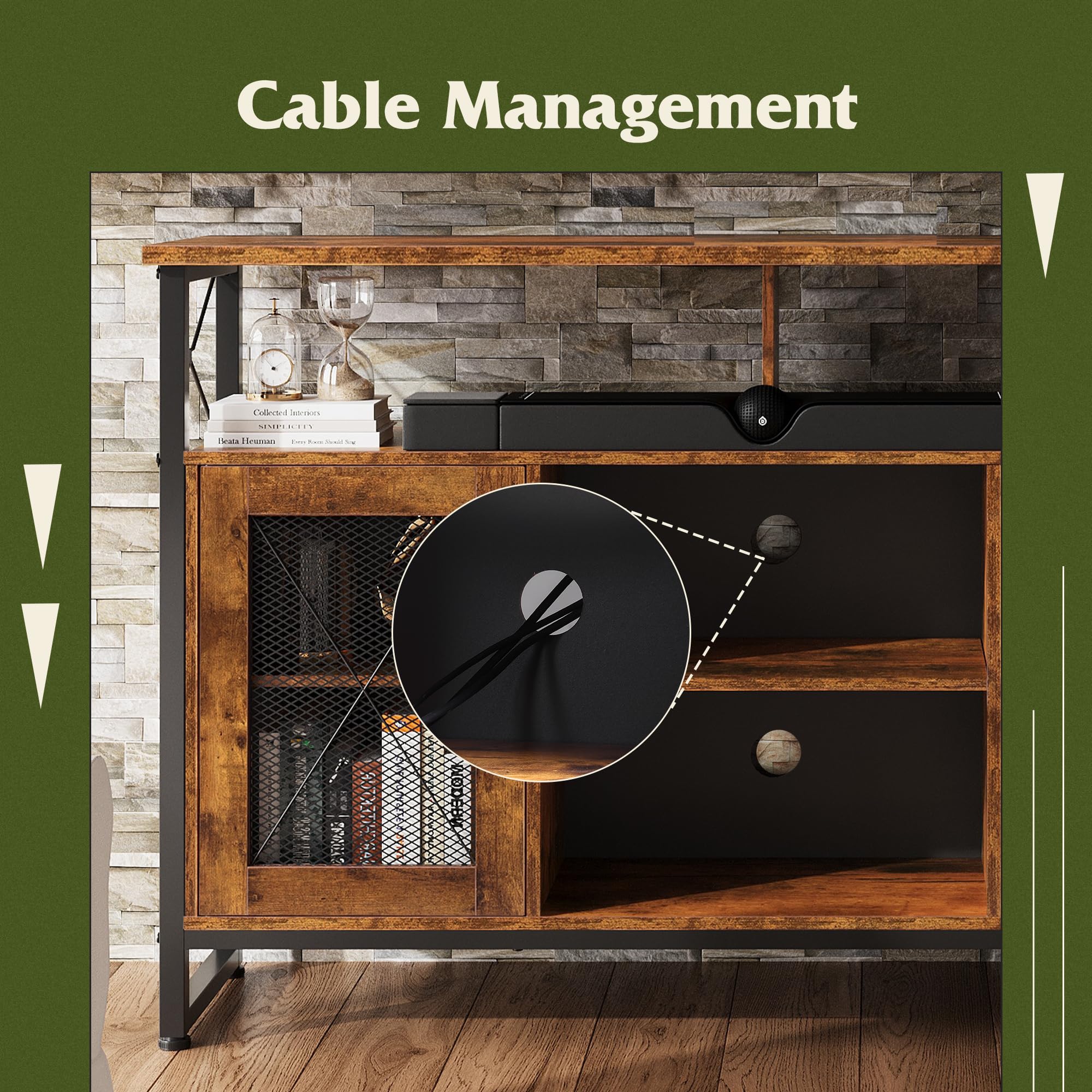
Image: Close-up view highlighting the cable management holes located on the back panel of the TV stand, designed to keep wires organized.

Image: Illustration demonstrating the 5-level adjustable shelf feature, allowing users to customize storage space for various item heights.

Image: Visual representation of the high-quality MDF, sturdy steel frame, and adjustable feet, emphasizing the durability and stability of the TV stand.
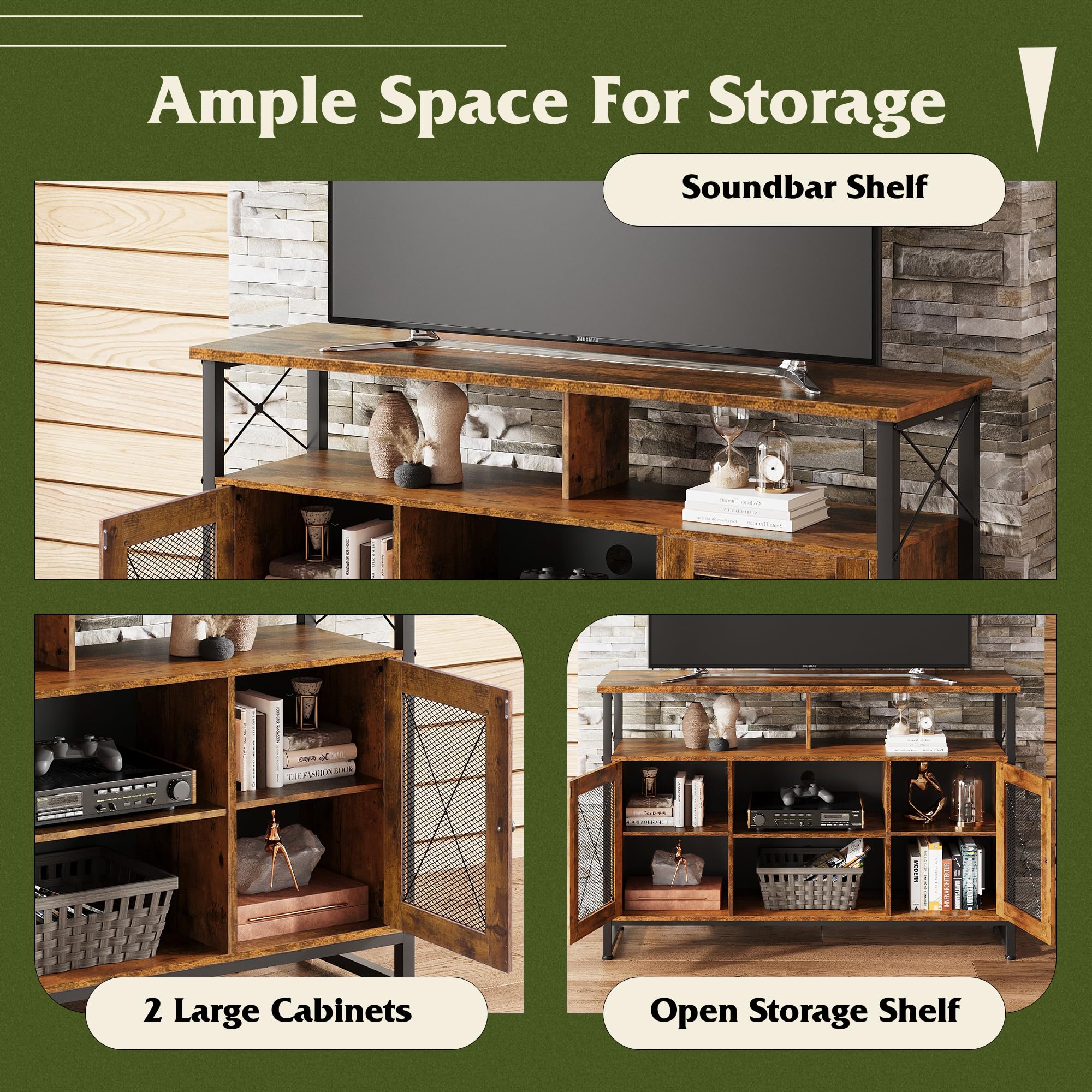
Image: Examples of the ample storage space provided by the TV stand, including the soundbar shelf, two large cabinets, and open storage shelves, showcasing its versatility.
4. Setup and Assembly
The WLIVE TV Stand is designed for straightforward assembly. Please follow these general steps, referring to the included assembly guide for detailed, step-by-step instructions and diagrams.
- Unpack and Verify: Carefully unpack all components and hardware. Compare them against the parts list in your assembly guide to ensure nothing is missing or damaged.
- Prepare Workspace: Choose a clean, flat, and spacious area for assembly. Lay down a blanket or cardboard to protect your floor and the furniture pieces from scratches.
- Identify Components: Each component and hardware piece is labeled. Familiarize yourself with the labels as referenced in the instruction manual.
- Follow Step-by-Step Instructions: Assemble the stand by following the numbered steps in the provided assembly guide. Pay close attention to the orientation of each piece.
- Secure All Fasteners: Ensure all screws, bolts, and connectors are tightened securely, but do not overtighten to avoid damaging the material.
- Install Adjustable Shelves: Insert the shelf pins into the desired height holes for the adjustable shelves before placing the shelves.
- Attach Adjustable Feet: Screw in the adjustable feet to the bottom of the stand. These can be adjusted later to level the stand on uneven surfaces.
- Final Inspection: Once assembled, gently lift and move the stand to its desired location. Check for stability and ensure all parts are correctly aligned.
If you encounter any difficulties during assembly, please refer to the troubleshooting section or contact customer support.
5. Usage and Operation
The WLIVE TV Stand is designed for versatile use in your living space. Here's how to best utilize its features:
- Television Placement: Place your television centrally on the top surface. Ensure the TV base fits within the stand's dimensions and does not exceed the 150 lbs weight limit.
- Adjustable Shelves: Utilize the 5-level adjustable shelves within the cabinets to customize storage for media devices, books, or decorative items. Simply remove the shelf and reposition the shelf pins to a different height.
- Cable Management: Route all power cords and audio/video cables through the designated cable holes on the back panel. This helps keep wires tidy and prevents tangling, contributing to a cleaner aesthetic.
- Storage Cabinets: Use the dual metal cabinet doors to conceal items you prefer to keep out of sight, such as gaming accessories, DVDs, or remote controls.
- Open Shelving: The open shelving area is ideal for devices requiring ventilation, such as gaming consoles (Xbox, PS4 Pro), soundbars, or receivers.
6. Care and Maintenance
To ensure the longevity and appearance of your WLIVE TV Stand, follow these care guidelines:
- Cleaning: Wipe surfaces with a soft, damp cloth. Avoid using harsh chemicals, abrasive cleaners, or polishes that may damage the finish.
- Spills: Immediately wipe up any spills to prevent staining or water damage.
- Heat and Moisture: Avoid placing hot items directly on the surface. Use coasters or protective pads. Keep the stand away from direct sunlight and excessive moisture.
- Stability Check: Periodically check all screws and fasteners to ensure they remain tight. Retighten if necessary to maintain stability.
- Moving the Stand: When moving the stand, always lift it rather than dragging it to prevent damage to the legs or floor. If the stand is heavy, enlist assistance.
7. Troubleshooting
If you encounter any issues with your WLIVE TV Stand, please refer to the following common solutions:
| Problem | Possible Cause | Solution |
|---|---|---|
| Stand is wobbly/unstable. | Loose fasteners; uneven floor; incorrect assembly. | Ensure all screws are tightened. Adjust the leveling feet at the bottom of the stand. Review assembly steps in the manual. |
| Parts are missing or damaged. | Packaging error; shipping damage. | Do not proceed with assembly. Contact WLIVE customer support immediately with your purchase details and a list of missing/damaged parts. |
| Doors do not align properly. | Hinges not adjusted correctly; stand not level. | Check if the stand is level using the adjustable feet. Adjust the door hinges as per the assembly guide (if applicable). |
| Difficulty inserting shelf pins. | Holes obstructed; pins misaligned. | Ensure holes are clear. Apply gentle pressure and ensure the pin is straight. Do not force. |
If the problem persists after attempting these solutions, please contact WLIVE customer support for further assistance.
8. Product Specifications
| Attribute | Detail |
|---|---|
| Brand | WLIVE |
| Model Name | ADSG032 SW Industrial TV Stand/DHS |
| Model Number | ADSG032DHS |
| Color | Rustic Brown |
| Product Dimensions | 13.98"D x 50.4"W x 32.5"H |
| Mounting Type | Floor Mount |
| Room Type | Bedroom, Living Room |
| Weight Limit (Tabletop) | 150 Pounds |
| Item Weight | 55.1 Pounds |
| Number of Shelves | 3 (5-level adjustable) |
| Material | Engineered Wood (MDF), Steel Frame |
| Assembly Required | Yes |
| Included Components | Assembly Guide |
9. Warranty and Support
WLIVE is committed to providing high-quality products and customer satisfaction. While specific warranty details are not provided in this manual, please note the following:
- Return Policy: This product is eligible for a 30-day easy return policy. Please refer to your point of purchase for detailed return instructions and conditions.
- Protection Plans: Extended protection plans may be available for purchase separately to cover your product beyond the standard return period. Check with your retailer for options.
- Customer Support: For any questions, concerns, or assistance with assembly, missing parts, or product issues, please contact WLIVE customer support. You can typically find contact information on the packaging, the retailer's website, or by visiting the official WLIVE store page.
- Online Resources: For additional support and product information, visit the WLIVE Store on Amazon.
Related documentsADSG032DHS


Ask a question about this manual
Ask about setup, troubleshooting, compatibility, parts, safety, or missing instructions. Manuals+ will review the question and use this page’s manual context to help answer it.