
1. Product Overview
The KINGSMAN 26-inch Wall-Mounted Industrial Fan is designed to provide powerful airflow and ventilation in various environments such as warehouses, factories, workshops, and patios. It features reinforced aluminum blades, a 100% copper motor, and automatic oscillation for wide coverage.
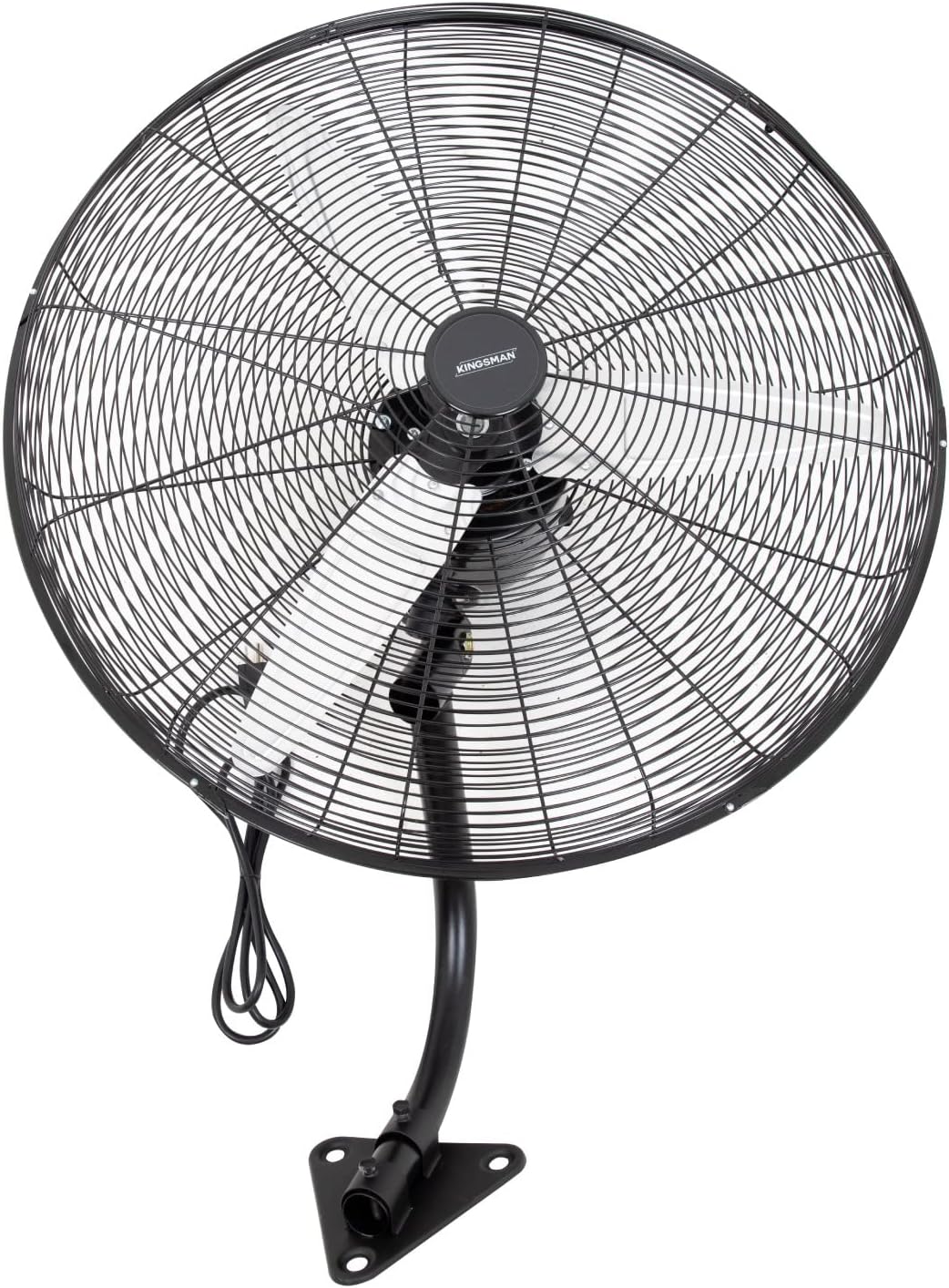
Image 1: Front view of the KINGSMAN 26-inch Wall-Mounted Industrial Fan.
2. Safety Instructions
Before operating the fan, please read and understand all safety instructions to prevent injury or damage. Keep the fan away from water and do not insert objects into the fan grille while it is operating. Ensure the fan is securely mounted to a sturdy wall structure.
- Always unplug the fan before cleaning or performing maintenance.
- Do not operate the fan with a damaged cord or plug.
- Keep children and pets away from the fan during operation.
- Ensure proper ventilation around the motor to prevent overheating.
3. Setup and Installation
This fan is designed for wall-mounting. Proper installation is crucial for safety and optimal performance.
3.1 Unpacking
Carefully remove all components from the packaging. Verify that all parts listed in the packing list are present and undamaged.
3.2 Wall Mounting
- Select a sturdy wall location capable of supporting the fan's weight (7 kg) and operational forces.
- Use appropriate hardware (not included) for your wall type to securely fasten the mounting bracket.
- Attach the fan to the wall mounting bracket, ensuring all connections are tight and secure.

Image 2: Close-up view of the fan's motor and the wall-anchoring mechanism.

Image 3: Example of the fan securely mounted on a wall.
4. Operating Instructions
The KINGSMAN industrial fan offers three-speed settings and automatic oscillation for optimal air circulation.
4.1 Powering On/Off
Plug the fan into a standard 127V-60Hz electrical outlet. Use the control knob located on the fan's motor housing to turn the unit on or off.
4.2 Speed Settings
Rotate the control knob to select one of the three available speed settings: Low, Medium, or High. Adjust the speed according to your airflow requirements.

Image 4: Visual representation of the three fan speed settings.
4.3 Oscillation Function
The fan features an automatic 90-degree oscillation function. This allows the fan head to sweep from side to side, distributing air across a wider area. The oscillation can be activated or deactivated using a separate switch or by pulling a chain, depending on the specific model variant.

Image 5: Key features including 26-inch diameter, 90-degree automatic oscillation, and reinforced aluminum blades.
5. Maintenance
Regular cleaning and maintenance will ensure the longevity and efficient operation of your fan.
5.1 Cleaning the Fan
- Always unplug the fan before cleaning.
- To clean the fan blades and internal components, remove the front grille by detaching the 5 hooks that secure it to the rear grille.
- Wipe the blades and motor housing with a soft, damp cloth. Do not use abrasive cleaners or allow water to drip into the motor.
- Ensure all parts are completely dry before reassembling the grille and plugging in the fan.
6. Troubleshooting
If you encounter any issues with your KINGSMAN fan, refer to the following common problems and solutions:
- Fan does not turn on: Check if the fan is properly plugged into a working outlet. Ensure the speed control knob is turned to an active setting (1, 2, or 3).
- Reduced airflow: Clean the fan blades and grilles to remove any dust or debris buildup that may obstruct airflow.
- Unusual noise: Ensure all screws and mounting hardware are tight. Check for any loose parts or obstructions within the fan grille.
- Oscillation not working: Verify that the oscillation function is activated. If the issue persists, contact customer support.
For issues not covered here, please contact KINGSMAN customer support.
7. Specifications
| Feature | Detail |
|---|---|
| Brand | Kingsman |
| Model | B0BYR84SXH |
| Fan Diameter | 26 inches |
| Power | 200 W |
| Voltage | 127V-60 Hz |
| Number of Speeds | 3 |
| Automatic Oscillation | 90 degrees |
| Blade Material | Reinforced Aluminum |
| Motor Material | 100% Copper |
| General Dimensions (WxDxH) | 65 x 46 x 65 cm |
| Weight | 7 kg |

Image 6: Detailed dimensions and weight of the fan.

Image 7: Overview of fan features: 3 speeds, aluminum blades, 90-degree oscillation, and wall mount capability.
8. Warranty and Support
KINGSMAN offers a 6-month warranty for manufacturing defects, effective from the date of merchandise delivery. Please retain your proof of purchase for warranty claims.
For technical assistance, warranty claims, or any other inquiries, please contact KINGSMAN customer support through the retailer where the product was purchased.