1. Important Safety Information
Please read these instructions carefully before installing or operating your ARTIKA Aristo LED Flush Mount. Retain this manual for future reference.
- Electrical Safety: Always turn off the main power supply at the circuit breaker before beginning installation or performing any maintenance.
- Qualified Electrician: Installation should be performed by a qualified electrician or a person with adequate knowledge of electrical wiring.
- Grounding: Ensure the fixture is properly grounded to avoid potential electrical shock.
- Voltage: This fixture is designed for 120V AC power supply.
- Dimmability: Compatible with most LED dimmers. Consult a qualified electrician if unsure about dimmer compatibility.
- Indoor Use Only: This product is intended for indoor use in dry locations. Do not expose to water or moisture.
- Integrated LED: The LED light source is integrated and not replaceable. Do not attempt to disassemble the LED module.
2. Package Contents
Verify that all components are present before installation.
- ARTIKA Aristo LED Flush Mount Fixture
- Mounting Hardware (screws, wire nuts, mounting bracket)
- Instruction Manual

Image 2.1: ARTIKA Aristo LED Flush Mount Fixture. This image displays the complete flush mount fixture with its black base and gold-accented arms holding the LED light sources.
3. Tools Required (Not Included)
- Phillips Head Screwdriver
- Flat Head Screwdriver
- Wire Strippers
- Electrical Tape
- Safety Glasses
- Ladder
4. Setup and Installation
Follow these steps carefully to install your ARTIKA Aristo LED Flush Mount.
- Turn Off Power: Before starting, ensure the power to the junction box is turned off at the circuit breaker.
- Prepare Mounting Bracket: Attach the mounting bracket to the junction box using the provided screws. Ensure it is securely fastened.
- Wire Connections:
- Connect the black wire from the fixture to the black (Live) wire from the junction box using a wire nut.
- Connect the white wire from the fixture to the white (Neutral) wire from the junction box using a wire nut.
- Connect the green or bare copper ground wire from the fixture to the ground wire from the junction box (or to the green ground screw on the mounting bracket).
- Carefully tuck all wires into the junction box.
- Mount the Fixture: Align the fixture with the mounting bracket and secure it with the provided screws. Ensure the fixture is flush against the ceiling.
- Restore Power: Once the fixture is securely installed, turn the power back on at the circuit breaker.
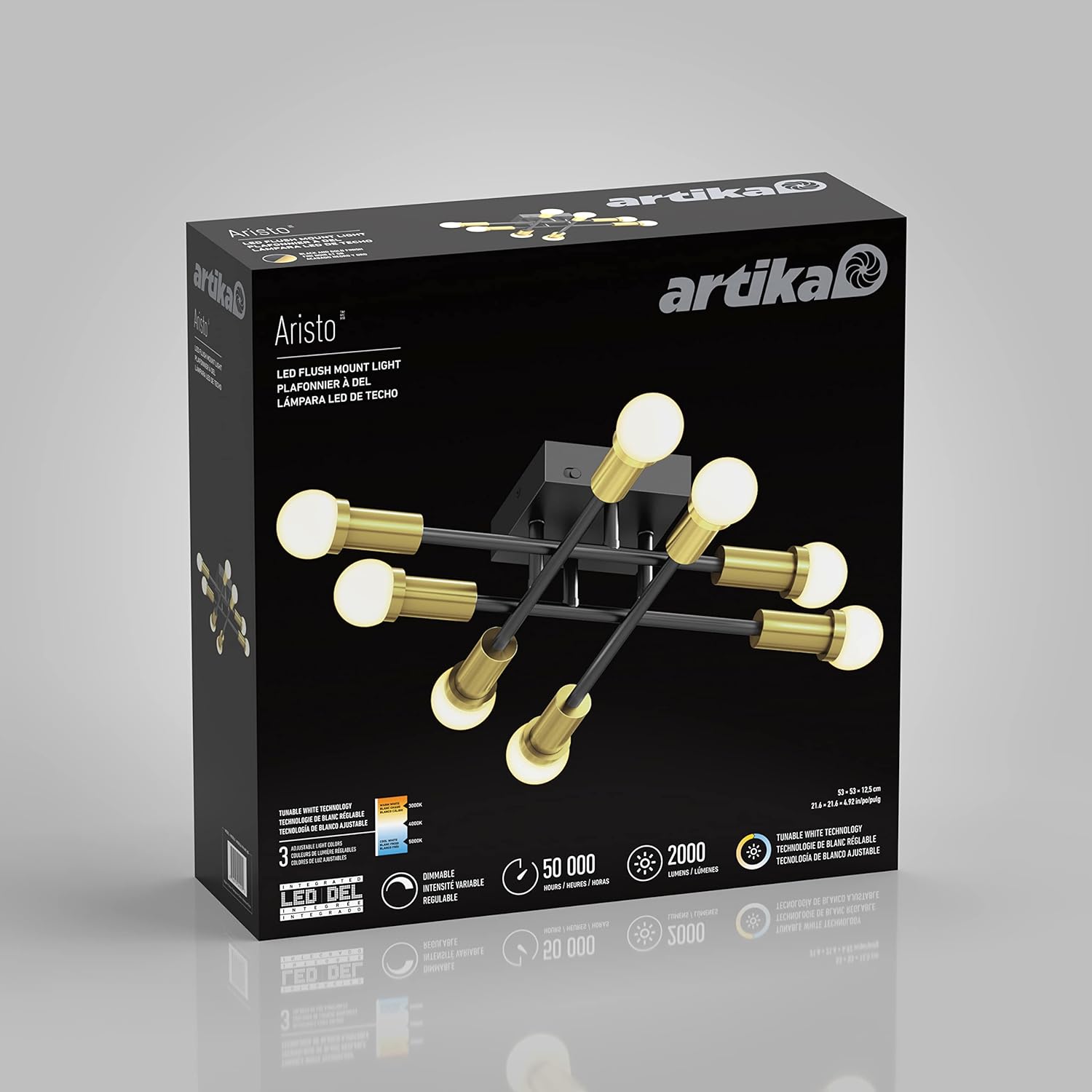
Image 4.1: Dimensions of the ARTIKA Aristo LED Flush Mount. The image shows the fixture with measurements: 53.5 cm (21.06 inches) in length and width, and 12.5 cm (4.92 inches) in height.
5. Operating Instructions
The ARTIKA Aristo LED Flush Mount offers adjustable lighting features.
- Turning On/Off: Use your standard wall switch to turn the light fixture on or off.
- Dimmable Function: This fixture is compatible with most LED dimmers. When connected to a compatible dimmer switch, you can adjust the brightness level to your preference.
- Adjustable Color Temperature (CCT): The fixture allows you to select between three color temperatures: 3000K (Warm White), 4000K (Cool White), and 5000K (Daylight White). This is typically controlled by cycling the wall switch quickly (off-on-off-on) to change the CCT. Refer to the specific instructions provided with your fixture or consult the manufacturer's website for detailed CCT adjustment methods if not immediately apparent.

Image 5.1: Illustration of the ARTIKA Aristo LED Flush Mount's selectable white light feature. The image shows the fixture emitting light at 3000K (Warm White), 4000K (Cool White), and 5000K (Daylight White) color temperatures.
6. Maintenance
To ensure the longevity and optimal performance of your ARTIKA Aristo LED Flush Mount, follow these simple maintenance guidelines:
- Cleaning: Always turn off the power before cleaning. Use a soft, dry, or slightly damp cloth to wipe the fixture. Do not use abrasive cleaners, solvents, or polishes as they may damage the finish or electrical components.
- No Bulb Replacement: This fixture uses integrated LED technology. The LED light source is designed to last for 50,000 hours and is not user-replaceable. Do not attempt to replace any bulbs.
- Inspection: Periodically inspect the fixture for any signs of damage or loose connections. If any issues are found, turn off the power and consult a qualified electrician.
7. Troubleshooting
If you encounter issues with your ARTIKA Aristo LED Flush Mount, refer to the following common problems and solutions:
| Problem | Possible Cause | Solution |
|---|---|---|
| Light does not turn on. |
|
|
| Light flickers or dims inconsistently. |
|
|
| Color temperature does not change. |
|
|
If the problem persists after trying these solutions, please contact ARTIKA customer support.
8. Specifications
| Brand | ARTIKA |
| Model Name | Aristo |
| Model Number | FM-ARC-BG |
| Power Source | AC |
| Voltage | 120 Volts |
| Wattage | 22 Watts |
| Brightness | 2000 Lumens |
| Color Temperature | 3000K, 4000K, 5000K (Selectable) |
| Average Life | 50,000 Hours |
| Dimmable | Yes (Compatible with most LED dimmers) |
| Color Rendering Index (CRI) | 80.00 |
| Material | Alloy Steel, Plastic |
| Finish Type | Painted (Matte Black with Gold Accent) |
| Product Dimensions | 21.06"L x 4.92"W x 21.06"H (53.5 cm x 12.5 cm x 53.5 cm) |
| Item Weight | 3.46 Pounds (1.57 kg) |
| Indoor/Outdoor Usage | Indoor |
| UPC | 846979040902 |
9. Warranty and Support
Warranty: This ARTIKA product comes with a Limited Warranty. Please refer to the warranty card included with your purchase or visit the official ARTIKA website for detailed warranty terms and conditions.
Manufacturer: Artika For Living inc.
Customer Support: For technical assistance, missing parts, or warranty claims, please contact ARTIKA customer support. Contact information can typically be found on the ARTIKA website or on the product packaging.
Online Resources: For additional information, FAQs, or to register your product, visit the official ARTIKA website: www.artika.com


