
Product Overview
Lutron Claro Smart Light Switch (Model: DVRF-5NS-BL)
Introducing the Claro smart switch for Cas a smart lighting. Lutron's popular design is now smart and works in your Cas a home. Match existing Claro switches with the same elegant paddle style, updated for a cohesive look with LED indicator light. Welcome Home to Peace of Mind - always return to a well-lit home with the Claro smart switch. Enable the Smart Away feature to randomly turn lights on and off, creating the appearance of being home, even when away (smart hub required, sold separately). Use the smart hub (sold separately) to connect your Cas a Claro smart switch to more leading smart home devices, including Alexa, Apple Home, Google Home, Ring, and Sonos, than any other smart lighting brand. This smart hub facilitates smart control and device integration without using WiFi, keeping lights functional when WiFi is down and stop slowing your internet speed with more devices. Create a new 3-way setup or replace an existing one with the Claro smart switch. Pair a Pico remote and bracket to the switch; mount the Pico/bracket on almost any surface without cutting holes or pulling wire (Pico and bracket sold separately). Includes (1) Claro smart switch; coordinating wallplate and other accessories sold separately. Experience the convenience of remote light switches wireless technology, enhanced by homekit light switch compatibility. Our WiFi switches for lights are ideal as an Alexa smart switch or interruptor inteligente. Discover apagadores de luz inteligentes with Apple homekit and enjoy easy access to interruptores inteligentes for modern living.

Figure 1: Front view of the Lutron Claro Smart Light Switch.
Key Features
- Most Connected: Caseta Lutron smart switch connects with more leading smart home devices - including Alexa, Apple Home, the Google Assistant, Ring, and Sonos - than any other smart light switch brand (Lutron Smart Hub, L-BDG2-WH, required).
- Peace of Mind: Set smart switches for lights to automatically adjust with seasons so your family always comes back to a well-lit home; use smart away to randomly turn lights on/off to look like you're home even if you're away (Smart Hub required).
- Includes (1) Claro smart switch for Caseta smart lighting; coordinating wallplate sold separately.
- Perfect for Exterior Lights: 3 way smart switch is ideal for areas such as garage or outdoor porch lights.
- Technical Details: Lutron Caseta switch works with 5A lighting or 3A fan; neutral wire required.
- Recognized Aesthetic: Lutron s most popular switch design is now smart. Features the well-loved design of Claro switches and matches existing WiFi light switches for home and remote switch options for a classic look throughout any home.
- Get More, Spend Less: One Caseta smart switch can control many bulbs at once; make many bulbs smart, even your existing bulbs. Get smart control of multiple LED, incandescent, and halogen bulbs (Lutron Smart Hub, L-BDG2-WH, required).
- 3-Way Setup: Create a wireless 3-way remote light switch by mounting a Pico remote; no cutting holes or pulling wire, with a wall mount bracket (PICO-WBX-ADAPT sold separately). Replace existing 3-way switches by mounting the Pico over the backbox.
- Wireless Remote Control: For added convenience, use with wireless Pico remote (PJ2-P2B-GWH) to turn your electrical light switches on or off with the touch of a button from anywhere in the home.
- Control Your Way: Caseta puts the smarts in the switch so you can control your lights via the Lutron app, with your voice, or from the Lutron switch. Create schedules in the app or activate scenes with a button (Lutron Smart Hub, L-BDG2-WH, required).

Figure 2: Caseta Smart Lighting Control ecosystem, showing compatibility with various smart home devices.

Figure 3: The elegant design of the Claro Smart Switch blends seamlessly with home decor.

Figure 4: The LED indicator light glows when the switch is activated, providing visual feedback.
Installation Guide
Important Safety Information
WARNING! Risk of electric shock. Incorrect installation could be dangerous or illegal. Multiple breakers and/or fuses may need to be shut off for safe installation. Please call a professional electrician if you are unfamiliar or uncomfortable with electrical work.
Before You Begin
- Ensure power is OFF at the circuit breaker before beginning any electrical work.
- Confirm you have a neutral wire available in your electrical box. A neutral wire is required for this smart switch.
- Gather necessary tools: screwdriver, wire strippers, electrical tape, voltage tester.
Wiring Instructions
The Lutron Claro Smart Light Switch supports both single-pole and 3-way applications. Always refer to the wiring diagrams provided with your product for specific instructions.
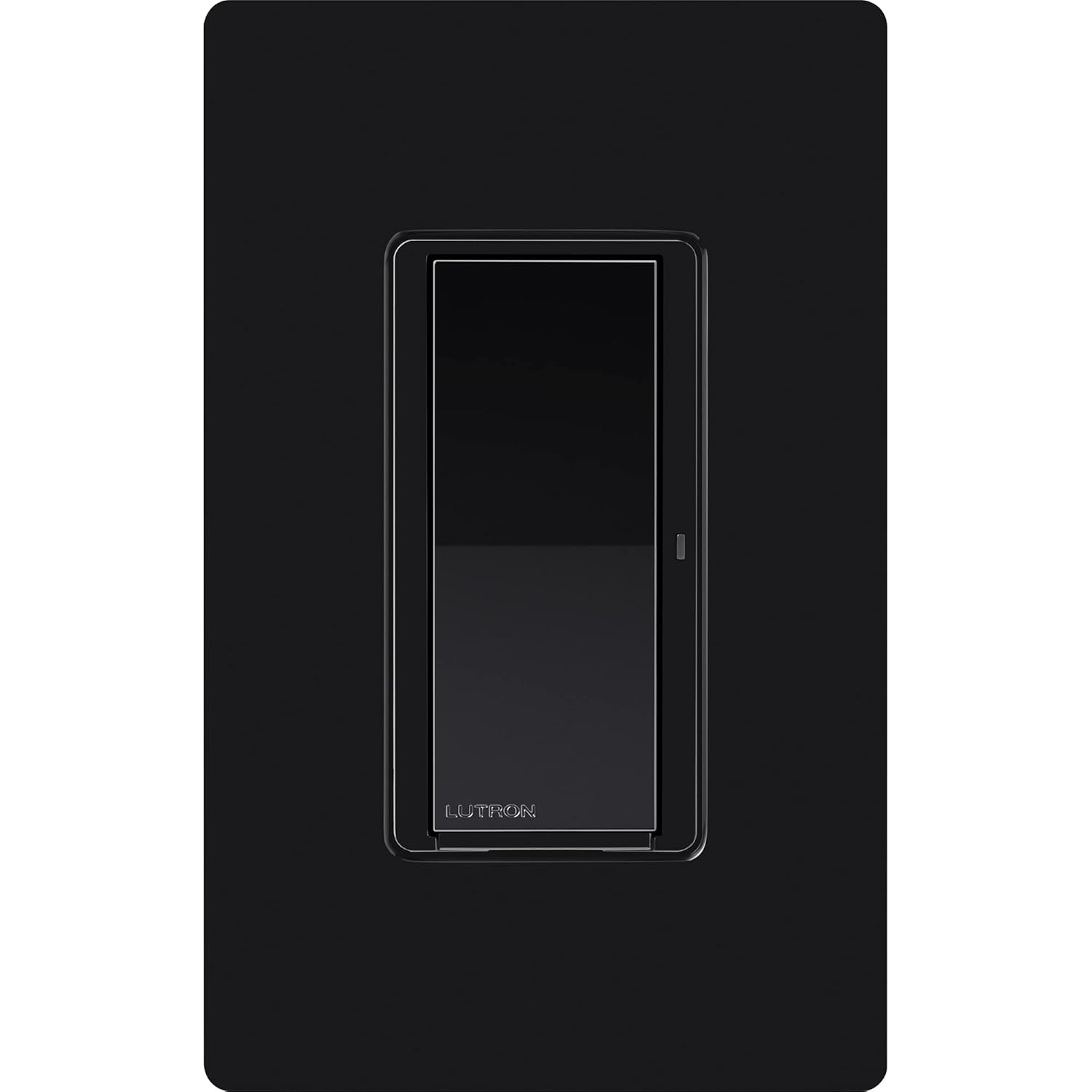
Figure 5: Rear view of the smart switch, showing wire connections.
Single-Pole Installation (Control from 1 Location)
- Connect the Line/Hot wire to the designated terminal on the smart switch.
- Connect the Load wire (to the light fixture) to the designated terminal.
- Connect the Neutral wire to the neutral terminal on the smart switch.
- Connect the Ground wire to the ground terminal.
3-Way Installation (Control from 2 or More Locations)
For 3-way setups, you can use either a wired accessory switch or a wireless Pico remote.
- Using a Wired Accessory Switch: Follow the provided wiring diagram to connect the Claro Smart Switch with a compatible wired accessory switch. This typically involves connecting traveler wires between the two switch locations.
- Using a Wireless Pico Remote: The Claro Smart Switch can be paired with a Pico remote for wireless 3-way control. This eliminates the need for complex wiring between switch locations. The Pico remote can be mounted on almost any surface using a wall mount bracket (sold separately).

Figure 6: Example of a 3-way setup using a Claro Smart Switch and a Wireless Pico Paddle Remote.

Figure 7: Multi-location application with Claro Smart Switch and accessory switches.
Connecting to Caséta Smart Hub (Optional)
For advanced smart features, integrate your Claro Smart Switch with a Caséta Smart Hub (L-BDG2-WH, sold separately). The hub connects to your home network and allows for app control, voice commands, scheduling, and integration with other smart home devices.

Figure 8: The Caséta Smart Hub enables advanced smart lighting features.
Operation
Manual Control
The Claro Smart Switch features a simple paddle design for manual control:
- Press the top of the paddle to turn lights/fans ON.
- Press the bottom of the paddle to turn lights/fans OFF.
- The integrated LED indicator light will glow when the switch is activated, providing visual status.

Figure 9: Paddle turns lights on and off, and the LED indicator light glows when activated.
Smart Control (with Caséta Smart Hub)
When connected to a Caséta Smart Hub, you can unlock a variety of smart control options:
- Lutron App: Control your lights from anywhere using the Lutron app on your smartphone or tablet.
- Voice Assistant: Integrate with Amazon Alexa, Apple Home, or Google Assistant for convenient voice control.
- Pico Remote: Use a wireless Pico remote for additional control points throughout your home without extra wiring.
- Scheduling: Create custom schedules to automatically turn lights on or off at specific times, or adjust with sunrise/sunset.
- Smart Away: Activate the Smart Away feature to randomly turn lights on and off, creating the appearance of being home even when you're away.

Figure 10: Multiple control options for your smart lighting system.
Maintenance
The Lutron Claro Smart Light Switch is designed for long-lasting performance with minimal maintenance. Follow these guidelines to ensure optimal operation:
- Cleaning: To clean the switch, wipe it with a soft, damp cloth. Do not use abrasive cleaners, solvents, or harsh chemicals, as these can damage the finish.
- No User-Serviceable Parts: The smart switch contains no user-serviceable parts. Do not attempt to open or repair the device. Refer to qualified personnel for any issues beyond basic troubleshooting.
- Environmental Conditions: Ensure the switch is installed in an environment within its specified operating temperature and humidity ranges to prevent malfunction.
Troubleshooting Common Issues
If you encounter issues with your Lutron Claro Smart Light Switch, try the following troubleshooting steps:
- No Power to Switch/Light:
- Check the circuit breaker to ensure power is on.
- Verify all wiring connections are secure and correct according to the installation guide.
- Ensure a neutral wire is properly connected.
- Light/Fan Not Responding to Switch:
- Confirm the light bulb or fan is functional.
- If using a 3-way setup, ensure both the smart switch and any accessory switches/Pico remotes are correctly installed and paired.
- For smart control, verify the Caséta Smart Hub is online and the switch is properly paired in the Lutron app.
- LED Indicator Light Not Functioning:
- If the switch is otherwise working, this may indicate a minor internal issue. Contact Lutron support if it persists.
- Intermittent Operation:
- Check for loose wiring connections.
- Ensure the switch is not overloaded (refer to specifications for maximum load).
- If using a Caséta Smart Hub, check its network connection and signal strength.
For further assistance, please refer to the detailed troubleshooting guides available on the Lutron website or contact Lutron customer support.
Technical Specifications
| Product Dimensions | 1.44 x 2.94 x 4.69 inches; 3.84 ounces |
| Item Model Number | DVRF-5NS-BL |
| Operation Mode | ON-OFF |
| Current Rating | 5 Amps (Lighting), 3 Amps (Fan) |
| Operating Voltage | 120 Volts |
| Contact Type | Normally Closed |
| Connector Type | Hard Wired |
| Circuit Type | Single Pole, 3-Way with Claro smart accessory switch |

Figure 11: Physical dimensions of the Lutron Claro Smart Light Switch.
Warranty and Support
Lutron provides a warranty for its products. For detailed information regarding the warranty terms and conditions for your Claro Smart Light Switch, please refer to the official Warranty PDF document:
For technical support, product inquiries, or additional resources, please visit the official Lutron website or their Amazon store: