
Product Overview
The Lemorele Wireless HDMI Transmitter and Receiver Kit provides a convenient and efficient solution for wireless video and audio transmission. This plug-and-play system eliminates the need for long HDMI cables, offering flexibility for various applications including home entertainment, office presentations, and educational settings. It supports 1080P HD resolution and operates on 2.4/5GHz dual-band frequencies for stable signal transmission up to 164 feet (50 meters) in open areas.

Image: The Lemorele Wireless HDMI Transmitter (TX) and Receiver (RX) units, showing their compact design and HDMI connectors.
What's in the Box
The package for your Lemorele Wireless HDMI Transmitter and Receiver Kit includes the following components:
- 1 x HDMI Transmitter (TX)
- 1 x HDMI Receiver (RX)
- 1 x HDMI Extension Cable
- 2 x USB-C Cables (for power)
- 1 x User Manual

Image: A flat lay of the product packaging, showing the transmitter, receiver, cables, and user manual included in the kit.
Setup Instructions
The Lemorele Wireless HDMI Kit is designed for plug-and-play operation, requiring no software installation. Follow these steps for initial setup:
- Connect the Receiver (RX): Plug the HDMI Receiver (RX) unit into an available HDMI input port on your display device (TV, monitor, or projector).
- Power the Receiver (RX): Connect one of the provided USB-C cables to the RX unit and the other end to a USB power source (e.g., a USB port on your TV, a USB wall adapter, or a power bank). Ensure the RX unit receives stable power.
- Connect the Transmitter (TX): Plug the HDMI Transmitter (TX) unit into the HDMI output port of your source device (e.g., laptop, set-top box, Blu-ray player).
- Power the Transmitter (TX): Connect the second USB-C cable to the TX unit and the other end to a USB power source (e.g., a USB port on your laptop or a wall adapter). Stable power is crucial for optimal performance.
- Pairing: The TX and RX units are pre-paired from the factory. Once both units are powered on and connected, they should automatically establish a connection. The indicator light on both units will turn solid when a connection is established.
- Select HDMI Input: On your display device, select the correct HDMI input source where the RX unit is connected.

Image: A laptop connected to the TX unit, wirelessly transmitting its display to a television connected to the RX unit, illustrating the plug-and-play setup.

Image: A diagram showing how to connect the HDMI input devices (laptop, camera, set-top box) to the TX unit and HDMI output devices (projector, TV, monitor) to the RX unit.
Operating Instructions
Basic Operation
Once the TX and RX units are properly connected and powered, the system will automatically begin transmitting the video and audio signal from your source device to the display. No additional configuration is typically required for basic mirroring.
Dual-Band Transmission (2.4/5GHz)
The kit utilizes 2.4/5GHz dual-band technology. It automatically selects the optimal frequency for stable and fast transmission. For best performance, especially in environments with many wireless devices, ensure minimal obstructions between the TX and RX units.

Image: Two individuals relaxing outdoors, watching content on a portable screen, demonstrating the wireless video transmission capability.
Multi-Transmitter Connectivity (Up to 8 TXs to 1 RX)
For collaborative environments such as meeting rooms or classrooms, a single RX unit can be paired with up to eight TX units. This allows multiple users to share their screens to one display by simply connecting their respective TX units. Switching between active transmitters is typically done by pressing a button on the TX unit or automatically when a new TX becomes active.
Additional transmitters (TX) can be purchased separately (ASIN: B0CB7KBY8H) to expand your system. Note that using multiple transmitters may slightly reduce the overall transmission range.
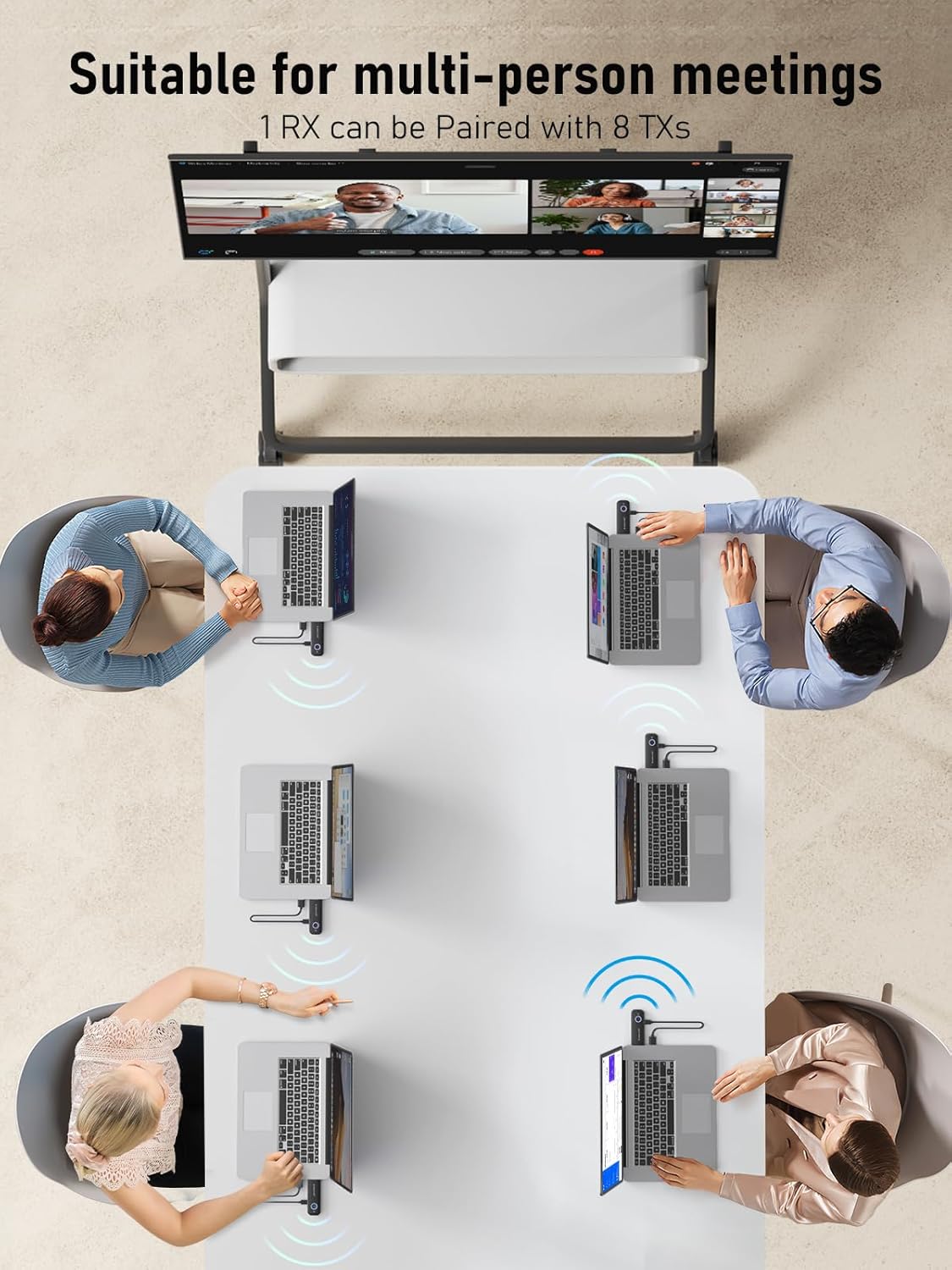
Image: An overhead view of a meeting table with several laptops, each connected to a TX unit, wirelessly displaying content on a large screen, demonstrating multi-user sharing.
Transmission Range
The wireless signal can reach up to 164 feet (50 meters) in open, unobstructed environments. Walls, furniture, and other obstacles can significantly reduce this range. For optimal performance, minimize physical barriers between the transmitter and receiver.

Image: A large auditorium or conference room, illustrating the 50-meter long-distance transmission capability of the wireless HDMI system.
Compatibility
This wireless HDMI extender kit offers broad compatibility with most HDMI output devices and display devices. It is designed to work seamlessly with:
- Source Devices (HDMI Output): Laptops, Desktop PCs, TV Boxes, Blu-ray Players, DVRs, Cameras, Gaming Consoles, and other devices with an HDMI output.
- Display Devices (HDMI Input): Televisions, Monitors, Projectors, and AD Displays.
The system supports 1080P HD wireless transmission with a 60Hz refresh rate, ensuring clear and vibrant video quality for various applications.
Specifications
| Feature | Detail |
|---|---|
| Model Number | G57L |
| Product Dimensions | 7.87 x 7.09 x 1.97 inches |
| Item Weight | 7.1 ounces |
| Connectivity Technology | Wireless, HDMI |
| Wireless Frequency | 2.4/5GHz Dual-Band |
| Max Transmission Range | 164 feet (50 meters) in open areas |
| Video Resolution | 1080P HD @ 60Hz |
| Audio Output Mode | Stereo, Surround (2.0 Channel) |
| Video Encoding | H.264 |
| Color | Black |
| Manufacturer | Lemorele |
| Country of Origin | China |
Troubleshooting
If you encounter issues with your Lemorele Wireless HDMI Kit, consider the following common solutions:
- No Signal/Black Screen:
- Ensure both the TX and RX units are properly powered via their respective USB-C cables. A stable power supply (e.g., 5V/2A adapter) is crucial.
- Verify that the HDMI cables are securely connected to both the source device and the display.
- Confirm that your display device is set to the correct HDMI input source.
- Try restarting both the source device and the display, then reconnect the TX and RX units.
- Intermittent Signal/Lag:
- Reduce the distance between the TX and RX units.
- Remove any major obstructions (walls, large furniture) between the units.
- Ensure there is no significant wireless interference from other 2.4GHz or 5GHz devices nearby.
- Confirm both units are receiving adequate power. Insufficient power can lead to instability.
- Audio Issues:
- Check the audio settings on your source device to ensure audio is being sent via HDMI.
- Verify the volume on your display device is not muted or set too low.
- Units Getting Hot:
- It is normal for the units to generate some heat during operation. Ensure they are placed in a well-ventilated area and not covered, to allow for proper heat dissipation.
Maintenance
To ensure the longevity and optimal performance of your Lemorele Wireless HDMI Kit, follow these maintenance guidelines:
- Cleaning: Use a soft, dry cloth to clean the exterior of the units. Avoid using liquid cleaners or abrasive materials.
- Storage: When not in use for extended periods, store the units in a cool, dry place away from direct sunlight and extreme temperatures.
- Handling: Handle the units with care. Avoid dropping them or subjecting them to strong impacts.
- Power: Always use the provided USB-C cables and ensure a stable power supply to prevent damage.
Warranty and Support
The Lemorele Wireless HDMI Transmitter and Receiver Kit comes with a 1-year warranty from the date of purchase. This warranty covers manufacturing defects and ensures hassle-free returns or exchanges for eligible issues.
For technical assistance, troubleshooting, or warranty claims, please contact Lemorele customer service. They are available 24/7 to provide support.
You can find contact information and additional resources on the official Lemorele website or through your purchase platform.
For more information, visit the Lemorele Store on Amazon.


