1. Introduction
This manual provides detailed instructions for the assembly, operation, and maintenance of your Kowo Electric Height Adjustable Standing Desk (Model K3051-31-14). Please read this manual thoroughly before use to ensure proper function and safety.

Image 1.1: Kowo Electric Height Adjustable Standing Desk in a modern office environment.
2. Important Safety Information
- Ensure proper anchoring to avoid tipping.
- Do not exceed the weight limit of 110 lbs (50 kg).
- Follow assembly instructions carefully.
- Keep children and pets away from the desk during operation.
- Do not place hands or objects near moving parts during height adjustment.
- Use the child lock feature to prevent unintended movement.
- Disconnect power before cleaning or maintenance.
- This product contains Proposition 65 chemicals.
3. Setup & Assembly
3.1. Package Contents
Before beginning assembly, ensure all parts are present and undamaged. Refer to the included parts list for a complete inventory. The main components include the desktop with integrated drawer and control panel, two leg frames, and various screws and tools.
Video 3.1: Assembly instructions for the Kowo K305 adjustable standing desk. This video demonstrates the step-by-step process of putting the desk together.
3.2. Assembly Steps
- Unpack Components: Carefully remove all parts from the packaging. Place them on a soft, clean surface to prevent scratches.
- Attach Leg Frames: Secure the two leg frames to the underside of the desktop using the provided screws and wrench. Ensure they are firmly attached.
- Connect Cables: Connect the motor and control panel cables according to the diagram in the assembly video. Ensure all connections are secure.
- Install Hooks: Attach the headphone hooks to the desired locations on the desk frame using the small wood screws.
- Power Connection: Plug the power cord into the desk's power input and then into a wall outlet.
- Initial Reset: Perform a factory reset as shown in the assembly video to calibrate the desk's height mechanism.

Image 3.2: The smooth mechanism and silent motor for height adjustment.
4. Operating Instructions
4.1. Height Adjustment
The desk features an electric height adjustment system. Use the up and down arrow buttons on the control panel to raise or lower the desk to your desired height. The current height is displayed digitally.

Image 4.1: Digital display control panel with height adjustment buttons, memory presets, and child lock.
4.2. Memory Presets
The desk allows you to save up to three preferred height settings (H1, H2, H3). To save a height:
- Adjust the desk to the desired height.
- Press the 'M' button (Memory) followed by H1, H2, or H3. The display will confirm the setting is saved.
To recall a saved height, simply press the corresponding H1, H2, or H3 button.
4.3. Child Lock Function
Activate the child lock by pressing the lock button on the control panel. This prevents accidental height adjustments. Press the lock button again to deactivate.
4.4. Sitting Reminder
The desk includes a sound reminder feature for long sitting hours. You can set the reminder interval using the timer button on the control panel. Adjust the time using the up/down arrows.
Video 4.2: Demonstration of the Kowo K305 adjustable standing desk features, including height adjustment, memory settings, child lock, and charging options.
5. Features Overview
- Wireless Charger: Integrated wireless charging pad on the desktop for compatible devices.
- USB Ports: Two standard USB-A ports and one USB-C port for charging electronic devices.
- Under-Desk Storage Drawer: A discreet drawer for organizing office supplies and reducing desktop clutter.
- Headphone Hooks: Two hooks located on the underside of the desk for convenient headphone storage.
- Monitor Riser/Shelf: An optional desktop riser provides additional storage and elevates monitors for ergonomic viewing.
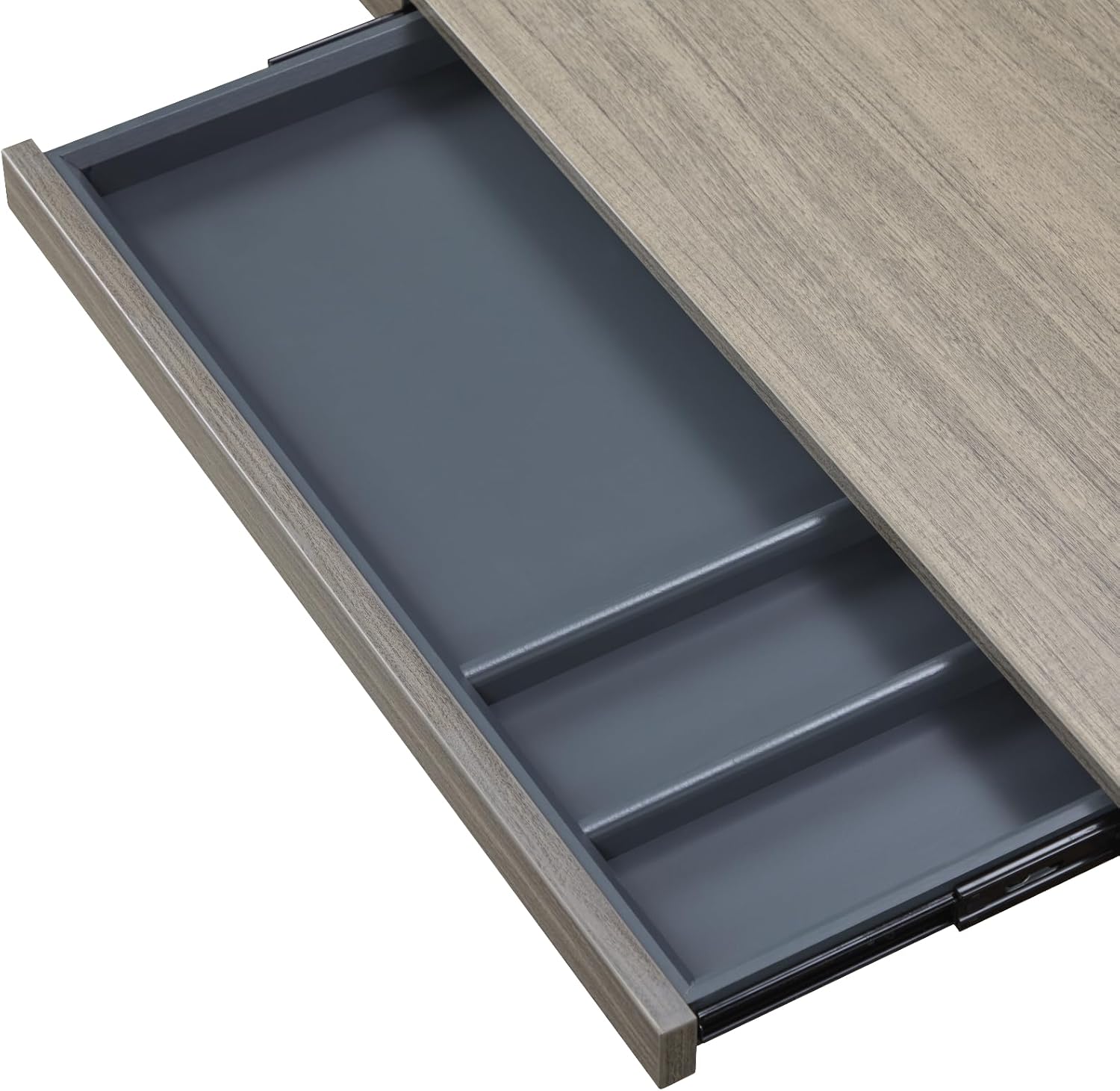
Image 5.1: The spacious and organized under-desk storage drawer.

Image 5.2: Desk with an optional monitor riser for enhanced organization and ergonomics.
6. Maintenance
- Cleaning: Wipe the desk surface with a soft, damp cloth. Avoid abrasive cleaners or harsh chemicals that may damage the finish.
- Inspection: Periodically check all screws and connections to ensure they are tight. Retighten if necessary.
- Motor Care: The electric motor is designed for maintenance-free operation. Do not attempt to lubricate or disassemble the motor.
- Cable Management: Ensure cables are neatly organized and not pinched by moving parts.
7. Troubleshooting
| Problem | Possible Cause | Solution |
|---|---|---|
| Desk does not move. | Power cable disconnected, child lock active, motor error. | Check power connection. Deactivate child lock. Perform a factory reset. |
| Uneven height adjustment. | Obstruction, uneven load, motor synchronization issue. | Clear any obstructions. Redistribute weight evenly. Perform a factory reset. |
| Wireless charger or USB ports not working. | Device incompatibility, power issue, port damage. | Ensure device is Qi-compatible. Check power connection. Contact support if issue persists. |
| Desk makes unusual noises. | Loose screws, internal component issue. | Check and tighten all screws. If noise persists, discontinue use and contact support. |
If you encounter issues not listed here or if solutions do not resolve the problem, please contact customer support.
8. Product Specifications
- Brand: kowo
- Model Number: K3051-31-14
- Color: Grey Oak/Black
- Product Dimensions (D x W x H): 23.6"D x 54.3"W x 28.7"H (730mm - 1200mm adjustable height)
- Minimum Height: 28 Inches (730mm)
- Maximum Height: 47.6 Inches (1200mm)
- Maximum Weight Capacity: 110 lbs (50 kg)
- Material Type: Engineered Wood, Alloy Steel (legs)
- Number of Drawers: 1
- Special Features: Cordless (wireless charger), Electric Height Adjustment, Memory Control, USB-A & USB-C Ports, Headphone Hooks, Storage Drawer.
- Required Assembly: Yes (Recommended 1 person)
- Item Weight: 30.4 Kilograms
- Warranty Type: Limited

Image 8.1: Detailed dimensions and weight capacity of the Kowo Standing Desk.
9. Warranty & Support
This Kowo Electric Height Adjustable Standing Desk comes with a Limited Warranty. For specific warranty terms and conditions, please refer to the documentation included with your purchase or contact Kowo customer support.
Customer Support
For assistance with assembly, operation, troubleshooting, or warranty claims, please contact Kowo customer support. Contact information can typically be found on the product packaging or the official Kowo website.
- Returns: 30-day easy returns policy.
- Seller: Bison Commerce