
1. Introduction
Thank you for choosing the MEIYA Small Digital Gram Scale. This manual provides essential information for the proper setup, operation, and maintenance of your new scale. Please read it thoroughly before use to ensure accurate measurements and prolong the life of your device.

Image 1: MEIYA Small Digital Gram Scale with accessories. The scale features a stainless steel platform and a blue backlit LCD display.
2. Setup
2.1 Unpacking and Initial Inspection
Carefully remove all components from the packaging. Inspect the scale for any signs of damage. Ensure all accessories, including the two trays, are present.
2.2 Power Supply
The MEIYA Digital Gram Scale offers three power supply modes:
- USB Charging: Connect the provided USB cable to the scale and a compatible USB power source (e.g., computer, power adapter). The scale features an upgraded lithium-ion battery for faster charging and longer life.
- AAA Battery Power: The scale can also be powered by AAA batteries. Open the battery compartment and insert the batteries, ensuring correct polarity.
- Plug-in Power: Use a compatible power adapter with the USB cable for continuous operation.

Image 2: The MEIYA Digital Gram Scale connected via USB for charging, highlighting its rechargeable lithium battery and multiple power options.
2.3 Placement
Place the scale on a hard, flat, and stable surface to ensure accurate readings. Avoid placing it on soft or uneven surfaces, or near sources of vibration or extreme temperature changes.
3. Operating Instructions
3.1 Power On/Off
Press the [⑂] button to turn the scale on. Press and hold the [⑂] button to turn the scale off.
3.2 Unit Conversion
Press the [M] button to cycle through the available weighing units. The scale supports nine units: grams (g), carats (ct), pennyweights (dwt), troy ounces (ozt), ounces (oz), grains (gn), pounds (lb), taels (tl), and milliliters (ml).

Image 3: The scale's display cycling through nine different measurement units, demonstrating its versatility.
3.3 Tare Function
The Tare function allows you to subtract the weight of a container, so you only measure the net weight of its contents.
- Place an empty container on the weighing platform.
- Press the [T] button. The display will reset to "0.00".
- Add the items you wish to weigh into the container. The display will show the net weight of the items.

Image 4: Step-by-step visual guide on how to use the Tare function to measure ingredients accurately.
3.4 Counting Function (PCS)
The PCS function allows you to count small, uniform items (e.g., beads, screws). Refer to the full product manual for detailed instructions on using this feature.
3.5 Weighing Procedure
- Ensure the scale is on a stable surface and powered on.
- If using a container, perform the Tare function as described above.
- Gently place the item(s) to be weighed onto the center of the weighing platform.
- Read the stable weight displayed on the LCD screen.
The scale uses high-precision sensors for accurate and consistent measurements in 0.01g increments.

Image 5: The scale demonstrating its 0.01g accuracy with a calibration weight, alongside its compact dimensions and key features.
3.6 Applications
This digital scale is suitable for a wide range of applications, including weighing food ingredients, spices, coffee beans, pet food, jewelry, and small items for crafting or hobbies.
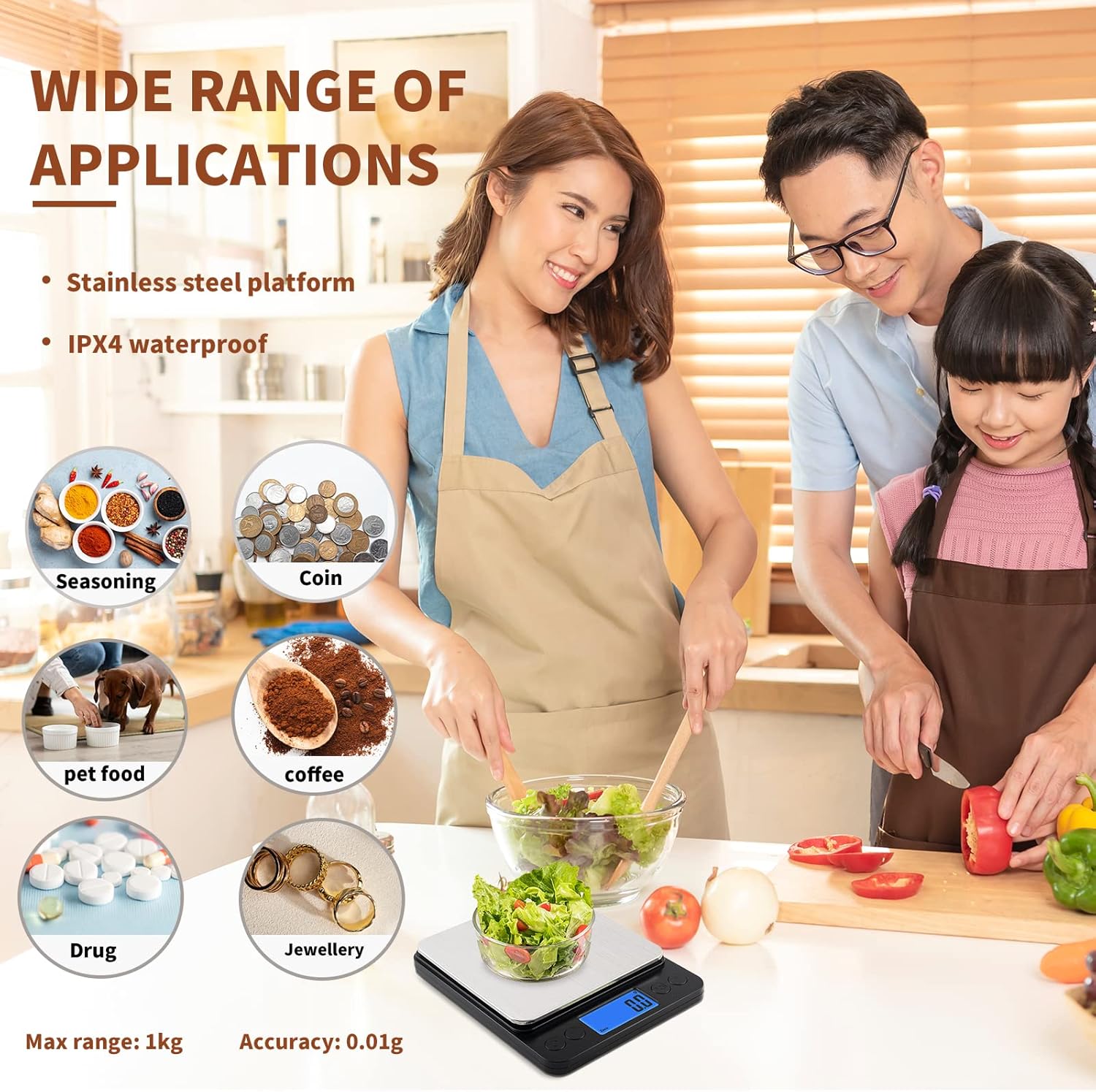
Image 6: Examples of the scale's diverse uses in a kitchen and for various small items.
4. Maintenance
4.1 Cleaning
The scale features a durable stainless steel platform and an IPX4 waterproof rating, making it easy to clean. Wipe the scale with a slightly damp cloth. Do not immerse the scale in water or use abrasive cleaners.
4.2 Storage
Store the scale in a clean, dry place. Its mini design (5" x 4.1" x 0.7") allows for easy storage in a kitchen drawer or cabinet. The included trays can be used as protective covers during storage.
5. Troubleshooting
- Inaccurate Readings: Ensure the scale is placed on a flat, stable, and level surface. Avoid placing it near electronic devices that may cause interference. Recalibration may be necessary if persistent inaccuracies occur (refer to advanced user guide for calibration steps).
- "Lo" Display: Indicates low battery. Recharge the scale via USB or replace the AAA batteries.
- "O-Ld" Display: Indicates overload. Remove items from the platform immediately to prevent damage to the scale. The maximum weight capacity is 1000 grams (1kg).
- Scale Not Turning On: Check battery charge or replacement. Ensure proper connection if using USB power.
6. Specifications
| Feature | Detail |
|---|---|
| Brand | MEIYA |
| Model | 1000g by 0.01g |
| Color | Black |
| Special Feature | Precision Balanced |
| Display Type | LCD |
| Weight Limit | 1000 Grams (1kg) |
| Form Factor | Mini |
| Material | Stainless Steel |
| Readout Accuracy | 0.01g |
| Weigh Scale Type | Counter Scale |
| Unit Count | 1.0 Count |
| Product Dimensions | 5 x 4.13 x 0.67 inches |
| Item Weight | 9.3 ounces |
| Batteries | 1 Lithium Ion battery required (included) |
| Date First Available | March 15, 2023 |
7. Product Videos
7.1 Weighing Liquid with Tare Function
Video 1: This video demonstrates the precise weighing of a small amount of liquid using the MEIYA Digital Gram Scale. It shows the scale accurately registering minute changes in weight as liquid is added drop by drop, highlighting its 0.01g accuracy. The tare function is also briefly shown to zero out the container's weight.
7.2 Weighing a Coffee Capsule and Tare Demonstration
Video 2: This video illustrates the ease of use of the MEIYA Digital Gram Scale by weighing a coffee capsule. It also provides a clear demonstration of the tare function, showing how to zero the scale with a container on it to measure only the contents.
8. Warranty and Support
The MEIYA Digital Gram Scale comes with a 5-year maintenance period and a 30-day free experience period. For any questions, technical assistance, or warranty claims, please contact MEIYA customer support through the retailer's platform or the official brand website. Please retain your proof of purchase for warranty services.

