
1. Introduction
This manual provides detailed instructions for the operation and maintenance of your HOTT C228 Portable CD Player. This device is designed to play various CD formats and offers multiple audio output options, including built-in speakers, Bluetooth 5.3 connectivity, and an FM transmitter for car audio integration. Please read this manual thoroughly before using the product to ensure proper function and longevity.
2. Package Contents
Verify that all items listed below are included in your package:
- 1 x HOTT C228 CD Player
- 1 x Type C Charging Cable
- 1 x 3.5mm Jack Audio Cable
- 1 x 3.5mm Jack Earphone
- 1 x HOTT C228 User's Manual

Image 2.1: Package Contents
3. Product Overview
The HOTT C228 Portable CD Player features a compact design with integrated controls and a clear display. It includes four built-in stereo speakers for direct audio playback and supports various connectivity options.

Image 3.1: HOTT C228 Portable CD Player

Image 3.2: Four Built-in Stereo Speakers
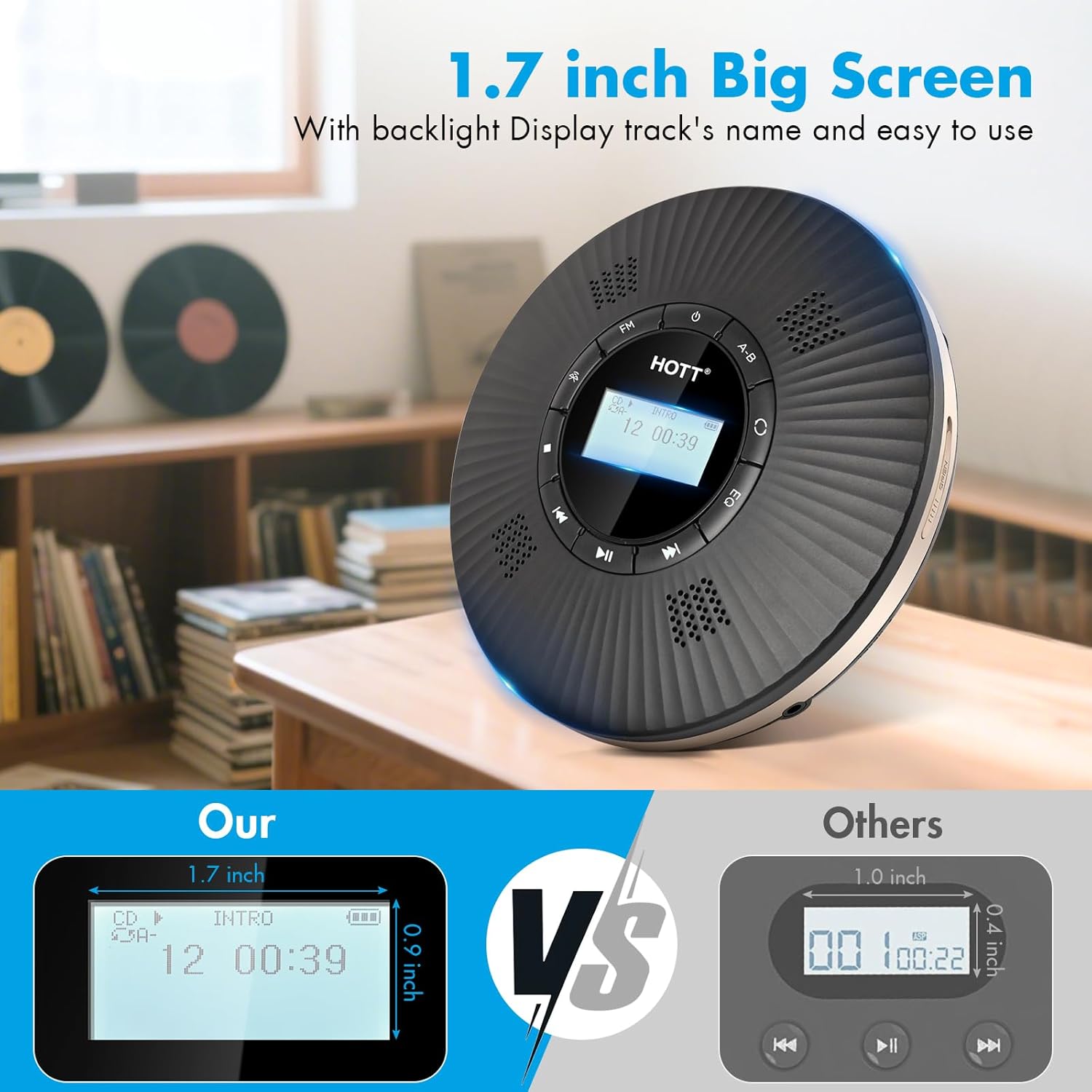
Image 3.3: 1.7-inch LCD Display
4. Setup
4.1 Initial Charging
Before first use, fully charge the internal 1800mAh lithium battery. Connect the provided Type C charging cable to the player's charging port and a compatible USB power adapter (not included). A full charge typically takes 3-4 hours and provides over 10 hours of playback.
4.2 Power On/Off
To power on the device, long press the power button. To power off, long press the power button again.
5. Operating Instructions
5.1 CD Playback
The HOTT C228 supports CD, MP3, CD-RW, CD-R, and audio formats WMA, MP3, CD-DA. DVD format is not supported.
- Open the CD compartment by sliding the latch on the side.
- Carefully place a CD onto the spindle, ensuring it is seated correctly.
- Close the CD compartment firmly until it clicks.
- The player will automatically read the disc and begin playback.
- Use the Play/Pause, Skip Forward, and Skip Backward buttons to control playback.
- Adjust volume using the dedicated volume controls.
Sound Effects (EQ)
Press the EQ button to cycle through five available sound effects: BBS, Pop, Jazz, Rock, and Classical.
Play Modes
The player offers various playback modes. Press the 'Mode' button to select:
- Repeat One: Repeats the current track.
- Repeat All: Repeats all tracks on the disc.
- Shuffle Play: Plays tracks in a random order.
- Preview (10s): Plays the first 10 seconds of each track.
- Play in Order: Plays tracks sequentially.
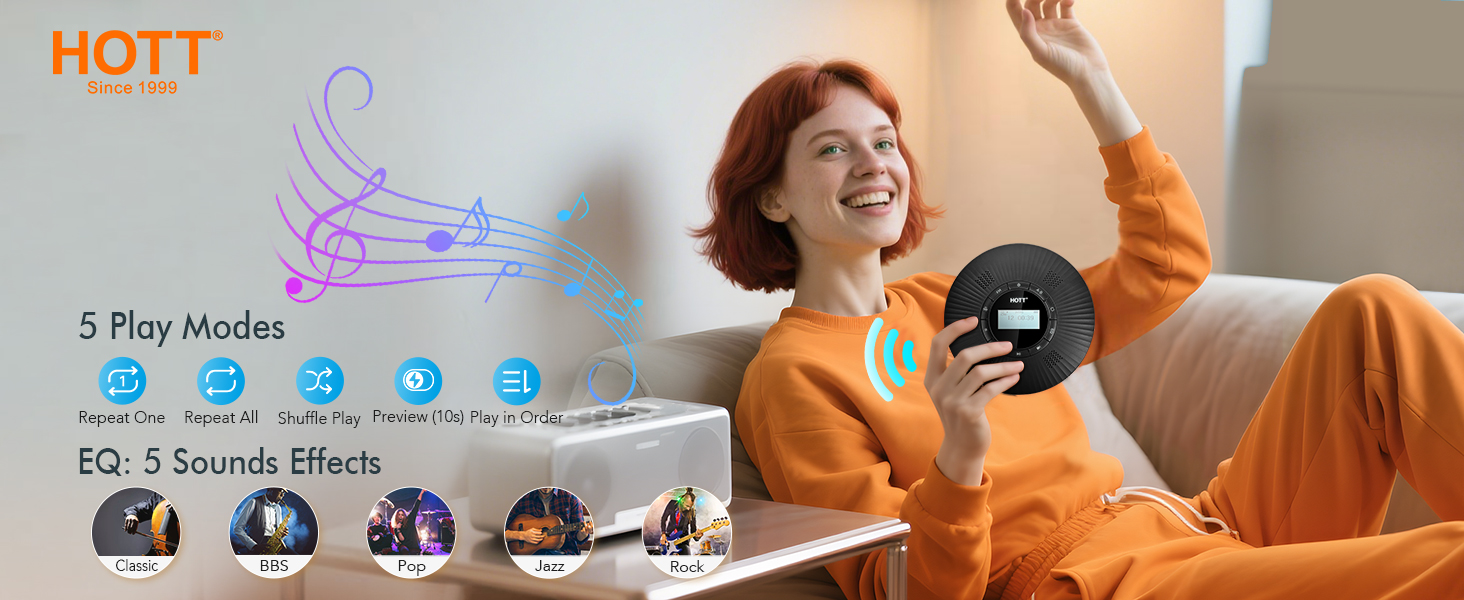
Image 5.1: Play Modes and Sound Effects
A-B Repeat Function
The A-B Repeat function allows you to repeatedly play a specific segment of a track. This is useful for learning or practicing.
- During playback, press the 'A-B' button once to set the starting point (A).
- Press the 'A-B' button a second time to set the ending point (B). The player will then repeatedly play the segment between A and B.
- Press the 'A-B' button a third time to cancel the A-B repeat function.

Image 5.2: A-B Repeat Function
5.2 Bluetooth Connection
The HOTT C228 features Bluetooth 5.3 for stable connection to Bluetooth speakers or headphones. The device also includes an optional Bluetooth list function to display available devices.
- Ensure your Bluetooth speaker or headphones are in pairing mode.
- Long press the Bluetooth button on the CD player. The screen will display "Pairing...".
- After a few seconds, the screen will show a list of available Bluetooth devices.
- Use the Skip Forward/Backward buttons to navigate and select your desired Bluetooth device.
- Once connected, audio will play through the paired device.
- To disconnect, long press the Bluetooth button again.

Image 5.3: Steps to Connect Bluetooth Devices
5.3 FM Transmitter
The CD player supports 5 fixed FM transmitter channels to connect to car audio systems with FM functionality. FM transmission and Bluetooth transmission cannot be used simultaneously.
- Press the 'FM' button on the CD player to activate the FM transmitter.
- The screen will display the current FM frequency.
- Tune your car's FM radio to the same frequency displayed on the CD player.
- The available FM channels are: 87.5MHz, 88.1MHz, 89.1MHz, 90.5MHz, and 95.5MHz.
- To change the FM frequency, press the 'FM' button again to cycle through the channels.

Image 5.4: Car Connection Options (FM Transmitter & AUX)
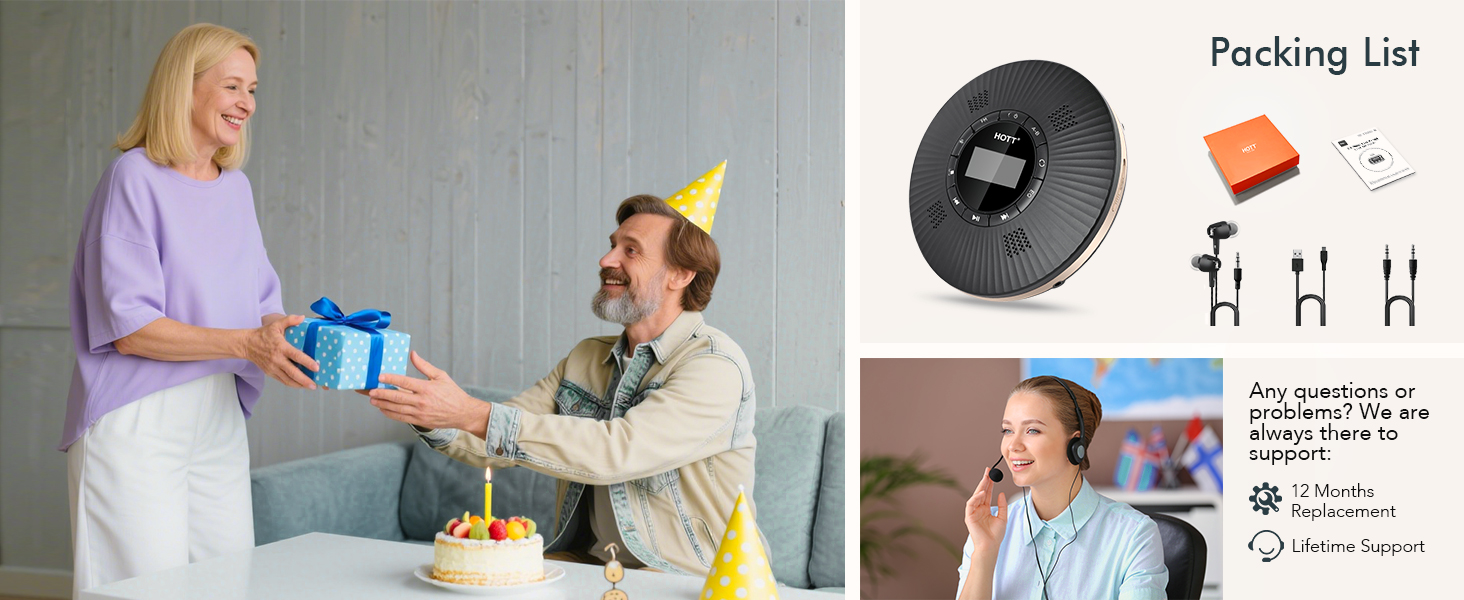
Image 5.5: FM Operating Instructions
5.4 AUX Connection
For cars or audio systems without FM functionality, use the provided 3.5mm AUX cable to connect the CD player to the audio input of your car or external speaker.
- Connect one end of the 3.5mm AUX cable to the AUX output port on the CD player.
- Connect the other end to the AUX input port on your car stereo or external speaker.
- Ensure your car stereo or external speaker is set to the AUX input mode.
6. Charging
The HOTT C228 Portable CD Player is equipped with a built-in 1800mAh rechargeable lithium battery. To charge the device:
- Connect the provided Type C USB charging cable to the charging port on the CD player.
- Plug the other end of the USB cable into a standard USB power adapter (5V/1A recommended, not included) or a computer's USB port.
- The charging indicator on the device will illuminate during charging and turn off when fully charged.
- A full charge takes approximately 3-4 hours and provides over 10 hours of continuous playback.
7. Maintenance
Proper maintenance ensures the longevity and optimal performance of your CD player.
- Cleaning: Use a soft, dry cloth to clean the exterior of the player. For the lens, use a specialized CD lens cleaning kit. Do not use abrasive cleaners or solvents.
- Storage: Store the player in a cool, dry place away from direct sunlight, high temperatures, and humidity.
- Handling: Avoid dropping the player or subjecting it to strong impacts. Always handle CDs by their edges to prevent scratches.
- Battery Care: If the player will not be used for an extended period, charge it periodically to maintain battery health.
8. Troubleshooting
If you encounter issues with your HOTT C228 CD Player, refer to the following common problems and solutions:
| Problem | Possible Cause | Solution |
|---|---|---|
| CD does not play / "NO DISC" displayed | CD is dirty, scratched, or inserted incorrectly. Unsupported disc format. | Clean the CD. Reinsert the CD correctly. Ensure the disc is a supported format (CD, MP3, CD-RW, CD-R). |
| No sound from speakers/earphones | Volume too low. Earphones/speakers not connected properly. Bluetooth connected to another device. | Increase volume. Check earphone/AUX cable connection. Disconnect Bluetooth if using wired output. |
| Bluetooth connection fails | Device not in pairing mode. Out of range. Interference. | Ensure target device is in pairing mode. Move closer to the player. Restart both devices. |
| CD skips during playback | CD is scratched or dirty. Player is subjected to strong vibrations. | Clean the CD. Ensure the player is on a stable surface or held steadily. |
| FM Transmitter not working | Car radio not tuned to correct frequency. Bluetooth is active. | Match car radio frequency to player's FM frequency. Ensure Bluetooth is off. |
9. Specifications
| Feature | Specification |
|---|---|
| Product Dimensions | 5.59 x 5.59 x 1.23 inches |
| Item Weight | 1.04 pounds |
| Model Number | HOTT C228 CD Player |
| Battery | 1800mAh Lithium Polymer (included) |
| Supported CD Formats | CD, MP3, CD-RW, CD-R |
| Supported Audio Formats | WMA, MP3, CD-DA |
| Bluetooth Version | 5.3 |
| FM Transmitter Channels | 5 fixed channels (87.5MHz, 88.1MHz, 89.1MHz, 90.5MHz, 95.5MHz) |
| Display | 1.7-inch LCD with backlight |
10. Warranty and Support
Your HOTT C228 CD Player comes with a 12-month replacement warranty. We are committed to providing lifetime support for our products.
If you encounter any issues with your product or require assistance, please contact our dedicated support team. Your satisfaction is our priority.

Image 10.1: Customer Support