
PTHRAOUTA B0BYFC23M4
PTHRAOUTA Portable Dehumidifier User Manual
Model: B0BYFC23M4
Brand: PTHRAOUTA
1. Introduction
Thank you for choosing the PTHRAOUTA Portable Dehumidifier. This device is designed to efficiently remove excess moisture from the air, creating a healthier and more comfortable living environment. Its compact size and dual-core technology make it ideal for various spaces, including bedrooms, bathrooms, RVs, and small basements. Please read this manual thoroughly before operation to ensure proper use and maintenance.
2. Safety Information
Always follow basic safety precautions when using electrical appliances to reduce the risk of fire, electric shock, and injury.
- Ensure the power supply matches the voltage specified on the dehumidifier.
- Do not operate the unit with a damaged cord or plug.
- Keep the appliance away from water or other liquids.
- Do not block air inlets or outlets. Maintain at least 4 inches (10 cm) clearance around the unit.
- Unplug the dehumidifier before cleaning or performing any maintenance.
- Do not use the unit in direct sunlight or near heat sources.
- This appliance is for indoor use only.
3. Package Contents
- 1 x PTHRAOUTA Dehumidifier
- 1 x Drain Hose
- 1 x User Manual (this document)
4. Product Overview
Familiarize yourself with the components of your dehumidifier.
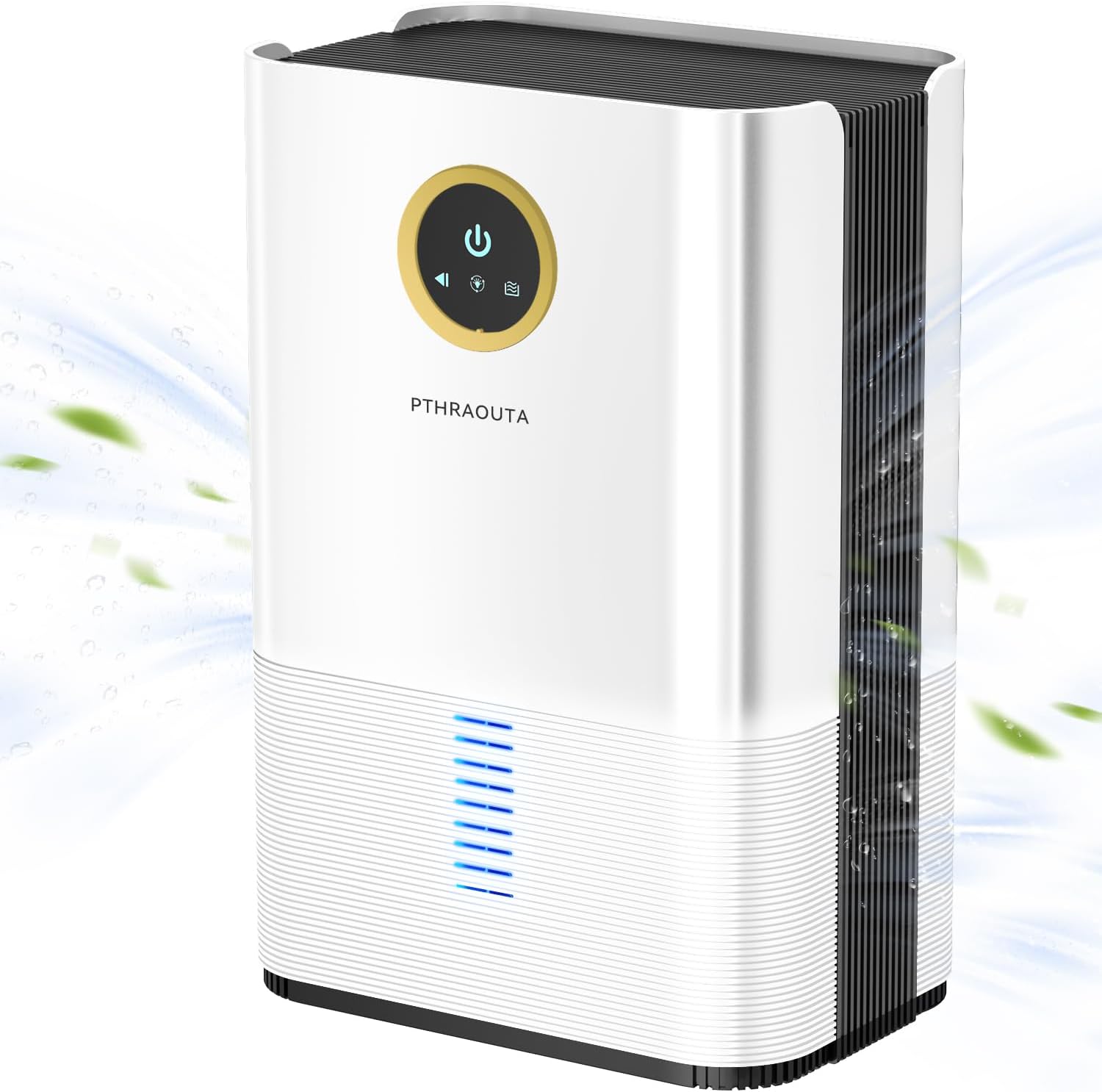
Figure 1: Front view of the PTHRAOUTA Dehumidifier with control panel.
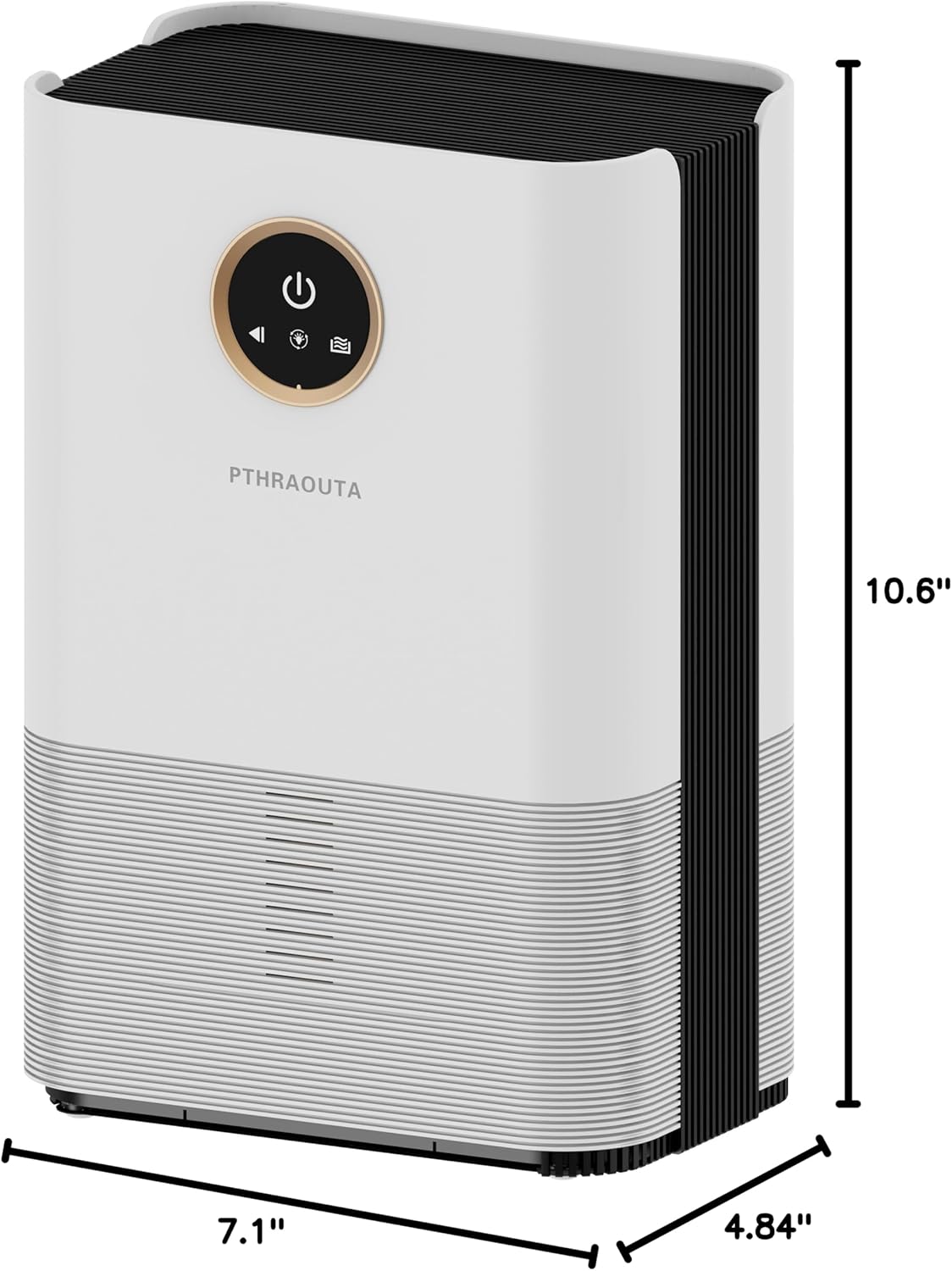
Figure 2: Dimensions of the PTHRAOUTA Dehumidifier (7.12 x 4.84 x 10.59 inches).
Control Panel
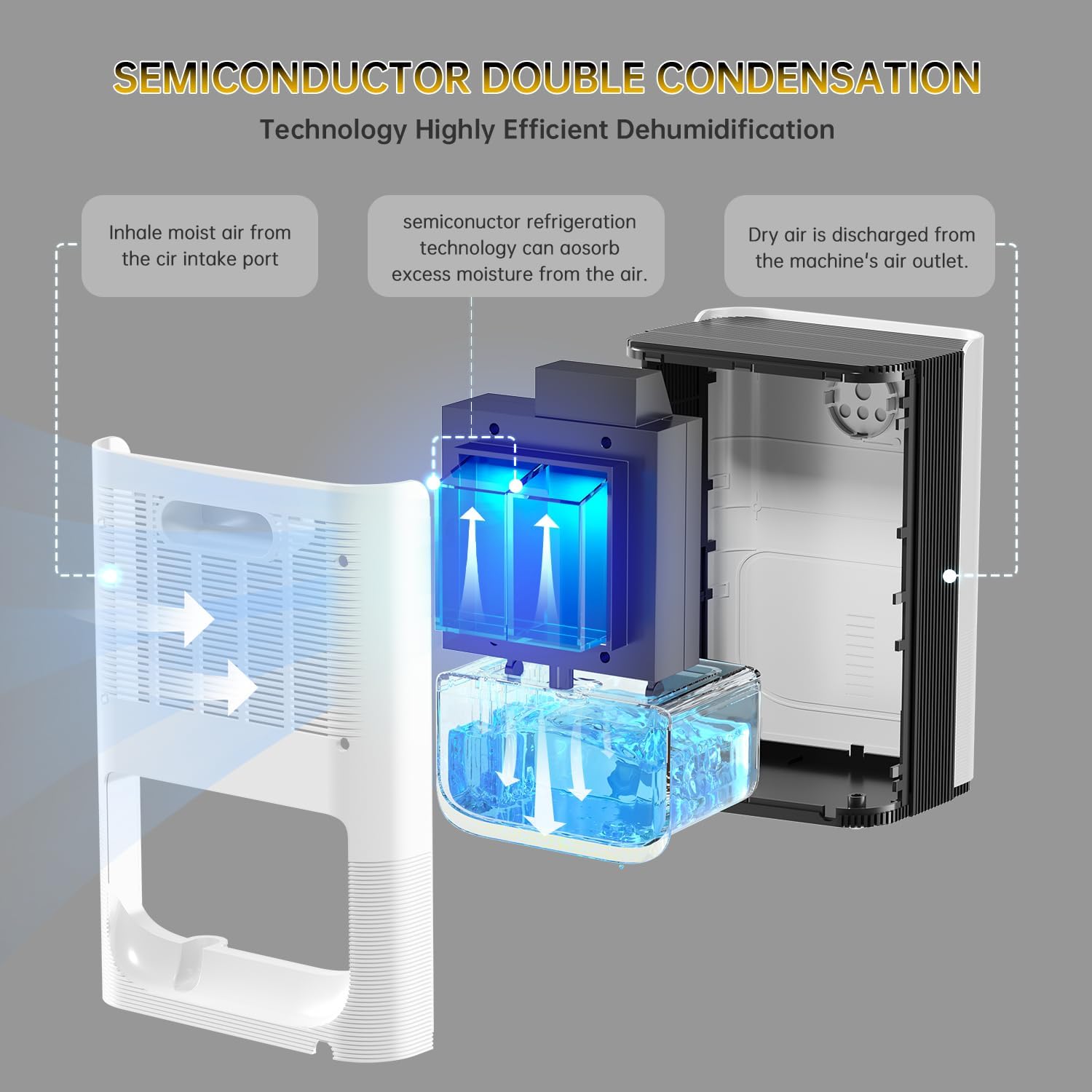
Figure 3: Close-up of the control panel with power, mode, and light buttons.
- Power Button: Turns the unit On/Off.
- Mode Button: Switches between Powerful and Sleep modes.
- Light Button: Controls the ambiance lighting.
5. Setup
5.1 Placement
Place the dehumidifier on a flat, stable surface. Ensure there is adequate space around the unit for proper airflow (at least 4 inches / 10 cm from walls or furniture). Avoid placing it near heat sources or in direct sunlight.
5.2 Power Connection
Plug the power cord into a suitable electrical outlet. The unit is ready for operation once plugged in.
5.3 Water Tank Installation
The 50oz (1500ml) water tank is pre-installed. Ensure it is securely in place before operating the unit. The dehumidifier will automatically shut off when the tank is full, and an indicator light will turn red.
5.4 Continuous Drainage Setup
For continuous operation without manually emptying the water tank, use the provided drain hose.
- Locate the drain port at the back of the unit, near the bottom of the water tank.
- Remove the rubber stopper from the drain port.
- Connect one end of the provided drain hose to the drain port.
- Route the other end of the hose to a suitable drainage point, such as a sink or a larger container, ensuring the hose is sloped downwards for gravity drainage.
Video 1: Official product video demonstrating the continuous drainage setup and general use of the PTHRAOUTA dehumidifier.
6. Operating Instructions
6.1 Power On/Off
Press the Power Button once to turn the dehumidifier on. Press it again to turn the unit off.
6.2 Dehumidification Modes
The dehumidifier offers two operating modes:
- Powerful Mode: Default mode for efficient and quick moisture removal.
- Sleep Mode: Operates at a lower speed with reduced noise levels (< 30 dB) for quiet operation, ideal for nighttime use. Press the Mode Button to switch between modes.
6.3 Ambiance Lighting
The unit features 5 color options for ambiance lighting.
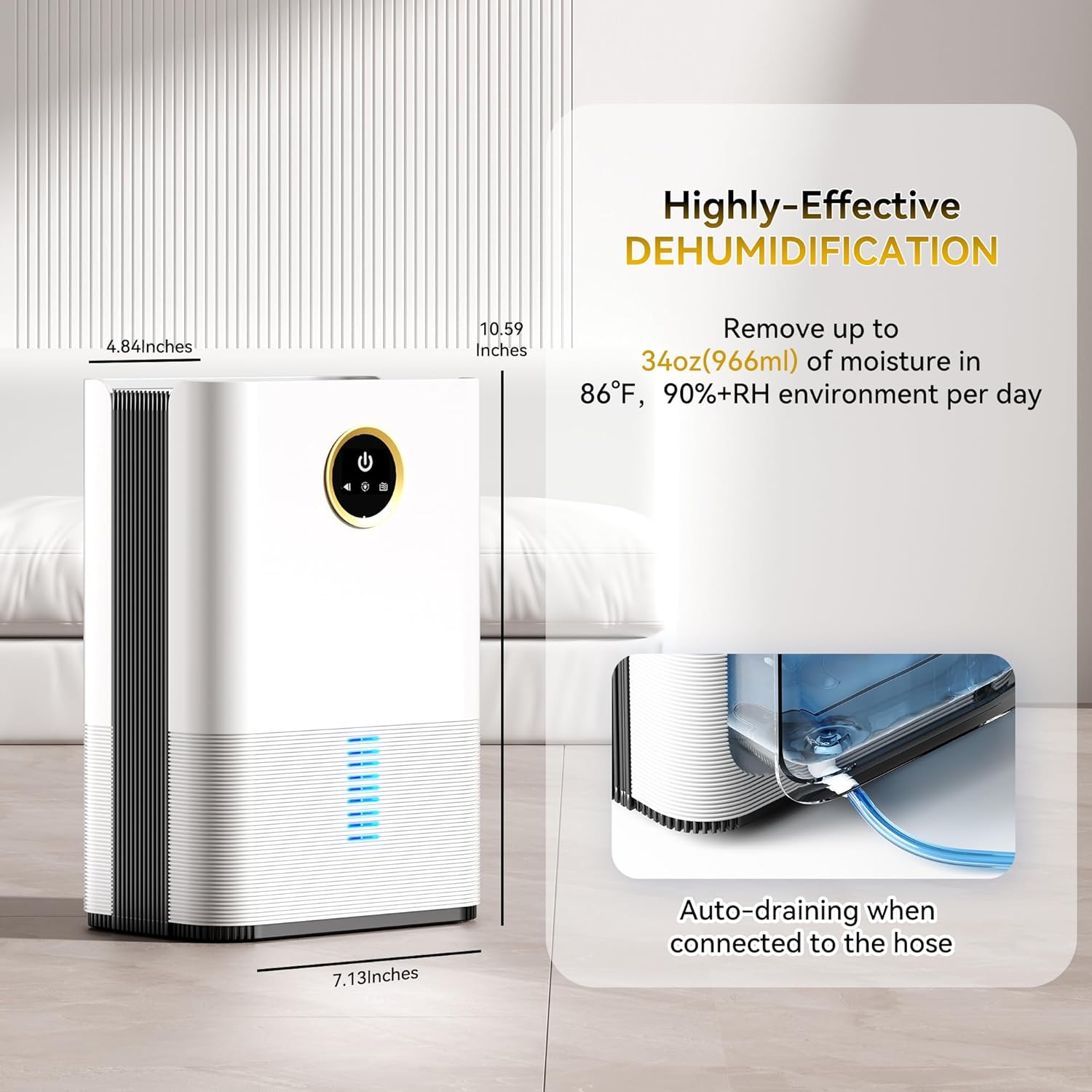
Figure 4: The dehumidifier's base illuminates with various colors for ambiance.
- To activate the light, press the Light Button for 5 seconds until the light starts flashing.
- Press the Light Button again to cycle through the available colors (Blue, Orange, Purple, Green, Yellow) or to turn the light off.
6.4 Auto Shut-off Function
The dehumidifier is equipped with an auto shut-off function for safety. When the water tank is full or incorrectly positioned, the unit will automatically stop operating to prevent water overflow. The indicator light will turn red to alert you that the tank needs to be emptied or re-positioned.
7. Maintenance
Regular maintenance ensures optimal performance and longevity of your dehumidifier.
7.1 Cleaning the Water Tank
When the water tank is full, carefully remove it from the unit. Empty the collected water and rinse the tank with clean water. Re-insert the tank securely into the dehumidifier.
7.2 Cleaning Air Inlets and Outlets
Periodically check the air inlets and outlets for dust or debris. Use a soft cloth or a vacuum cleaner with a brush attachment to gently clean these areas. Ensure they are not blocked to maintain efficient airflow.
8. Troubleshooting
| Problem | Possible Cause | Solution |
|---|---|---|
| Dehumidifier not turning on. | No power supply; Power cord not properly connected. | Check power outlet; Ensure power cord is securely plugged in. |
| Unit stops operating, red light on. | Water tank is full or incorrectly positioned. | Empty the water tank and re-insert it correctly. |
| Low dehumidification efficiency. | Air inlets/outlets blocked; Room size too large; Low ambient humidity. | Clean air inlets/outlets; Ensure unit is suitable for room size; Close doors and windows. |
| Unusual noise during operation. | Unit not on a flat surface; Internal component issue. | Place on a flat surface; If noise persists, contact customer support. |
9. Specifications
| Feature | Specification |
|---|---|
| Brand | PTHRAOUTA |
| Model | B0BYFC23M4 |
| Coverage Area | Up to 850 sq.ft |
| Water Tank Capacity | 50 Fluid Ounces (1500ml) |
| Dehumidification Capacity | Up to 34oz (1000ml) per day (at 86°F, 80%RH) |
| Product Dimensions | 4.84"D x 7.1"W x 10.6"H |
| Item Weight | 1.2 Pounds |
| Wattage | 60 watts |
| Noise Level | Less than 30 dB (Sleep Mode) |
| Special Features | Portable, Anti-Spill, Drain Hose, Ultra Quiet, Colorful Lights, Automatic Shutoff |
10. Warranty and Support
PTHRAOUTA products are manufactured to the highest quality standards. For any questions, technical support, or warranty claims, please refer to the contact information provided with your purchase or visit the official PTHRAOUTA website. Please retain your proof of purchase for warranty purposes.
Ask a question about this manual
Ask about setup, troubleshooting, compatibility, parts, safety, or missing instructions. Manuals+ will review the question and use this page’s manual context to help answer it.