1. Product Overview
The HOMPOW G58 is a powerful and portable car battery jump starter designed to start vehicles with up to 10L gas or 8L diesel engines. It features a 3000A peak current and an 88.8Wh capacity, capable of providing multiple jump starts on a single charge. Beyond jump starting, it functions as a versatile power bank with USB QC 3.0 and Type-C ports, and includes a multi-mode LED flashlight for emergencies.
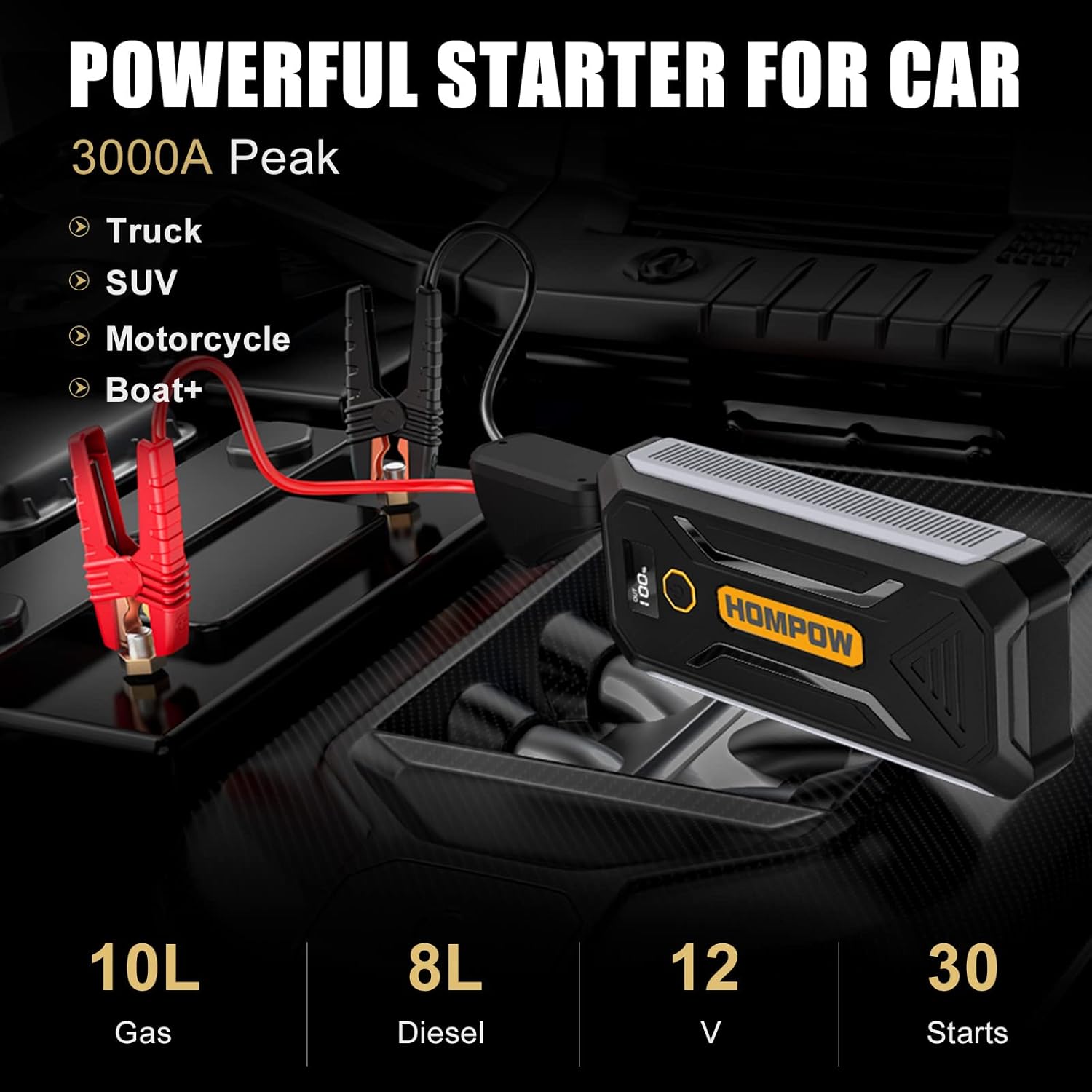
Image: The HOMPOW G58 Jump Starter connected to a car battery, illustrating its primary function. It highlights compatibility with various vehicle types and engine sizes.
Key Features:
- 3000A Peak Current: Capable of starting large gas (up to 10L) and diesel (up to 8L) engines.
- Multi-functional Power Bank: Equipped with USB QC 3.0 and Type-C ports for charging smartphones, tablets, and other devices.
- Integrated LED Flashlight: Features Flashlight, Strobe, and SOS modes for various lighting needs.
- Advanced Safety Protection: Built-in intelligent clamps provide protection against reverse polarity, short-circuit, over-current, over-charge, and over-temperature.
- Smart LCD Screen: Displays battery status and operational information.
2. Safety Instructions
Read and understand all safety information before using this product. Failure to follow these instructions may result in electric shock, fire, or serious injury.
- Always connect the red clamp to the positive (+) terminal and the black clamp to the negative (-) terminal.
- Do not touch the red and black clamps together to prevent short-circuiting.
- Do not attempt to jump start an engine that exceeds the maximum displacement supported by the jump starter.
- Do not crank the engine for more than 3 seconds at a time. Allow the jump starter to cool down for at least 1 minute between each start attempt.
- Ensure the device has at least 50% power before use.
- Keep the device away from children.
- Do not expose the product to rain or extreme temperatures.
- Store in a cool, dry place when not in use.

Image: Illustration of the advanced safety protection features integrated into the smart jumper cables, including short-circuit, high-temperature, overload, over-voltage, surge voltage, reverse polarity, spark-proof, and over-discharge protection.
3. Package Contents
Verify that all items are present in your package:
- HOMPOW G58 Jump Starter Unit
- Smart Jumper Cables with Clamps
- USB-C Charging Cable
- User Manual
- Storage Case

Image: A visual representation of all items included in the HOMPOW G58 Jump Starter package, such as the main unit, smart clamps, charging cable, and storage case.
4. Product Diagram
Familiarize yourself with the components of your HOMPOW G58 Jump Starter:
- Jump Starter Unit
- Smart Jumper Cable Port (EC5)
- USB QC 3.0 Output Port
- Type-C Input/Output Port
- LED Flashlight
- Power Button / Flashlight Control
- LCD Screen (Battery Level, Status Indicators)
- Positive (+) Red Clamp
- Negative (-) Black Clamp

Image: The HOMPOW G58 Jump Starter displayed alongside various electronic devices, demonstrating its compact size and multiple charging ports (USB, Type-C).
5. Charging the Jump Starter
Before first use, fully charge the jump starter. It is recommended to recharge the device every three months to maintain battery health, especially when not in regular use.
- Connect the provided USB-C charging cable to the Type-C input port on the jump starter.
- Connect the other end of the USB-C cable to a USB wall adapter (not included) or a car charger.
- The LCD screen will indicate the charging status. Charge until the screen shows 100%.
6. Operating Instructions: Jump Starting a Vehicle
Follow these steps carefully to safely jump start your vehicle:
- Prepare the Vehicle: Ensure the vehicle's ignition is off and the parking brake is engaged.
- Connect Jumper Cables to Jump Starter: Insert the blue plug of the smart jumper cables completely into the EC5 port on the jump starter. The jump starter's indicator light should turn blue, indicating it's ready.
- Connect Clamps to Battery:
- Attach the RED positive (+) clamp to the positive (+) terminal of the vehicle's battery.
- Attach the BLACK negative (-) clamp to the negative (-) terminal of the vehicle's battery.
The smart cable indicator should show a solid green light, confirming a correct connection. If it shows a red light or flashes, check your connections.
- Start the Vehicle: Once the green light is solid, start your vehicle's engine within 45 seconds. If the engine does not start immediately, wait at least 1 minute before the next attempt. Do not crank for more than 3 seconds per attempt.
- Remove Clamps: After the vehicle starts, immediately remove the black negative (-) clamp first, then the red positive (+) clamp. Disconnect the jumper cables from the jump starter.
Forced Start Mode (If no green light):
If the smart cable indicator does not show a solid green light after connecting to the battery (e.g., due to a deeply discharged battery), you can use Forced Start Mode:
- Ensure the clamps are correctly connected to the vehicle battery terminals.
- Press and hold the "BOOST" button (or equivalent red button) on the smart cable for 3 seconds until the green light turns solid.
- Start the vehicle within 30 seconds.
- Once the vehicle starts, immediately remove the clamps as described above.

Image: A visual four-step guide demonstrating the process of jump starting a car: 1. Insert the clamp, 2. Attach clamps, 3. Start your car, 4. Remove the clamps.
7. Operating Instructions: Power Bank Function
The HOMPOW G58 can charge various electronic devices:
- Connect your device's charging cable to either the USB QC 3.0 port or the Type-C port on the jump starter.
- The jump starter will automatically begin charging your device.
- The LCD screen will show the output status.

Image: The HOMPOW G58 Jump Starter acting as a power bank, charging a tablet and a smartphone, highlighting its versatility beyond jump starting.
8. Operating Instructions: LED Flashlight
The built-in LED flashlight offers three modes:
- To Turn On/Off: Long press the power button for 2 seconds.
- To Change Modes: Once the light is on, press the power button once to cycle through modes: Stable Light → Strobe Light → SOS Signal.
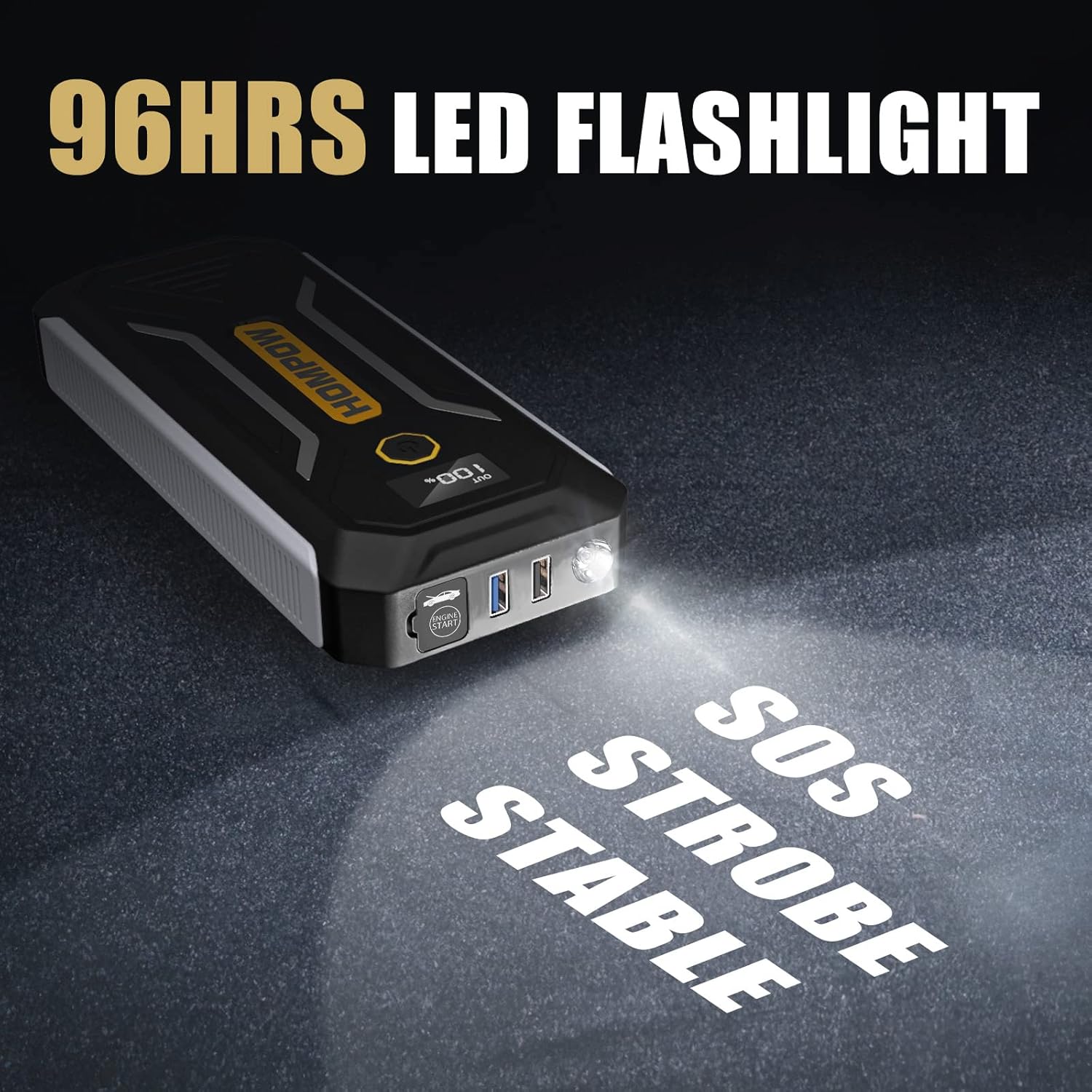
Image: The HOMPOW G58 Jump Starter's LED flashlight in operation, demonstrating its stable, strobe, and SOS light modes for emergency situations.
9. Maintenance
- Regular Charging: To prolong battery life, charge the jump starter every three months, even if it has not been used.
- Cleaning: Wipe the unit with a dry, soft cloth. Do not use harsh chemicals or abrasive cleaners.
- Storage: Store the jump starter in a cool, dry place, away from direct sunlight and extreme temperatures.
10. Troubleshooting
| Problem | Possible Cause | Solution |
|---|---|---|
| Vehicle does not start. | Low battery on jump starter, incorrect clamp connection, vehicle battery completely dead. | Ensure jump starter is charged above 50%. Check clamp connections (red to positive, black to negative). Try Forced Start Mode if the smart cable shows no green light. Allow 1 minute between attempts. |
| Smart cable indicator is red or flashing. | Reverse polarity, short circuit, over-current, or other safety issue. | Immediately disconnect clamps and re-check connections. Ensure clamps do not touch each other. If the issue persists, consult the safety section. |
| Jump starter not charging devices. | Jump starter battery low, incorrect cable, device not compatible. | Charge the jump starter. Use a compatible charging cable. Ensure the device is properly connected. |
11. Specifications
| Feature | Detail |
|---|---|
| Brand | HOMPOW |
| Model Number | G58 |
| Peak Amperage | 3000 Amps |
| Battery Capacity | 88.8Wh (equivalent to approx. 24000mAh at 3.7V) |
| Engine Compatibility | Up to 10L Gas / 8L Diesel |
| Output Voltage | 12 Volts (for jump starting) |
| USB Output 1 | 5V/9V/12V Quick Charge |
| USB Output 2 | 5V/2.1A |
| Type-C Input/Output | 5V/3A |
| LED Light Modes | Flashlight, Strobe, SOS |
| Operating Temperature | -4°F to +140°F (-20°C to +60°C) |
| Dimensions | 22.61 x 9.91 x 4.06 cm |
| Weight | 757.5 g |
12. Warranty and Support
The HOMPOW G58 Jump Starter comes with a 24-month warranty from the date of purchase. If you encounter any issues or have questions regarding the product, please contact HOMPOW customer support for assistance. Our team is dedicated to providing prompt and helpful solutions.
For warranty claims or technical support, please refer to the contact information provided on the product packaging or the official HOMPOW website.


