
Introduction
This manual provides comprehensive instructions for the Wonfoucs Compatible Tepra Tape Cartridge SS24K ES24K. This product features 24mm wide white tape with black text, designed for use with Kingjim TepraPRO label printers. Please read this manual carefully to ensure proper installation, operation, and maintenance of your tape cartridge.
Product Features
- Tape Specifications: This compatible Tepra tape cartridge, model SS24K, features white tape with black text. Each cartridge is 8 meters long and 24mm wide, provided in a convenient 3-pack. It offers a reliable alternative for your labeling needs.
- Durability and Ease of Use: The tape is designed for durability and resistance to peeling. The backing paper includes a central slit for easy removal. Labels maintain print clarity even when exposed to moisture, high or low temperatures, and direct sunlight, making them suitable for various indoor and outdoor applications.
- Versatile Applications: Suitable for a wide range of uses, including folder and material identification, cable management, and creating directional signs. It is also useful for personal organization, such as labeling children's toothbrushes, cups, and bags. Ideal for use in offices, schools, hospitals, homes, retail stores, and outdoor environments.
- Compatibility: Compatible with Kingjim TepraPRO label printers including models SR750, SR950, SR970, SR3900C, SR3900P, SR5900P, and other similar devices.

Image: Wonfoucs 24mm Compatible Tepra Tape Cartridge SS24K ES24K, showing the tape cartridge itself.
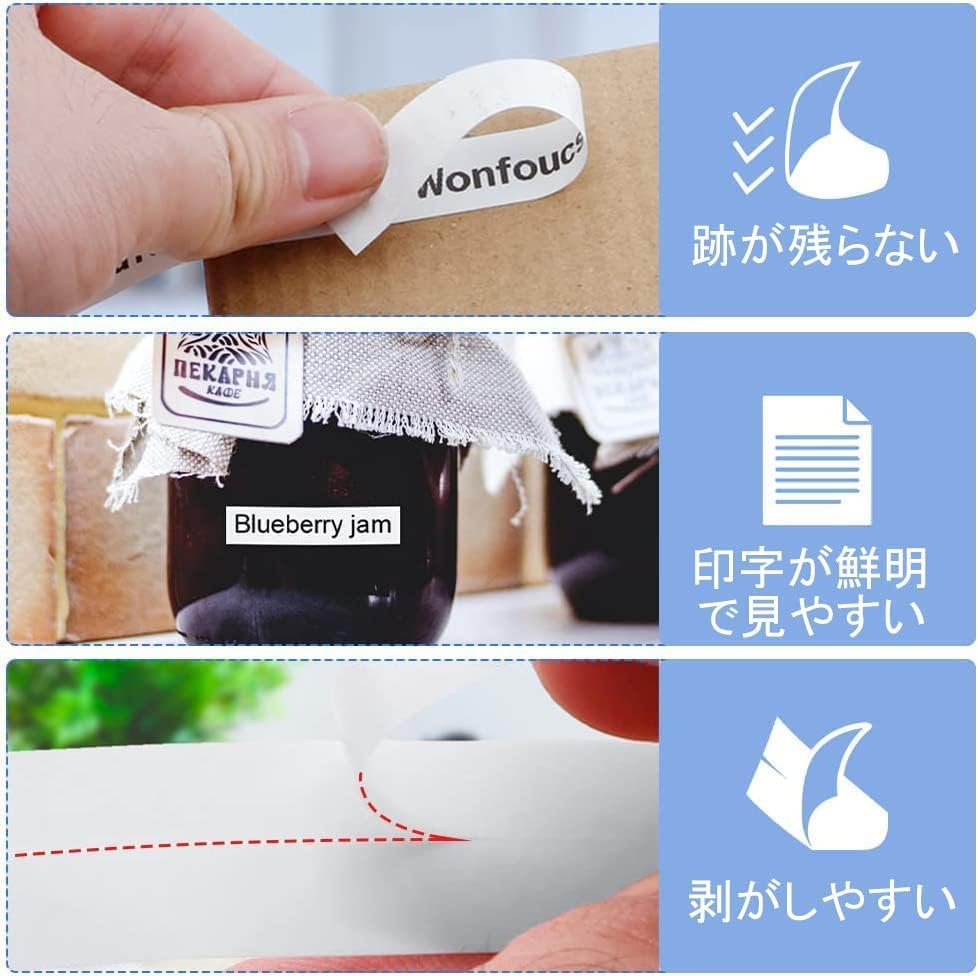
Image: Illustrates key features such as easy peeling of the backing paper and clear, legible print quality.

Image: Demonstrates the tape's durability, including resistance to high temperatures, strong adhesion, fade resistance, water resistance, corrosion resistance, and abrasion resistance.
Setup: Cartridge Installation
- Ensure your Kingjim TepraPRO label printer is turned off.
- Open the tape cartridge cover on your label printer. Refer to your printer's manual for specific instructions on opening the cover.
- Gently insert the Wonfoucs compatible tape cartridge into the designated slot. Ensure it clicks securely into place.
- Before closing the cover, check that the tape is properly aligned and there is no slack. If there is slack, gently turn the gear on the cartridge in the direction of the arrow to tighten the tape.
- Close the tape cartridge cover.

Image: Illustration showing how to ensure there is no slack in the tape cartridge before closing the printer cover.
Operating Instructions
Once the tape cartridge is installed, you can begin printing labels. Refer to your Kingjim TepraPRO label printer's specific operating manual for detailed instructions on text input, font selection, and printing procedures. The Wonfoucs compatible tape functions identically to original cartridges.
Common Applications:
- Office Organization: Label files, folders, shelves, and equipment for efficient management.
- Home Organization: Label food containers, storage boxes, cables, and personal items.
- Asset Management: Create durable labels for tracking assets.
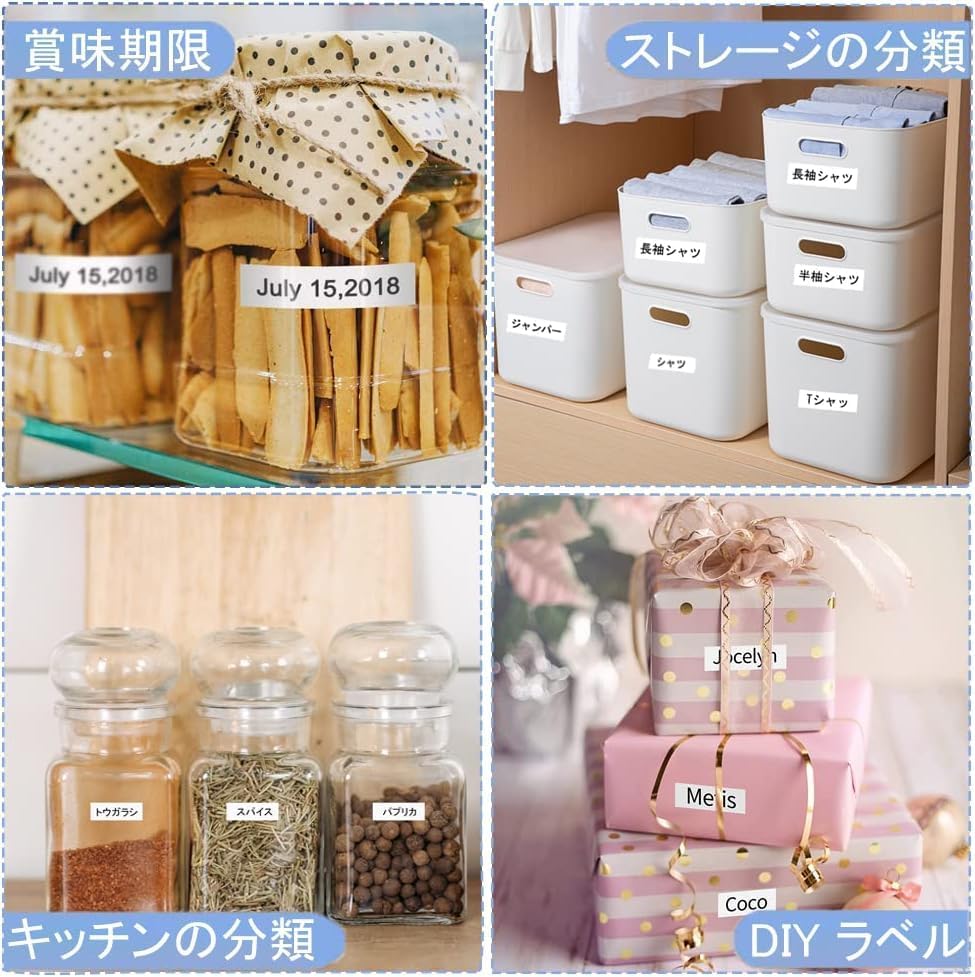
Image: Examples of labels used for food expiration dates and classifying storage items in a home environment.

Image: Demonstrates various applications including asset management, file organization, and labeling personal items like medicine boxes.
Maintenance
- Storage: Store unused tape cartridges in a cool, dry place away from direct sunlight and extreme temperatures to preserve tape quality.
- Printer Cleaning: Regularly clean your label printer's print head and tape path according to your printer's manual to prevent print quality issues.
- Handling: Avoid touching the adhesive side of the tape or the print surface to ensure optimal adhesion and print quality.
Troubleshooting
| Problem | Possible Cause | Solution |
|---|---|---|
| Poor print quality (faded, incomplete) | Dirty print head; tape slack; incorrect printer settings. | Clean the printer's print head. Check for tape slack and adjust if necessary (refer to Setup section). Verify printer settings. |
| Tape not feeding correctly | Improper cartridge installation; tape jam. | Re-install the tape cartridge, ensuring it is seated correctly. Check for any obstructions in the tape path. |
| Labels not adhering | Surface is dirty, oily, or textured; tape stored improperly. | Ensure the surface is clean, dry, and smooth before applying the label. Store tape cartridges in recommended conditions. |
Specifications
| Attribute | Detail |
|---|---|
| Brand | Wonfoucs |
| Model | SS24K ES24K |
| Tape Color | White |
| Text Color | Black |
| Tape Width | 24mm |
| Tape Length | 8m per cartridge |
| Quantity | 3 cartridges per pack |
| Material | Paper |
| Compatible Printers | Kingjim TepraPRO SR750, SR950, SR970, SR3900C, SR3900P, SR5900P, and similar models. |
Warranty and Support
Wonfoucs is committed to providing high-quality products. This compatible tape cartridge comes with a permanent warranty. In the unlikely event of a product defect, please contact our customer support for a free product exchange.
For further assistance or inquiries, please visit the Wonfoucs Store on Amazon or contact your retailer.