
Introduction
This manual provides detailed instructions for the Mohard Bluetooth Car Receiver, Model J33. It covers product features, setup, operation, maintenance, troubleshooting, and technical specifications. Please read this manual thoroughly before using the device to ensure proper function and safety.

Image: The Mohard J33 Bluetooth Car Receiver, a compact device with a 3.5mm jack and control button.
Product Overview
Features
- Bluetooth 5.3 for fast and stable wireless connection.
- HD audio decoding for clear sound quality.
- Converts non-Bluetooth audio systems (with AUX input) into Bluetooth-enabled systems.
- Supports hands-free calling with CVC8.0 noise suppression and a built-in microphone.
- Multifunction button for easy control of calls and music.
- Long battery life: up to 16 hours of music/calls.
- Can be used while charging.
- Supports simultaneous connection of two devices.
- Wide compatibility with various audio devices and smartphones.
Package Contents
The package typically includes:
- Mohard Bluetooth Car Receiver (Model J33)
- 3.5mm Male to Male Connector
- 3.5mm Audio Cable
- Type-C Charging Cable
- User Manual (this document)
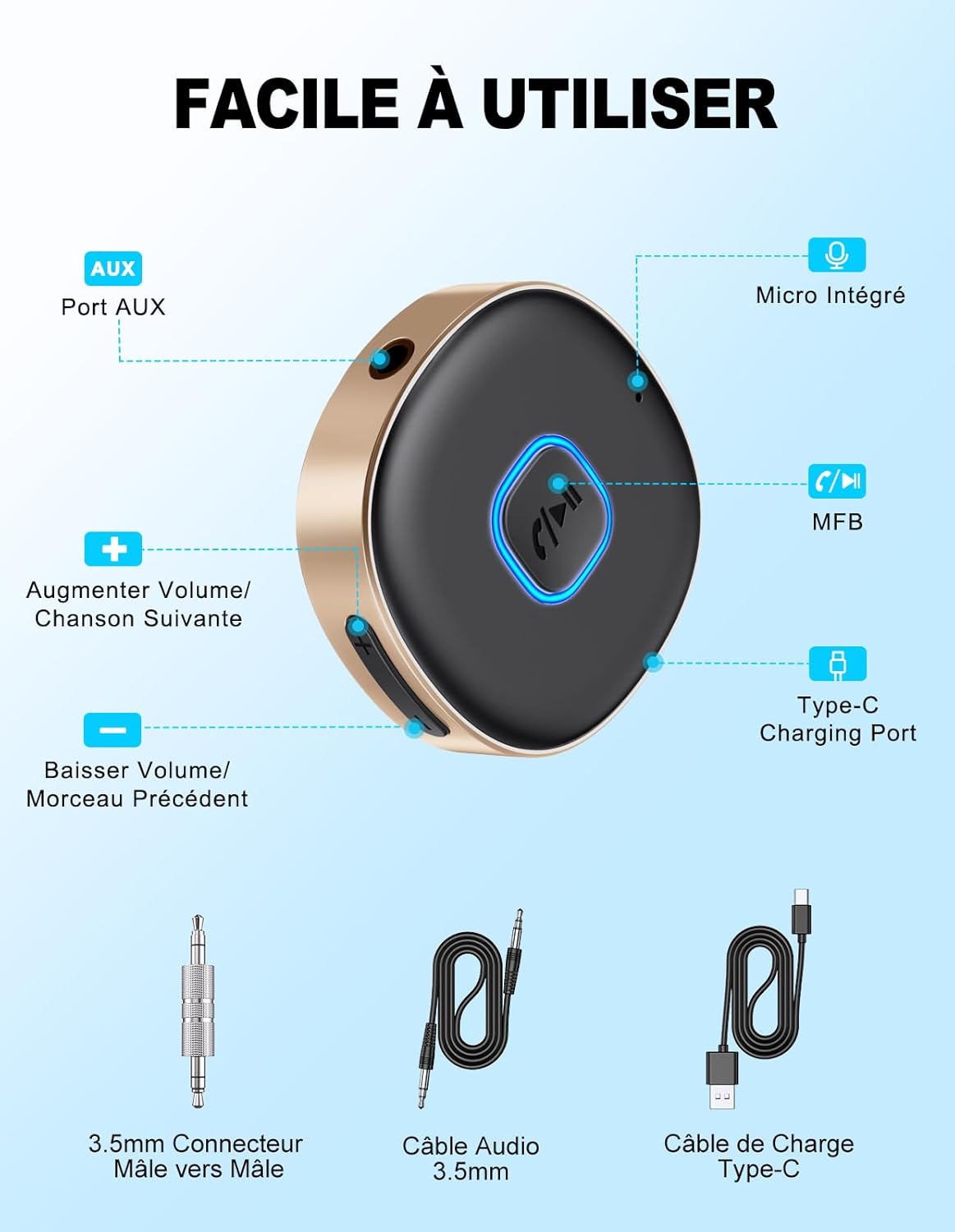
Image: Diagram showing the Mohard J33 Bluetooth Receiver with its AUX port, built-in microphone, multifunction button (MFB), Type-C charging port, volume/track controls, and included 3.5mm male-to-male connector, 3.5mm audio cable, and Type-C charging cable.
Setup
Charging the Device
Before first use, fully charge the receiver. Connect the provided Type-C charging cable to the receiver's Type-C port and the other end to a USB power source (e.g., car charger, wall adapter, computer USB port).
- Charging Time: Approximately 2.5 hours.
- The device can be used while charging.

Image: The Mohard J33 Bluetooth Receiver connected to a Type-C charging cable, illustrating its 16-hour usage time and 2.5-hour charging duration.
Connecting to an Audio System
The Mohard J33 can connect to any audio system with a 3.5mm AUX input.
- Using the 3.5mm Male to Male Connector: Plug one end of the 3.5mm male-to-male connector into the receiver's AUX port and the other end directly into your audio system's 3.5mm AUX input. This is ideal for car radios or other devices where the receiver can plug directly in.
- Using the 3.5mm Audio Cable: If direct connection is not feasible, use the provided 3.5mm audio cable. Plug one end into the receiver's AUX port and the other end into your audio system's 3.5mm AUX input.

Image: Illustration of two connection methods for the Mohard J33: direct plug-in using the 3.5mm male-to-male connector and connection via a 3.5mm audio cable.
Operating Instructions
Power On/Off
- Power On: Press and hold the Multifunction Button (MFB) for approximately 3 seconds until the indicator light flashes.
- Power Off: Press and hold the MFB for approximately 3 seconds until the indicator light turns off.
Pairing with a Bluetooth Device
- Ensure the Mohard J33 is powered on and in pairing mode (the indicator light will flash rapidly).
- On your smartphone, tablet, or other Bluetooth-enabled device, go to the Bluetooth settings.
- Search for available devices and select "J33" from the list.
- Once connected, the indicator light on the receiver will turn solid blue or flash slowly.
- The receiver supports connecting two devices simultaneously. After connecting the first device, put the receiver back into pairing mode and connect the second device.

Image: A visual guide to the pairing process, showing the steps: 1. Powering on the device, 2. Plugging it into an AUX port, 3. Pairing with a smartphone via Bluetooth settings, and 4. Playing music.

Image: The Mohard J33 Bluetooth receiver demonstrating its ability to pair with two devices simultaneously, showing music playing on one phone and a call on another.
Music Playback
- Play/Pause: Short press the MFB.
- Next Track: Short press the "Volume Up" button (+).
- Previous Track: Short press the "Volume Down" button (-).
- Volume Up: Long press the "Volume Up" button (+).
- Volume Down: Long press the "Volume Down" button (-).
Hands-Free Calling
- Answer Call: Short press the MFB when a call comes in.
- End Call: Short press the MFB during a call.
- Reject Call: Long press the MFB when a call comes in.
- Redial Last Number: Double-press the MFB.
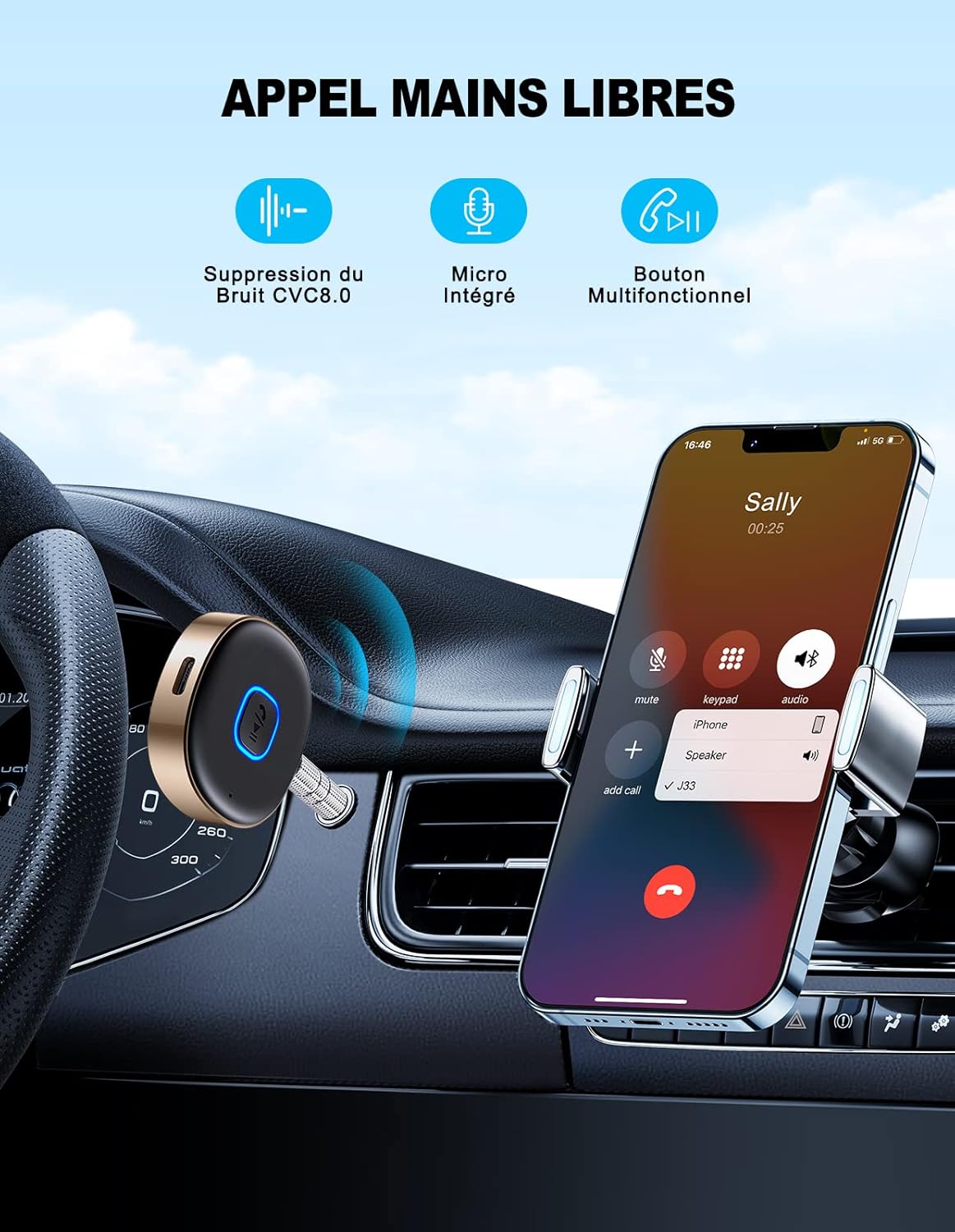
Image: The Mohard J33 Bluetooth receiver integrated into a car's dashboard, with a smartphone displaying an incoming call, highlighting its hands-free calling capability.
Maintenance
- Keep the device dry. Avoid exposure to water or excessive humidity.
- Clean the device with a soft, dry cloth. Do not use harsh chemicals or abrasive cleaners.
- Store the device in a cool, dry place when not in use.
- Avoid extreme temperatures, as they can shorten the life of electronic devices.
- Do not attempt to disassemble or modify the device. This will void the warranty and may cause damage.
Troubleshooting
| Problem | Possible Cause | Solution |
|---|---|---|
| Device does not power on. | Low battery. | Charge the device using the provided Type-C cable. |
| Cannot pair with Bluetooth device. | Bluetooth is off on your device; receiver is not in pairing mode; too far from receiver. | Ensure Bluetooth is enabled on your phone/tablet. Put the receiver into pairing mode (flashing light). Move your device closer to the receiver (within 10 meters). |
| No sound or poor sound quality. | Incorrect AUX connection; volume too low; interference. | Check if the 3.5mm cable/connector is fully inserted into both the receiver and the audio system. Adjust volume on both the receiver and your audio system. Ensure no strong electromagnetic interference sources are nearby. |
| Calls are not clear. | Microphone obstruction; environmental noise. | Ensure the built-in microphone is not covered. Reduce background noise if possible. |
Specifications
| Brand | Mohard |
| Model Number | J33 |
| Bluetooth Version | 5.3 |
| Wireless Communication Standard | 2.4 GHz Radio Frequency |
| Hardware Interface | Bluetooth, 3.5mm AUX |
| Control Method | Tactile (Buttons) |
| Rechargeable Battery | Yes |
| Battery Life (Music/Calls) | Up to 16 hours |
| Charging Time | Approximately 2.5 hours |
| Material | Plastic |
Safety Information
Please observe the following safety guidelines:
- This wireless audio adapter contains a built-in battery. Do not attempt to remove or replace the battery improperly.
- When disposing of the device, please follow local recycling guidelines for electronic waste.
- Avoid using the adapter near water or in environments with extreme temperatures or humidity.
- The device may cause interference with other wireless devices.
- Always adhere to your vehicle's safety guidelines and local traffic laws when operating this device in a car.
Warranty and Support
Mohard provides the following support for this product:
- After-Sales Service: 12-month after-sales service.
- Customer Support: Professional 24/7 customer support.
For any issues or inquiries, please contact Mohard customer support through the retailer where you purchased the product or visit the official Mohard website.
Product Video
Video: An official product video demonstrating the features and usage of the Mohard J33 Bluetooth Car Receiver, including its connection process and hands-free calling capabilities.
