1. Introduction
Thank you for choosing the BYINTEK U70 Pro Portable 4K 3D DLP Projector. This manual provides essential information for the safe and efficient operation of your device. Please read it thoroughly before use and retain it for future reference.

Image 1.1: The BYINTEK U70 Pro Portable Projector and its remote control.
2. Safety Information
- Do not look directly into the projector lens when the lamp is on.
- Ensure proper ventilation to prevent overheating. Do not block ventilation openings.
- Use only the provided power adapter.
- Keep the device away from water, moisture, and extreme temperatures.
- Do not attempt to disassemble or repair the projector yourself. Contact qualified service personnel.
- Keep out of reach of children.
3. Package Contents
Verify that all items are present in your package:
- 1 x BYINTEK U70 Pro Projector
- 1 x Remote Control
- 1 x HD Cable
- 1 x User Manual (this document)
- 1 x DC 19V 3.42A Power Adapter
4. Product Overview
Familiarize yourself with the projector's components and interfaces.
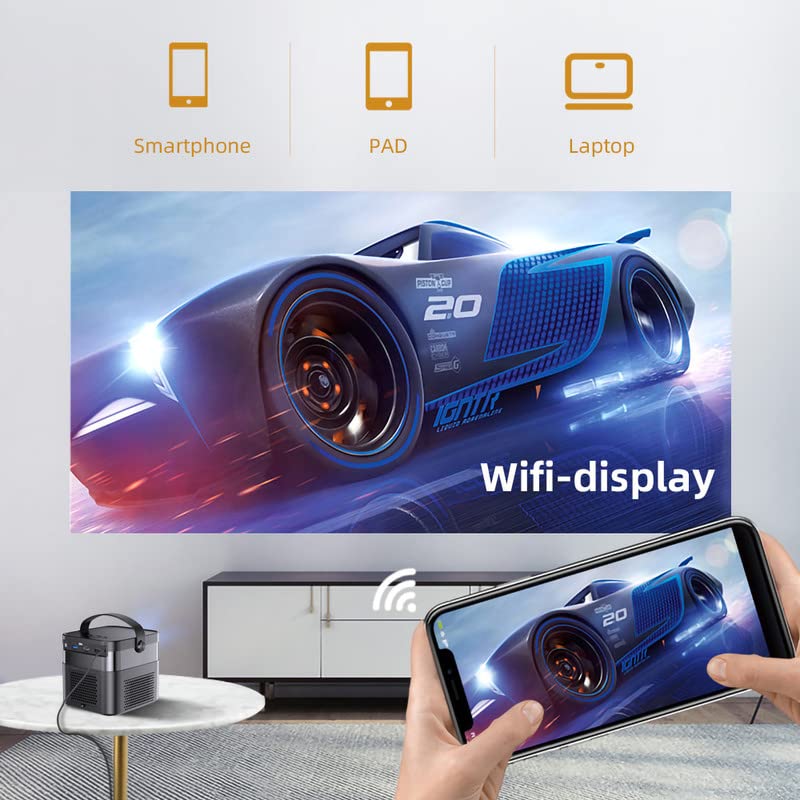
Image 4.1: Front and rear views of the BYINTEK U70 Pro Projector, highlighting its various ports and controls.
Key Components:
- Lens: Projection output.
- Keypad: Manual control buttons on top.
- IR Receiver: For remote control signals.
- DC 12V-in: Power input port.
- USB 3.0 / USB 2.0: For connecting USB storage devices, mouse, or keyboard.
- Power Switch: To turn the projector on/off.
- Audio-out (3.5mm Jack): For external speakers or headphones.
- HD-in (HDMI): For connecting external video sources.
- 5W Speakers: Built-in stereo speakers.
- Detachable Dust Filter: For easy cleaning and maintenance.
- Universal Bracket Hole (d=1/4inch, 6mm): For mounting on tripods or ceiling mounts.
5. Setup
5.1 Powering On/Off
- Connect the DC 19V 3.42A Power Adapter to the projector's DC 12V-in port.
- Press the Power Switch to turn the projector on. The indicator light will illuminate.
- To power off, press the Power Switch again.
5.2 Placement and Projection
The BYINTEK U70 Pro supports a projection size of 30-300 inches with a projection distance of 1-8 meters. The optimal aspect ratio is 16:9, but 16:10 and 4:3 are also supported.
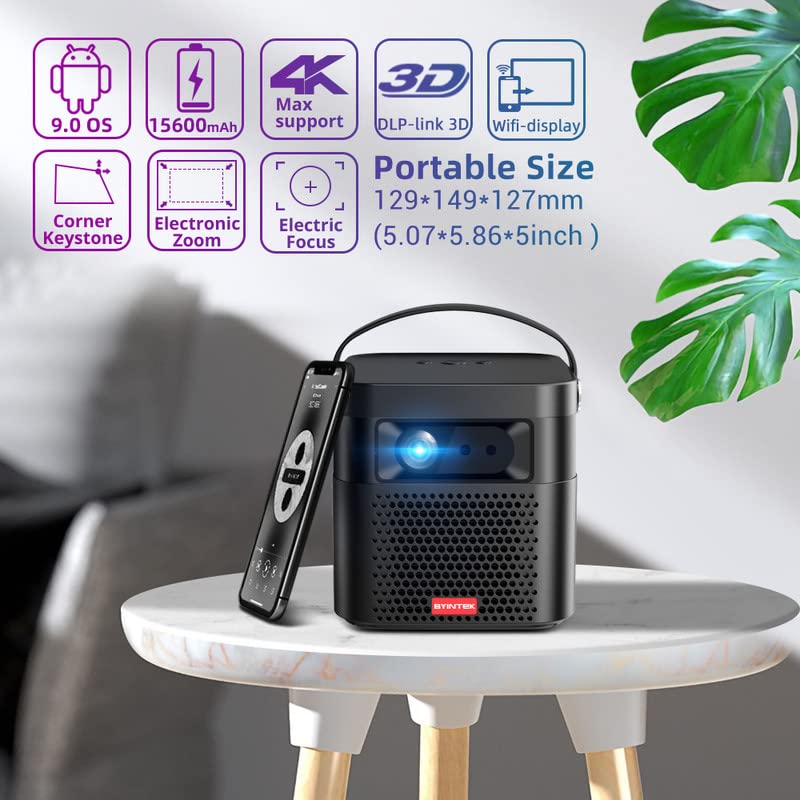
Image 5.1: The BYINTEK U70 Pro Projector highlighting its portable size and advanced features.
5.3 Focus and Keystone Correction
- The projector features Auto Focus for quick image clarity.
- For fine-tuning, use the Electric Focus function via the remote control or on-device keypad.
- Auto Manual Vertical Keystone Correction is available to adjust image distortion when the projector is not perfectly perpendicular to the screen.
- Corner Keystone correction allows for individual corner adjustments.
5.4 Connectivity
The projector offers various connection options:
- HDMI: Connect external devices like TV sticks, X-BOX, PS4, PCs, or laptops using the provided HD Cable.
- USB: Insert USB sticks or SSD hard drives for media playback. Supports USB 2.0 and USB 3.0.
- Wi-Fi: Connect to your wireless network for online content and wireless projection.
- Bluetooth: For connecting external Bluetooth speakers or headphones (if supported by the Android OS).
6. Operating Instructions
6.1 Android 9.0 Smart OS
The BYINTEK U70 Pro runs on Android 9.0, providing a smart interface with 32GB internal storage. Navigate the interface using the remote control or by connecting a USB mouse/keyboard.

Image 6.1: The Android 9.0 operating system interface, allowing access to various applications.
6.2 Wireless Projection
Wirelessly connect your Android or iOS devices for screen mirroring.

Image 6.2: Wireless display functionality, enabling screen mirroring from smartphones, tablets, and laptops.
- Ensure both the projector and your mobile device are connected to the same Wi-Fi network.
- Select the appropriate wireless projection app (e.g., Airplay, Miracast, DLNA, Eshare) on the projector's home screen.
- Follow the on-screen instructions to connect your smartphone, tablet, or laptop.
6.3 3D Functionality
The projector supports Real 3D content for an immersive viewing experience.
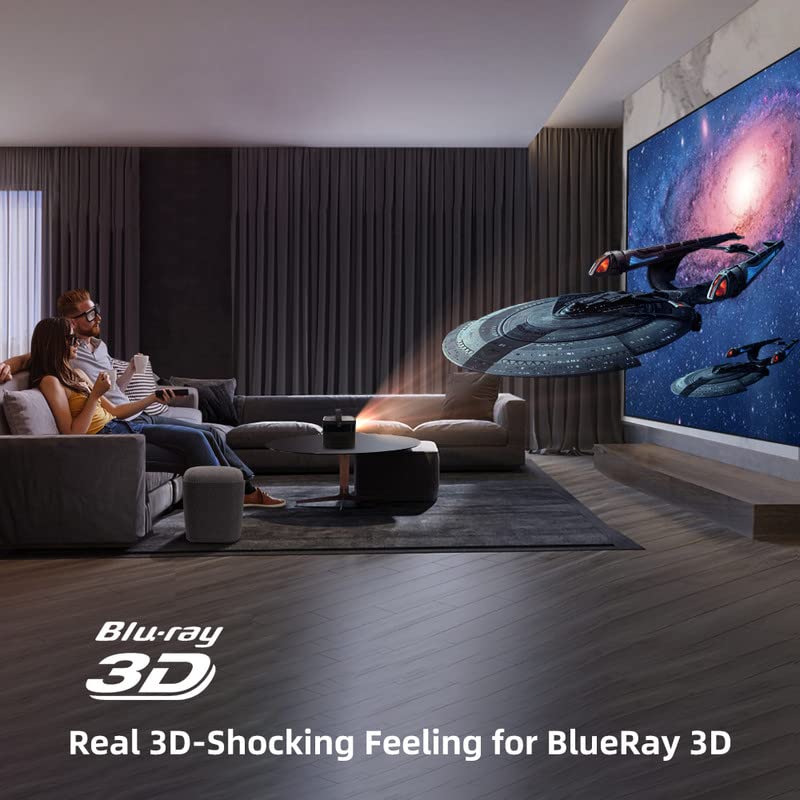
Image 6.3: The projector displaying 3D content for an immersive home theater experience.
- To enjoy 3D content, you will need compatible 3D glasses (sold separately).
- Play 3D-enabled media (e.g., Blu-ray 3D) through a connected device.
- Activate the 3D mode on the projector via the settings menu.
6.4 Audio Output
The projector has built-in 2 x 5W speakers. For enhanced audio, connect external speakers or headphones via the 3.5mm Audio Jack or Bluetooth.
7. Maintenance
7.1 Cleaning the Lens
Use a soft, lint-free cloth specifically designed for optical lenses. Do not use abrasive cleaners or excessive force.
7.2 Cleaning the Dust Filter
The projector features a detachable dust filter. Regularly remove and clean it to maintain optimal performance and prevent overheating. Refer to Image 4.1 for the location of the detachable dust filter.
7.3 Battery Care
The projector includes a rechargeable battery. To prolong battery life:
- Avoid fully discharging the battery frequently.
- Store the projector in a cool, dry place if not used for extended periods.
- Charge the battery periodically if stored for a long time.
8. Troubleshooting
If you encounter issues, refer to the following common problems and solutions:
| Problem | Possible Cause | Solution |
|---|---|---|
| No image displayed | Power cable loose, input source incorrect, lens cap on | Check power connection, select correct input source, remove lens cap |
| Image blurry | Focus not adjusted, keystone incorrect | Adjust focus using remote/keypad, correct keystone settings |
| No sound | Volume too low, external audio device not connected, source audio issue | Increase volume, check external audio connections, verify source audio output |
| Remote control not working | Batteries dead, IR receiver blocked | Replace batteries, ensure clear line of sight to IR receiver |
| Overheating warning | Blocked ventilation, dusty filter | Ensure clear ventilation, clean dust filter |
9. Specifications
Detailed technical specifications for the BYINTEK U70 Pro Projector:
| Feature | Specification |
|---|---|
| Brand | BYINTEK |
| Model | BYINTEK-UFO-U70-PRO |
| Display Technology | DLP (LED) |
| Image Brightness | 500 ANSI Lumens |
| Native Resolution | 1280 x 800 (supports 1080p Full HD Pixels, Max supports 4K signal input) |
| Image Contrast Ratio | 15000:1 |
| Aspect Ratio | 16:9 (also 16:10, 4:3) |
| Projection Size | 30-300 inches |
| Projection Distance | 1-8 meters |
| Operating System | Android 9.0 |
| Internal Storage | 32GB |
| Special Features | Built-In 3D, Auto Focus, Short Throw, Built-in Speakers, Rechargeable Battery, Wireless Projection |
| Hardware Interface | HDMI, USB 2.0, USB 3.0 |
| Connectivity Technology | Wi-Fi |
| Audio Output | 3.5mm Audio Jack, Built-in 2 x 5W Speakers |
| Power Source | DC 19V 3.42A, Rechargeable Battery |
| Wattage | 65 Watts |
| Product Dimensions | 12.9 x 14.9 x 12.7 cm |
| Item Weight | 1.36 kg |
| Model Year | 2023 |
10. Warranty and Support
10.1 Warranty Information
The BYINTEK U70 Pro Projector comes with a 1 Year Warranty from the date of purchase. Please retain your proof of purchase for warranty claims. The warranty covers manufacturing defects under normal use conditions.
10.2 Customer Support
For technical assistance, warranty claims, or any other inquiries, please contact BYINTEK customer support:
- Phone Number: +91 8885241706
- Email: care@justshop24x7.com