
Introduction
This manual provides detailed instructions for the SYLVOX Smart RV TV, Model RT32R3KGCA. Designed for both RV and home use, this 32-inch TV features a built-in DVD player, Google TV functionality, and versatile power options. Please read this manual thoroughly before operating the device to ensure safe and optimal performance.
What's in the Box
Carefully unpack the contents and verify that all items listed below are included:
- 32" 12V Smart TV
- Remote Control
- Power Cord, Adapter, Car Charger Cable
- TV Base
- User’s Manual
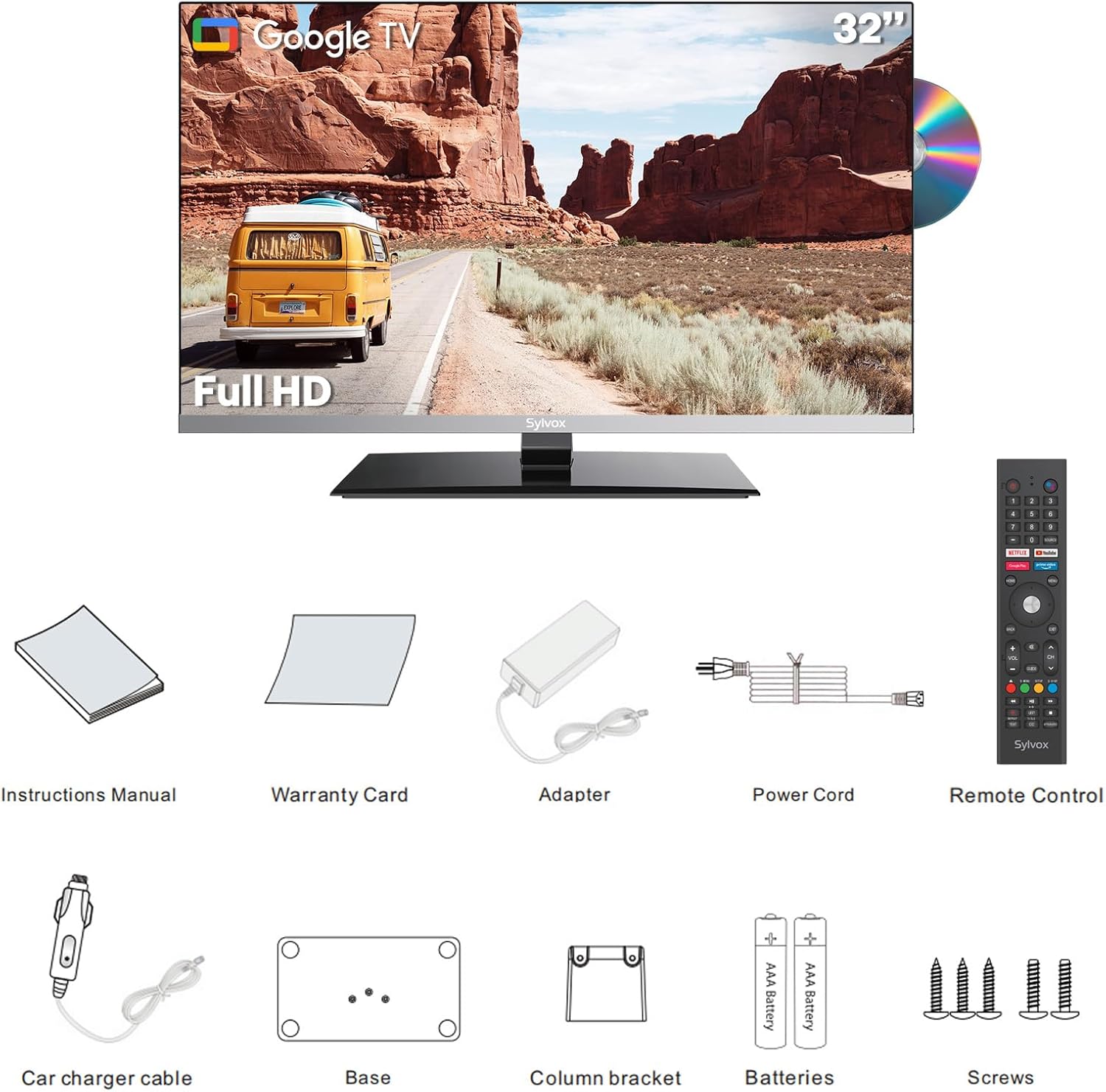
An image showing all components included with the SYLVOX Smart RV TV: the 32-inch TV unit, remote control, power adapter, car charger cable, TV base, and user manual.
Setup
Unpacking and Inspection
Carefully remove all components from the packaging. Inspect the TV and accessories for any signs of damage. Retain the original packaging for future transport or service.
Assembling the TV Base
If using the TV with its stand, attach the TV base to the bottom of the TV using the provided screws. Ensure the base is securely fastened according to the instructions in the included user manual.
Mounting the TV (Optional)
The TV supports VESA 100x100 mm mounting. Use a compatible wall mount (not included) and follow the mount manufacturer's instructions for installation. Ensure the mounting surface can support the TV's weight.
Power Connection
The SYLVOX Smart RV TV supports both DC and AC power, offering flexibility for various environments:
- DC Power (9-32V): Connect the provided car charger cable to the DC input port on the TV and to a compatible 12V or 24V power source in your RV or vehicle.
- AC Power (100-240V): Connect the AC power adapter to the TV's power input and then plug the adapter into a standard AC outlet.
Initial Setup
Upon first power-on, the TV will guide you through the initial setup process, including language selection, network connection (Wi-Fi), and Google account sign-in. Follow the on-screen prompts to complete the setup.

Front view of the SYLVOX 32-inch Smart RV TV with its stand, displaying a scenic outdoor image. A DVD disc is shown to the right, indicating the built-in DVD player feature.
Operating Instructions
Remote Control Functions
Familiarize yourself with the remote control buttons for navigation, volume, channel selection, and smart TV features. A detailed diagram of the remote control is available in the included user manual.
Google TV Features
This TV is powered by Google TV, providing access to a wide range of apps from Google Play. You can stream content, browse the internet, and use voice commands with Google Assistant.
- App Access: Navigate to the home screen to access installed apps or download new ones from the Google Play Store.
- Chromecast Built-in: Cast photos, videos, and music from your mobile devices directly to the TV.
- Voice Control: Use the Google Assistant button on your remote to issue voice commands for searching content, controlling playback, and more.

An interior view of an RV showing the SYLVOX Smart RV TV mounted on a wall, displaying the Google TV interface with various streaming app icons. Text highlights features like app access, curated recommendations, Google Assistant, and watchlist building.
Built-in DVD Player
Insert a DVD disc into the slot on the side of the TV. The TV will automatically detect the disc and begin playback. Use the remote control for playback functions such as play, pause, stop, fast forward, and rewind.
Connectivity
The TV offers multiple connectivity options for connecting external devices and accessing networks:
- Wi-Fi: Connect to your wireless network for internet access and smart TV features.
- Bluetooth: Pair Bluetooth-enabled devices such as headphones or external speakers for enhanced audio.
- HDMI Ports (x2): Connect external devices like gaming consoles, set-top boxes, or laptops.
- USB Ports (x2): Connect USB drives to play media files (photos, videos, music) or for software updates.
- ATSC Tuner: Connect an antenna to receive over-the-air digital television broadcasts.

A close-up view of the side and rear ports of the SYLVOX Smart RV TV, highlighting two USB ports and two HDMI ports, along with other connectivity options like Ethernet and antenna input.
Maintenance
Cleaning the Screen
Use a soft, lint-free cloth to gently wipe the screen. For stubborn marks, slightly dampen the cloth with water or a screen-cleaning solution specifically designed for electronics. Do not spray liquid directly onto the screen.
Cleaning the TV Body
Wipe the TV body with a soft, dry cloth. Avoid using abrasive cleaners or solvents that could damage the finish.
Storage
If storing the TV for an extended period, disconnect it from power and store it in a cool, dry place, ideally in its original packaging to protect it from dust and physical damage.
Troubleshooting
Refer to the table below for common issues and their solutions. If the problem persists, please contact customer support.
| Problem | Possible Cause | Solution |
|---|---|---|
| No power | Power cable not connected; power outlet faulty; low voltage (DC) | Ensure power cable is securely connected. Test power outlet. Check DC voltage supply (must be 9-32V). |
| No picture, but sound is present | Incorrect input source selected; external device issue | Press the "Input" button on the remote to select the correct source. Check connections to external devices. |
| No sound | Volume too low or muted; audio cables loose; incorrect audio output setting | Increase volume or unmute. Check audio cable connections. Adjust audio output settings in the TV menu. |
| Wi-Fi connection issues | Incorrect password; router too far; network interference | Verify Wi-Fi password. Move TV closer to router or reduce interference. Restart router and TV. |
| DVD not playing | Disc dirty or scratched; incorrect disc format; disc inserted incorrectly | Clean the disc. Ensure disc is inserted correctly. Check if the disc format is supported. |
Specifications
- Model Number: RT32R3KGCA
- Screen Size: 32 inches (31.99" standing screen display size)
- Display Technology: LED
- Resolution: 1080p Full HD (1920 x 1080)
- Refresh Rate: 60 Hz
- Aspect Ratio: 16:9
- Viewing Angle: 178° ultra-wide
- Contrast Ratio: 3000:1
- Power Input: DC 9-32V, AC 100-240V
- On-mode Power Consumption: 15 watts
- Connectivity: 2x HDMI, 2x USB, Wi-Fi, Bluetooth, Ethernet, ATSC Tuner
- Speaker Type: Built-In (2x15W HiFi speakers)
- Dimensions (D x W x H): 1.81 x 28.07 x 17.2 inches (TV only); 1.7"D x 28.1"W x 18.4"H (with stand)
- Item Weight: 18.08 pounds (8.22 Kilograms)
- VESA Compatibility: 100x100 mm
- Included Components: TV, Remote Control, Power Cord, Adapter, Car Charger Cable, TV Base, User’s Manual
- Batteries Required for Remote: 2 AAA batteries
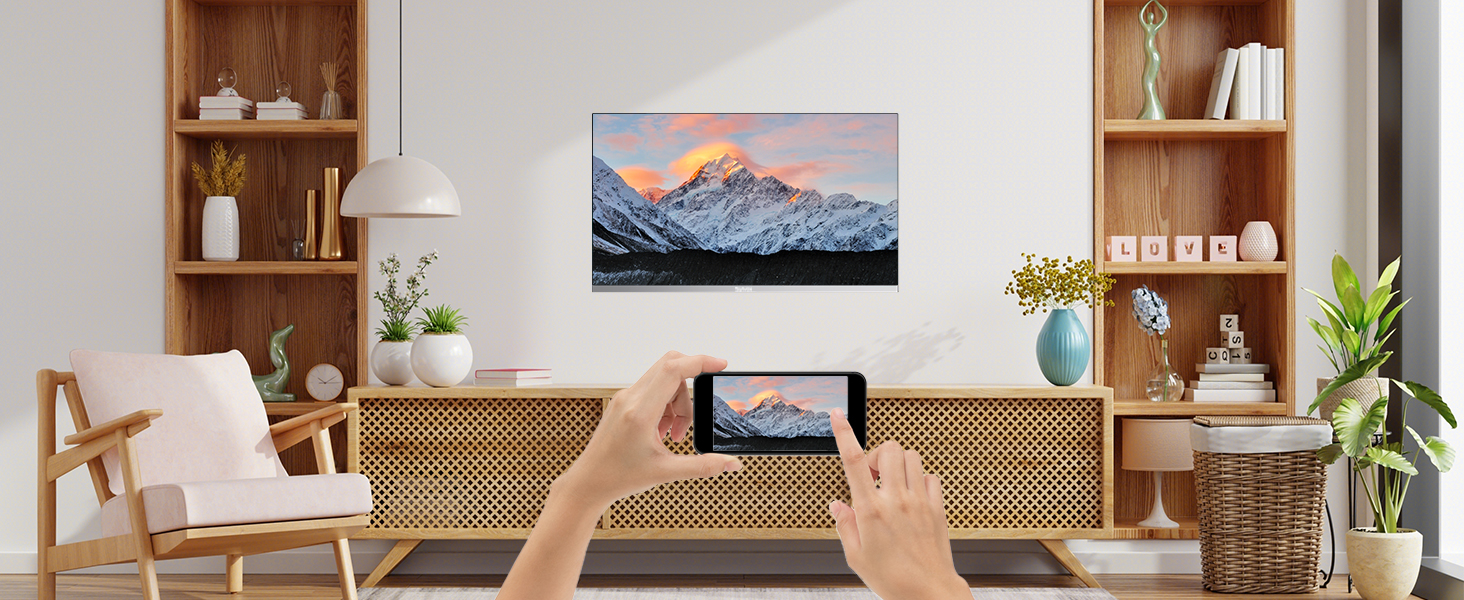
Diagram showing the dimensions of the SYLVOX Smart RV TV, including its width (28.1 inches), height (18.4 inches), and depth (1.7 inches), along with the VESA mounting pattern of 100x100 mm.
Warranty and Support
Warranty Information
The SYLVOX Smart RV TV comes with a 12-month free defect protection. For quality issues, free returns are available. A 30-day hassle-free return policy applies, requiring original packaging.
Customer Support
For technical assistance, troubleshooting beyond this manual, or warranty claims, please contact SYLVOX customer support. Refer to the contact information provided in your warranty card or visit the official SYLVOX website.
Link to SYLVOX Store: SYLVOX Official Store


