
1. Introduction
This manual provides essential information for the installation, operation, and maintenance of your DEVMO Ambient Air Temperature Sensor, model 80525S30941. This sensor is designed to accurately measure the outside ambient air temperature for your vehicle's climate control and engine management systems. It is a direct replacement part manufactured from high-quality ABS plastic for durability and long-lasting performance.
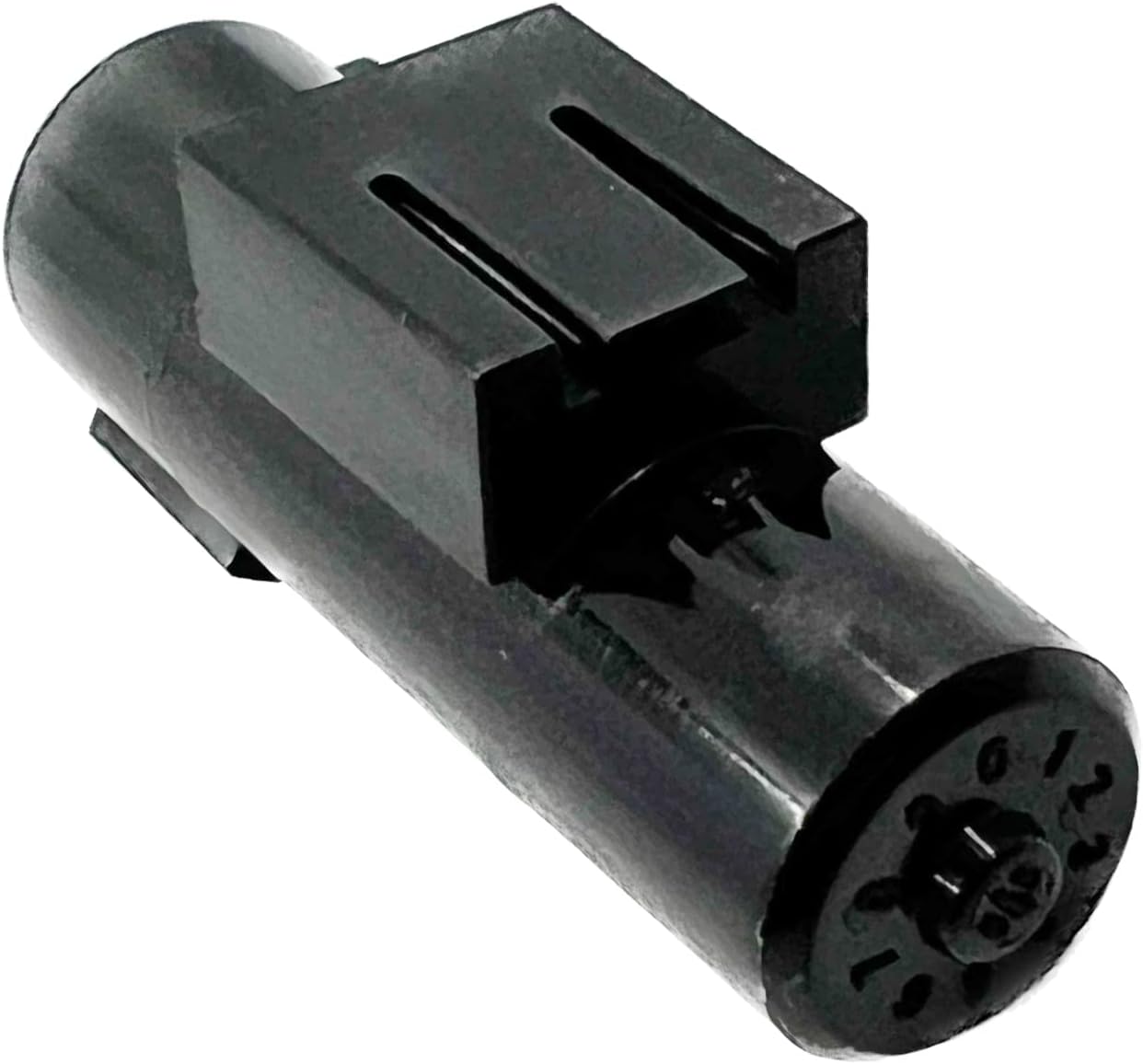
Image 1.1: The DEVMO Ambient Air Temperature Sensor, model 80525S30941, showing its overall design.
2. Compatibility
This sensor is compatible with various vehicle models. Please verify your vehicle's specific requirements before installation.
- RL, ILX, RDX, TL, RSX, MDX
- Accord (2011-2012), Accord Crosstour (2011)
- Civic (2011-2013)
- CR-V (2013-2014)
- CR-Z (2013-2014)
- Insight (2012-2014)
- Odyssey, Pilot, S2000
- Ridgeline (2012-2014)
- Fit (2013-2014)
Replacement Part Number: 80525-S30-941 / 80525S30941.
3. Setup and Installation
The DEVMO Ambient Air Temperature Sensor is designed for direct replacement. Professional installation is recommended. Always consult your vehicle's service manual for specific instructions regarding sensor location and removal procedures.
- Safety First: Ensure the vehicle is turned off and the battery is disconnected before beginning any work to prevent electrical hazards.
- Locate the Old Sensor: Refer to your vehicle's service manual to identify the exact location of the existing ambient air temperature sensor. This is typically located near the front bumper, grille, or radiator support.
- Disconnect Wiring: Carefully disconnect the electrical connector from the old sensor. Avoid pulling directly on the wires.
- Remove Old Sensor: Unmount the old sensor from its bracket or housing. This may involve unbolting, unclipping, or twisting the sensor.
- Install New Sensor: Position the new DEVMO sensor in the same location and secure it using the original mounting hardware or clips.
- Connect Wiring: Reconnect the electrical connector to the new sensor, ensuring a secure and snug fit.
- Reconnect Battery: Reconnect the vehicle's battery.
- Test Functionality: Start the vehicle and verify that the ambient air temperature reading on your dashboard or climate control system is accurate.

Image 3.1: Close-up view of the sensor's electrical connector pins, ensuring proper connection.

Image 3.2: View of the sensor's mounting flange, designed for secure installation.
4. Operation
The DEVMO Ambient Air Temperature Sensor continuously monitors the temperature of the air outside your vehicle. This data is crucial for several vehicle systems, including:
- Climate Control: Provides input for automatic climate control systems to adjust cabin temperature.
- Engine Management: Assists the engine control unit (ECU) in optimizing fuel mixture and engine performance based on ambient conditions.
- Dashboard Display: Displays the outside temperature on your vehicle's instrument cluster.

Image 4.1: Diagram illustrating the location and function of various sensors within a vehicle, including temperature sensors.
5. Maintenance
The DEVMO Ambient Air Temperature Sensor is designed for minimal maintenance. However, periodic inspection can help ensure its longevity and accurate performance:
- Visual Inspection: Periodically check the sensor for any visible damage, corrosion, or debris accumulation.
- Cleanliness: If accessible, gently clean any dirt or road grime from the sensor's exterior using a soft cloth. Avoid harsh chemicals or abrasive materials.
- Wiring Check: Ensure the electrical connector remains securely attached and that the wiring is free from fraying or damage.
6. Troubleshooting
If you experience issues with your ambient air temperature readings, consider the following troubleshooting steps:
- Incorrect Temperature Display:
- Verify the sensor is securely connected.
- Check for any visible damage to the sensor or its wiring.
- Ensure the sensor is not obstructed by debris or positioned in a location that would give an inaccurate reading (e.g., too close to the engine heat).
- No Temperature Reading:
- Confirm the electrical connector is fully seated.
- Inspect the wiring for breaks or disconnections.
- A diagnostic scan tool may be required to check for fault codes related to the sensor.
If problems persist after basic troubleshooting, professional automotive diagnosis and repair may be necessary.
7. Specifications
| Feature | Specification |
|---|---|
| Brand | DEVMO |
| Model Number | 80525S30941 |
| Material | Acrylonitrile Butadiene Styrene (ABS) |
| Item Weight | 0.08 Kilograms (approx. 2.82 ounces) |
| Measurement Accuracy | ±1.5% |
| Measuring Range | -40 to 250 degrees Celsius (-40 to 482 degrees Fahrenheit) |
| Mounting Type | Flange Mount |
| Output Type | Push Button (refers to connector type) |
| Manufacturer Part Number | 80525S30941 |
| UPC | 765147955322 |
8. Warranty and Support
This DEVMO Ambient Air Temperature Sensor comes with a 12-Month Warranty from the date of purchase.
For any questions, concerns, or warranty claims, please contact DEVMO customer support directly through the Amazon Message system. Please provide your order details and a description of the issue for prompt assistance.