
AVATTO TRV06
AVATTO Smart Thermostat Radiator Valve TRV06 User Manual
Model: TRV06 | Brand: AVATTO
1. Introduction
Thank you for choosing the AVATTO Smart Thermostat Radiator Valve TRV06. This device allows you to control your radiator's heat output intelligently, enhancing comfort and energy efficiency in your home. This manual provides detailed instructions for installation, operation, and maintenance to ensure optimal performance of your TRV06.
2. Safety Information
Please read all safety warnings and instructions carefully before installing and operating this device. Keep this manual for future reference.
- Do not expose the device to extreme temperatures, direct sunlight, or moisture.
- Do not attempt to disassemble or modify the device. This will void the warranty and may cause damage or injury.
- Keep the device out of reach of children.
- Ensure proper battery polarity when inserting batteries.
- Dispose of used batteries according to local regulations.
3. Package Contents
Please check the package contents upon opening. If any items are missing or damaged, contact your retailer.
- AVATTO Smart Thermostat Radiator Valve (TRV06)
- Adapter Set (e.g., RA, RAV, RAVL)
- User Manual
4. Product Overview
The TRV06 is a smart radiator thermostat designed to replace traditional thermostatic radiator valves. It features a clear display and intuitive controls for precise temperature management.
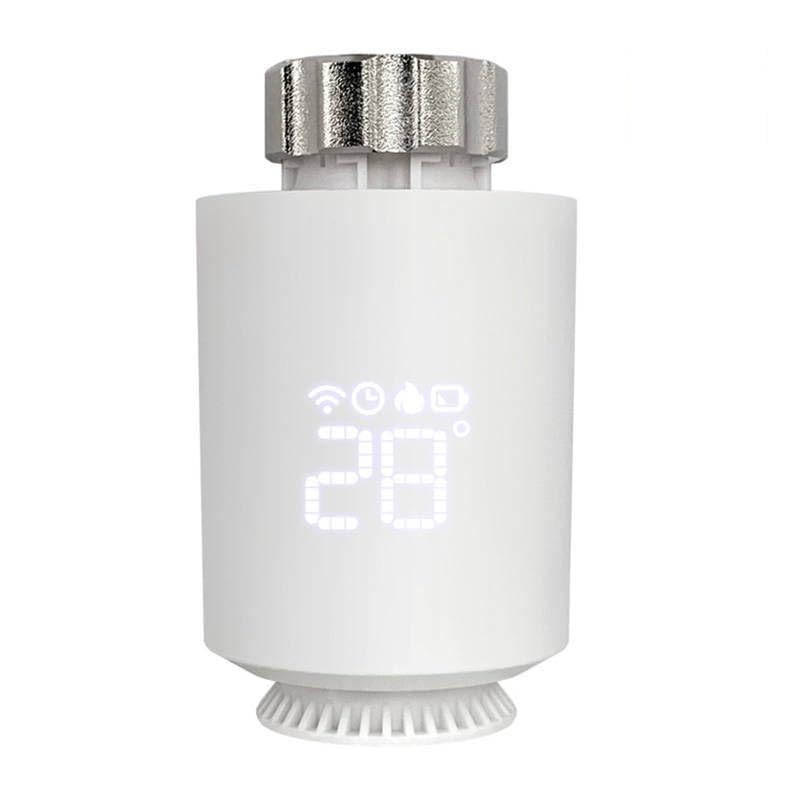
Figure 4.1: Front view of the TRV06, showing the digital temperature display and control knob.
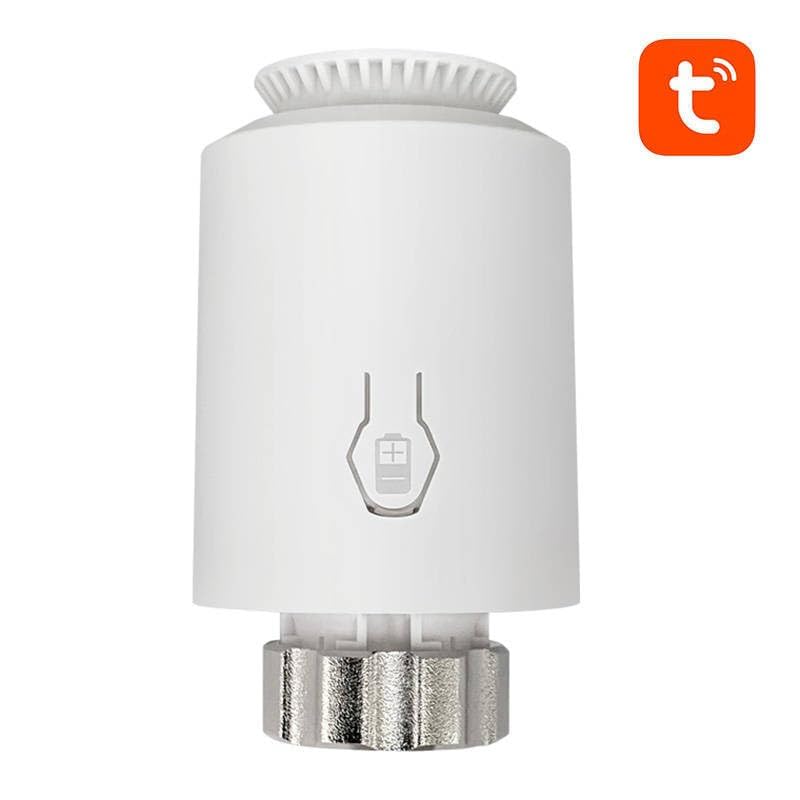
Figure 4.2: Side view of the TRV06, illustrating the design and potential battery access area.
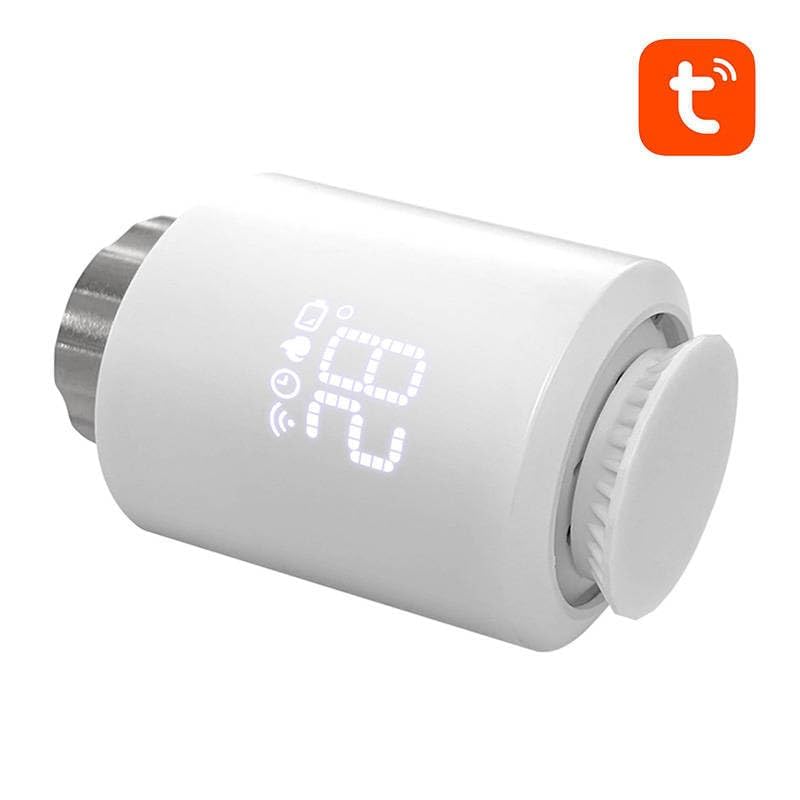
Figure 4.3: Angled view of the TRV06, emphasizing its compact design and compatibility with Tuya Smart systems.
5. Setup and Installation
Follow these steps to install your AVATTO TRV06.
5.1 Battery Installation
- Twist the top cover of the TRV06 counter-clockwise to remove it.
- Insert two AA batteries (not included) into the battery compartment, ensuring correct polarity (+/-).
- Replace the top cover by aligning and twisting clockwise until secure.
5.2 Mounting on Radiator Valve
- Remove your existing thermostatic radiator valve head.
- Select the appropriate adapter from the provided set that fits your radiator valve body.
- Screw the adapter onto the radiator valve body.
- Align the TRV06 with the adapter and push it firmly onto the adapter until it clicks into place. Ensure it is securely fastened.
5.3 Pairing with Zigbee Hub (Tuya Smart App)
The TRV06 requires a Zigbee hub (e.g., Tuya Zigbee Gateway) to connect to your smart home system.
- Ensure your Zigbee hub is powered on and connected to your home network.
- Open the Tuya Smart or Smart Life app on your smartphone.
- Add a new device in the app and select "Thermostat" or "Radiator Valve" under the relevant category.
- On the TRV06, press and hold the control knob for 5-7 seconds until the Zigbee icon flashes on the display, indicating pairing mode.
- Follow the on-screen instructions in the app to complete the pairing process. Once successfully paired, the Zigbee icon will stop flashing and remain solid.
6. Operating Instructions
6.1 Manual Temperature Adjustment
To manually adjust the temperature, simply rotate the control knob clockwise to increase the temperature or counter-clockwise to decrease it. The new target temperature will be displayed temporarily.
6.2 Mode Selection
The TRV06 supports various operating modes. These modes are typically controlled via the Tuya Smart app:
- Auto Mode: Follows the programmed schedule set in the app.
- Manual Mode: Maintains a constant temperature set by the user, overriding the schedule.
- Holiday Mode: Maintains a low, energy-saving temperature for an extended period, useful when away from home.
- Boost Mode: Temporarily opens the valve fully for rapid heating.
6.3 Display Indicators
The digital display shows the current temperature and various icons indicating the device's status:
- Temperature: Current or target temperature in Celsius.
- Battery Icon: Indicates battery level. Flashes when low.
- Zigbee Icon: Indicates connection status to the Zigbee hub. Solid when connected, flashing when pairing.
- Valve Open/Closed Icon: Shows if the valve is currently open (heating) or closed.
6.4 App Control
For advanced features, scheduling, and remote control, use the Tuya Smart or Smart Life app. The app allows you to:
- Set daily or weekly heating schedules.
- Adjust temperature remotely.
- View current room temperature.
- Access advanced settings like child lock, open window detection, and anti-freeze protection.
7. Maintenance
Regular maintenance ensures the longevity and optimal performance of your TRV06.
- Cleaning: Wipe the device with a soft, dry cloth. Do not use abrasive cleaners or solvents.
- Battery Replacement: When the battery icon flashes, replace the batteries promptly to avoid interruption of service. Refer to Section 5.1 for battery installation steps.
- Anti-freeze Function: The TRV06 typically has an anti-freeze function that activates automatically if the room temperature drops below a certain threshold (e.g., 5°C) to prevent pipes from freezing.
8. Troubleshooting
If you encounter issues with your TRV06, refer to the following common problems and solutions:
| Problem | Possible Cause | Solution |
|---|---|---|
| Device not turning on. | Batteries are dead or incorrectly inserted. | Replace batteries or check polarity. |
| Cannot connect to Zigbee hub. | TRV06 not in pairing mode; Hub is offline; Too far from hub. | Ensure TRV06 is in pairing mode; Check hub's power and network connection; Move TRV06 closer to the hub. |
| Radiator not heating/cooling as expected. | Valve not fully opening/closing; Incorrect temperature setting; Schedule conflict. | Check valve installation; Verify target temperature; Review app schedule. |
| Display is blank or unresponsive. | Low battery; Device malfunction. | Replace batteries. If issue persists, contact support. |
9. Specifications
| Model Number | TRV06 |
| Brand | AVATTO |
| Connectivity | Zigbee 3.0 |
| Power Supply | 2 x AA Batteries (not included) |
| Temperature Range | 5°C - 30°C (Adjustable) |
| Temperature Accuracy | ±0.5°C |
| Dimensions | (Refer to product packaging for exact dimensions) |
| ASIN | B0BY6XJ5S3 |
10. Warranty and Support
AVATTO products are designed for reliability and performance. For warranty information, please refer to the warranty card included with your product or visit the official AVATTO website. If you require technical support or have questions not covered in this manual, please contact your retailer or AVATTO customer service.
Contact Information:
- Refer to your purchase documentation for retailer contact details.
- Visit the official AVATTO website for support resources and contact information.
Related documentsTRV06


Ask a question about this manual
Ask about setup, troubleshooting, compatibility, parts, safety, or missing instructions. Manuals+ will review the question and use this page’s manual context to help answer it.