
1. Introduction
Thank you for choosing the Romoss PSP10 10000mAh Power Bank. This device is designed to provide portable power for your electronic devices, ensuring you stay connected on the go. Please read this manual carefully before using the product to ensure safe and optimal performance.
2. Package Contents
- Romoss PSP10 10000mAh Power Bank
- USB Charging Cable
- User Manual
3. Product Overview
The Romoss PSP10 features a compact design with multiple ports for versatile charging. It includes LED indicators to display the remaining battery level.
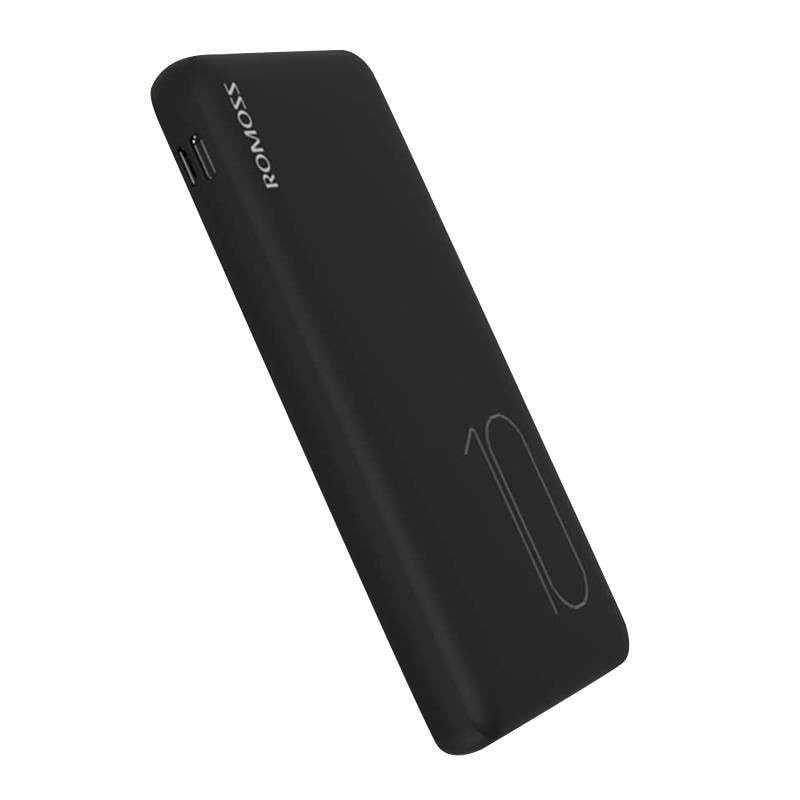
Image: Romoss PSP10 10000mAh Power Bank. This image displays the power bank's front and side profiles, highlighting its sleek black finish and the placement of its charging ports and LED indicators.
3.1. Ports and Indicators
- Input Ports: Typically Micro USB and/or USB-C for charging the power bank itself.
- Output Ports: USB-A ports for charging external devices.
- LED Indicators: Usually 4 LED lights to show the approximate remaining battery capacity (e.g., 25%, 50%, 75%, 100%).
4. Setup
4.1. First Use
Before using your Romoss PSP10 Power Bank for the first time, it is recommended to fully charge it. This ensures optimal battery performance and longevity.
4.2. Charging the Power Bank
- Connect the provided USB charging cable to the power bank's input port (Micro USB or USB-C).
- Connect the other end of the USB cable to a USB wall charger (not included) or a computer's USB port.
- The LED indicators will light up and flash to show the charging status. When all LEDs are solid, the power bank is fully charged.
5. Operating
5.1. Charging External Devices
- Connect your device's charging cable to one of the power bank's USB-A output ports.
- Connect the other end of the cable to your device.
- The power bank will automatically begin charging your device. The LED indicators will show the remaining battery level of the power bank.
- Disconnect your device once it is fully charged or when you no longer need to charge it.
6. Maintenance
- Cleaning: Use a dry, soft cloth to clean the power bank. Do not use harsh chemicals or abrasive materials.
- Storage: Store the power bank in a cool, dry place away from direct sunlight, extreme temperatures, and moisture.
- Battery Care: To prolong battery life, fully charge the power bank at least once every three months if not in regular use.
7. Troubleshooting
- Power bank not charging:
- Ensure the charging cable is securely connected to both the power bank and the power source.
- Try a different USB cable or wall adapter.
- Verify the power source is active.
- Device not charging from power bank:
- Check if the power bank has sufficient charge (indicated by the LEDs).
- Ensure the charging cable connecting your device to the power bank is functional and securely connected.
- Try a different output port on the power bank.
- Confirm your device's charging port is clean and undamaged.
- Slow charging:
- Ensure you are using a high-quality charging cable.
- For charging the power bank, use a wall adapter with appropriate output (e.g., 5V/2A or higher).
- For charging devices, ensure the cable and device support faster charging if applicable.
8. Specifications
| Model Number | PSP10 |
| Brand | ROMOSS |
| Battery Capacity | 10000mAh |
| Input Voltage | 5 Volts |
| Output Voltage | 5 Volts |
9. Safety Information
- Do not expose the power bank to extreme temperatures, direct sunlight, or fire.
- Do not immerse the power bank in water or other liquids.
- Do not disassemble, modify, or attempt to repair the power bank yourself.
- Keep out of reach of children.
- Avoid dropping or subjecting the power bank to heavy impacts.
- Dispose of the power bank responsibly according to local regulations.
10. Warranty and Support
Romoss products are designed for reliability and performance. For warranty information, technical support, or customer service inquiries, please refer to the official Romoss website or contact your local distributor. Please retain your proof of purchase for warranty claims.


