
Introduction
Thank you for choosing the VEGER Power Bank 10000 mAh. This compact and powerful portable charger is designed to provide reliable and fast charging for your mobile devices on the go. Please read this manual carefully to ensure proper use and to maximize the lifespan of your device.

Image: The VEGER Power Bank, a compact device with an LED display, comfortably held in a hand, illustrating its portability.
Package Contents
- VEGER Power Bank 10000 mAh
- USB Charging Cable
- User Manual
Product Overview
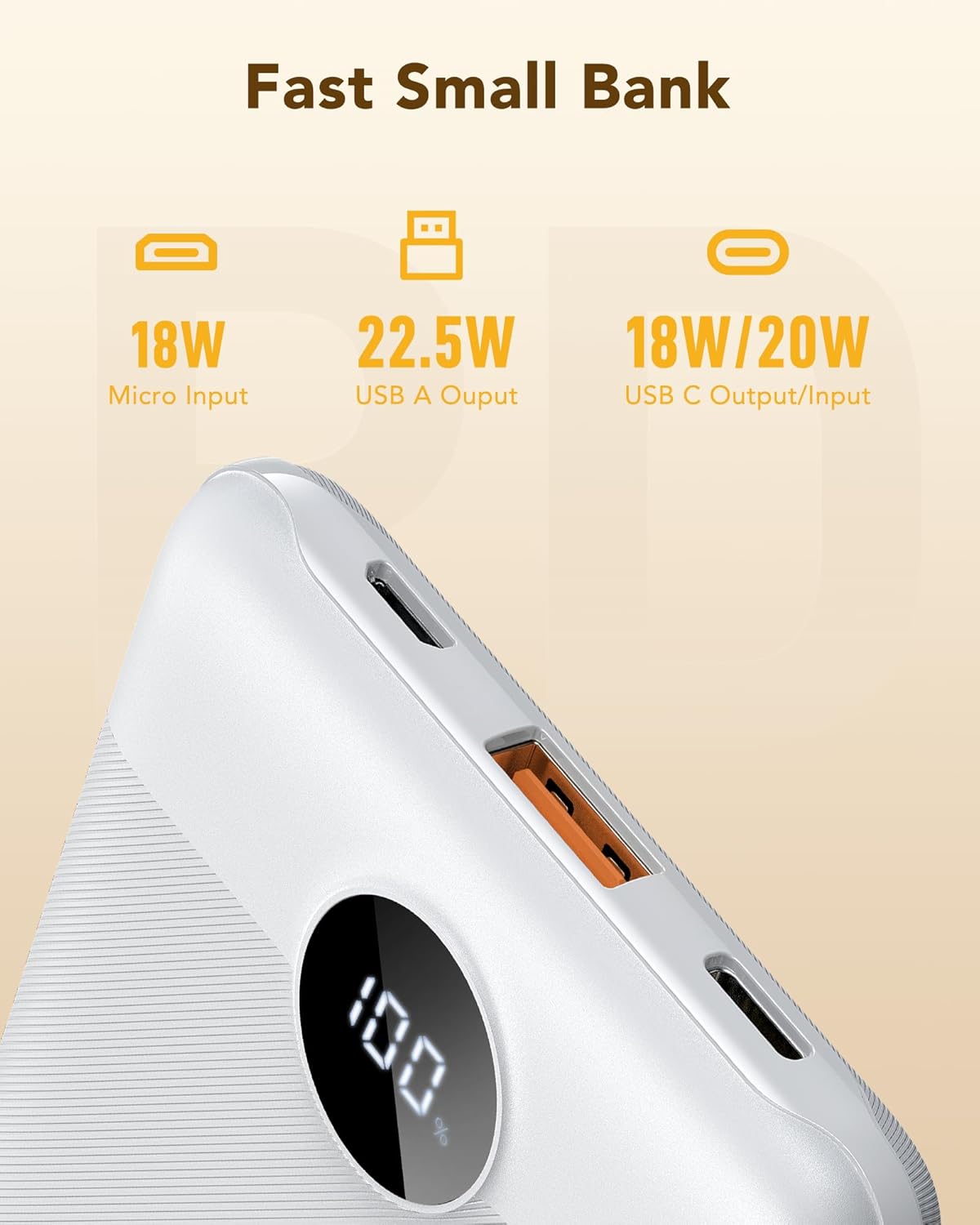
Image: A detailed view of the VEGER Power Bank's ports, highlighting the Micro USB input (18W), USB-A output (22.5W), and USB-C input/output (18W/20W).
The VEGER Power Bank features multiple ports for versatile charging and recharging:
- Micro USB Input: For recharging the power bank (up to 18W).
- USB-A Output: For charging devices (up to 22.5W).
- USB-C Input/Output: For both recharging the power bank and charging devices (up to 18W/20W).
- LED Display: Shows the remaining battery percentage.
- Power Button: Activates the LED display and low-current charging mode.
Setup
Initial Charging of the Power Bank
Before first use, it is recommended to fully charge your VEGER Power Bank. This ensures optimal battery performance.
- Connect the provided USB charging cable to either the Micro USB input port or the USB-C input port on the power bank.
- Connect the other end of the cable to a compatible USB wall charger (not included). For fastest charging, use a 3A charger.
- The LED display will show the charging progress. The power bank is fully charged when the display shows 100%.
A full recharge typically takes approximately 4.5 hours with a 3A charger.
Operating Instructions
Charging Your Devices
The power bank supports fast charging for a wide range of devices.
- Connect your device's charging cable to one of the output ports on the power bank (USB-A or USB-C).
- Connect the other end of the cable to your device.
- The power bank will automatically begin charging your device. The LED display will show the power bank's remaining battery level.
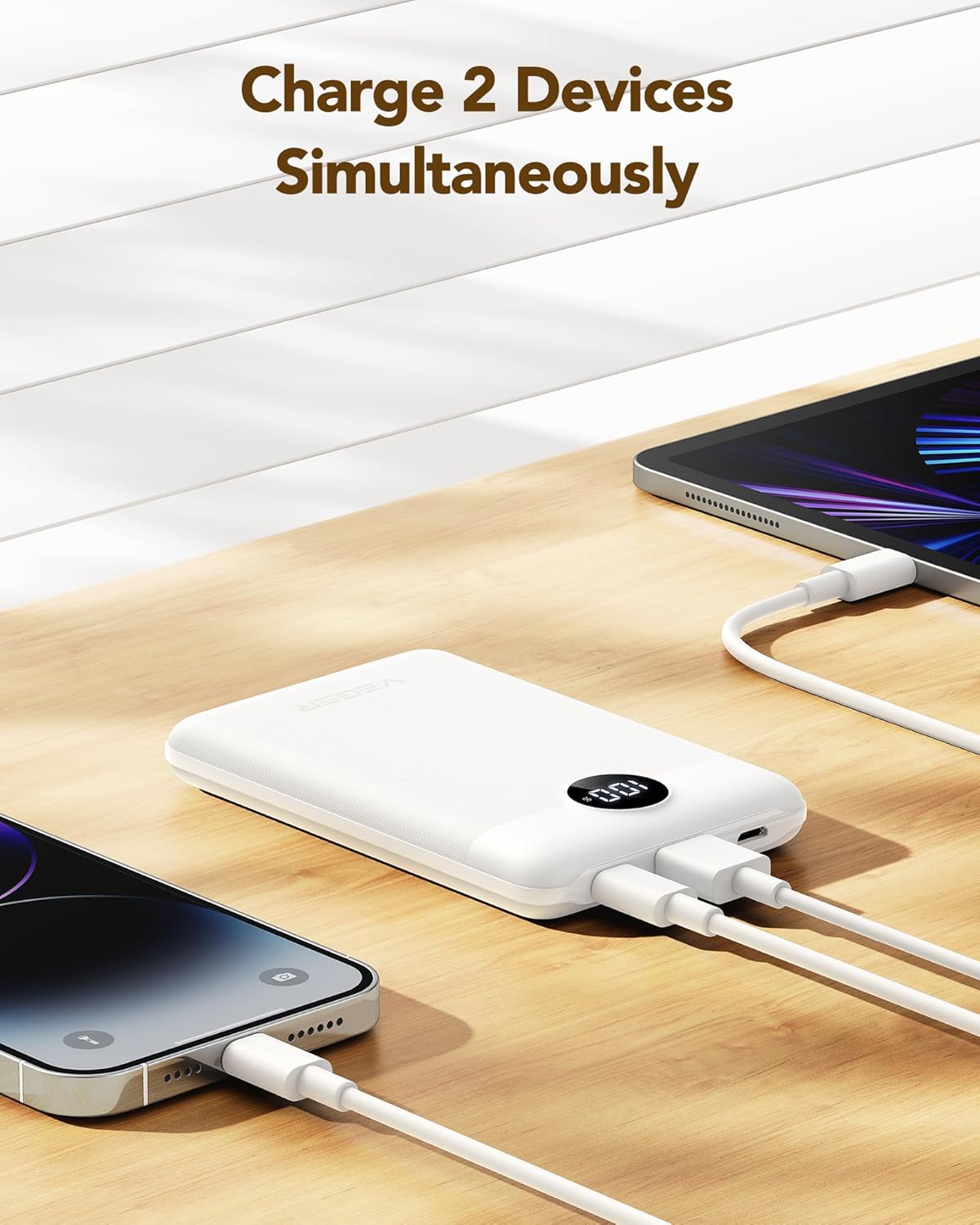
Image: The VEGER Power Bank simultaneously charging a smartphone via USB-C and a tablet via USB-A, demonstrating its multi-device charging capability.
You can charge up to two devices simultaneously using the available output ports.
Low Current Charging Mode
This mode is ideal for charging small devices that require lower current, such as Bluetooth earphones, smartwatches, or fitness trackers.
- Press and hold the power button for approximately 2 seconds to activate low current charging mode.
- Connect your low-current device to the power bank.
- To exit low current charging mode, press the power button once, or the mode will automatically deactivate after a period of inactivity.
LED Display
The integrated LED display provides a clear indication of the power bank's remaining battery percentage.

Image: A close-up of the VEGER Power Bank's accurate LED display showing '100%', highlighting its clear battery percentage indication compared to traditional four-dot LED indicators.
Press the power button once to activate the LED display and check the current battery level.
Maintenance
- Cleaning: Use a soft, dry cloth to clean the power bank. Avoid using harsh chemicals or abrasive materials.
- Storage: Store the power bank in a cool, dry place away from direct sunlight and extreme temperatures.
- Battery Health: To maintain battery health, fully charge and discharge the power bank at least once every three months if not in regular use.
- Avoid Drops: Do not drop or subject the power bank to strong impacts.
Troubleshooting
- Power bank not charging: Ensure the charging cable is securely connected to both the power bank and the wall charger. Try a different cable or wall charger.
- Device not charging from power bank: Check if the power bank has sufficient charge. Ensure the cable connecting your device to the power bank is functional and properly connected. Try a different output port.
- Slow charging: Ensure you are using a fast-charging compatible cable and your device supports fast charging. For recharging the power bank, use a 3A wall adapter.
- LED display not working: Press the power button to activate the display. If it remains off, the power bank might be completely discharged or require service.
Specifications

Image: The VEGER Power Bank shown next to a hand and a ruler, illustrating its ultra-slim profile (0.6 inches) and light weight (5.82 ounces).
| Feature | Detail |
|---|---|
| Model Name | 10000mah |
| Battery Capacity | 10000 mAh (Milliampere-hour) |
| Battery Composition | Lithium-Polymer |
| Micro USB Input | 18W |
| USB-C Input/Output | 18W Input / 20W Output |
| USB-A Output | 22.5W |
| Voltage | 5 Volts |
| Dimensions | Approximately 4.17 x 2.71 x 0.63 inches (10.6 x 6.9 x 1.6 cm) |
| Weight | 165 Grams (5.8 ounces) |
| Special Feature | Lightweight, LED Display |
| Recommended Use | Mobile Phones, Tablets, Low-current devices |
Safety Information
- Do not expose the power bank to water, moisture, or extreme temperatures.
- Do not disassemble, modify, or attempt to repair the device.
- Keep out of reach of children.
- Avoid using the power bank in environments with high humidity or dust.
- Dispose of the power bank responsibly according to local regulations.
Warranty and Support
For warranty information or technical support, please refer to the documentation provided with your purchase or contact VEGER customer service through the retailer where the product was purchased. Please have your product model number (10000mah) and purchase details ready.


