
ANENG
ANENG 622B Smart Multimeter
User Manual
1. Important Safety Information
Please read and understand all safety information and operating instructions in this manual before using the ANENG 622B Multimeter. Failure to follow these instructions could result in electric shock, fire, or serious injury.
- Always ensure the multimeter is in the correct measurement mode before connecting test leads to a circuit.
- Do not exceed the maximum input values for any range. This device is rated for DC/AC 600V CAT III.
- Inspect test leads for damage before each use. Do not use if insulation is cracked or damaged.
- Do not operate the multimeter if it appears damaged or is not functioning properly.
- Exercise extreme caution when working with voltages above 30V AC RMS, 42V peak, or 60V DC. These voltages pose a shock hazard.
- Replace batteries immediately when the low battery indicator appears to ensure accurate readings.
- Always disconnect test leads from the circuit before opening the battery compartment or replacing fuses.
2. Product Overview
2.1 Package Contents
The ANENG 622B Multimeter package typically includes the following items:
- ANENG 622B Digital Multimeter
- Multimeter Test Leads (Red and Black)
- Combination Line (includes 4 connection sockets, 2 PVC cables, 2 copper needles, 2 U-shaped inserts, 2 measuring pins, 2 crocodile clips, 2 dotting needles)
- Temperature Line (Probe)
- 4 x 1.5V AAA Batteries
- User Manual (this document)
- Storage Bag

Image: The ANENG 622B Multimeter shown with its complete set of accessories, including test leads, various probes, and a storage bag.
2.2 Device Features
- 9999 Count Display: Provides high-resolution readings for precise measurements.
- True RMS: Ensures accurate measurements for non-sinusoidal AC waveforms.
- Large LCD Color Display: Offers clear and easy-to-read measurements, even in varying light conditions.
- Analog Bar Display: Provides a visual representation of the measured value, aiding in quick interpretation.
- Smart Mode: Automatically identifies and selects the correct measurement function for convenience.
- NCV (Non-Contact Voltage) Sensing: Detects AC voltage without physical contact, enhancing safety.
- Auxiliary Lighting: Integrated flashlight for working in dimly lit areas.
- Infrared Laser: A built-in laser pointer for general utility.
- Silicone Protection: Durable outer casing provides enhanced grip and protection against drops.

Image: The ANENG 622B Multimeter displaying its inverse color screen, highlighting the clear digital readout and analog bar.

Image: The ANENG 622B Multimeter demonstrating its infrared laser function, with a red laser dot projected from the top of the device.

Image: The ANENG 622B Multimeter with its auxiliary lighting (flashlight) activated, illuminating the area in front of the device.

Image: A detailed view of the ANENG 622B Multimeter, showing its side silicone keypad for function selection, the bottom probe input sockets, and the overall silicone protective casing.
3. Setup
3.1 Battery Installation
- Ensure the multimeter is turned off and test leads are disconnected.
- Locate the battery compartment on the back of the multimeter.
- Use a screwdriver to open the battery compartment cover.
- Insert four (4) 1.5V AAA batteries, observing the correct polarity (+/-) as indicated inside the compartment.
- Replace the battery compartment cover and secure it with the screw.
3.2 Connecting Test Leads
Proper connection of test leads is crucial for accurate and safe measurements.
- Connect the black test lead to the COM (Common) input jack.
- For most voltage, resistance, continuity, diode, capacitance, and temperature measurements, connect the red test lead to the VΩmA input jack.
- For high current measurements (up to 10A), connect the red test lead to the 10A input jack.
4. Operation
The ANENG 622B Multimeter features a 'Smart Mode' that automatically identifies the measurement type (AC/DC voltage, resistance, continuity) when the test leads are connected to a circuit. For other specific functions, manual selection may be required using the 'SEL' button.
4.1 Measurement Modes
- AC/DC Voltage Measurement:
Connect test leads to the VΩmA and COM jacks. The multimeter will automatically detect AC or DC voltage in Smart Mode. For manual selection, press the 'SEL' button if needed to cycle between AC and DC. Place probes across the circuit points to measure voltage. - Resistance Measurement (Ω):
Connect test leads to the VΩmA and COM jacks. In Smart Mode, the multimeter will automatically enter resistance measurement when connected to a component. Ensure the circuit is de-energized before measuring resistance. - Continuity Test ()))):
Connect test leads to the VΩmA and COM jacks. In Smart Mode, the multimeter will automatically enter continuity mode. A continuous beep indicates a complete circuit (low resistance). - Diode Test (→|):
Connect test leads to the VΩmA and COM jacks. Select Diode mode using the 'SEL' button if not automatically detected. Place the red probe on the anode and the black probe on the cathode to measure forward voltage drop. Reverse the probes to check for open circuit. - Capacitance Measurement (F):
Connect test leads to the VΩmA and COM jacks. Select Capacitance mode using the 'SEL' button. Ensure the capacitor is fully discharged before testing. - Frequency (Hz) and Duty Cycle (%):
Connect test leads to the VΩmA and COM jacks. Select Frequency/Duty Cycle mode. Place probes across the signal source. - Temperature Measurement (°C/°F):
Connect the temperature probe to the VΩmA and COM jacks. Select Temperature mode. Place the probe tip on the object or in the environment to be measured. - NCV (Non-Contact Voltage) Sensing:
Press the NCV button to activate this function. Hold the top of the multimeter near an AC voltage source (e.g., a live wire or outlet). The device will indicate the presence of voltage through beeping and display changes.
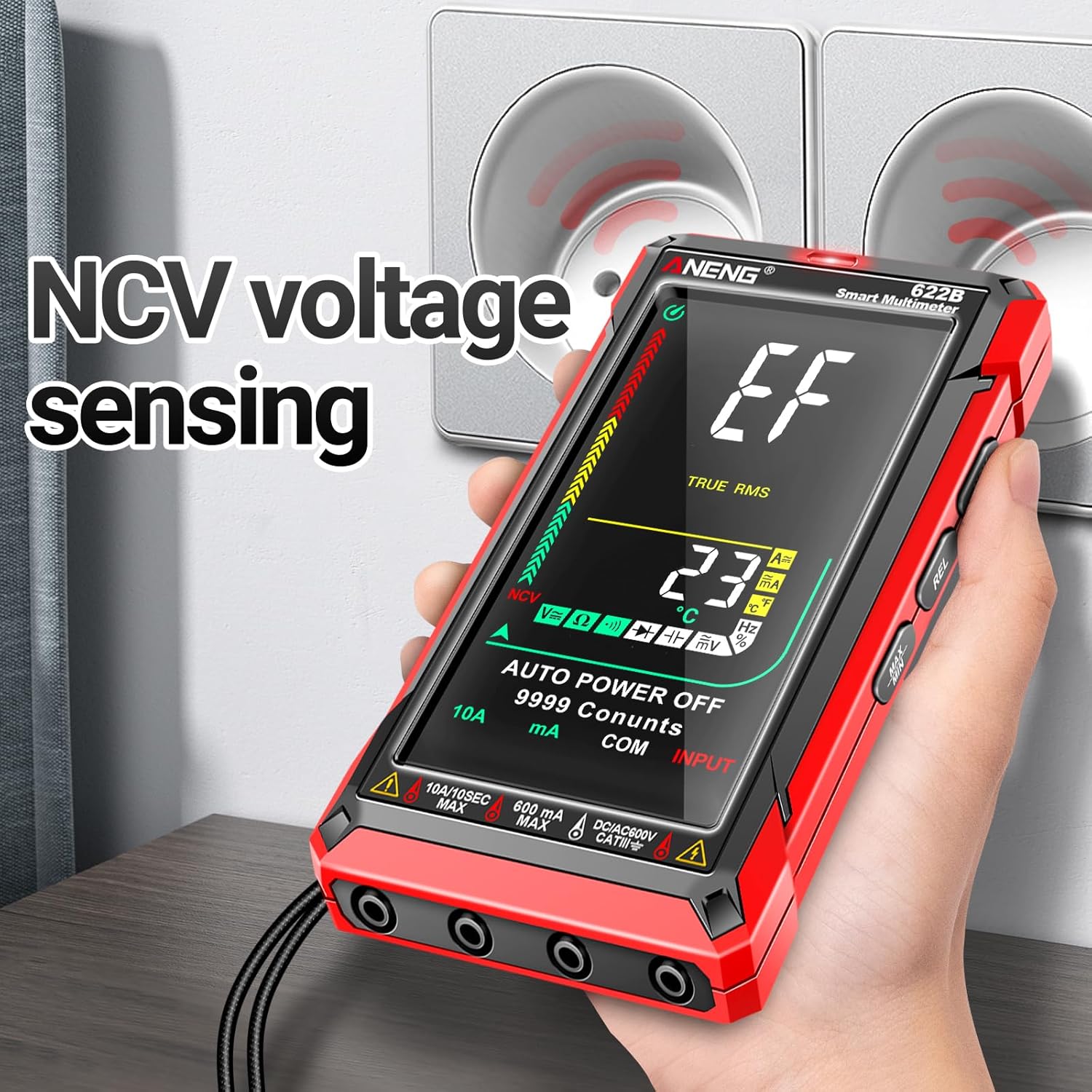
Image: The ANENG 622B Multimeter demonstrating its NCV (Non-Contact Voltage) sensing capability, held near an electrical outlet to detect live voltage.
- Live/Zero Line Detection:
Connect the red test lead to the VΩmA jack and the black test lead to the COM jack. Select Live/Zero Line mode. Touch the red probe to the wire or terminal. The display will indicate 'LIVE' for a live wire and 'ZERO' for a neutral or ground wire.
5. Maintenance
5.1 Cleaning
Wipe the multimeter casing with a damp cloth and mild detergent. Do not use abrasives or solvents. Ensure the device is completely dry before use.
5.2 Battery Replacement
Replace batteries when the low battery indicator appears on the display. Refer to Section 3.1 for battery installation instructions.
5.3 Fuse Replacement
The ANENG 622B Multimeter is equipped with double fireproof fuses for protection. If the multimeter fails to measure current or shows an 'OL' (Overload) reading when measuring current, the fuse may need replacement.
- Ensure the multimeter is turned off and all test leads are disconnected.
- Open the battery compartment cover on the back of the device.
- Carefully remove the old fuse(s). Note the rating of the fuse(s) being replaced.
- Install new fuses of the exact same type and rating. Refer to the specifications section for fuse ratings.
- Replace the battery compartment cover and secure it.
6. Troubleshooting
- No Display / Device Not Turning On:
Check if batteries are installed correctly and have sufficient charge. Replace batteries if necessary. - Inaccurate Readings:
Ensure test leads are fully inserted into the correct jacks. Verify the measurement mode is appropriate for the circuit being tested. Check battery level. - 'OL' (Overload) Display:
This indicates the measured value is outside the selected range or the maximum input limit. Switch to a higher range if available, or ensure the input does not exceed the device's maximum ratings. For current measurements, this may indicate a blown fuse. - Slow Response Time:
While the Smart Mode is designed for convenience, some measurements may take a moment to stabilize. Ensure stable contact with the circuit. - No Continuity Beep:
Ensure the multimeter is in continuity mode. Check test leads for damage or poor connection. The circuit being tested may have high resistance.
7. Specifications
| Feature | Specification |
|---|---|
| Measurement Type | Multimeter |
| Display Count | 9999 Counts |
| Power Source | Battery Powered |
| Batteries Required | 4 x AAA batteries |
| Product Dimensions (L x W x H) | 10 x 10 x 2 cm |
| Item Weight | 0.6 Grams |
| Style | 622B 9999 Counts Back Illuminated Display |
| Brand | ANENG |
| Manufacturer | ANENG |
| Manufacturer Reference | 622B |
| ASIN | B0BY4NW7NB |
8. Warranty and Support
The ANENG 622B Multimeter comes with a commitment to customer satisfaction. ANENG offers lifetime service and technical support for this electrical tester.
For technical assistance, troubleshooting, or warranty claims, please contact ANENG customer support through their official channels or the retailer from whom the product was purchased.
Related documents


Ask a question about this manual
Ask about setup, troubleshooting, compatibility, parts, safety, or missing instructions. Manuals+ will review the question and use this page’s manual context to help answer it.