
1. Introduction
Thank you for choosing the Optonica T5 LED Batten Light. This manual provides essential information for the safe and efficient installation, operation, and maintenance of your new lighting fixture. Please read these instructions carefully before use and retain them for future reference.
This 12W T5 LED batten light is designed to provide high-quality illumination, equivalent to a 70W traditional light source. It features a natural white 4000K light color, offering a pleasant and balanced ambiance suitable for various indoor environments. With a 120° beam angle and 920lm luminous flux, it ensures uniform and extensive coverage.
2. Safety Information
Important: Always disconnect power before installation, maintenance, or cleaning.
- This product is rated IP20, meaning it is suitable for indoor use only and is not protected against water. Do not install in wet or damp locations.
- Installation should be performed by a qualified electrician in accordance with local wiring regulations.
- Ensure the supply voltage (AC220-240V) matches the product's requirements.
- Do not look directly into the LED light source when it is illuminated, as this may cause eye strain or damage.
- The light source of this luminaire is not replaceable; when the light source reaches its end of life, the entire luminaire shall be replaced.
- Do not cover the fixture with insulating material.
3. Package Contents
Verify that all components are present before beginning installation:
- Optonica T5 LED Batten Light (1 unit)
- Mounting Clips (2 units)
- Connection Cable (13 cm)
- Connector
- End Cap

Image Description: This image displays three Optonica T5 LED batten lights of varying lengths, along with a white electrical connector. The batten lights are slim, rectangular fixtures with a frosted diffuser, and the connector is designed to link multiple battens together.
4. Setup and Installation
Follow these steps for proper installation:
- Disconnect Power: Ensure the main power supply to the installation area is switched off at the circuit breaker.
- Mark Mounting Points: Use the batten light as a template to mark the desired positions for the mounting clips on the ceiling or wall. Ensure the distance between the clips is appropriate for the batten's length (870mm).
- Install Mounting Clips: Secure the mounting clips to the marked positions using appropriate screws and wall plugs (not included, choose based on surface material).
- Attach Batten Light: Snap the LED batten light into the installed mounting clips. Ensure it is securely held in place.
- Connect Power:
- For single batten installation: Connect the provided 13 cm connection cable to the batten's input port and wire it to your AC220-240V power supply. Ensure correct polarity (Live, Neutral, Earth if applicable).
- For linking multiple battens: Use the provided connector to link battens end-to-end. Connect the power cable to the first batten in the series.
- Secure End Cap: Place the end cap on the unused end of the batten or the last batten in a series.
- Restore Power: Once all connections are secure and the batten is properly mounted, restore power at the circuit breaker.
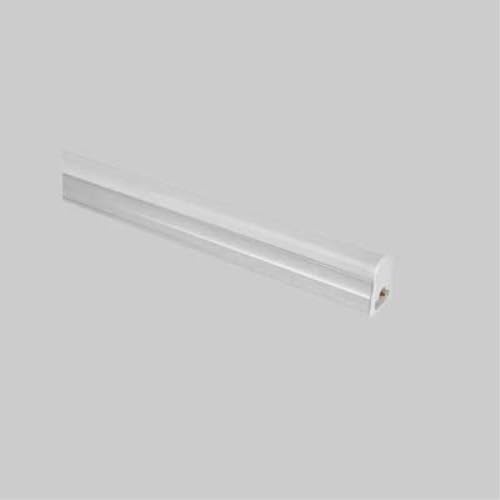
Image Description: This image shows a single Optonica T5 LED batten light, highlighting its sleek, minimalist design. The light is a long, slender tube with a white diffuser, suitable for discreet installation.
5. Operating Instructions
The Optonica T5 LED Batten Light is designed for simple operation:
- Once installed and connected to the power supply, the batten light will illuminate instantly (0.1 seconds) when the wall switch is turned on.
- To turn off the light, simply switch off the connected wall switch.
- This fixture does not support dimming unless connected to a compatible dimmable power supply and dimmer switch (not included).
6. Maintenance
The Optonica T5 LED Batten Light requires minimal maintenance:
- Cleaning: Ensure the power is disconnected before cleaning. Wipe the fixture with a soft, dry, or slightly damp cloth. Do not use abrasive cleaners, solvents, or harsh chemicals, as these can damage the finish or electrical components.
- Inspection: Periodically check the fixture for any signs of damage, loose connections, or wear. If any issues are found, disconnect power immediately and consult a qualified electrician.
- Light Source: The LED light source is non-replaceable. If the LEDs fail, the entire fixture must be replaced.
7. Troubleshooting
If you encounter issues with your LED batten light, refer to the following common problems and solutions:
| Problem | Possible Cause | Solution |
|---|---|---|
| Light does not turn on | No power supply Loose connection Faulty switch | Check circuit breaker and wall switch. Verify all electrical connections are secure. Test the switch with another device. |
| Light flickers | Unstable power supply Loose wiring Incompatible dimmer (if applicable) | Ensure stable power. Consult an electrician. Check all wiring connections. Remove dimmer or replace with compatible LED dimmer. |
| Light is dim | Incorrect voltage Dust/dirt on diffuser | Verify supply voltage is AC220-240V. Clean the diffuser with a soft cloth. |
If the problem persists after attempting these solutions, please contact customer support or a qualified electrician.
8. Specifications
| Feature | Specification |
|---|---|
| Brand | Optonica |
| Model Number | TU5557 |
| Light Type | LED |
| Power Consumption | 12 Watts |
| Equivalent Power | 70 Watts |
| Luminous Flux | 920 lm |
| Color Temperature | 4000 Kelvin (Natural White) |
| Voltage | AC220-240V |
| Beam Angle | 120 Degrees |
| IP Rating | IP20 (Indoor Use Only) |
| Dimensions (L x W x H) | 870 mm x 32 mm x 22 mm |
| Lifespan | 25,000 hours |
| Ignition Time | 0.1 seconds (Instant On) |
| Light Source | Non-replaceable LED |
| Power Source | Electric Cable |
9. Warranty and Support
This Optonica T5 LED Batten Light is covered by a 2-year warranty from the date of purchase, ensuring product quality and reliability. The warranty covers defects in materials and workmanship under normal use.
For warranty claims, technical support, or any questions regarding your product, please contact your retailer or Optonica customer service with your proof of purchase and model number (TU5557).
Please note that the warranty does not cover damage caused by improper installation, misuse, accidents, unauthorized repairs, or normal wear and tear.