Product Overview
The NZXT Kraken 360 RGB is a 360mm All-In-One (AIO) CPU liquid cooler designed to provide efficient cooling for your processor. It features a customizable 1.54-inch square LCD display on the pump, allowing for personalization with images, GIFs, or real-time performance metrics. The cooler includes three F120 RGB Core Fans and a high-performance Asetek pump for optimal thermal management and vibrant lighting effects.
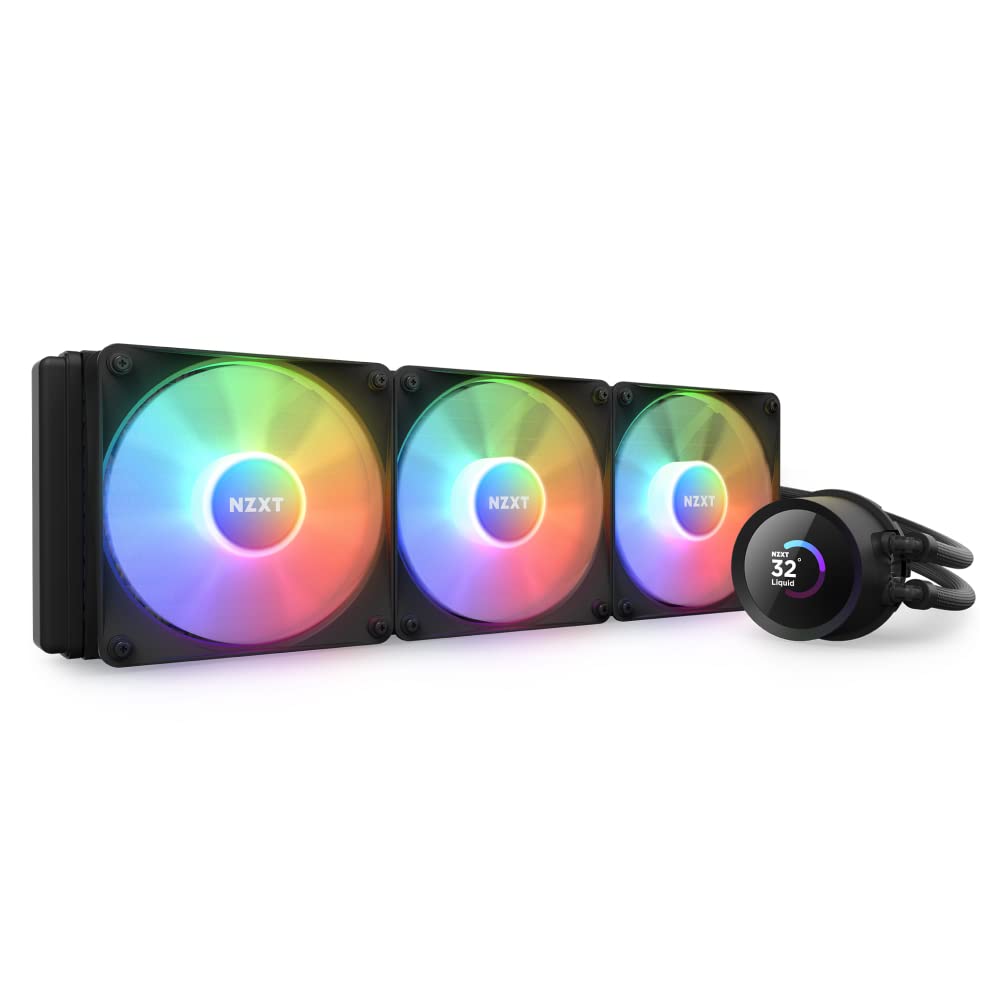
Image: The NZXT Kraken 360 RGB AIO CPU Liquid Cooler, showcasing the radiator, three F120 RGB Core Fans, and the pump with its integrated LCD display.
Key Features
- Personalization That Pops: Display a favorite animated GIF or static image, monitor real-time PC performance metrics, see music that's currently playing, integrate web content and more with NZXT CAM software.
- LCD Display: 1.54" square LCD display with 240x240 resolution, 30 Hz refresh rate, and bright 300 cd/m² backlight brings on-screen content to life.
- High-Performance Pump: The powerful Asetek pump operates at up to 2,800 RPM to ensure efficient and quiet coolant circulation.
- Colorful Cooling: RGB Core Fans with fluid dynamic bearings provide an optimal balance of static pressure and airflow for powerful cooling plus vivid RGB lighting.
- Simple Setup: A single breakout cable from pump to motherboard makes for easy installation.
- Reinforced Tubing: Nylon-braided sleeves protect the rubber tubing from leaks and ensure worry-free handling.
- CPU Compatibility: Includes all necessary mounting hardware for both Intel and AMD CPU sockets.

Image: The customizable LCD display on the Kraken pump head, showing real-time CPU and GPU temperature metrics.

Image: A collage demonstrating various display options for the Kraken LCD, including custom images, web integrations, and performance metrics.

Image: A detailed view of the Kraken's 1.54-inch LCD display, highlighting its 240x240 resolution and 30 Hz refresh rate.

Image: The underside of the Kraken pump head, revealing the copper cold plate designed for efficient heat transfer from the CPU.

Image: The Kraken RGB fans mounted on the radiator, illustrating the direction of airflow for effective cooling.

Image: A close-up showing the simplified single cable connection from the Kraken pump to the motherboard, streamlining installation.

Image: A detailed view of the Kraken's reinforced nylon-braided tubing, designed for durability and leak prevention.

Image: The NZXT Kraken cooler installed within a PC case, demonstrating its fit and integration with other components.
Package Contents
The NZXT Kraken 360 RGB package typically includes the following components:
- AIO CPU Cooler (Radiator, Pump with LCD, and Tubing)
- 3 x F120 RGB Core Fans
- Mounting Hardware for Intel and AMD Sockets
- Fan and Radiator Mounting Screws
- Breakout Cable for Pump Connection
- Documentation (Quick Start Guide, Safety Information)
Setup and Installation
Installing the NZXT Kraken 360 RGB involves mounting the radiator and fans, securing the pump to the CPU, and connecting the necessary cables. It is recommended to consult the detailed installation guide provided with your product for specific steps tailored to your CPU socket (Intel or AMD) and PC case.
General Installation Steps:
- Prepare your motherboard and CPU by ensuring the correct mounting bracket is selected and installed.
- Mount the fans to the radiator. Ensure correct airflow direction (typically pushing air through the radiator).
- Secure the radiator and fan assembly to your PC case.
- Apply thermal paste to your CPU (if not pre-applied on the cooler's cold plate).
- Carefully place the pump block onto the CPU and secure it with the appropriate mounting hardware.
- Connect the single breakout cable from the pump to the designated header on your motherboard.
- Connect the RGB fans to the appropriate fan headers and RGB controller (if applicable).
- Organize cables for optimal airflow and aesthetics.
After physical installation, download and install the NZXT CAM software from the official NZXT website. This software is essential for controlling RGB lighting, monitoring performance, and customizing the LCD display.
Operating Instructions
The NZXT Kraken 360 RGB is designed for plug-and-play cooling, but its full potential is unlocked through the NZXT CAM software.
Using NZXT CAM Software:
- Monitoring: View real-time CPU and GPU temperatures, fan speeds, pump speeds, and other system metrics.
- Cooling Control: Adjust fan curves and pump speeds to optimize cooling performance and noise levels. You can choose from preset profiles or create custom ones.
- LCD Display Customization: Personalize the 1.54-inch LCD screen on the pump. You can upload custom images or animated GIFs, display system information (like temperatures or clock speeds), or integrate web content.
- RGB Lighting Control: Synchronize and customize the RGB lighting effects of the F120 RGB Core Fans. Choose from various static colors, dynamic effects, or reactive lighting modes.
Maintenance
Proper maintenance ensures the longevity and optimal performance of your NZXT Kraken 360 RGB cooler.
- Dust Cleaning: Regularly clean dust from the radiator fins and fans using compressed air. Accumulated dust can impede airflow and reduce cooling efficiency.
- Tubing Inspection: Periodically inspect the reinforced tubing for any signs of kinks, damage, or leaks. While the tubing is designed to be durable, visual checks are recommended.
- Software Updates: Keep your NZXT CAM software updated to the latest version to ensure compatibility, access new features, and benefit from performance improvements or bug fixes.
- Pump Noise: If you notice unusual pump noises, ensure the pump is running at an adequate speed and that there are no air bubbles trapped in the system (though AIOs are factory-sealed to minimize this).
Troubleshooting
If you encounter issues with your NZXT Kraken 360 RGB, consider the following troubleshooting steps:
- No Power/No Display:
- Check all cable connections, especially the breakout cable from the pump to the motherboard.
- Ensure the motherboard header is providing power.
- Verify that NZXT CAM software is installed and running.
- High CPU Temperatures:
- Confirm the pump is running (you might feel a slight vibration or hear a faint hum).
- Check if the cold plate is properly seated on the CPU and thermal paste is applied correctly.
- Ensure fans are spinning and oriented correctly for airflow.
- Clean any dust from the radiator fins.
- RGB Lighting Issues:
- Verify fan RGB cables are securely connected.
- Check NZXT CAM software for lighting settings and ensure they are not turned off or set to a static black color.
- Ensure CAM software is up to date.
- Software Not Detecting Device:
- Restart your computer.
- Reinstall NZXT CAM software.
- Check USB connections from the cooler to the motherboard.
For persistent issues, refer to the NZXT support website or contact their customer service.
Technical Specifications
| Feature | Specification |
|---|---|
| Model Number | RL-KR360-B1 |
| Product Dimensions | 4.76"L x 15.51"W x 1.06"H (Radiator) |
| Radiator Size | 360mm |
| Pump Speed | Up to 2800 RPM |
| Noise Level | 33.88 dB (Pump) |
| LCD Display Size | 1.54 inches (Square) |
| LCD Resolution | 240x240 pixels |
| LCD Refresh Rate | 30 Hz |
| Fan Type | F120 RGB Core Fans |
| Power Connector | 4-Pin |
| Voltage | 12 Volts |
| Wattage | 2.76 watts |
| Cooling Method | Water |
| Compatible Devices | Desktop CPUs (Intel & AMD) |
| Material | Rubber (Tubing) |

Image: A comparison chart detailing the specifications of the Kraken and Kraken Elite models, including LCD size, resolution, and refresh rate.
Warranty and Support
The NZXT Kraken 360 RGB is manufactured by NZXT. For warranty information, technical support, or to register your product, please visit the official NZXT support website. It is recommended to retain your proof of purchase for warranty claims.
Extended protection plans may be available for purchase separately. Please refer to your retailer for details on additional coverage options.
For the most up-to-date drivers, software, and FAQs, always refer to the official NZXT support page:


