
Introduction
The ETENWOLF T300 Digital Tire Pressure Gauge is engineered for precise and reliable tire pressure measurements across a wide range of vehicles. Designed for durability and ease of use, it features a clear digital display, an integrated LED light for visibility in dark conditions, and long-lasting, replaceable AAA batteries. This manual provides essential information for the proper setup, operation, and maintenance of your T300 gauge.

Figure 1: ETENWOLF T300 Digital Tire Pressure Gauge (Vivid Orange)
Key Features
- Process Level Accuracy: Calibrated manually to ANSI B40.7 Grade 2A (±0.5% of span) for high precision.
- Wide Pressure Range: Measures tire pressure from 3 to 200 PSI, suitable for various vehicle types including pickups, RVs, and heavy-duty vehicles.
- Extreme Weather Performance: Built-in AI chip with thermal compensation ensures normal operation in temperatures ranging from -4°F to 130°F (-20°C to 54°C).
- Digital Display with LED Light: Features a bright digital screen for clear readings and an integrated LED light to illuminate dark areas for easy tire pressure checks at night.
- Replaceable AAA Batteries: Uses easily replaceable AAA batteries, extending the lifespan of the device.
- Durable Construction: Designed to withstand impacts and drops, ensuring long-term reliability.
- Auto Shut-off: Automatically turns off after 30 seconds of inactivity to conserve battery life.
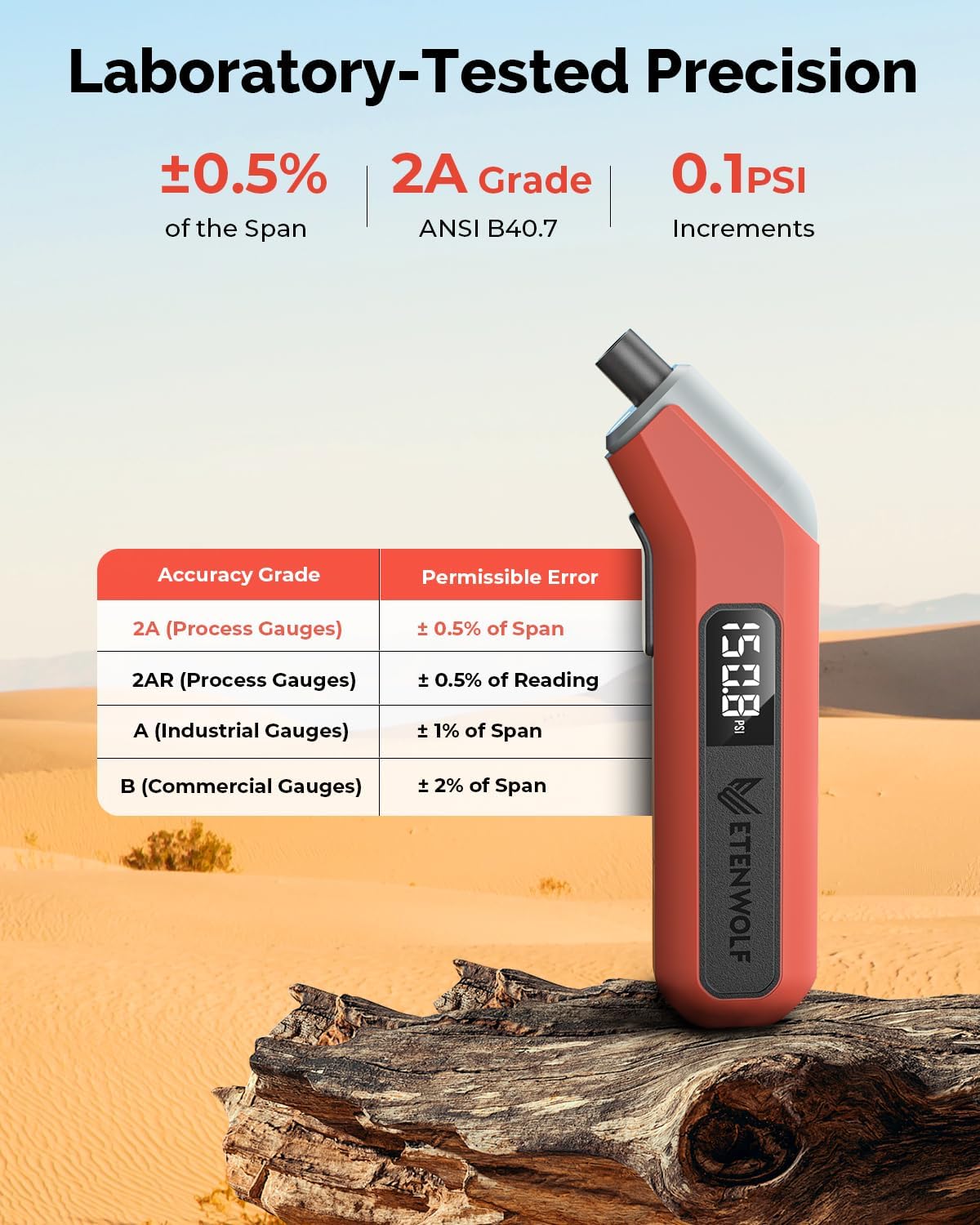
Figure 2: Laboratory-Tested Precision
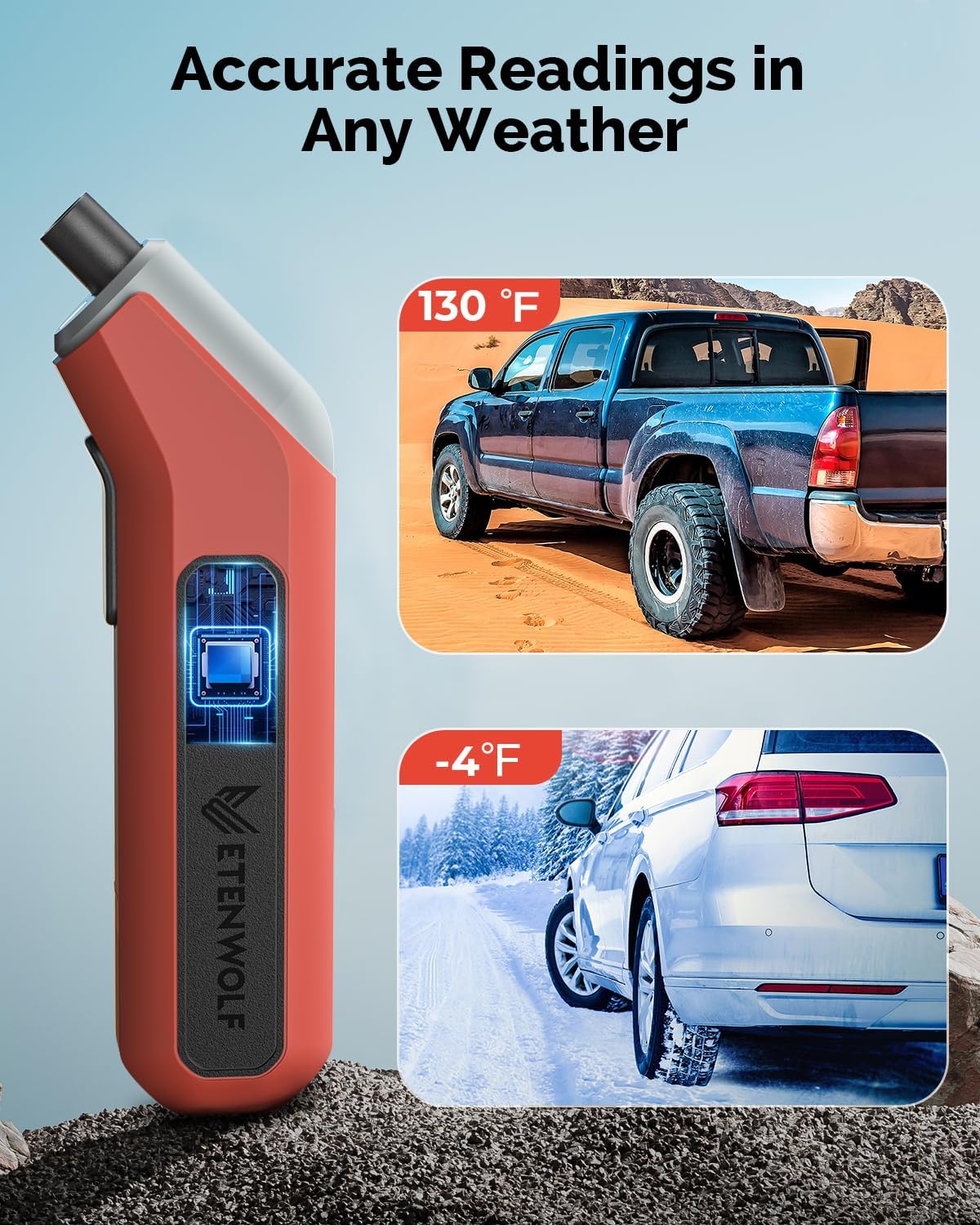
Figure 3: Accurate Readings in Any Weather
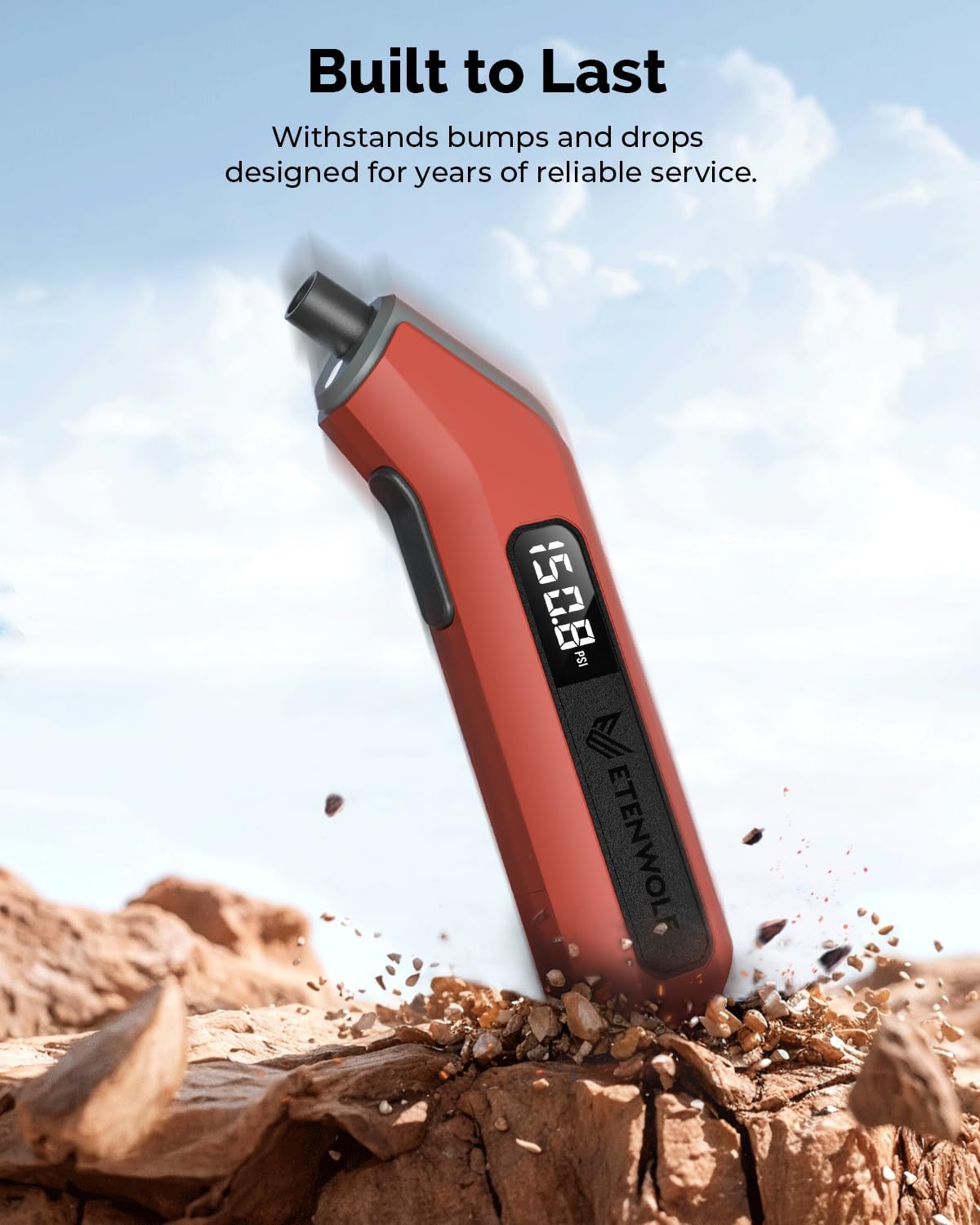
Figure 4: Built to Last
What's in the Box
- 1 x ETENWOLF T300 Digital Tire Pressure Gauge
- 2 x AAA Batteries
- User Manual
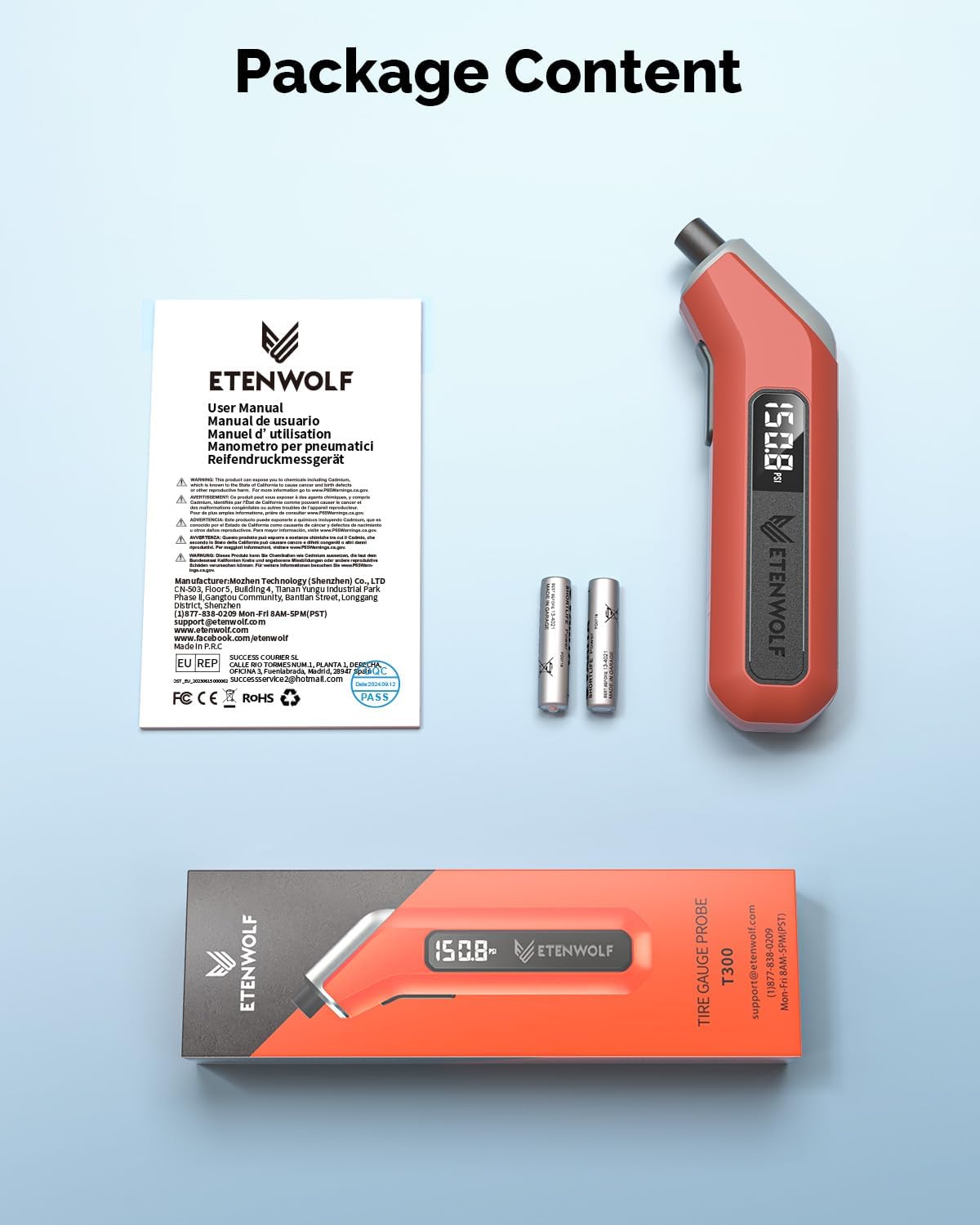
Figure 5: Package Contents
Setup
1. Installing Batteries
- Locate the battery compartment at the bottom of the gauge.
- Gently slide off the battery cover.
- Insert two AAA batteries, ensuring correct polarity (+/-) as indicated inside the compartment.
- Replace the battery cover securely.

Figure 6: Battery Installation
Operating Instructions
1. Powering On and Calibration
- Press the power button located on the side of the gauge to turn it on.
- The gauge will display "0.0 PSI" and automatically calibrate. Wait until the display stabilizes before use.
- The integrated LED light will activate upon power-on, assisting in low-light conditions.
2. Checking Tire Pressure
- Ensure the gauge is powered on and calibrated.
- Firmly press the nozzle of the gauge onto the tire valve stem. A brief hiss of air may be heard.
- Hold the gauge firmly in place until the digital display shows a stable pressure reading.
- Remove the gauge from the valve stem. The reading will remain on the display for a few seconds before the auto shut-off activates.
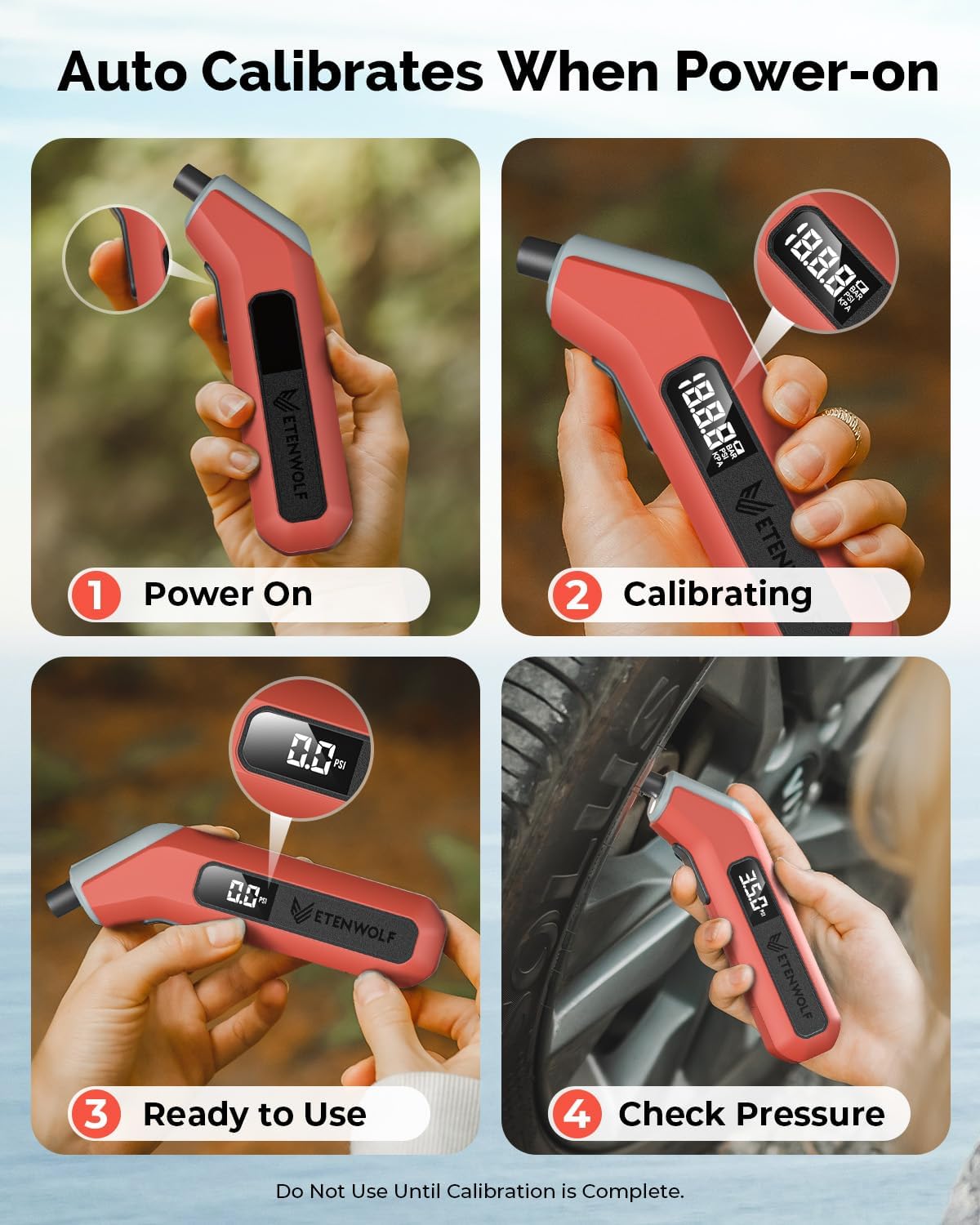
Figure 7: Power On, Calibrate, and Check Pressure Steps

Figure 8: Using the LED Light for Tire Checks

Figure 9: Digital Pressure Reading Display
Maintenance
1. Battery Replacement
When the display becomes dim or the gauge does not power on, it is time to replace the batteries. Follow the steps in the "Installing Batteries" section under Setup.
2. Cleaning and Storage
- Wipe the gauge with a soft, dry cloth to remove any dirt or debris. Do not use abrasive cleaners or immerse the device in water.
- Store the gauge in a cool, dry place, away from direct sunlight and extreme temperatures.
- If storing for an extended period, it is recommended to remove the batteries to prevent leakage.
Troubleshooting
| Problem | Possible Cause | Solution |
|---|---|---|
| Gauge does not power on. | Dead or incorrectly installed batteries. | Replace batteries, ensuring correct polarity. |
| Inaccurate readings. | Improper connection to valve stem; gauge not calibrated. | Ensure firm, straight connection to valve. Power off and on to re-calibrate. |
| Display is dim or flickering. | Low battery power. | Replace batteries. |
Specifications
- Brand: ETENWOLF
- Model: T300
- Material: Plastic
- Pressure Range: 3-200 PSI
- Accuracy: ANSI B40.7 Grade 2A (±0.5% of span)
- Operating Temperature: -4°F to 130°F (-20°C to 54°C)
- Power Source: 2 x AAA Batteries
- Dimensions (L x W x H): 6.3 x 1.46 x 1.06 inches
- Item Weight: 3.88 ounces (110 Grams)
- Screen Size: 3.2 Centimeters
- Auto Shut-off: After 30 seconds
Warranty and Support
ETENWOLF products are designed for quality and reliability. For specific warranty information, please refer to the warranty card included with your product or visit the official ETENWOLF website. For technical support, troubleshooting assistance, or any inquiries, please contact ETENWOLF customer service through the contact information provided on the product packaging or the official website.
You can also visit the ETENWOLF Store on Amazon for more product information and support resources.

