
LFF LWC150
LFF Atomic Clock User Manual
Model: LWC150
Brand: LFF
1. Introduction
The LFF Atomic Clock (Model LWC150) is a versatile digital wall or desk clock designed for accurate timekeeping and environmental monitoring. It automatically synchronizes with the WWVB radio broadcast for precise time and features a large, easy-to-read LCD display showing time, date, day of the week, alarm status, and both indoor and outdoor temperature and humidity.
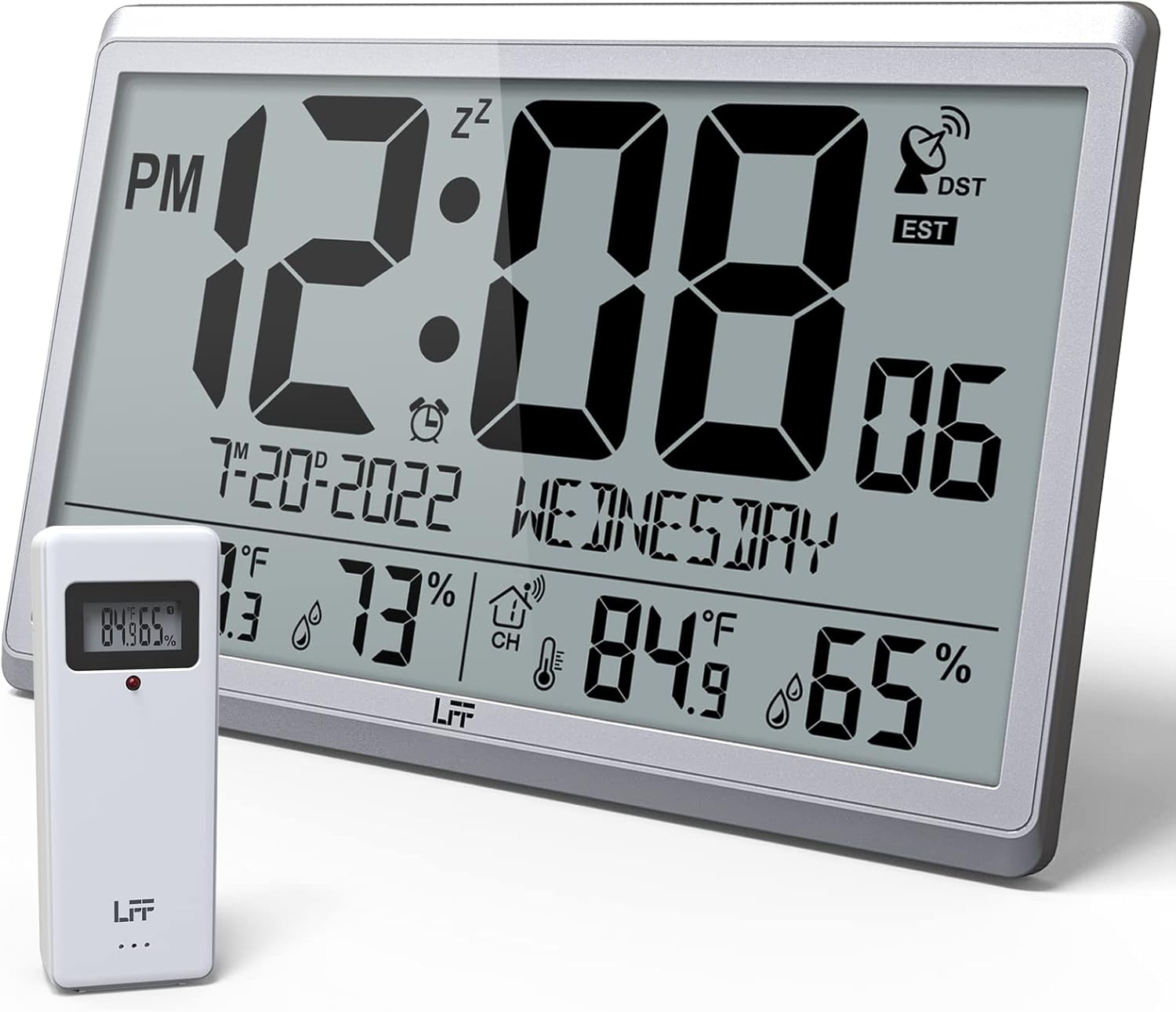
Figure 1.1: LFF Atomic Clock with its wireless outdoor sensor.
2. Features
- Accurate Atomic Clock: Built-in receiver automatically synchronizes with the WWVB radio broadcast from NIST in Fort Collins, Colorado, ensuring precise time and calendar adjustments.
- Large LCD High-Definition Display: 9.4-inch tall display with large numbers for easy readability. Displays time (12/24H), calendar, day of the week, alarm, indoor/outdoor temperature (°C/°F), and humidity simultaneously.
- Wireless Outdoor Sensor: Transmits accurate outdoor temperature and humidity measurements up to 328 feet (100 meters). The sensor has an IPX4 splash-proof rating.
- Battery Operated: Main clock requires 4 AA batteries (not included), and the outdoor sensor requires 2 AAA batteries (not included). No backlight display.
- Multiple Time Zones: Supports 8 time zones including EST, CST, MST, PST, AKT, HST, AST, NST.
- Flexible Placement: Can be used as a wall clock (3 hanging holes) or a desk clock (integrated bracket).
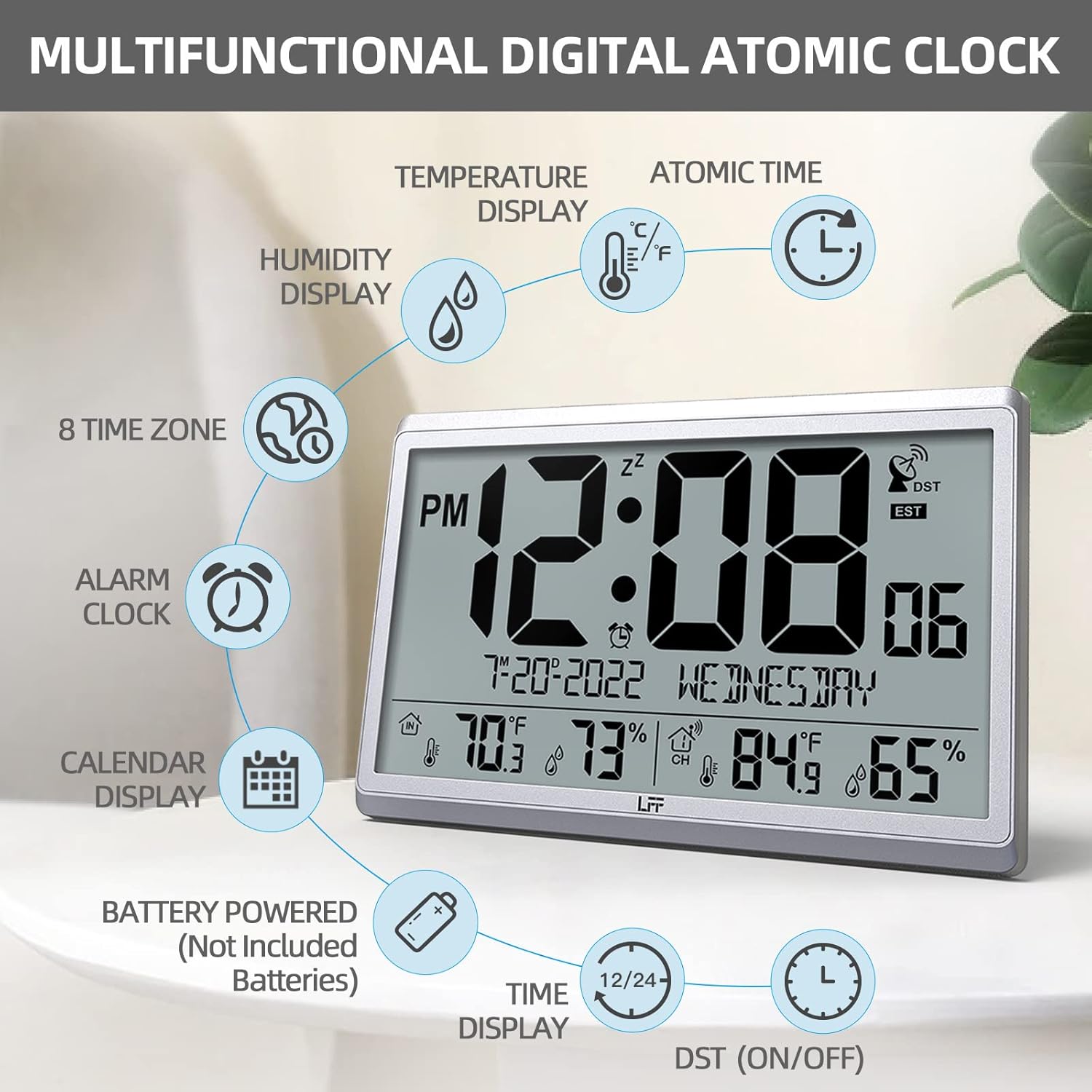
Figure 2.1: Overview of the clock's multifunctional display and features.
3. Package Contents
Please check the package contents upon unboxing to ensure all items are present:
- 1 x LFF Atomic Clock (Main Unit)
- 1 x Wireless Outdoor Sensor
- 1 x User Manual
4. Setup
4.1 Battery Installation
The main clock unit and the outdoor sensor are battery-powered. Batteries are not included.
- For the Main Clock Unit: Open the battery compartment on the back of the clock. Insert 4 new AA batteries, ensuring correct polarity (+/-).
- For the Wireless Outdoor Sensor: Open the battery compartment on the back of the sensor. Insert 2 new AAA batteries, ensuring correct polarity (+/-).

Figure 4.1: Battery installation and button layout on the main clock unit.
4.2 Outdoor Sensor Placement
For accurate temperature and humidity readings, place the outdoor sensor in a location that is:
- Out of direct sunlight and rain.
- Away from any heat sources (e.g., vents, exhaust fans) or extreme cold sources.
- Within the wireless transmission range of 328 feet (100 meters) from the main clock unit.

Figure 4.2: Optimal placement for the wireless outdoor sensor.
4.3 Initial Atomic Time Synchronization
After battery installation, the clock will automatically attempt to synchronize with the WWVB atomic time signal. This process may take several minutes to several hours, depending on your location and signal strength. Ensure the clock is placed in an area where it can receive a clear signal, ideally near a window and away from electronic interference.

Figure 4.3: The clock synchronizes with the atomic time signal broadcast from Fort Collins, Colorado.
5. Operating Instructions
5.1 Manual Time and Date Setting
While the clock primarily relies on atomic synchronization, you can manually set the time and date if needed (e.g., during initial setup before signal acquisition or in areas with poor reception).
- Press and hold the SET button on the back of the clock until the display flashes.
- Use the UP or DOWN/RCC buttons to adjust the flashing value (e.g., hour, minute, year, month, day).
- Press SET again to confirm the setting and move to the next value.
- Repeat until all desired settings are configured.
5.2 Time Zone Selection
The clock supports 8 time zones. After atomic synchronization, you may need to select your local time zone.
- Press the SET button repeatedly until the time zone setting flashes.
- Use the UP or DOWN/RCC buttons to cycle through the available time zones (EST, CST, MST, PST, AKT, HST, AST, NST).
- Press SET to confirm your selection.
5.3 Temperature Unit Selection (°C/°F)
To switch between Celsius and Fahrenheit for temperature display:
- Briefly press the DOWN/RCC button. The temperature unit will toggle between °C and °F.
5.4 Alarm Clock Function
The clock includes an alarm function.
- Press the ALARM button to view the current alarm time.
- Press and hold the ALARM button until the alarm time flashes.
- Use the UP or DOWN/RCC buttons to set the desired alarm hour and minute.
- Press ALARM to confirm each setting.
- To activate/deactivate the alarm, briefly press the ALARM button when the alarm time is displayed. An alarm icon will appear/disappear on the screen.
5.5 Display Information
The large LCD display provides comprehensive information at a glance:
- Top Section: Current time (with AM/PM indicator), atomic signal strength, DST indicator, and time zone.
- Middle Section: Date (Month-Day-Year) and Day of the Week.
- Bottom Section: Indoor temperature and humidity, and outdoor temperature and humidity (from wireless sensor).

Figure 5.1: The LFF Atomic Clock can be placed on a desk or mounted on a wall.
6. Maintenance
6.1 Battery Replacement
Replace batteries in both the main unit and the outdoor sensor when the display becomes dim or readings become erratic. Always replace all batteries at the same time with new ones of the same type. For temperatures below -4°F, lithium batteries are recommended for the outdoor sensor.
6.2 Cleaning
Wipe the clock and sensor with a soft, dry cloth. Do not use abrasive cleaners or solvents, as they may damage the display or casing. Avoid getting moisture into the battery compartments or electronic components.
6.3 Sensor Care
Periodically check the outdoor sensor for any debris or obstructions that might affect its readings. Ensure it remains in a sheltered location to protect it from extreme weather conditions, despite its splash-proof design.
7. Troubleshooting
| Problem | Possible Cause | Solution |
|---|---|---|
| Clock not synchronizing with atomic time. | Weak signal, interference, incorrect time zone. | Relocate the clock closer to a window or away from electronic devices. Ensure correct time zone is selected. Allow up to 24 hours for initial synchronization. |
| Outdoor temperature/humidity not displayed or inaccurate. | Sensor out of range, low sensor batteries, sensor exposed to direct elements. | Ensure sensor is within 328 feet of the main unit. Replace sensor batteries. Reposition sensor in a shaded, dry area. Press the CHANNEL button on the main unit to re-establish connection. |
| Display is dim or blank. | Low batteries in main unit. | Replace all 4 AA batteries in the main clock unit. |
| Time is incorrect after synchronization. | Incorrect time zone selected. | Verify and adjust the time zone setting as described in Section 5.2. |
8. Specifications
| Feature | Detail |
|---|---|
| Model Number | LWC150 |
| Display Type | Digital LCD |
| Product Dimensions | 14.2"W x 9.4"H x 1.2"D |
| Power Source (Main Unit) | 4 x AA Batteries (not included) |
| Power Source (Outdoor Sensor) | 2 x AAA Batteries (not included) |
| Indoor Temperature Range | 14.1°F to 122.0°F (-9.9°C to 50.0°C) |
| Outdoor Temperature Range | -58.0°F to 158.0°F (-50.0°C to 70.0°C) |
| Indoor Humidity Range | 1% to 99% |
| Outdoor Humidity Range | 1% to 99% |
| Wireless Transmission Range | Up to 328 feet (100 meters) in open area |
| Outdoor Sensor Waterproof Rating | IPX4 (splash-proof) |
| Material | Plastic (Acrylonitrile Butadiene Styrene frame) |
| Item Weight | 2.7 pounds (1.23 Kilograms) |
9. Warranty and Support
LFF products are designed for reliability and performance. For any questions, technical support, or warranty claims, please contact LFF customer service through the retailer's platform or the official LFF website. Please retain your proof of purchase for warranty purposes.
Related documentsLWC150


Ask a question about this manual
Ask about setup, troubleshooting, compatibility, parts, safety, or missing instructions. Manuals+ will review the question and use this page’s manual context to help answer it.