
Introduction
This manual provides instructions for the ECONTROLLY VR3 replacement remote control, designed for use with various Vizio TV models. This infrared remote control requires no programming and is ready for use after battery installation.
Compatible Vizio TV Models:
- VOJ320M
- VO37L
- VOJ370
- VOJ320
- FHDTV20A
- VOJ320F
- VOJ370F
- VOJ320F1AC
- VOJ370F1A
- VOJ3201A
- VO37LFHDTV20A
- VO37LFHDTV10A
Setup
Battery Installation
The remote control requires two AAA ALKALINE batteries for operation.
- Locate the battery compartment cover on the back of the remote control.
- Slide the cover downwards or press the latch and lift to open.
- Insert two AAA ALKALINE batteries, ensuring the positive (+) and negative (-) terminals match the diagrams inside the compartment.
- Replace the battery compartment cover by sliding it back into place until it clicks securely.
Important:
- Do not use rechargeable batteries.
- Batteries are not included with this product.
Operating Instructions
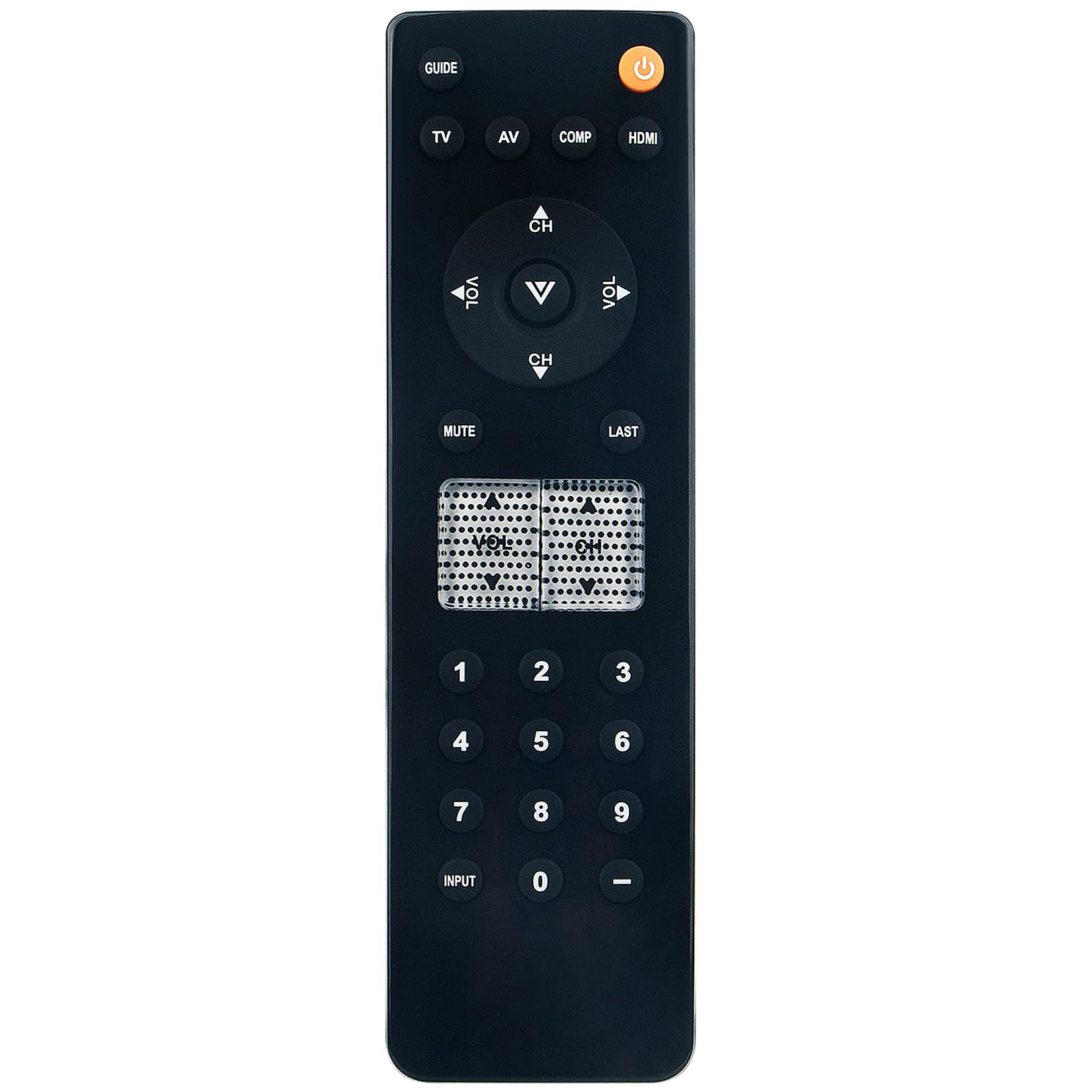
This remote control is pre-programmed and ready to use with compatible Vizio TV models immediately after battery installation. Point the remote directly at your television's infrared receiver.
Basic Functions
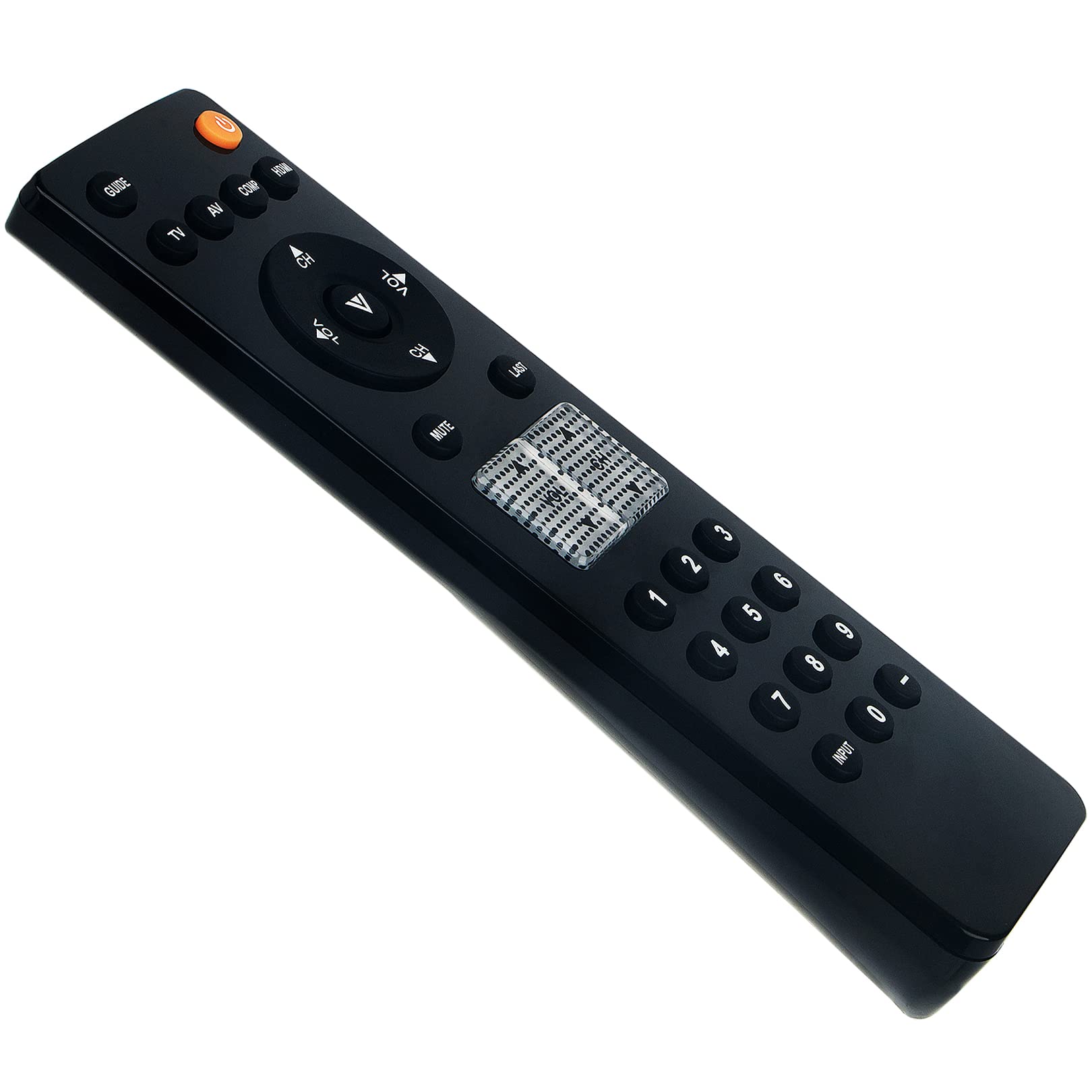
- Power Button (Orange Button): Turns the TV on or off.
- Input/Source Buttons (e.g., TV, AV, COMP, HDMI): Selects the input source for your television.
- Volume Up/Down (VOL +/-): Adjusts the television's volume.
- Channel Up/Down (CH +/-): Changes television channels.
- Mute Button: Mutes or unmutes the television's audio.
- Number Pad (0-9): Directly enters channel numbers.
- Last Button: Returns to the previously viewed channel.
- Guide Button: Accesses the TV program guide.
Maintenance
Cleaning
To clean the remote control, gently wipe it with a soft, dry cloth. Do not use liquid cleaners, sprays, or abrasive materials, as these may damage the remote.
Battery Care
- Remove batteries if the remote control will not be used for an extended period to prevent leakage.
- Replace all batteries at the same time; do not mix old and new batteries or different types of batteries.
- Dispose of used batteries according to local regulations.
Troubleshooting
Remote Control Not Responding
- Check Batteries: Ensure batteries are inserted correctly with the correct polarity (+/-) and are not depleted. Replace with fresh AAA ALKALINE batteries if necessary.
- Line of Sight: Make sure there are no obstructions between the remote control and the TV's infrared sensor.
- Distance: Ensure you are within the effective operating range of the remote control.
- TV Compatibility: Verify that your Vizio TV model is listed as compatible with this remote control.
Specifications
| Feature | Detail |
|---|---|
| Model Number | B0BXXKX2K8 |
| Power Source | 2 x AAA ALKALINE Batteries (not included) |
| Dimensions | 3.94 x 1.57 x 0.59 inches |
| Item Weight | 2.47 ounces |
| Special Feature | Pre-programmed Infrared (IR) |
| Compatible Devices | Vizio Televisions |
Support
For any questions or assistance regarding this product, please contact the seller directly.
