
YOTON YD105A
YOTON 10.5" Portable DVD Player User Manual
Model: YD105A
1. Introduction
Thank you for purchasing the YOTON 10.5" Portable DVD Player. This manual provides essential information for setting up, operating, and maintaining your device. Please read it thoroughly before use to ensure optimal performance and safety. This portable DVD player is designed for convenient entertainment on the go, featuring a versatile screen, long battery life, and broad media compatibility.
2. Product Overview
The YOTON YD105A is a feature-rich portable DVD player designed for flexibility and user comfort. Its key features include:
- 10.5-inch Eye Protection Screen: With a resolution of 1024x600, the screen can be flipped 180° and rotated 270° for optimal viewing angles.
- Car Headrest Compatibility: Ideal for road trips, it includes a supplementary car headrest for easy installation.
- Wide Compatibility: Supports DVD/DVD-R/DVD-RW/CD/CD-R/CD-RW/DVCD/CVD formats, as well as USB and SD Card (up to 16GB). It is region-free.
- Multiple Charging Options: Features 3 flexible charging ways for convenience.
- Last Memory Function: Resumes playback from where you left off.
- Built-in Dual Speakers: Provides clear audio.

Image: The YOTON 10.5-inch Portable DVD Player, showcasing its main unit, remote control, and a car headrest mounting case. The screen displays an animated character eating popcorn.
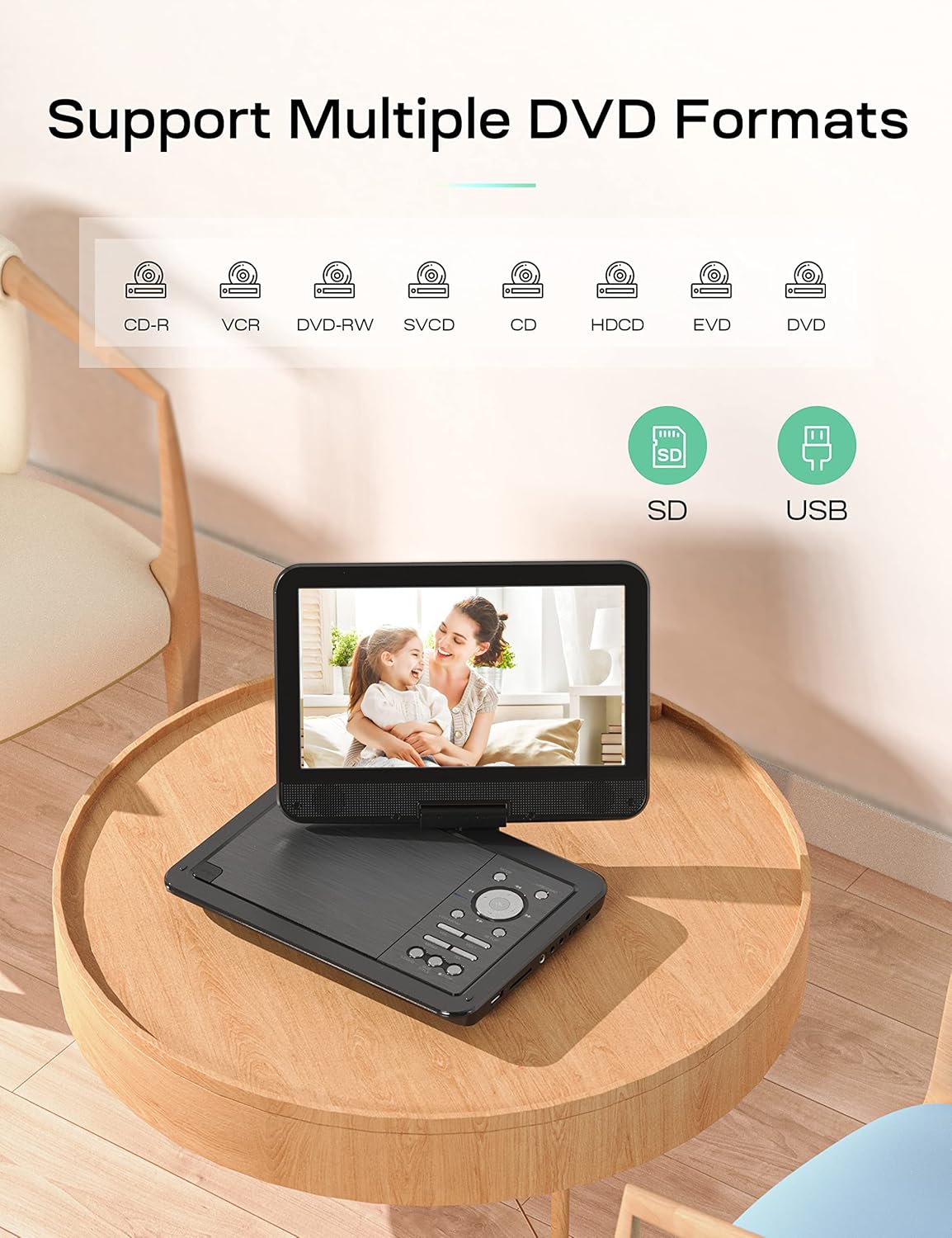
Image: A close-up of the YOTON DVD player demonstrating its swivel screen capability, highlighting the 270-degree rotation and 180-degree flipping functionality.
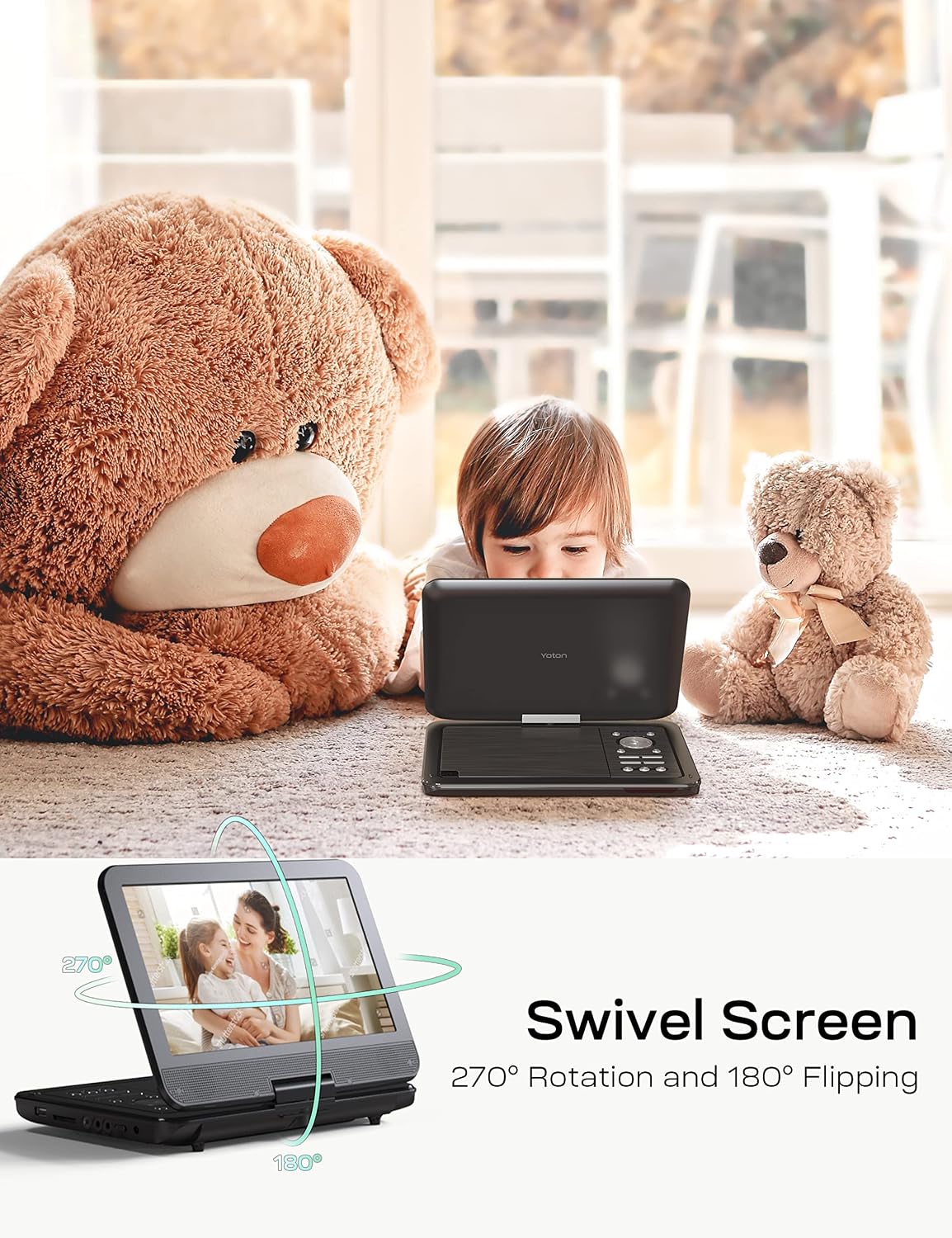
Image: The YOTON DVD player on a table, illustrating its compatibility with various DVD formats (CD-R, VCR, DVD-RW, SVCD, CD, HDCD, EVD, DVD) and external media like SD cards and USB drives.
Video: An official product video demonstrating the YOTON Portable DVD Player's features, including its control panel, various ports (USB, SD Card, AV In/Out, DC In), swivel screen, built-in dual speakers, last memory function, and connectivity options to a TV. It also shows usage scenarios like family entertainment and car travel.
3. Package Contents
Please check the box for the following items:
- Portable DVD player YD105A (1 unit)
- Car headrest (1 unit)
- Remote control (battery not included) (1 unit)
- AC charger (1 unit)
- 1.8m Car charger (1 unit)
- 3-in-1 AV cable (1 unit)
- User Manual (1 unit)

Image: All components included in the YOTON Portable DVD Player package, neatly arranged: the DVD player, AC charger, car charger, AV cable, remote control, and user manual.
4. Setup
4.1 Powering On
Before first use, fully charge the built-in lithium-ion battery using the provided AC charger or car charger. The power indicator light will show charging status. To power on, slide the OFF/ON switch located on the side of the player to the 'ON' position.
4.2 Inserting Media
- DVD/CD: Gently open the disc cover and place the DVD or CD onto the spindle with the label side facing up. Close the cover securely.
- USB Drive: Insert your USB flash drive into the USB port.
- SD Card: Insert your SD card into the SD card slot.
4.3 Connecting to TV
To enjoy content on a larger screen, connect the DVD player to your TV using the supplied 3-in-1 AV cable. Connect the AV OUT ports on the DVD player to the corresponding AV IN ports on your TV (Yellow for Video, White for Left Audio, Red for Right Audio). Select the correct AV input source on your TV.

Image: The YOTON Portable DVD Player connected to a television screen using an AV cable, demonstrating how to sync the screen for a larger viewing experience.
4.4 Car Headrest Installation
Utilize the included car headrest to securely mount the DVD player to the back of a car seat. This provides stable viewing for passengers during travel.

Image: The YOTON Portable DVD Player securely mounted on a car headrest, showing its suitability for in-car entertainment for passengers.
5. Operating Instructions
5.1 Basic Playback
After inserting your desired media (DVD, CD, USB, or SD card), the player will typically begin playback automatically. Use the control buttons on the player or the remote control for functions such as Play, Pause, Stop, Fast Forward, Rewind, Next Track, and Previous Track.
5.2 Swivel Screen Usage
The screen can be rotated 270 degrees and flipped 180 degrees. This allows for flexible viewing angles, including folding the screen flat against the base to resemble a tablet, or adjusting it for optimal visibility in various settings.
5.3 Last Memory Function
The player features a 'Last Memory Function' which allows it to resume playback from the exact point where it was last powered off. This is particularly useful for movies or long videos.

Image: A sequence of three images illustrating the break-point memory function: the player is shown playing, then powered off, and finally powered back on, resuming playback from the last watched scene.
5.4 Remote Control
The included remote control provides full functionality for operating the DVD player from a distance. Ensure batteries are inserted correctly (not included with purchase).
6. Maintenance
To ensure the longevity and optimal performance of your YOTON Portable DVD Player, follow these maintenance guidelines:
- Cleaning: Use a soft, dry cloth to clean the exterior of the player. For the screen, use a microfiber cloth specifically designed for electronics. Avoid abrasive cleaners or solvents.
- Disc Care: Handle discs by their edges. Keep them clean and free of scratches. Store them in their cases when not in use.
- Battery Care: For optimal battery life, avoid fully discharging the battery frequently. If storing the player for an extended period, charge it to about 50% and store in a cool, dry place.
- Storage: Store the player in a cool, dry environment away from direct sunlight, extreme temperatures, and high humidity.
- Avoid Impacts: Protect the device from drops and impacts, which can damage internal components or the screen.
7. Troubleshooting
If you encounter issues with your YOTON Portable DVD Player, please refer to the following common problems and solutions:
| Problem | Possible Cause | Solution |
|---|---|---|
| Player does not power on. | Battery is drained; Power switch is OFF. | Connect the AC charger and allow the battery to charge. Ensure the power switch is in the 'ON' position. |
| No disc detected. | Disc inserted incorrectly; Disc is dirty or scratched; Unsupported disc format. | Ensure the disc is inserted correctly (label side up). Clean the disc with a soft cloth. Try a different disc. Verify the disc format is supported. |
| No picture on TV when connected. | AV cable not connected properly; Incorrect TV input source selected. | Check AV cable connections on both the player and TV. Select the correct AV input source on your TV (e.g., AV1, Video 1). |
| USB/SD card not recognized. | Unsupported file format; Card/drive corrupted; Capacity exceeds 16GB. | Ensure media files are in supported formats (e.g., 720x480 resolution for video, 2650x1440 for images). Reformat the card/drive if necessary (this will erase data). Ensure capacity is 16GB or less. |
| Remote control not working. | Batteries are dead or inserted incorrectly; Obstruction between remote and player. | Replace remote control batteries and ensure correct polarity. Remove any obstructions and point the remote directly at the player's IR receiver. |
| Does not support 1080P, 4K, or Blu-ray discs. | Product limitation. | This device is designed to support up to 720x480 resolution video files and standard DVD/CD formats. It is not compatible with higher resolution video or Blu-ray discs. |
8. Specifications
| Feature | Detail |
|---|---|
| Product Dimensions | 10.43 x 7.48 x 0.59 inches |
| Item Weight | 3.3 pounds |
| Model Number | YD105A |
| Batteries | 1 Lithium Ion battery (included) |
| Brand | YOTON |
| Screen Size | 10.5 Inches |
| Connectivity Technology | USB |
| Memory Storage Capacity | 16 GB (for USB/SD) |
| Color | Deep Black |
| Compatible Devices | Headphone, Speaker |
| Media Type | SD Card, Micro (USB) |
| Supported Disc Formats | DVD/DVD-R/DVD-RW/CD/CD-R/CD-RW/DVCD/CVD |
| Video Resolution Support | Up to 720*480 |
| Image Resolution Support | Up to 2650*1440 |
9. Warranty and Support
YOTON provides a 12-MONTH After-sales Service for this product. For any questions or assistance, please contact our customer support team, available 24-HOURS. Refer to the contact information provided in your purchase documentation or on the official YOTON website.
Related documentsYD105A


Ask a question about this manual
Ask about setup, troubleshooting, compatibility, parts, safety, or missing instructions. Manuals+ will review the question and use this page’s manual context to help answer it.