
1. Introduction
Thank you for choosing the ODK 52-Inch 8-Drawer Dresser with Charging Station. This manual provides detailed instructions for the assembly, operation, and maintenance of your new furniture. Please read this manual thoroughly before assembly and retain it for future reference.
This dresser features a sturdy steel frame, a wooden top, and eight fabric storage drawers. It also includes an integrated charging station with AC outlets, a USB port, and a Type-C port for convenient device charging.

Image 1.1: Overview of the ODK 52-Inch 8-Drawer Dresser with Charging Station.
2. Safety Information
- Anti-Tip Device: Always install the included anti-tip wall anchor to prevent the dresser from tipping over, especially in households with children or pets.
- Weight Limits: Do not exceed the recommended weight capacity for the top surface or individual drawers. Distribute weight evenly.
- Electrical Safety: The integrated charging station is designed for indoor use only. Do not expose it to moisture. Ensure the power cord is not pinched or damaged during assembly or use. Do not overload the outlets.
- Assembly: Assemble the unit on a soft, clean surface to prevent scratches. Ensure all screws and fasteners are securely tightened before use.
- Placement: Place the dresser on a level surface to ensure stability. Use the adjustable feet to compensate for uneven floors.
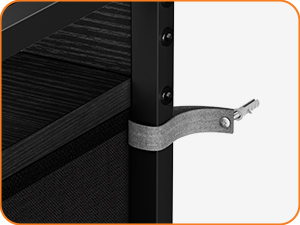
Image 2.1: Illustration of the wall anchor for enhanced stability.
3. Package Contents
Before beginning assembly, verify that all parts listed below are present and undamaged. If any parts are missing or damaged, please contact customer service.
- Steel Frame Components (various bars and connectors)
- Wooden Top Board
- Wooden Shelf Boards
- Fabric Drawers (8 units)
- Drawer Handles
- Integrated Charging Station with Power Cord
- Adjustable Feet
- Anti-Tip Wall Anchor Kit
- Assembly Hardware (screws, Allen wrench, screwdriver)
- Instruction Manual
4. Setup and Assembly Instructions
Follow these steps carefully to assemble your dresser. It is recommended to have two people for assembly.
- Prepare the Area: Clear a spacious, clean, and soft area for assembly to prevent damage to the dresser components or your floor.
- Assemble the Steel Frame: Connect the vertical and horizontal steel bars according to the diagrams provided in the separate assembly guide. Ensure all connections are secure.
- Attach Adjustable Feet: Screw the adjustable feet into the bottom of the assembled steel frame. These can be adjusted later to level the dresser.
- Install Wooden Shelf Boards: Place the wooden shelf boards into their designated slots within the steel frame structure.
- Install the Wooden Top Board: Secure the main wooden top board to the top of the steel frame using the provided screws.
- Integrate the Charging Station: Carefully insert the charging station into the pre-cut opening on the wooden top board. Ensure it sits flush and secure. Route the power cord as instructed in the separate assembly guide.
- Assemble Fabric Drawers: For each fabric drawer, insert the bottom support board to create a rigid structure. Attach the handles to the front of each drawer.
- Insert Drawers: Slide the assembled fabric drawers into their respective compartments within the steel frame.
- Install Anti-Tip Kit: Secure the anti-tip wall anchor to the back of the dresser and to a wall stud using the provided hardware. This step is crucial for safety.
- Final Adjustments: Adjust the leveling feet as needed to ensure the dresser is stable and does not wobble.

Image 4.1: Detail of adjustable feet for stability on uneven surfaces.

Image 4.2: The integrated charging station provides convenient power access.

Image 4.3: Fabric drawer showing the insertion of the bottom support board.
5. Operating Instructions
5.1 Using the Charging Station
- Plug the dresser's power cord into a standard wall outlet.
- The charging station provides 3 AC outlets, 1 USB-A port, and 1 USB-C (Type-C) port.
- Connect your electronic devices (e.g., phone, tablet, lamp, small appliances) to the appropriate ports for charging or power.
- Ensure devices are compatible with the charging station's output specifications (120V/12A for AC, 5V/2A for USB/Type-C).
5.2 Using the Storage Drawers
- Gently pull the drawer handles to open the fabric drawers.
- Push the drawers back into the compartment until they are fully closed.
- Avoid overloading drawers to ensure smooth operation and prevent damage to the fabric or frame.
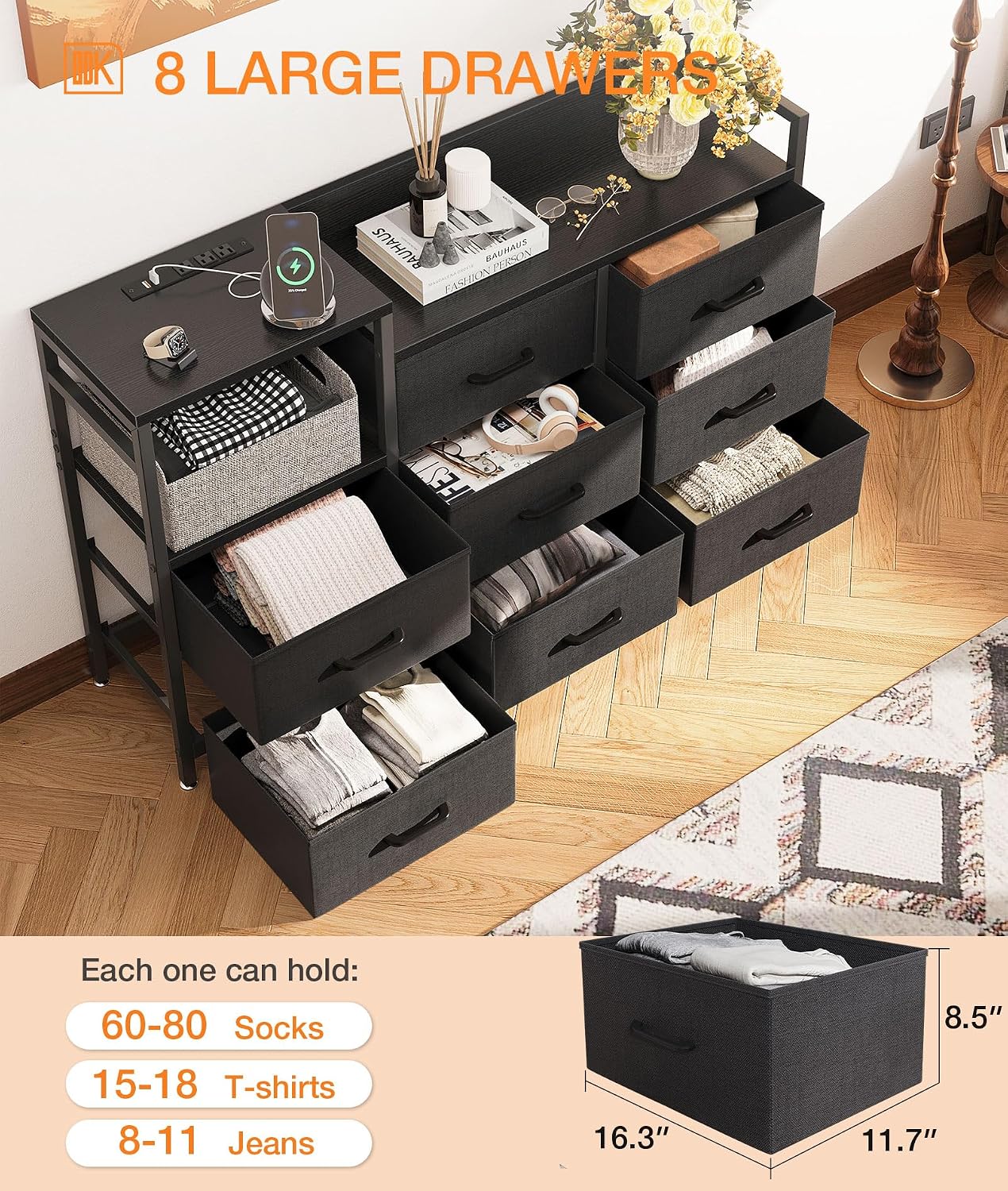
Image 5.1: The eight large fabric drawers offer ample storage capacity.
6. Maintenance
- Cleaning the Wooden Top: Wipe the wooden top surface with a dry cloth to remove dust and spills. Avoid abrasive cleaners or excessive moisture.
- Cleaning Fabric Drawers: For light cleaning, use a soft brush or vacuum cleaner to remove dust. For stains, spot clean with a mild detergent and a damp cloth, then air dry completely. Do not machine wash the fabric drawers.
- Frame Care: Periodically check all screws and connections to ensure they remain tight. Retighten if necessary.
- Charging Station: Keep the charging station free of dust and debris. Do not attempt to disassemble or repair the charging unit yourself.
7. Troubleshooting
- Dresser is Unstable/Wobbles: Ensure the dresser is placed on a level surface. Adjust the leveling feet at the bottom of the frame until the dresser is stable. Verify all frame connections are securely tightened.
- Charging Station Not Working: Check if the dresser's power cord is securely plugged into a functional wall outlet. Ensure the device you are trying to charge is properly connected to the charging station. Test with a different device or outlet to rule out device or outlet issues. Avoid overloading the charging station.
- Drawers Do Not Slide Smoothly: Ensure the drawers are correctly assembled with the bottom support board fully inserted. Check for any obstructions in the drawer compartments. Avoid overfilling the drawers.
- Missing Parts/Damaged Components: If you encounter missing parts or damaged components during assembly, please contact ODK customer service immediately for assistance.
8. Specifications
| Feature | Detail |
|---|---|
| Brand | ODK |
| Model Name | 8-Drawer Dresser |
| Model Number | SPCB02010173USDF-1 |
| Product Dimensions (D x W x H) | 11.81"D x 51.97"W x 34.65"H |
| Color | Black |
| Material | Steel Frame, Wooden Top, Fabric Drawers |
| Number of Drawers | 8 |
| Item Weight | 36.6 Pounds |
| Charging Station Output | 3 AC Outlets (120V/12A), 1 USB Port (5V/2A), 1 Type-C Port (5V/2A) |
| Assembly Required | Yes |
| Product Care Instructions | Wipe with Dry Cloth |
| UPC | 850050098713 |

Image 8.1: Detailed dimensions of the dresser for planning placement.
9. Warranty and Support
This ODK dresser comes with a limited warranty. For specific details regarding warranty coverage, please refer to the warranty information included in your product packaging or contact ODK customer service.
ODK is committed to providing exceptional customer service. If you have any questions, concerns, or require professional installation consultation, please do not hesitate to contact our support team. All parts and installation instructions are well-placed in the package to facilitate assembly.
For support, please visit the official ODK store or contact the seller directly through your purchase platform.