
RICHMAT HJH55+ HJC18
RICHMAT Wireless Remote Control and Control Box User Manual
Model: HJH55 + HJC18
Product Overview
This manual provides instructions for the RICHMAT Wireless Remote Control (HJH55) and Control Box (HJC18) system, designed for use with compatible adjustable beds. This system allows for wireless control of various bed functions, including head and foot elevation, massage, and other features depending on your adjustable bed model.
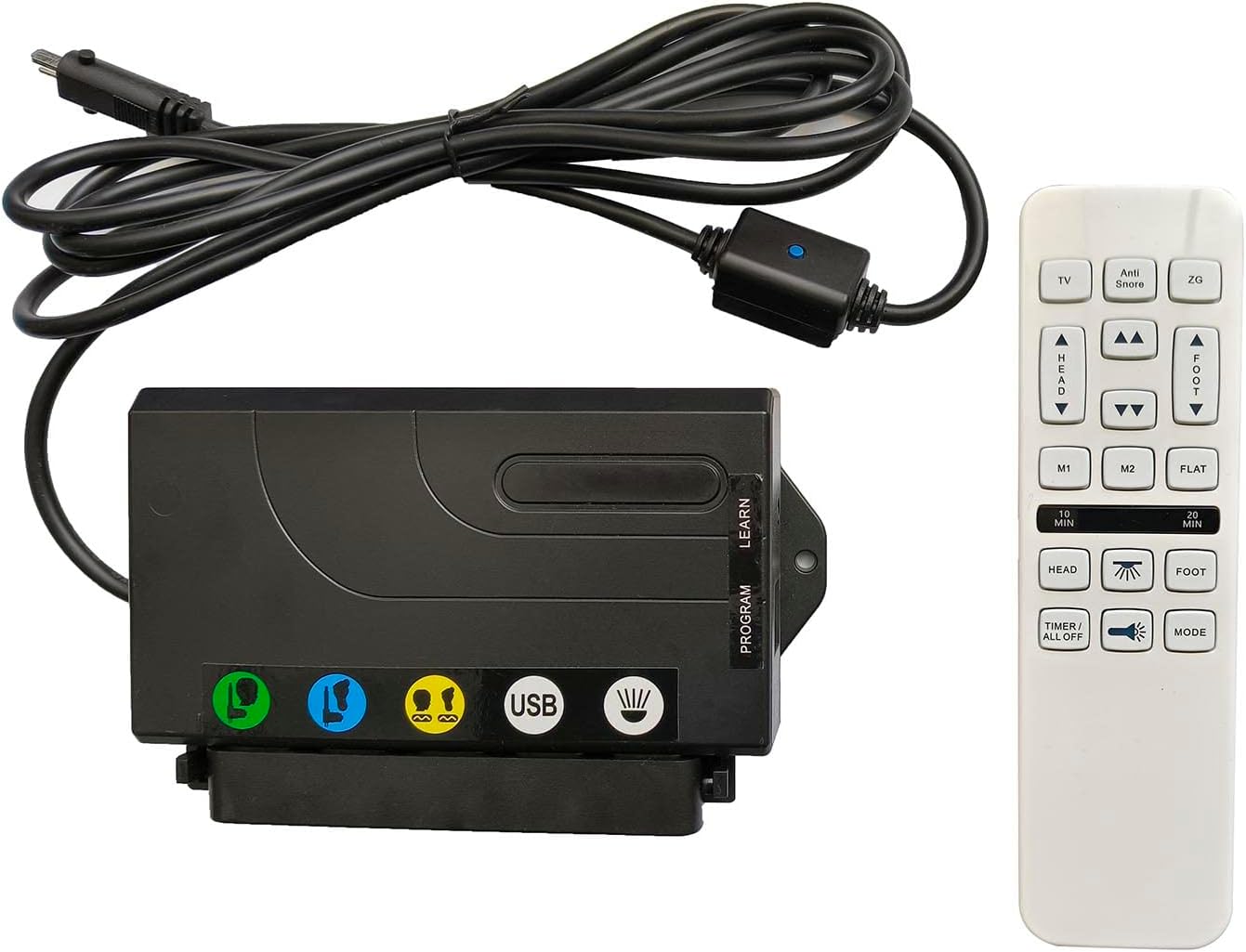
Image: The RICHMAT HJH55 wireless remote control and HJC18 control box. The control box is black with various ports and a USB charging port, connected by a cable to a power input. The remote control is white with multiple buttons for bed adjustments and functions.
Setup Instructions
1. Pre-Installation Checklist
- Verify Motor Compatibility: Ensure your adjustable bed uses a RICHMAT brand motor.
- Check Motor Plug: Confirm the motor plug is a round metal plug containing 8 pins. This system is not compatible with 5-pin or 2-pin plugs.
- Power Supply: This product does not include a power supply. You must use your existing power supply or purchase a compatible one. The compatible power supply output is DC24V-29V with a 2-pin (round + flat) plug.
- Batteries for Remote: The remote control requires 2 x AAA batteries (not included).
2. Installation Steps
- Connect Control Box to Motor: Locate the motor cable from your adjustable bed. Connect it securely to the corresponding 8-pin port on the RICHMAT HJC18 Control Box.
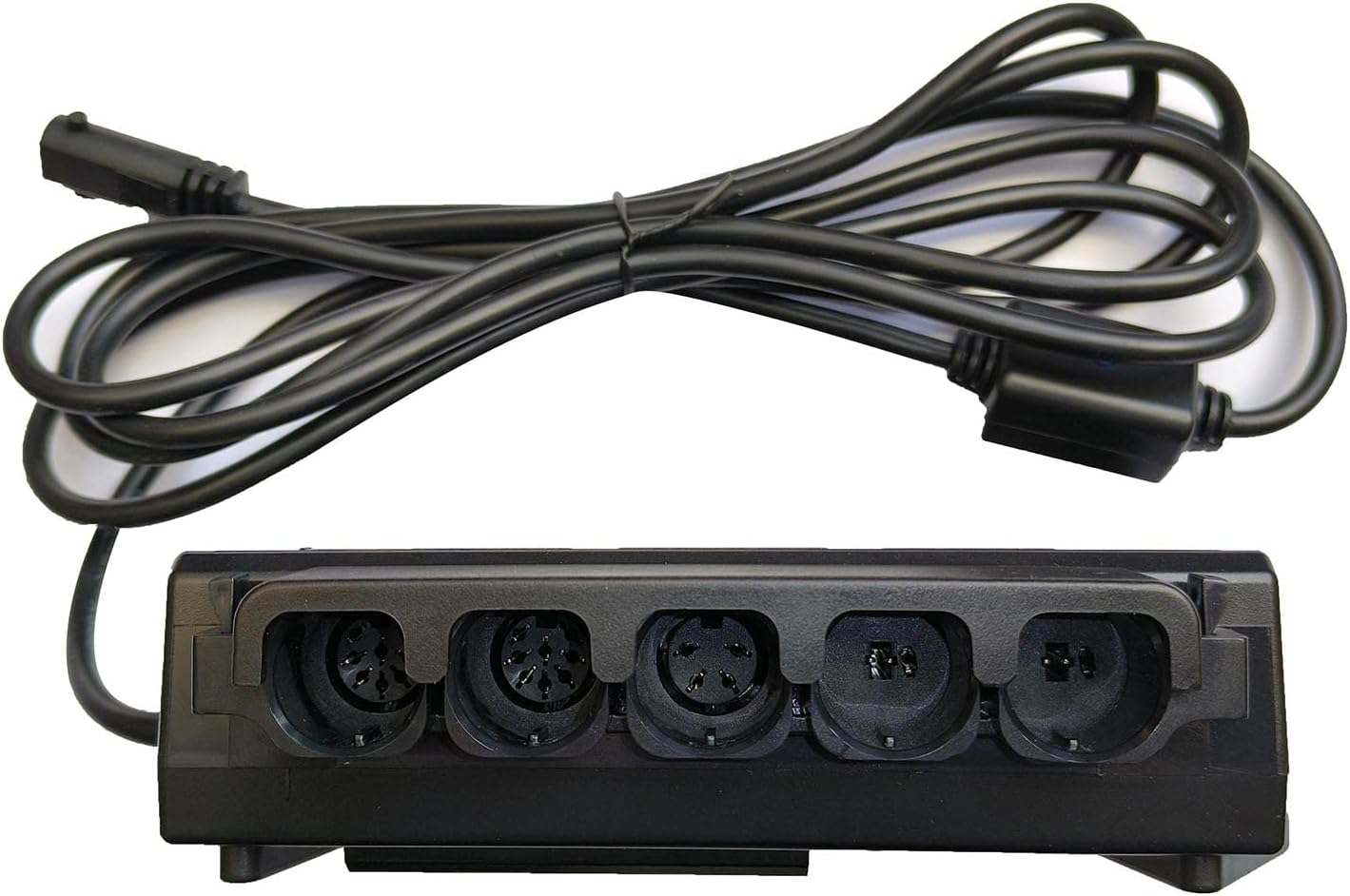
Image: Close-up view of the RICHMAT HJC18 control box showing various input ports for motors and the USB charging port. Ensure the 8-pin motor cable is connected correctly.
- Connect Power Supply: Plug your compatible DC24V-29V power supply into the designated power input port on the HJC18 Control Box.
- Install Batteries in Remote: Open the battery compartment on the back of the HJH55 Remote Control. Insert 2 x AAA batteries, ensuring correct polarity (+/-). Close the compartment.

Image: The back of the RICHMAT HJH55 remote control, showing the battery compartment cover and product label with model and FCC information.
- Pairing (if necessary): The remote control and receiver box are typically pre-paired. If they do not respond, a pairing process may be required.
To pair: Press and hold the "LEARN" or "PROGRAM" button on the HJC18 Control Box (refer to the label on the box) until an indicator light flashes. Then, press any button on the HJH55 Remote Control. The light on the control box should stop flashing, indicating successful pairing.
Operating Instructions
Familiarize yourself with the buttons on your HJH55 remote control to operate your adjustable bed.

Image: A close-up of the RICHMAT HJH55 wireless remote control, displaying all its buttons and their labels for various bed functions.
Remote Control Functions:
| Button | Function |
|---|---|
| TV | Adjusts the bed to a comfortable position for watching TV. |
| Anti Snore | Raises the head section slightly to help reduce snoring. |
| ZG (Zero Gravity) | Moves the bed to a "Zero Gravity" position, elevating both head and feet to promote circulation and reduce pressure. |
| HEAD ▲ / ▼ | Adjusts the head section of the bed up or down. |
| FOOT ▲ / ▼ | Adjusts the foot section of the bed up or down. |
| M1 / M2 | Memory preset buttons. Press to recall a saved position. To save a position, adjust the bed to your desired setting, then press and hold M1 or M2 until the remote indicates the position is saved (e.g., light flashes). |
| FLAT | Returns the bed to a completely flat position. |
| 10 MIN / 20 MIN | Activates the massage function for 10 or 20 minutes, respectively. |
| HEAD (Massage Icon) | Activates or adjusts the massage intensity for the head section. |
| FOOT (Massage Icon) | Activates or adjusts the massage intensity for the foot section. |
| TIMER / ALL OFF | Turns off all active functions, including massage and lights. |
| Light Icon | Toggles the under-bed lighting on or off (if your bed is equipped with this feature). |
| MODE | Cycles through different massage modes (e.g., wave, pulse, steady). |
Control Box Features:
- USB Charging Port: The HJC18 Control Box includes a USB port for charging compatible devices.
- Motor Connections: The control box supports connections for up to 2 lift motors and 2 vibrating massage motors.
Maintenance
- Battery Replacement: Replace the 2 x AAA batteries in the remote control when the signal weakens or the remote stops responding. Always use new batteries and dispose of old ones responsibly.
- Cleaning: Wipe the remote control and control box with a soft, dry cloth. Do not use liquid cleaners or abrasive materials, as this may damage the electronics.
- General Care: Avoid exposing the remote control or control box to excessive moisture, extreme temperatures, or direct sunlight. Do not drop or subject the components to strong impacts.
Troubleshooting
| Problem | Possible Cause / Solution |
|---|---|
| Remote control not responding. |
|
| Bed functions (head/foot lift, massage) not working. |
|
| Massage function not working. |
|
| USB charging port not working. |
|
Specifications
| Feature | Detail |
|---|---|
| Model Numbers | HJH55 (Remote Control), HJC18 (Control Box) |
| Product Dimensions | 7 x 7 x 2 inches (combined package) |
| Item Weight | 1.28 pounds |
| Power Supply Input | DC24V-29V (2-pin, round + flat) - Power supply not included |
| Remote Batteries | 2 x AAA batteries (not included) |
| Compatible Devices | Adjustable beds with RICHMAT logo motors and 8-pin motor plugs |
| Max Supported Motors | 2 Lift Motors, 2 Vibrating Massage Motors |
| Color | White (Remote), Black (Control Box) |
| Manufacturer | Richmat |
| Country of Origin | China |
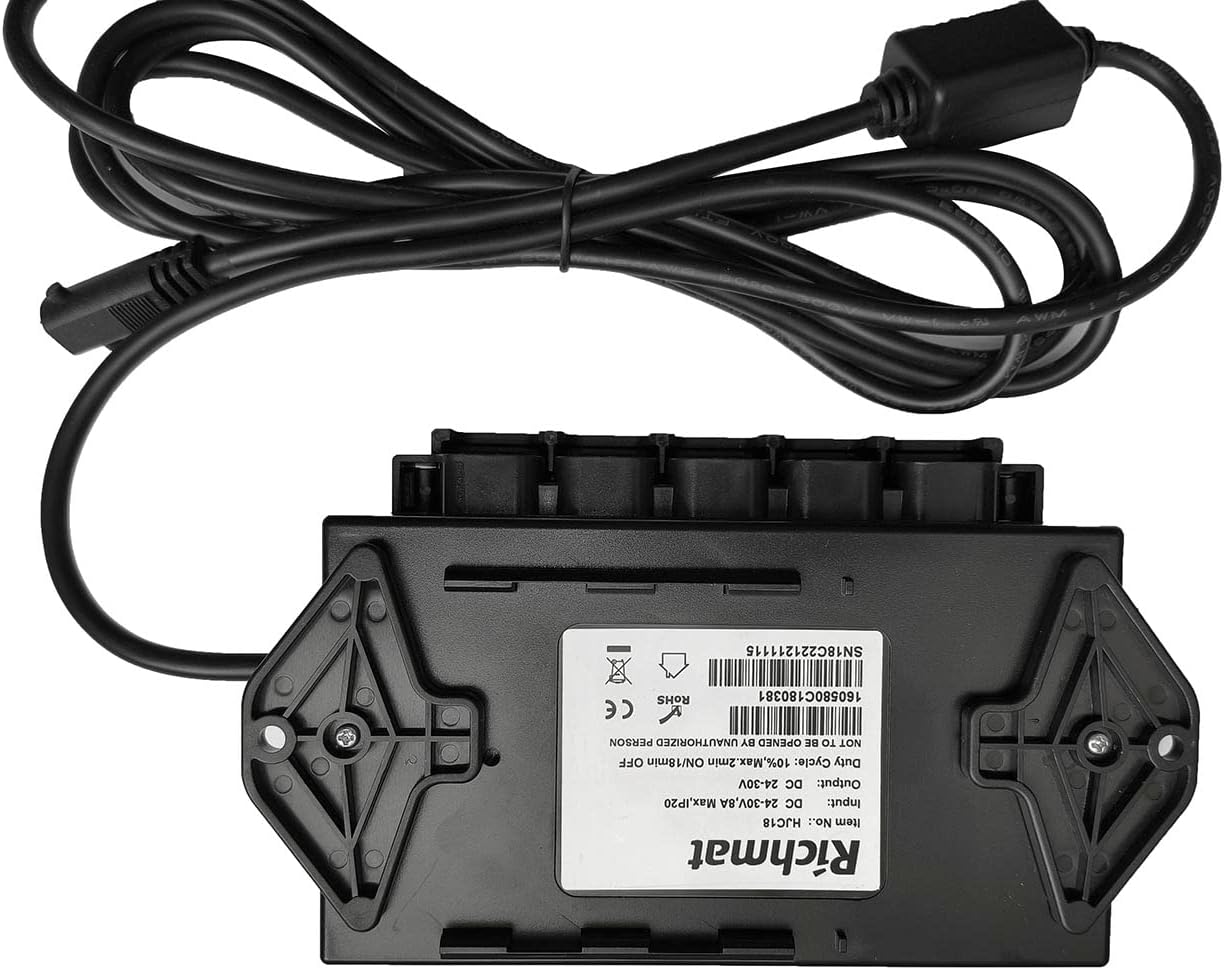
Image: The underside of the RICHMAT HJC18 control box, displaying its product label with model number, input/output voltage, duty cycle, and certifications.
Warranty and Support
Warranty Information:
This product comes with a 1-year warranty from the date of purchase. This warranty covers manufacturing defects and malfunctions under normal use. It does not cover faults caused by human factors, such as water damage to the remote control, physical damage, or improper installation.
Customer Support:
For technical assistance, troubleshooting, or warranty claims, please contact the seller or manufacturer through your purchase platform. Please have your order number and product model information ready when contacting support.
For more information, you may visit the manufacturer's website or refer to the product listing where you made your purchase.
Related documentsHJH55+ HJC18


Ask a question about this manual
Ask about setup, troubleshooting, compatibility, parts, safety, or missing instructions. Manuals+ will review the question and use this page’s manual context to help answer it.